Your server is the most important part of your online presence in today’s digital-first era. If you have a business website, an eCommerce store, a SaaS platform, or internal applications, even a little server problem can cause downtime, data loss, or security breaches. After a hack, slow performance, or sudden crashes, many organisations only realise how important it is to manage their servers.
This blog is here to assist you stay away from those issues
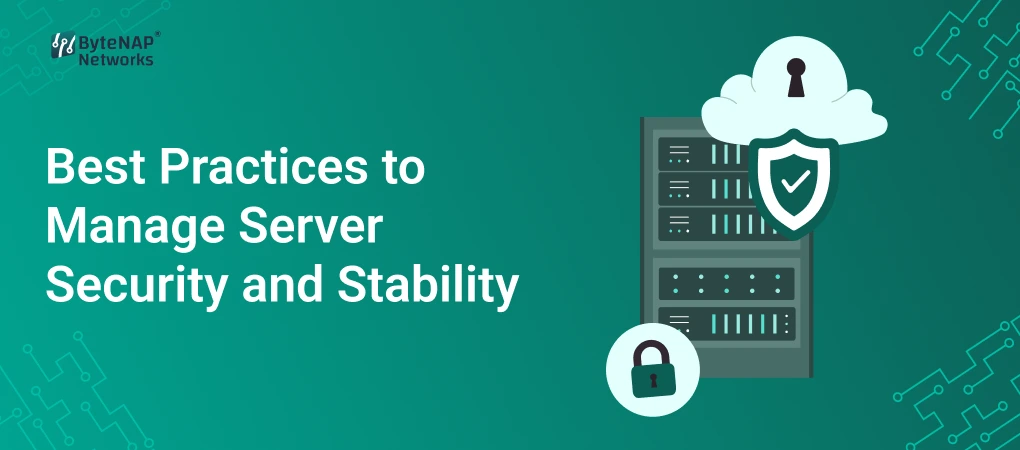
This tutorial will teach you all you need to know about managing server security and stability, why it’s important, and the best things you can do right away, no matter how new or experienced you are in IT.
What do “server security” and “stability” mean?
Let’s set the stage before we go into best practices.
What is server security?
Server security is the steps that are done to keep a server safe from:
- Access without permission
- Malware and ransomware
- Breaches of data
- Attacks that cause DDoS
- Weaknesses in configuration
It takes software, hardware, network policies, and human processes all working together to keep data and apps safe.
What is Server Stability?
Server stability means that your server:
- Doesn’t crash and runs all the time
- Easily handles traffic and job loads
- Works well over time without fail
- Gets over failures swiftly
In short, a stable server is always online, fast, and reliable, even when there are a lot of people using it or something unexpected happens.
Security and stability work together to make sure your server is safe and reliable
Why it’s important to keep your server safe and stable
If you don’t take care of your server, bad things can happen:
- Loss of revenue and downtime
- Problems with trust from customers
- Risks of legal and compliance
- Poor website performance and SEO effects
- Data loss that lasts forever
A Real-Life Situation
Picture an internet store having a holiday sale. There are abrupt increases in traffic, but the server isn’t ready for them. Outdated software also makes it easier for hackers to get in. What happened? The website goes down, clients can’t place orders, and private information is made public.
All of this could have been avoided with good server administration.
Best Ways to Keep Your Server Safe and Stable
Let’s look at some tried-and-true best practices that can help you maintain your infrastructure safe while successfully managing your server resources.
1. Update your server and software
One of the most common reasons servers are vulnerable is because they have old software.
What to Keep Up to Date:
- Operating system (Linux, Windows Server, etc.)
- Apache, Nginx, and IIS are all examples of web server software.
- Control panels (like cPanel and Plesk)
- CMS and add-ons (like WordPress and Joomla)
- Updates to the kernel and security fixes
Why It Matters:
- Fixes security holes that are already known
- Makes things run better and work together better
- Stops attacks that target older versions
Pro Tip: Whenever you can, automate updates. But always test large upgrades in a staging environment.
2. Use strong access control and authentication
Weak passwords make it easy for attackers to get in
Best Ways to Do Things:
- Make sure your passwords are strong and one-of-a-kind.
- Turn on multi-factor authentication (MFA)
- Restrict access to root or admin
- Give permissions based on roles
- Turn off user accounts that aren’t being used.
For example:
Instead of giving your whole team access to one root account, make separate user accounts with limited capabilities. This makes it easier to keep an eye on things and lower the risk
3. Set up rules for network security and a firewall
A firewall is the first thing that protects your server from outside attacks.
What to do:
- Turn on the server-level firewall, which could be UFW, iptables, or Windows Firewall.
- Only let in the ports that are needed (like 80, 443, and 22)
- Limit SSH access via IP address
- Use Web Application Firewalls (WAF)
Good thing:
Firewalls stop bad traffic from getting to your server in the first place.
4. Check the performance and logs of your server on a regular basis
You can’t mend something you can’t see.
What to Keep an Eye On:
- How much of the CPU is being used
- Use of RAM and disc
- Traffic on the network
- Logs of errors
- Attempts to log in
Things You Can Use:
- Tools for monitoring servers (Nagios, Zabbix, Prometheus)
- Hosting panels have built-in dashboards.
- Tools for analysing logs
Monitoring can assist you:
- Find security threats early
- Find out what’s slowing down performance
- Make the server more stable
5. Make good use of server resources
Bad resource allocation can cause crashes and slow performance
How to Handle Server Resources:
- Make the web server’s settings better
- Use caching tools like Redis, Varnish, and Memcached.
- Limit the number of processes running in the background
- Get rid of files and databases you don’t utilize
- Scale resources based on how much traffic you get
For example:
If your website slows down when there are a lot of visitors, adding more RAM or turning on caching can make it much more stable
6. Make sure to back up your data and have a plan for how to get it back.
No server is completely safe from breaking down.
Best Practices for Backups:
- Set up backups to happen automatically every day or week
- Keep backups on the cloud or at a different location.
- Check that your backups can be restored often.
- Keep more than one backup version
Why This Is Important:
Backups guarantee you can swiftly restore data with little delay in case of hacking, device failure, or inadvertent deletion.
7. Make sure your web server is set up correctly.
Servers that aren’t set up right are easy targets.
Best Ways to Do Things:
- Turn off directory listing
- Hide information about the server version
- Use SSL/TLS certificates to make sure HTTPS is used.
- Use secure headers like HSTS, CSP, and X-Frame-Options
Advantage:
Hardening a web server correctly makes it harder for attackers to get in and makes users and search engines trust it more.
8. Keep Malware and DDoS Attacks at Bay
Every day, cyber risks get worse
What to do:
- Set up malware scanners
- Turn on intrusion detection systems (IDS)
- Use services that protect against DDoS attacks
- Keep an eye on traffic patterns that aren’t normal
Example from the real world:
A blog that suddenly gets a lot of traffic could look successful, but it could be a DDoS attack. Security monitoring helps you tell the difference between progress and danger.
9. Do security audits on a regular basis
Setting up security isn’t a one-time thing
What to Check:
- Ports and services that are open
- User rights
- Software that has been installed
- Access logs and log files
Regular audits assist find risks that aren’t obvious and make sure your server follows best practices.
10. Pick the Right Place to Host
The choice of hosting affects both security and stability
There are options like:
- Shared hosting (not much control)
- VPS hosting (better use of resources)
- Dedicated servers (full control)
- Cloud servers that can grow and are strong
VPS or dedicated servers give organisations more control over server security, which is important for reliability and speed.
Advantages of Properly Managing Server Security and Stability
You get the following when you follow excellent practices:
- Better uptime and performance
- Better protection for data
- Faster load times lead to better SEO rankings.
- More trust from customers
- Fewer risks in operations
- Less expensive long-term upkeep
In short, a well-run server helps a firm expand.
Questions that are often asked (FAQs)
1. How often should I make changes to my server?
You should apply important security updates right away. You should check for updates every week or month.
2. How can you best take care of a web server?
For people who are new to server maintenance, using a control panel like cPanel or managed hosting services makes things easier.
3. Can small businesses not worry about server security?
No. Small businesses are often targeted since their security systems aren’t as strong.
4. How can I tell if my server is not stable?
Common symptoms are frequent downtime, poor loading times, high CPU utilisation, and error logs.
5. Do low-traffic websites need to keep an eye on their servers?
Yes. Monitoring helps find security threats early and makes sure that performance stays the same no matter how much traffic there is.
In conclusion, take charge of your server right now.
It is not optional to have secure and stable servers. These best practices can help you manage server resources well, lower risks, and give users a reliable experience, whether you run only one website or many applications.