Tag: server

  • Azure Managed Services for Secure & Scalable Cloud Operations

    Azure Managed Services for Secure & Scalable Cloud Operations

    Going to the cloud sounds amazing, but then things get hard.

    Many businesses use Microsoft Azure because it is fast, adaptable, and provides security that is good enough for major companies. But once workloads are up and running, teams usually have a hard time keeping an eye on them, making sure they are safe, keeping costs down, enhancing performance, and following the laws. This is where Azure’s managed services come in.

    This blog post will explain what Azure Managed Services for Secure & Scalable Cloud Operations are, why they matter, and how Azure infrastructure management services can help companies run cloud environments that are safer, smoother, and less expensive.

    This book will help you understand Azure better and give you helpful advice, whether you’re just getting started or already have a lot of work to do.

    What kinds of services does Azure take care of?

    When you engage a certified provider to take care of your Azure environment for you, that’s called Azure managed services. This includes monitoring, security, backups, improving performance, minimising expenses, and routine maintenance.

    Instead of hiring a large cloud staff in-house, businesses employ managed Azure cloud services to keep their infrastructure safe and up to date at all times.

    This design is built around Azure infrastructure management services. They labour all day and night to keep your cloud environment reliable, scalable, and up to code.

    Why is it hard to run Azure Cloud on your own?

     There are hundreds of services and settings to pick from. This freedom is great, but it can sometimes be too much.

    Some common challenges that businesses face are:

    • Settings for security that aren’t right
    • Unexpected bills for the cloud
    • Hiccups in performance
    • Time wasted because of poor monitoring
    • Not enough Azure knowledge in the company

    This is why Azure managed services and Azure infrastructure management services are now required, not just nice to have.

    What Do Azure Managed Services Give You?

    A reliable company that provides managed Azure cloud services usually has:

    1. Keeping an eye on the Azure infrastructure

    Keeping an eye on performance, uptime, and resource utilisation all the time with powerful tools.

    2. Keeping track of security and compliance

    Firewalls, identity access management, encryption, and compliance controls are all part of Azure infrastructure management services.

    3. Getting the most out of costs

    Finding resources that aren’t being used and optimising workloads to lower cloud expenditures.

    4. Backups and getting things back after a disaster

    Automated backups and planning for recovery to keep the business going.

    5. Making things work better

    Fine-tuning Azure resources so that they are always available and may grow.

    A Guide for New Users on Azure Infrastructure Management Services

    The main goal of Azure infrastructure management services is to maintain the backbone of your cloud environment working smoothly.

     This includes virtual computers.

    • Networking (VNets, load balancers)
    • Storage
    • Databases
    • Security settings

    These services not only cure problems, but they also stop them from happening in the first place, which keeps your Azure environment running smoothly.

    Azure managed services are distinct from ordinary cloud support since they work to stop problems before they happen.

    Step by step, how Azure Managed Services work

    Step 1: Planning and Evaluation

    The supplier uses Azure infrastructure management services to check over your present Azure setup and uncover problems, inefficiencies, and methods to make it better.

    Step 2: Setting up and getting started

    Policies for security, tools for keeping an eye on things, and scripts for automating things are put in place.

    Step 3: 24/7 management and monitoring

    Managed Azure cloud services watch over your Azure environment all the time.

    Step 4: Improving and growing

    People are continuously working to make resources work better and cost less.

    Step 5: Always reporting and making things better

    Azure infrastructure management services give you full reports on security, performance, and cost.

    Benefits of Azure Managed Services for Businesses

    1. More safety

    Azure managed services keep an eye on security and deal with threats all the time as cyber hazards develop.

    2. Better chance of growth

    When traffic goes up or your firm grows, your infrastructure can easily grow or shrink.

    3. Less to do

    Azure infrastructure management services are handled by experts, while internal teams come up with fresh ideas.

    4. Cost Effectiveness

    Optimised workloads help you save money and not waste resources.

    5. More time online and more dependability

    Proactive monitoring helps to avoid downtime and issues.

    Azure Managed Services in action in the real world

    Case Study 1: A SaaS startup that is expanding globally

    As more individuals started utilising a SaaS company, it faced difficulties with downtime. They could attain 99.99% uptime by using Azure managed services and Azure infrastructure management services that were optimised.

    Case Study 2: An Organization That Provides Health Care

    People were really worried about data security and following the rules. The organization followed all the laws and kept patient data safe by employing managed Azure cloud services.

    Case Study 3: A company that sells stuff over the internet

    During the holiday sales, traffic went up and down. The site didn’t crash because Azure infrastructure management capabilities let it auto-scale and monitor in real time.

    Why Azure Infrastructure Management Services Are Important Right Now

    The cloud is always changing. There are always new security gaps, updates, and requests for better performance.

    Azure infrastructure management services are significant since they:

    • Reduce the risk of doing business
    • Make the system stronger
    • Always make sure compliance is there
    • Help firms be able to change

    Azure managed services are highly vital for organisations nowadays to keep ahead of the competition.

    How to Choose the Best Azure Managed Services Company

    When looking for a company to provide managed Azure cloud services, make sure they have the following: 

    • Microsoft Azure certifications
    • Experience running Azure infrastructure services that has been shown to work
    • Pricing models that are easy to understand
    • You can get help at any time of day or night.
    • A lot of information regarding security and following the rules
    • A great partner is more than just a vendor; they are a part of your IT team.

    A Lot of People Ask These Questions

    1. What do Azure managed services perform?

    When you utilise Azure managed services, you engage professionals to keep your Azure cloud safe, watch over it, improve it, and fix it.

    2. What do Azure infrastructure management services include?

    They include things like improving performance, managing Azure virtual machines, networking, storage, security, and backups.

    3. Are managed Azure cloud services a viable choice for small businesses?

    Yes. How much managed Azure cloud services you require will depend on how big your business is and how much work you need to complete.

    4. How do Azure managed services help keep things safe?

    They can keep a watch on things all the time, discover dangers, solve problems, and make sure compliance with Azure infrastructure management services.

    5. Can Azure managed services lower the cost of using the cloud?

    Yes, of course. Finding ways to save money is a key feature of Azure infrastructure management services.

    Final Thoughts: Is Azure Managed Services Right for You?

    If you don’t have aid from someone who knows what they’re doing, managing Azure might slow down growth, cost more, and put your business at risk. Azure managed services make it easier to run cloud services and give you peace of mind, security, and the flexibility to grow.

    Strong Azure infrastructure management capabilities give businesses the following:

    • Better performance
    • Safer
    • Costs that are straightforward to figure out
    • Faster innovation

    In today’s world, where the cloud is the most important thing, Azure settings that are handled by specialists are not a luxury; they are a must.

  • Clearance Dedicated Server Deals on High-Performance Hosting

    Clearance Dedicated Server Deals on High-Performance Hosting

    Some people think that high-performance hosting is too expensive and out of reach, especially for new businesses, developers, and startups. You know you need power, speed, and control, but dedicated servers can be expensive.

    That’s when offers for clearing dedicated servers come in.

    This article will tell you everything you need to know about clearance dedicated servers, how cheap dedicated server deals work, and why you can get enterprise-level performance for a lot less money with discounted dedicated hosting servers.

    If you want a lot of power without spending a lot of money, this site is for you.

    What does it mean to have a dedicated server for clearance?

    A clearance dedicated server is a real server that is sold for less money, usually because it is extra stock, obsolete hardware, or part of a deal that ends soon.

    These servers still offer:

    • You own all of the hardware (no sharing).
    • Very reliable and high performance
    • Get access as an administrator or root user
    • Business hosting environments

    In brief, discounted dedicated hosting servers give you the same level of speed and control as conventional dedicated servers, but they cost a lot less.

    Why Hosting Companies Offer Dedicated Hosting Servers at a Lower Price

    Many people believe that a cheaper price means worse quality, however that’s not the case here.

    There are a lot of solid reasons why hosting companies sell dedicated hosting servers at a discount:

    • Updating the data center and upgrading the hardware
    • Too many servers in stock
    • Deals for the season
    • Hardware that doesn’t work anymore but is still powerful
    • Making space on the rack for more deployments

    This is a win-win situation: suppliers get greater capacity, and you get dedicated server solutions that work well and are cheap.

    Who Should Take Advantage of Clearance Dedicated Server Deals?

    Clearance offers on dedicated servers are perfect for:

    • Stores that are doing well in eCommerce
    • Software as a Service
    • Game servers
    • Media streaming services
    • Agencies and developers
    • AI, ML, and workloads for processing data

    If your project needs constant performance and full management, discounted dedicated hosting servers are a smart choice.

    Step-by-Step: How to Choose the Best Clearance Dedicated Server

    Step 1: Find out what kind of performance you need.

    Before you sign up for cheap dedicated server services, you should know:

    • What the CPU needs
    • What RAM needs
    • SSD/NVMe vs. HDD: What kind of storage do you need?
    • Using bandwidth

    Step 2: Check out the hardware specs

    Most cheap dedicated hosting servers have CPUs that are a little older, but they are still fast enough for most jobs.

    Step 3: Look at where the network and data center are. Latency is essential. 

    Choose a clearing dedicated server that is close to the people you want to reach.

    Step 4: Look at the choices for scaling

    Good suppliers still let you do the following, even during clearance sales:

    • RAM upgrades
    • Adding more storage
    • Scaling bandwidth

    Step 5: Look at the support and SLA

    A low price shouldn’t mean lousy support. The best cheap dedicated hosting servers provide great uptime and can help you with technical problems.

    What are the pros of clearance offers on dedicated servers?

    1. Better business performance with less money

    The nicest part about cheap dedicated hosting servers is that they perform properly and don’t cost a lot.

    2. Full access to the server

    You have complete root access, which is fantastic for building your own apps, setting up security, and speeding things up.

    3. Costs that are straightforward to figure out

    Cheap dedicated server offers include fixed monthly prices, so you won’t get any surprise bills like you do with cloud pricing.

    4. Safer

    Dedicated environments are safer than shared ones.

    5. Good for Long-Term Projects

    If your workload maintains the same, dedicated hosting servers with discounts are cheaper than cloud hosting.

    In the real world, how businesses save money using cheap dedicated hosting servers

    Example 1: A new SaaS company

    A SaaS company needed servers that operated all the time, but they couldn’t afford the best ones. They saved 40% on infrastructure costs by switching to cheap dedicated hosting servers that preserved their uptime.

    Example 2: A group of people who play games together

    A game server needed a CPU that was fast and low latency. Clearance dedicated server offers gave me the information I wanted without going over my budget.

    Example 3: A digital marketing company

    It was easy to host many client websites after switching to cheap dedicated server plans that didn’t limit performance.

    Common Myths About Discounted Dedicated Hosting Servers

    Myth 1: “You can’t trust them”

    The truth is that most firms don’t utilise cheap dedicated hosting servers anymore, yet they are still highly reliable.

    Myth 2: “No help is included”

    In actuality, good firms offer full support for dedicated server deals.

    Myth 3: “Not safe”

    The truth is that the price of security doesn’t matter; how it is set up does.

    Different kinds of clearance deals on dedicated servers with CPUs that are optimised for performance

    • Servers with a lot of memory
    • Servers that have a lot of space
    • Clearance servers that have GPUs
    • Dedicated servers without any software

    In all of these places, you can typically locate cheap dedicated hosting servers.

    How Clearance Dedicated Servers Can Help Your SEO and Speed

    Search engines like:

    • Fast loading times
    • Uptime that stays stable
    • Safe locations

    Things get better when you use cheap dedicated hosting servers:

    • How fast the page loads
    • How long it takes for the server to respond

    Core Web Vitals

    That provides you a big advantage in SEO, especially for sites with a lot of traffic.

    Things to Think About Before You Buy Cheap Dedicated Server Deals

    • The age and condition of the hardware
    • Choices for replacement or upgrade
    • Bandwidth limits
    • Availability of IP
    • Options for backups

    The best cheap dedicated hosting servers offer precise specs.

    Frequently Asked Questions About Clearance Dedicated Server Deals

    1. What is a dedicated server for clearance?

    A clearance dedicated server is a real server that is for sale because there is too much of it or because the hardware has to be updated.

    2. Are dedicated hosting servers that are for sale safe?

    Yes. Most cheap dedicated hosting servers are good quality and have been tested well.

    3. Who should take advantage of cheap prices on dedicated servers?

    Businesses, developers, and platforms that demand constant performance at a lower cost.

    4. Can you upgrade a cleaning dedicated server later?

    Most providers allow you to upgrade, even if you buy a dedicated hosting server on sale.

    5. Are dedicated servers for sale good for use in production?

    Yes, for sure. Cheap dedicated hosting servers perform nicely for a lot of production environments.

    Why it’s important to get clearance on dedicated server deals right now

    Businesses are looking at their infrastructure options because cloud costs and performance expectations are both rising.

    Deals on dedicated servers that are on sale include:

    • Value for money
    • Great job
    • Full control
    • Stability over time

    Buying cheap dedicated hosting servers is the greatest approach to spending money on hosting in a lot of cases.

    Final Thoughts

    You don’t have to spend a lot of money to get outstanding results.

    Businesses, developers, and startups can get high-performance hosting through deals on clearance dedicated servers and lower-priced dedicated hosting servers. When you pick the right ones, these servers are a wonderful deal with no downsides.

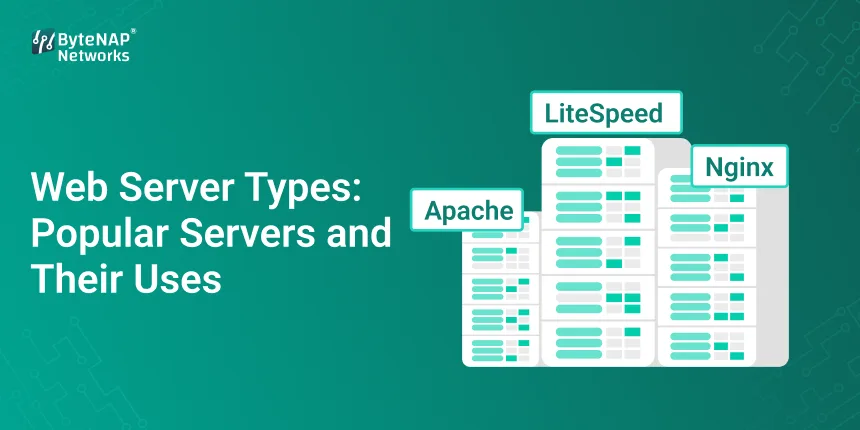
  • Web Server Types: Popular Servers and Their Uses

    Web Server Types: Popular Servers and Their Uses

    Have you ever wondered how a website appears on your screen as soon as you type in a URL and hit Enter? The web server is a powerful machine that works quietly in the background to make that speedy response happen.

    Beginners may have trouble choosing the right server. There are so many types of web servers, program names, and technical terms that it might be hard to know what to do. This blog is a complete, simple guide for beginners on the many types of web servers. It will teach you about different kinds of web servers and provide you examples. It will also show you the most popular web server software that people use on the internet nowadays.

    By the end of this guide, you’ll know exactly which web server is best for your app or website and why.

    What is the job of a web server? 

    A web server is a piece of hardware and software that keeps online content, processes it, and sends it to users over the internet.

    When someone visits your site:

    • Their browser sends a message.
    • The web server does it.
    • The server sends back web pages, photos, or data.

    Different types of web servers do this in different ways, depending on how fast, safe, and scalable they need to be.

    Why You Should Know About the Different Kinds of Web Servers

    Choosing the right kind of web servers can directly affect:

    • How quickly the website loads
    • Experience for the user
    • Protection
    • The ability to grow
    • Costs of hosting

    You can make better choices about your personal blog, online store, or major company application if you know about the many kinds of web servers and how they work.

    How to Use Web Servers

    Here’s a sample workflow before we talk about the different kinds of web servers:

    • The user enters the URL of a website
    • The browser makes an HTTP or HTTPS request.
    • The web server gets the request.
    • The server runs files or scripts.
    • The response goes back to the browser.

    Apache, Nginx, and IIS are some of the most common web server programs that do all of this.

    A Closer Look at the Most Popular Types of Web Servers

    Let’s look at the most popular kinds of web servers, what they can perform, and how they are used in the real world.

    1. The HTTP Server from Apache

    Apache is one of the oldest and most used web server programs in the world.

    Main Features:

    • Free and open source
    • Very simple to change
    • A lot of people in the area are in favour of it.
    • Best Uses
    • Blogs and websites containing content
    • Companies of all sizes
    • WordPress Hosting
    • For instance

    Many new firms that utilise PHP for their websites choose Apache because it is flexible.

    Even for beginners, Apache is still one of the most reliable types of web servers.

    2. The Nginx Web Server

    People know that Nginx is quick and works well.

    Key Features:

    • Works good when there are a lot of people
    • Doesn’t use a lot of memory
    • Good for things that don’t change
    • Best Uses
    • Websites that get a lot of visitors
    • Sending out content
    • Reverse proxy and load balancing
    • For instance

    Netflix and Airbnb both use Nginx, which makes it one of the most powerful types of web servers.

    Nginx is one of the fastest-growing types of web servers in the world right now.

    3. Microsoft’s Internet Information Services (IIS)

    Microsoft made IIS, a web server.

    Main Features:

    • Windows integration that works without any difficulties
    • Tools for making things safe
    • Works with ASP.NET
    • Best Uses
    • Apps that work with Windows
    • Business websites

    As an example

    • Many businesses utilise IIS to build .NET-based intranet portals.
    • IIS is a good example of business-oriented web server software that is widely used.

    4. LiteSpeed Web Server

    LiteSpeed is better than Apache and can be used instead.

    Key Features:

    • Faster than Apache
    • It comes with caching
    • It’s easy to switch from Apache.
    • Best Uses
    • Websites built with WordPress
    • Companies that host

    For instance

    Many managed WordPress hosting use LiteSpeed to make things go faster.

    LiteSpeed is becoming a strong competitor among the different types of web servers.

    5. Lighttpd Web Server

    Lighttpd (Lighty) is designed to be quick and operate well.

    Main Features:

    • Lightweight design
    • Not using many resources
    • Best Uses
    • Built-in systems
    • Servers that don’t have a lot of resources
    • For instance
    • Lighttpd is the web server for many IoT apps.

    This is a one-of-a-kind but useful example of a type of web server.

    6. Tomcat by Apache

    Apache Tomcat is not a normal web server; it is an application server that runs on Java.

    Key Features:

    • Java Servlets are supported
    • Running JSP
    • Best Ways to Use
    • Java web apps
    • APIs for the back end
    • For instance

    Tomcat is a popular web server for Java apps used in businesses.

    It adds to the list of web server types that can host more than simply static information.

    A chart that shows the differences between various web server software

    Best for: Web Server Platform

    Flexibility of ApacheWindows and Linux

    IIS, Windows apps, and Windows; Nginx, Linux, and high traffic

    LiteSpeed Linux Speed

    Light Linux with limited resources, Tomcat with Java programs, and cross-platform support

    This comparison makes it simple for new users to pick the best web server.

    How to Choose the Right Web Server in Real Life

    An Indian Online Store is one example.

    • The pages of an eCommerce startup load slowly during sales.
    • Getting Ready for the First Time
    • Server for Apache
    • There is a limit to caching.
    • Answer
    • Switched to Nginx with load balancing
    • Results
    • The time it takes to load is 45% faster.
    • Better SEO ranking

    Keeping users around longer

    This highlights how vital it is to choose the right web servers.

    Benefits of Choosing the Right Types of Web Servers

    There are a lot of good things of knowing about and picking the proper kinds of web servers:

    1. Websites load more quickly

    Optimised servers speed up the loading of pages.

    2. More safety

    Advanced settings stop attacks from happening.

    3. The ability to grow

    Handle greater traffic with ease.

    4. Value for Money

    Don’t pay too much for stuff you don’t need.

    5. Better for SEO

    Search engines like websites that load swiftly and operate well.

    Each benefit is an illustration of how crucial it is to learn about different kinds of web servers.

    How to Choose the Best Web Server (Helpful Hints)

    To pick from different kinds of web servers, do this:

    • Find out what kind of tech your website utilises, such PHP, Java, or .NET.
    • Take a guess at how many people are there
    • Consider the place where you host
    • Check your security needs
    • Choose web server software that can grow with your demands.
    • These steps help novices make choices more easily.
    • Things You Shouldn’t Do
    • Choosing only because it’s popular
    • Not thinking about how to make it bigger
    • Not using setups to their full potential

    If you don’t commit these mistakes, your web server types will work for you for a long time.

    What will happen to web server technology in the future?

    In the future, there will be a lot of different kinds of web servers.

    • Servers that are built into the cloud
    • Web servers inside containers
    • AI for optimisation

    Web server software that is used these days is continuously changing swiftly.

    Commonly asked questions (FAQs)

    1. What sorts of web servers are there?

    Different kinds of web servers use different server software to send consumers website content.

    2. What web server software do most people use?

    Apache and Nginx are the two most used web server programs in the world right now.

    3. Are there multiple types of web servers? Please give some examples.

    There are many types of web servers, like Apache, Nginx, IIS, LiteSpeed, and Tomcat.

    4. What is the best web server for beginners?

    Apache is a fantastic choice for beginners because it’s simple to use and comes with comprehensive documentation.

    5. Can you change the type of web server later?

    Yes, most hosting companies allow you to switch web servers as your site grows.

    In the end, it’s not hard to understand the many sorts of web servers.

    There are many different types of web servers, but they don’t have to be hard to grasp. It’s much easier to choose the right server once you know how they work, what they’re good at, and how people use them in real life.

    You can control performance, security, and growth by learning about different types of web servers, with examples and popular web server software. This is true whether you’re creating your first website or managing the infrastructure of a huge corporation. Are you ready to choose the best web server?

    Check out our hosting plans that are appropriate for different kinds of web servers, or talk to one of our experts to find out which server is best for your site.

    Make websites that load faster and operate better starting now!

  • GPU Full Form: Meaning, Definition, and Real-World Uses

    GPU Full Form: Meaning, Definition, and Real-World Uses

    Have you ever wondered why your computer can play high-resolution movies without any problems, run recent games with ease, or train AI models so quickly? A lot of people still don’t know what GPU stands for or why it’s so important in today’s digital world.

    This book will teach you everything you need to know about computer hardware, whether you’re a student, a beginner, a gamer, a designer, or just curious. The full form of GPU, what it means in computers, how it works in real life, and why GPUs are more vital than ever right now are all things you may learn about in this blog.

    Let’s make it all clear and easy to understand without using a lot of technical language.

    • What is a GPU?
    • What does the acronym GPU mean?
    • The full name of the GPU is the Graphics Processing Unit.

    A GPU is a special electronic circuit that quickly processes and shows pictures, videos, and graphics. “Graphics Processing Unit” is the basic answer to the query “What is GPU full form?” But it does a lot more than just visuals.

    Understanding what the GPU does in computers might help you grasp how modern devices give you clear graphics and quick speeds.

    What does a GPU stand for in a computer? A simple explanation

    In computers, the GPU is a part that handles both visual and parallel processing. The CPU (Central Processing Unit) can accomplish a lot of different things, while the GPU is better at doing a lot of things at once.

    Imagine it this way:

    • The brain that makes decisions is the CPU.
    • GPU = The strong part that handles a lot of graphics and simultaneous tasks

    To understand modern computers, you need to know what the GPU is and what it does.

    What was the purpose of making the GPU?

    The first GPUs were made to help pictures look better on screens. Early computers used CPUs a lot for graphics, which made them slow and not particularly helpful.

    Because software got better, GPUs were made to speed up rendering. The significance of GPU in computer architecture now includes:

    • Playing games
    • AI
    • Learning by machine
    • Making changes to videos
    • Research in science

    What is a GPU and how does it work? 

    To properly understand what the GPU is and what it accomplishes, let’s look at how it works.

    Gets Information

    The GPU gets visual data from the CPU.

    Parallel Processing

     Unlike CPUs, which can only accomplish one job at a time, GPUs can do thousands of small jobs at once.

    Making Output

    The data that has been processed is transformed into visuals or frames that you can view on your screen.

    The most important thing about GPUs when it comes to how well a computer works is that they can conduct a lot of calculations at once.

    Things You Should Know About GPUs

    Knowing the different types of GPUs that are available makes it easier to comprehend what the full form of GPU means:

    1. GPU built in

    • Inside the CPU
    • Uses the system’s RAM
    • Common in low-cost laptops and PCs

    2. A GPU that is not part of the rest of the computer

    • A separate piece of hardware
    • It has its own memory (VRAM).
    • Good for gaming, design, and AI work

    Both types suit different needs, but the meaning of GPU in computer use relies on how effectively it functions.

    Where GPU Really Shines in the Real World

    1. Making graphics and playing games

    • GPUs are incredibly significant for games because
    • Realistic-looking textures
    • Frame rates that are smooth
    • Worlds in 3D
    • People who play video games are more likely to know what GPU stands for.

    2. Making cartoons and videos

    • Some software that uses GPUs are Adobe Premiere Pro and Blender.
    • Speed up the rendering of movies
    • Use effects without any difficulties
    • For people who create content, the meaning of GPU in computer creativity is quite essential.

    3. AI and learning machines

    Modern AI models use GPUs because they can quickly process large datasets. This is a significant reason why folks in AI and data science talk about the full form of GPU a lot.

    4. Science research and simulations

    GPUs are used to make quick calculations in fields like weather forecasting, space exploration, and medical imaging.

    5. Getting cryptocurrencies by mining

    GPUs are used in mining operations because they can process data at the same time, which is another useful use of the word “GPU” in computer systems.

    The fundamental differences between a CPU and a GPU are: CPU and GPU features

    How Many CoresA few strong cores and thousands of smaller cores

    1. Type of Task: Sequential or Parallel
    2. Main Use: Heavy workloads, general computing, and graphics

    If you know what GPU stands for, you can better understand why GPUs are better than CPUs for tasks that include graphics and parallel computing.

    Benefits of Using a GPU

    This is why it’s so vital to define GPU in terms of how well it works on a computer:

    • Making graphics look better faster
    • Simple to do more than one item at a time
    • A better experience playing games
    • AI and data processing that works well
    • The CPU has less to do.

    In today’s systems, GPU stands for power, speed, and efficiency.

    Helpful tips on how to choose the right GPU

    If you wish to buy or upgrade, remember these things:

    • First, what’s the point? You only need an integrated GPU.
    • Make something or play? Put everything on the line.
    • Memory is important.
    • Make sure you have adequate VRAM to do what you need to do.
    • Works with
    • Check to see if your system can physically and electrically support the GPU.
    • Price vs. Performance
    • Just because something costs more doesn’t imply it’s better for you.
    • If you know what GPU means when you buy a computer, you can save money and make it run better.
    • Busted: Myths About GPU That Are False
    • Only gamers need GPUs.
    • More VRAM doesn’t always mean better performance.
    • GPUs are better than CPUs

    If you know what GPU stands for, you can determine the difference between what people think and what is true.

    Why it’s necessary to know about GPUs these days

    GPUs are in a wide range of devices, from cell phones to supercomputers. The meaning of GPU in computer technology keeps growing as more businesses rely on high-performance computing.

    If you know what GPU stands for, you have a technological advantage, whether you’re a student, an IT worker, or a business owner.

    What does the acronym GPU stand for?

    1. What does GPU mean on a computer?

    The full name of the GPU is the Graphics Processing Unit. It is in charge of drawing visuals and doing a lot of things at once.

    2. What does GPU stand for in computers?

    The GPU is a piece of hardware in computers that makes graphics and complex math problems faster.

    3. Do you need a GPU for everyday use?

    Integrated GPUs are fine for simple tasks, but GPUs are particularly useful for more complicated ones.

    4. Can a computer work without a GPU?

    Yes, but it won’t work as well, especially for visual tasks.

    5. What does GPU stand for in complete today?

    The full form of GPU is now used for gaming, AI, video editing, research, and more.

    In the end, it was easy to understand what the full form of the GPU was.

    A graphics processing unit (GPU) is a lot more than just a graphics chip. It’s a key component of how well computers work these days. You can better understand how technology works for everything from gaming to AI when you discover what GPU signifies in computer systems.

    Do Something

    Want to learn more about computer hardware, cloud technologies, or how to speed up your computer? 

    Look at our most recent tech blogs. Sign up for guides that are simple to understand. Contact us for professional IT help.

  • Server Solutions: Custom & Scalable Options for Businesses and Enterprises

    Server Solutions: Custom & Scalable Options for Businesses and Enterprises

    A Brief Introduction

    Businesses of all sizes depend on their IT infrastructure and web presence a lot in today’s fast-paced digital environment. If your website is slow, goes down a lot, or can’t handle a lot of visitors at once, it can affect your business’s reputation and bottom line. A lot of firms have trouble with generic server installations or hosting that they buy off the shelf.

    This is where server solutions come into play. These solutions are built particularly for you, can grow with your organisation, and are very reliable. We’ll talk about server solutions that are created particularly for businesses and server solutions that can grow with a business in this piece. We’ll show you how the appropriate setup can help your business expand, stay safe, and work better.

    What do server solutions do? 

    A server is a computer that stores, processes, and sends data, apps, or websites to users over a network. Server solutions are a combination of hardware, software, and services that are put together to match the needs of your business.

    A regular hosting bundle is like renting an apartment: you get a certain amount of space that you can’t change very much. Server solutions that are custom and scalable are like having a completely planned structure that you can tweak, add to, and make better as your needs evolve.

    Different Kinds of Server Solutions

    • When you use dedicated servers, you are in charge of both the hardware and the software.
    • Virtual Private Servers (VPS) are separate, adaptable spaces that all share the same hardware.
    • Cloud servers can adapt to your changing demands.
    • Hybrid Solutions: This combines cloud and on-premises infrastructure to provide you the most options.

    Why companies need servers that can change to meet their demands

    There is no such thing as a “normal” company. At initially, a server that works for everyone might be OK, but as your business grows, you might run into problems like:

    • Too many people are using the site, thus it goes down.
    • Using obsolete settings could make your computer less safe.
    • Not enough space or processing power for big datasets
    • It’s not easy to add new programs to the system.

    You can be sure that your infrastructure will be able to meet your current needs and expand with your organisation when you choose bespoke server solutions. With enterprise-grade scalable server solutions, you may add more resources when you need them. This keeps things running smoothly even when there is more traffic or job to do.

    How to choose the finest server solution in steps:

    It doesn’t have to be hard to pick the proper server solution. Follow these steps to find a setup that works for your business:

    Step 1: Figure out what your firm needs

    • Find out how many people you anticipate will visit your site and use it.
    • Find out what important programs and software you need.
    • Find out how much memory and processing power you need.
    • Consider what you need to do to follow the rules, such as HIPAA and GDPR.

    Step 2: Choose from VPS, Dedicated, Cloud, or Hybrid

    • Dedicated servers are great for configurations that need to be safe and quick.
    • VPS is a good option for medium-sized organisations that need to be flexible.
    • Cloud servers are fantastic for businesses that need to grow fast.
    • Hybrid: Keeps you safe and helps you flourish on the cloud

    Step 3: Make plans for growth

    • Make sure the server can handle your business.
    • Try to find ways to add RAM, a CPU, or storage without having to stop working.
    • Dynamic scaling works effectively with systems that are in the cloud or both.

    Step 4: Always put safety first

    • Pick systems that already have firewalls and protection from DDoS attacks.
    • Protect your private information.
    • Look for servers that can easily handle software updates.

    Step 5: Look into the help and upkeep

    Make sure they are always ready to help with technological issues and keep an eye on things.

    • Learn how simple it is to use control panels to run a server.
    • Managed server solutions can be a smart choice if you don’t have any IT experts on staff.

    Custom and scalable server solutions have a lot of benefits

    1. Better performance

    A server that is only for your work makes sure that processing is quick and downtime is kept to a minimum. This makes customers pleased and helps them get more done.

    2. Staying safe and following the rules

    With bespoke solutions, you can make security measures that are particular to your industry. This keeps your private information safe and ensures you follow the rules.

    3. Cost-effectiveness

    You just pay for what you need with scalable servers, which keeps prices down and puts you ready to grow in the future.

    4. Being able to be in command and flexible

    You can adjust the hardware, software, and settings to match your business’s needs with bespoke installs.

    5. Keeping the business running

    Redundant systems and resources that can be scaled up help guarantee that services run smoothly even when there is a lot of traffic or unexpected technical issues.

    How server solutions change the way organisations work in the real world

    Think about a store that does well on the internet. They use shared hosting, but their website goes down a lot when there are a lot of people on it, as during the holidays. They have to pay for this, which makes their customers mad.

    You can move to a bespoke VPS that works with the cloud and can grow:

    1. 60% faster loading of pages
    2. No downtime when there are a lot of people.
    3. Managing the backend is safer and easier.

    This shows that the correct server solution can directly affect how happy customers are and how well a firm thrives.

    Why corporate server solutions need to be able to grow

    Companies typically have to deal with a lot of data, therefore they require services that are always available. Scalable server solutions make sure that

    • They grow on their own when they need supplies.
    • Even when there is a lot of traffic, apps work well.
    • IT professionals can add new services without having to stop what they’re doing.
    • Changing how resources are used to save money

    How to Make Sure Your Server Is Working Properly

    1. Regular Monitoring Keep an eye on how much CPU, RAM, storage, and bandwidth you utilise.
    2. Always check that your server’s software and security updates are up to date.
    3. Set up automatic backups so you don’t lose any files.
    4. Load balancing is spreading traffic across all of your servers to make sure they are all running.
    5. We check firewalls, encryption, and access logs during regular security audits.

    Common questions about Business Server Solutions

    1. What do you mean by “custom server solutions”?

    Custom server solutions are setups that are made to meet a business’s unique demands for security, performance, and scalability.

    2. Why should companies pick server solutions that can grow with them?

    Scalable systems can handle additional traffic and maintain running as your organisation grows.

    3. Do server solutions help small businesses?

    Yes! With the appropriate server solution, even small organisations can become faster, safer, and more flexible. This is especially important if they wish to get bigger.

    4. How do a VPS and a cloud server differ from each other?

    A VPS is a virtual server that runs on the same hardware as regular servers. A cloud server, on the other hand, uses a lot of servers to make sure it is always available and can grow as needed.

    5. Do I need to know a lot about computers to set up a server?

    Not all the time. Managed server solutions are easy for firms that don’t know much about technology to use because they offer support, monitoring, and maintenance around the clock.

    To put it simply

    In the digital age, companies and enterprises who want to stay ahead of the competition need to choose the best server solutions. You can control and protect your own installations, and with scalable options, you can grow without losing anything.

    Your users will have a better time when you get the correct server architecture. This enables your firm to focus on what really matters: coming up with fresh ideas and growing.

    Call to Action (CTA)

    Are you ready to improve the infrastructure of your business?

    Right now, you can see how your business could profit from our unique and scalable server solutions. These servers are fast and reliable.

    Do you want to know how to handle servers and IT infrastructure like a pro?

    Join our blog to get the latest tips and stories on how to use technology to help your business develop.

  • Server Scaling Strategies for High-Growth Applications

    Server Scaling Strategies for High-Growth Applications

    Server scaling:

    How to Scale Servers for Applications That Are Growing Quickly?

    Rapid development is wonderful, but it may also be scary.

    Your app is working well with a few thousand users one day. The next day, a marketing campaign goes viral, traffic goes through the roof, and all of a sudden your servers slow down, crash, or cease working completely. Server scalability isn’t just a technical idea for high-growth apps; it’s a way to stay alive.

    In this blog, we’ll talk about how to scale servers for apps that are growing quickly. We’ll describe horizontal and vertical server scaling in simple words, and we’ll show you how to construct a server architecture that can expand with your business instead of holding it back.

    This guide will help you grow your business with confidence, whether you’re a startup entrepreneur, developer, or IT decision-maker.

    What is scaling a server?

    Server scaling is the process of adding more resources to a server or making them more efficient so that it can handle more work, traffic, or data without losing performance or stability.

    At its most basic level, server scaling makes sure that your application:

    • Loads rapidly when there is a lot of traffic
    • Stays stable even when a lot of people are using it
    • Provides a uniform experience for users
    • Helps with future growth

    A well-designed, scalable server infrastructure lets your application automatically or intelligently respond to demand without you having to constantly put out fires

    Why it’s important to scale servers for apps that are growing quickly

    High-growth apps have demand that is hard to estimate. One successful campaign, collaboration, or feature launch might bring in a lot more traffic overnight.

    If you don’t scale your server properly, you could:

    • Outages and downtime
    • Pages that load slowly
    • Money lost
    • Bad user experience
    • Hurt trust in the brand

    That’s why it’s important to put money into a scalable server infrastructure early on for long-term growth.

    Learning about horizontal and vertical server scaling

    It’s important to know the two main ways to scale servers before picking a plan.

    • Vertical Server Scaling (Scaling Up)
    • Adding more resources to a single server, like:
    • More CPU
    • More RAM
    • Storage that is faster

    Pros:

    • Easy to put into action
    • No need to redesign the application

    Disadvantages:

    • Limited by the amount of hardware it can handle
    • A single point of failure
    • Time off during upgrades

    Vertical scaling can be helpful at first, but it’s not the best way to build a server infrastructure that can grow over time.

    Scaling Out: Horizontal Server Scaling

    Adding more servers and spreading the workload across them is what horizontal server scalability is all about.

    Pros:

    • Very easy to scale
    • Better fault tolerance

    Better performance when there is a lot of traffic

    Cons:

    • Setup is more complicated
    • Needs to balance the load

    For most applications with rapid growth, horizontal and vertical server scaling work best together. However, horizontal scaling is what makes a server architecture really scalable.

    Different kinds of server scaling models

    1. Scaling by hand

    Server resources can be added or removed by admins.

    Best for:

    • Traffic that can be predicted
    • Projects in their early stages
    • Not good for apps that need real-time server scaling and grow quickly.

    2. Automatic Scaling

    Resources change automatically based on usage or traffic data.

    Pros:

    • Cost-effectiveness
    • Responding to traffic spikes more quickly
    • A key part of modern scalable server infrastructure

    3. Scaling that is flexible

    Resources change size and shape right away based on real-time demand.

    For cloud-native apps that use complex server scaling mechanisms, this approach is very important.

    A Step-by-Step Guide to Building a Server Infrastructure That Can Grow

    Step 1: Look at how you grow throughout time

    Get it:

    • The busiest times for traffic
    • Spikes in the seasons
    • How users act

    This helps create a server infrastructure that can grow with real-world needs.

    Step 2: Pick the Right Architecture

    Use modular application design:

    • Microservices
    • Docker and Kubernetes are examples of containerisation.
    • These methods make it easy to scale servers both horizontally and vertically.

    Step 3: Set up load balancing

    Load balancers make sure that traffic is evenly spread out between servers. This keeps servers from getting too busy and makes it easier to scale them up.

    Step 4: Use infrastructure that is in the cloud

    Cloud platforms make it easy to build server infrastructure that can grow by offering:

    • Resources on demand
    • Scaling automatically
    • Availability is high

    Step 5: Make databases work better for scaling

    Even the best way to scale a server might be ruined by database problems.

    Some methods are:

    • Copying a database
    • Sharding
    • Layers of caching

    Step 6: Keep an eye on things and make them better all the time.

    Use tools to keep an eye on:

    • How much of the CPU is being used
    • Use of memory
    • Response times

    Making decisions based on data makes long-term server scaling work better.

    Example from the real world: Scaling a SaaS app

    A SaaS firm that was developing quickly had a lot of problems with crashes during onboarding efforts. At first, they depended on vertical server scalability and upgraded their gear over and over.

    In the end, they moved to:

    • Scaling servers up and down in both directions
    • Groups that automatically scale
    • Architecture that balances load
    • What happened?
    • 99.99% of the time it works
    • Pages load faster
    • Less expensive infrastructure

    This change shows how powerful a well-planned, scalable server infrastructure can be.

    Advantages of Scaling Servers for Applications with High Growth

    1. Better performance

    Proper server scalability makes sure that speed stays the same even when traffic surges.

    2. More Availability

    A server architecture that can grow with your business cuts down on downtime and points of failure.

    3. Cost-effectiveness

    With auto scaling, you only pay for the resources you require.

    4. A better experience for users

    Users stay loyal and interested in programs that are fast and dependable.

    5. Growth that will last

    Your infrastructure grows with your business when you use horizontal and vertical server scaling.

    • Things to Avoid When Scaling Your Server
    • Only using vertical scaling
    • Not paying attention to how well the database works
    • Scaling without keeping an eye on it
    • Giving up too many resources
    • Putting off planning for scalability

    If you don’t make these blunders, your server architecture will be strong and scalable.

    Scaling a server vs. planning for scalability

    Scaling a server means adding more resources.

    Planning for scalability means making systems that can grow on their own.

    The best results happen when both work together to build a server infrastructure that can grow and last.

    When is the best time to start scaling your servers?

    You should plan for server scaling when:

    • Traffic increase becomes hard to estimate
    • Performance metrics change
    • Downtime hurts sales
    • Your plan includes growth.

    Planning beforehand keeps you from having to move later.

    Frequently Asked Questions about Server Scaling

    1. What does it mean to scale a server?

    Server scaling is the process of making a server bigger so that it can do more work without slowing down.

    2. What is the difference between scaling servers up and down?

    Adding more servers to share load is called horizontal scaling, whereas adding more resources to one server is called vertical scaling.

    3. What makes scalable server infrastructure so important?

    A scalable server infrastructure helps with growth, makes uptime better, and speeds up performance.

    4. Do you need cloud hosting to scale your server?

    Cloud platforms make it easier to scale servers, even when they aren’t required.

    5. How can I tell whether my app needs to be scaled?

    When performance is slow, there are outages, or traffic is rising, these are clear signs.

    In conclusion, scaling is a way to help your business grow, not a cost

    Applications that develop quickly don’t fail because they are successful; they fail because they aren’t ready for it.

    You may set your application up for long-term success by using the correct server scaling methodologies, using both horizontal and vertical server scalability, and building a strong, scalable server architecture.

    Scaling isn’t only about getting more people; it’s also about making sure you still provide value as your business grows.

    Are you ready to set up a server infrastructure that can grow?

    Now is the moment to act if your app is growing or about to grow.

    • Look at modern ways to scale servers.
    • Build a server architecture that can grow with the times. 
    • Talk to specialists about expanding servers horizontally and vertically.

    Don’t allow growth to be the hardest thing for you. Make it your best asset.

  • Linux Cloud Server for Secure & Scalable Hosting

    Linux Cloud Server for Secure & Scalable Hosting

    With a Linux cloud server, you may host your website in a safe and scalable way.

    Websites and apps need to be fast, safe, and able to manage more traffic and more demanding activities, even when traffic surges quickly or tasks get harder. You’re not the only one who has ever been worried that your website would go down, get hacked, or cost a lot of money to fix its infrastructure. This can be helped with a Linux cloud server.

    This blog post goes into great detail on Linux cloud server technology,

    How it works, why businesses trust it, and how you can utilise Linux cloud hosting alternatives to create infrastructure that is safe, scalable, and cheap?

    You may use this book to help you make smart decisions about hosting, whether you’re a developer, an entrepreneur beginning a business, or an IT manager.

    A cloud server for Linux is a server that runs in the cloud.

    A Linux cloud server is a virtual server that runs on cloud infrastructure and uses an operating system based on Linux, such as Ubuntu, CentOS, Debian, or AlmaLinux. A Linux cloud server doesn’t depend on just one physical computer. Instead, it employs distributed cloud resources, which makes it more stable and able to grow.

    The operating system is Linux, in short.

    • Cloud is a virtualised infrastructure that lets you use resources whenever you need them.
    • A server is a computer that runs services, websites, or programs.

    Compared to regular hosting, a Linux cloud server is faster, offers more options, and allows you more control.

    Why Linux is Important for Cloud Hosting

    • Linux runs more than 90% of the world’s cloud infrastructure for a good reason.
    • Linux is the best cloud OS since it is free and open source.
    • Very safe and steady
    • Lightweight and focused on how well it functions
    • Helpful for businesses and developers
    • Linux cloud hosting is used by a number of startups, big businesses, and hyperscale cloud providers.

    How to use a Linux Cloud Server, step by step

    It’s easier to trust and operate a Linux cloud server if you know how it works.

    Cloud providers give out virtual resources like storage, CPU, and RAM.

    • A virtual machine runs Linux as its operating system.
    • Users can use SSH or the control panel to connect to the server.
    • Linux is the operating system that runs programs and websites.
    • Resources adapt on their own to meet demand.

    This design makes a secure Linux cloud server that is ideal for modern businesses.

    There are many ways to set up a Linux cloud server.

    You need separate Linux cloud server installations for each job.

    1. A Linux Cloud Server that anyone can use

    • Cloud infrastructure that is shared
    • Low-cost
    • Good for new and small enterprises

    2. A Linux Cloud Server for Personal Use

    • Things that are put away
    • More safety and following the regulations
    • Good for businesses

    3. A Linux Cloud Server that works with both types of setups

    • A mix of private and public clouds
    • Able to grow and change
    • Good for businesses that are growing

    There are a lot of Linux cloud hosting options that work with all kinds of deployments.

    Common Linux Distributions for Cloud Servers

    It’s very important to pick the correct OS for your Linux cloud server.

    The Most Popular Linux Versions

    There is a lot of help available for Ubuntu, and it is straightforward to use.

    • CentOS/AlmaLinux is stable enough for business
    • Debian is safe and light.

    If you don’t want to use CentOS, Rocky Linux is the best solution.

    These distributions make a Linux cloud server that is more stable and safe.

    A real-world example is employing a Linux cloud server to start a new business.

    This case study is about a new software as a service (SaaS) company in India.

    Problem: The shared hosting of a SaaS company fell down when it released new products because too many people were using it.

    They moved to a Linux cloud server that could alter size on its own.

    Results: It was up 99.99% of the time.

    40% less money spent on hosting

    Apps work quicker

    This real-life example shows how Linux cloud hosting may help businesses flourish.

    Some Important Reasons to Use a Linux Cloud Server

    Let’s speak about why businesses should use Linux cloud servers instead of regular hosting.

    1. Safer

    A secure Linux cloud server is protected from hackers because Linux has a strong permission system and gets regular updates.

    2. Scalability on Demand

    You can add more CPU, RAM, or storage to a Linux cloud server right away without having to stop it.

    3. Value for Money

    Linux cloud hosting services are cheap since you only pay for what you use and they don’t charge for licensing.

    4. Great Performance

    The optimised kernel and lightweight design make loading faster.

    5. Control and Customisation

    If you have full root access to your Linux cloud server, you can modify a lot of things.

    How to Set Up a Linux Cloud Server in Steps

    This is a simple way to put things up:

    • Pick a cloud service provider
    • Choose a version of Linux
    • Set up the CPU, RAM, and storage.
    • Turn on the firewall and security rules.
    • Connect to the server with SSH.
    • Put apps or websites on the web

    This tutorial will show you how to set up a Linux cloud server from scratch that is safe.

    The best techniques to keep Linux cloud servers safe

    A Linux cloud server is quite safe, which is one of the best things about it.

    Important Safety Tips

    Look at your SSH keys

    • Stop logging in as root
    • Set up a firewall, such as iptables or UFW.
    • Set up updates to happen automatically

    Keep an eye on papers and actions

    If you do these things, your Linux cloud server will be safer.

    What Linux Cloud Servers Are Used For

    A Linux cloud server can do a lot of various things, such as:

    Hosting for blogs and websites

    • SaaS apps
    • Shopping websites
    • DevOps Pipelines
    • Having a database
    • AI and ML tasks

    Many people utilise Linux cloud hosting since it can accomplish a lot of things.

    Coders can use Linux Cloud Server

    Developers like the Linux cloud server because it can be changed to fit their needs.

    Why Developers Choose Linux Cloud Hosting: Support for open-source tools built in

    • Scripting and automation are easy
    • Kubernetes and containers work well together.

    Linux cloud servers are great for teams who need to be able to change things around.

    Linux Cloud Server for Businesses

    Businesses use Linux cloud hosting to meet their compliance needs.

    • Availability at a high level
    • Getting back on your feet after a disaster
    • Keeping data safe

    Companies need a Linux cloud server that is safe.

    What You Shouldn’t Do

    • Choosing server plans that aren’t strong enough
    • Not paying attention to security settings
    • Not making plans for future growth
    • Not getting updates on a regular basis

    If you don’t make these blunders, your Linux cloud server will run successfully for a long time.

    The Future of Linux Cloud Hosting

    This is what the future of Linux cloud server technology will look like: auto-scaling with AI

    • Linux tasks that don’t need servers
    • Adding edge computing

    Linux is still changing as the base for cloud infrastructure.

    Questions and Answers (FAQs)

    1. What does it mean to have a Linux server in the cloud?

    A Linux cloud server is a virtual server that runs the Linux operating system on cloud infrastructure. It is safe and can grow as needed.

    2. Is it safe to use Linux on a cloud server?

    Yes, a safe Linux cloud server has strong security features including encryption, firewalls, and permissions.

    3. Who should use Linux cloud hosting?

    Startups, developers, and businesses all require scalable hosting, and Linux cloud hosting is a fantastic choice for all of them.

    4. Is a Linux cloud server a decent option for folks who are new to computers?

    Yes, Linux cloud servers are easy for beginners to use with Ubuntu and other versions.

    5. Is it possible for me to add more resources to my Linux cloud server at any time?

    Yes. One of the best things about a Linux cloud server is that it can grow straight away.

    At the conclusion

    why Linux Cloud Server is the best choice

    A Linux cloud server is a great choice for hosting since it provides everything you need: speed, security, the flexibility to grow, and a low cost. Linux cloud hosting lets you grow as much as you want, whether you’re making a website, adding features to an app, or improving your company’s infrastructure.

    Setting up and protecting a secure Linux cloud server the right way could lead to long-term digital success.

    Are you ready to start using a Linux cloud server?

    Check out our high-performance Linux cloud server options today to find out how safe and flexible hosting can be for businesses these days. Call us right now or start your free trial right away!

  • Virtual Server India: Affordable VPS Hosting Solutions for Growing Businesses

    Virtual Server India: Affordable VPS Hosting Solutions for Growing Businesses

    Virtual Server India:In today’s competitive digital world, having a fast, reliable, and scalable website is no longer a choice; it’s a must. But many growing businesses have problems with slow websites, frequent downtime, and not being able to completely control their sites because they are hosted on shared servers. These problems can cost you customers, hurt your search engine rankings, and make you miss out on opportunities.

    Others have heard this also.

    You really need a Virtual Server in India. This blog post will explain what a virtual private server is, why India is a fantastic country to host your website, and how cheap VPS hosting may help your business grow without costing too much.

    What does it mean to have a server in the cloud? 

    A virtual server, or Virtual Private Server (VPS), is a type of hosting that divides a physical server into many separate virtual spaces. A virtual server has its own CPU, RAM, storage, operating system, and other resources. It runs on its own.

    You should think of it this way:

    Shared hosting is like living in a flat with other people and sharing everything.

    Having a Virtual Private Server in India is like having your own flat in a building: you have your own space, your own rules, and guaranteed resources.

    This is why VPS hosting is a good solution for people who wish to share a server with others but don’t want to pay a lot for a dedicated server.

    What are the advantages of having a virtual server in India?

    If your target audience is in India or nearby areas, there are several benefits to hosting your website on a virtual server in India.

    Why You Should Host Your VPS in India

    • Low Latency: Pages load faster for individuals in India.
    • Better Performance: Less time spent waiting for the network
    • Low Prices: The local infrastructure helps keep expenses down.
    • Data Compliance: Follows the guidelines for where data can be hosted
    • Reliable Connectivity: Good routing inside and outside the nation

    Companies that service Indian clientele should host their websites in India for a better user experience and more confidence.

    Who in India should use a virtual private server?

    A cheap VPS India plan is perfect for:

    • Small and medium-sized businesses
    • Companies that make software as a service (SaaS) and new businesses
    • Web developers and agencies
    • Websites for online shopping
    • Bloggers and others who write content
    • Companies that have outgrown shared hosting

    If your website traffic is rising and you need more control and performance, a virtual server is the next logical step.

    Key Features of Virtual Server India

    1. Set aside resources

    With VPS, you know you’ll always have CPU, RAM, and storage, so no one can grab your resources like they can with shared hosting.

    2. Complete Access to Root

    You can easily install custom software, adjust server settings, and manage apps.

    3. The ability to grow

    As your business grows, you can easily add more resources without having to stop working.

    4. Quick storage

    SSD or NVMe storage speeds up reading and writing.

    5. More Safety

    Because each virtual server is separate, there are fewer security issues with accounts close to it.

    A Guide to Choosing the Best VPS Hosting in India Step by Step

    Step 1: Find out what you need from your hosting

    Consider:

    • How many people come to my site?
    • What kinds of apps will I use?
    • Do I need to get to the root?

    Step 2: Choose the Right OS

    Some well-known options are:

    • Ubuntu is simple to use and includes a lot of help.
    • CentOS and AlmaLinux are ready for business and stable.
    • Debian: Light and safe

    Step 3: Pick the Right Server Resources

    • 2 GB of RAM: For small blogs and websites
    • 4–8 GB of RAM: For businesses and online stores that are getting bigger
    • More CPU cores: Programs that need a lot of resources

    Step 4: Find out where the data centre is

    For the best performance, be sure the company has data centres in India.

    Step 5: Pick between a VPS that is managed and one that is not

    • If you need support with technology, managed VPS is the best option.
    • Unmanaged VPS: Best for engineers that know how to use servers

    How VPS Hosting Affects How Businesses Work in the Real World

    During sales events, a new online store that used shared hosting had slow load times. Customers fled their carts because it took too long.

    After switching to a cheap VPS India plan:

    • Page loading time is more than 50% faster.
    • Checkout performance stayed the same even when there was a lot of traffic.
    • More people were delighted with their purchases and bought more products.
    • This simple change had an instant influence on sales and growth.

    Benefits of Virtual Server India for Businesses

    1. Good performance that doesn’t cost a lot

    For a lot less money, you can have the same performance as a near-dedicated server.

    2. Websites that load more quickly

    Speed has a direct effect on how consumers feel about your site and how high it ranks in search engines.

    3. More control and personalisation

    Set up the server just the way your organisation needs it.

    4. More Safety

    Your data is safe thanks to robust firewall settings and separation.

    5. Good for SEO

    If your site loads faster and stays up longer, search engines can find it more easily.

    Why a Virtual Private Server in India Is Important for Growing Businesses

    As businesses grow, their hosting needs change. Shared hosting merely can’t handle increasing traffic, security needs, and performance expectations.

    Here are some things that a virtual server in India can do:

    • Reliability and stability
    • Space to grow in the future
    • Infrastructure that can change as the business does

    It’s a strategy to make sure you do well online for a long time.

    Things to stay away from when buying VPS hosting

    • Choosing too few server resources
    • Not paying attention to where the server is located
    • Not backing up your files often enough
    • Choosing an unmanaged VPS without understanding anything about tech
    • Only looking at pricing, not performance

    If you don’t make these mistakes, things will go well and you’ll be at rest.

    Questions that people ask a lot (FAQs)

    What is a virtual server in India?

    A VPS that is housed in Indian data centres is called a virtual server in India. This makes it speedier and more dependable for people who reside there.

    Is VPS hosting a decent choice for beginners?

    Yes, it’s easy to get started with managed VPS services and Linux distributions that are straightforward for beginners to use.

    Is cheap VPS India a decent option?

    Yes, but only if you pick a supplier with solid support and infrastructure.

    Can you host WordPress on a private server in India?

    Yes, for sure. VPS hosting works best with CMS platforms like WordPress and Magento.

    Am I in command of my VPS?

    Yes. Most VPS plans allow you to change everything and have full root access.

    Final Thoughts

    Virtual Server India is an excellent choice if you need a hosting service that is cheap, powerful, and can grow with your demands. It gives you flexibility and performance without costing too much, filling the gap between shared and dedicated hosting.

    A virtual private server in India gives business owners, developers, and growing businesses the tools they need to be successful in the long run.

    Call to Action

    Want to make your hosting experience better? 

    Take a look at our Virtual Server India options today. You can get cheap, high-performance VPS hosting that can grow with you.

    Need more expert assistance on hosting and running a server? 

    Subscribe to our blog to stay ahead in the digital world.

  • Odoo VPS Hosting: Fast & Secure Odoo Server Solutions

    Odoo VPS Hosting: Fast & Secure Odoo Server Solutions

    Odoo VPS Hosting: 

    An Introduction to Why the Right Hosting is Important for Odoo Performance

    Hosting a basic website is not the same as running an ERP like Odoo. As your business expands, Odoo can handle a lot of things at once, such keep track of your finances, inventory, customer relationships (CRM), human resources (HR), sales, and more. Your whole business could be damaged if your server is slow, weak, or not safe.

    This is something that Odoo VPS hosting does extremely well.

    With a robust Odoo VPS, you can fully control your Odoo environment, get faster responses, and keep your data safer. If you’re a small business using Odoo for the first time or a major company growing its operations, picking the appropriate Odoo server hosting can have a big effect on how well your business functions and how much work you get done.

    This article will explain what odoo vps is, why it matters, how to pick the optimal arrangement, and how organisations use it successfully in the real world.

    What does it mean to host Odoo VPS?

    When you host Odoo on a Virtual Private Server (VPS), you get resources that are only for Odoo.

    When you buy an Odoo VPS, you get the following:

    • RAM and CPU only for you
    • Different way to set up the server
    • Full access to the root
    • Odoo settings

    Odoo VPS vs. Shared Hosting

    This is how you should think about it:

    • When a lot of people use the same resources, such with shared hosting, it can be slow, dangerous, and limiting.
    • Odoo VPS: A private area especially for you with guaranteed resources
    • Because Odoo uses a lot of resources, shared hosting sometimes causes crashes, slow dashboards, and database difficulties. These issues can be fixed with a dedicated Odoo VPS.

    Why Odoo Needs VPS Hosting

    Odoo has a lot of different services, like

    • Database for PostgreSQL
    • Python Jobs
    • People that work behind the scenes

    Web servers include Apache and Nginx.

    A properly configured Odoo VPS is the only thing that can give you all of these: a steady CPU, RAM, and disc I/O.

    Here are some reasons why companies choose to utilise Odoo VPS to host their sites:

    • Better performance for ERP tasks
    • Full control over the server environment
    • Can alter as people and information do
    • More safety for data in business

    There are a lot of nice things about Odoo VPS Hosting, such as  having 

    1. dedicated resources.

    Your ERP won’t have to share CPU or RAM with other users when you use an Odoo VPS.

    2. Full Access to the Root

    You can add as many third-party tools, bespoke Odoo modules, and connectors as you like.

    3. Storage that works well

    SSD or NVMe storage makes it easier to find stuff in databases and makes dashboards operate better.

    4. The ability to get bigger

    As your business grows, you can always add more RAM, CPU, or storage.

    5. Safer

    Firewalls, SSL encryption, and separate environments protect crucial ERP data.

    How to Set Up Odoo on a VPS

    Step 1 : Pick the best Odoo VPS package

    The fewest resources that are suggested are:

    • Small teams just need two to four gigabytes of RAM.
    • 4 to 8 GB of RAM (for enterprises that are getting bigger)

    Step 2 : Storage on a drive that doesn’t move

    Cores that are just for the CPU:

    • Choose a Linux operating system as the next step.
    • Most odoo vps hosting installations use:
    • Ubuntu is the most popular and trustworthy.
    • Debian is safe and not overly huge.

    Step 3 : Get the dependencies you need and put them in place.

    • Python
    • PostgreSQL
    • wkhtmltopdf
    • Node.js (for files)

    Step 4: Set up and install Odoo

    Get the right version of Odoo and install it.

    • Set up services and ports
    • Link Odoo to PostgreSQL

    Step 5: Protect Your Odoo VPS

    • Turn on the firewall
    • Set up SSL certificates
    • Limit SSH access
    • Make sure to back up your files often.

    People utilise Odoo VPS in the real world.

    A medium-sized store was using Odoo on shared hosting. There were issues like:

    • Making bills takes a long time.
    • ERP downtime during busy times
    • Issues with syncing data
    • After moving to an Odoo VPS:
    • The pages loaded 55% faster.
    • No downtime for sales during busy times
    • Faster report writing
    • The workers will have a better time.

    This shows that Odoo VPS hosting could help things function more smoothly.

    The pros of Odoo VPS Hosting

    1. ERP works faster

    Dedicated resources make database searches faster and workflows function more smoothly.

    2. Better continuity in business

    An odoo VPS makes sure everything runs properly and minimises down on downtime.

    3. Scaling that doesn’t cost a lot of money

    You can have almost the same performance as a dedicated server for a lot less money.

    4. The ability to change things

    You can add as many APIs, plugins, or integrations as you wish.

    5. Safer data

    Because Odoo deals with both customer and financial data, it’s very important to keep VPSs distinct.

    Why Small Businesses Should Host Their Websites on Odoo VPS

    The more you use your ERP,

    • A lot of folks are logging in at the same time.
    • The amount of information expands.
    • It gets difficult to write reports.

    This much traffic can’t be handled by a basic hosting plan. Your business will develop together with your infrastructure when you use Odoo VPS hosting.

    New businesses don’t have to pay a lot.

    It gives businesses strength and stability.

    An Odoo VPS is the best way to host Odoo installations for this reason.

    Things You Shouldn’t Do with Your Odoo VPS

    • Choosing not enough RAM
    • Not making a copy
    • Not making things safer

    Using Odoo versions that are no longer supported

    Not keeping an eye on how well the server is working

    If you don’t make these blunders, your odoo VPS will run well for a long time.

    These are questions that a lot of people have.

    1. What does Odoo VPS hosting mean?

    When you use Odoo VPS hosting, you run Odoo ERP on a virtual private server that you own and control completely.

    2. Is Odoo VPS a better choice than shared hosting?

    Yes, Odoo needs hosting that is faster and more reliable than shared hosting. A VPS for Odoo is more dependable and lets you use some resources.

    3. How much RAM does a VPS need for Odoo?

    • A small business just needs 2 to 4 GB of RAM.
    • A medium-sized business should have between 4 and 8 GB of RAM.
    • At least 8 GB of RAM is needed for a big business.

    4. Is it possible to run more than one Odoo instance on the same VPS?

    Yes. A strong Odoo VPS can host several Odoo instances if you set it up correctly.

    5. Is it possible to get managed Odoo VPS hosting?

    Yes, managed Odoo VPS hosting is an excellent choice for anyone that don’t want to have to deal with their own servers.

    In short

    It’s not just a technical choice to pick the proper Odoo VPS hosting; it’s also a commercial choice. A good Odoo VPS speeds things up, makes them safer, and helps your organisation develop over time.

    If you want your ERP to work as well as your staff, you need to find a reliable Odoo server hosting solution.

    Call to Action (CTA) 

    Are you ready to give your ERP an Odoo VPS that is fast and safe?

    Check out our Odoo VPS hosting services to see how safe, flexible, and reliable they are for businesses.

    Do you want more guidance from an expert on how to host ERP and make your server run faster?

    Sign up for our blog if you want to keep ahead in the digital business environment.

  • What Is XAMPP Used For? A Beginner’s Guide to Web Development

    What Is XAMPP Used For? A Beginner’s Guide to Web Development

    What is XAMPP used for, exactly? Why do programmers use it so much? And do beginners really need it?

    The good news is that you are not alone. When they first learn about things like local servers, databases, and backend coding, many people who want to be developers feel overwhelmed. This guide is meant to help you understand.

    By the time you finish reading this article, you’ll know what XAMPP is, why it’s necessary, and how to use it step by step, even if you’ve never written code before.

    What is XAMPP? A Simple Explanation for Newbies

    XAMPP is a free, open-source local server environment that lets you make and test websites on your own computer without needing the internet or a real hosting server.

    XAMPP is short for

    • X — Cross-platform (works on Windows, macOS, and Linux)
    • A – Apache (server for the web)
    • M — MySQL or MariaDB (a database)
    • P = PHP
    • P – Perl

    In short, XAMPP turns your computer into a small web server. This lets you safely build, test, and play around with websites before they go online.

    What Does XAMPP Do?

    The most typical question people who are new to XAMPP ask is, “What is it used for in real life?”

    Here are the primary things you can do with it:

    1. Setting up a local development environment

    XAMPP lets developers operate websites on their own computers, which means:

    • No need for hosting
    • No need for the internet
    • No chance of breaking a live site

    This is why people commonly term it a local server XAMPP.

    2. Getting to know web development

    XAMPP is great for people who are just starting to learn:

    • PHP
    • MySQL, WordPress, Laravel, and CodeIgniter

    It helps you practise backend development without any stress.

    3. Testing Websites Before They Go Live

    Before putting a website on a live server, developers utilise XAMPP to:

    • Test out features
    • Get rid of bugs
    • Improve performance

    4. Running CMS Platforms on Your Own

    You can set up platforms like:

    • WordPress
    • Joomla
    • Drupal

    on XAMPP and play around with it.

    What Makes XAMPP So Popular for Building Websites

    A lot of people use XAMPP because it makes things easier. XAMPP puts everything together so you don’t have to install Apache, PHP, and MySQL separately.

    Why Developers Love XAMPP

    • Simple to set up
    • Easy to use interface
    • Open source and free
    • Works with a lot of different operating systems
    • A lot of support from the community

    That’s why people typically recommend XAMPP for web development to beginners.

    A Simple Explanation of How XAMPP Works

    When you set up XAMPP:

    Apache is the web server on your computer.

    • PHP runs code on the back end
    • MySQL keeps track of and stores data
    • The website shows up in your browser
    • This all happens on your own PC.

    How to Use XAMPP for Web Development in Steps

    Let’s go over how new users really use XAMPP

    Step 1: Get XAMPP set up

    • You may get XAMPP from the Apache Friends website.
    • Put it on your computer like you would any other software.
    • During setup, pick Apache and MySQL.

    Step 2: Turn on the Local Server

    • To do this, open the XAMPP Control Panel and
    • Next to Apache, click Start.
    • Next to MySQL, click Start.
    • You’re ready to go if both turn green.

    Step 3: Make your first project

    • In the XAMPP directory, go to the htdocs folder.
    • Make a new folder (like mywebsite)
    • Put in a file called index.php

    Step 4: Start Your Project

    Open your web browser and enter in:

    http://localhost/mywebsite

    Congratulations! You have a website up and operating locally!

    Why Developers Use XAMPP in the Real World

    Think about making a WordPress site for a client.

    Instead of:

    • Paying for hosting
    • Uploading files over and over
    • Putting the site at risk of crashing

    You develop everything on XAMPP on your own computer, show the client a demo, make modifications, and then migrate it to a live server.

    This saves:

    • Time
    • Cash
    • Worry

    The benefits of using XAMPP are: 

    1. It’s easy for beginners to use

    You don’t need to know a lot about servers.

    2. A safe place to test

    You can break things, fix them, and learn without any problems.

    3. Cost-Effective

    No licensing fees at all.

    4. Development without the Internet

    You can work anywhere and at any time, even without the internet.

    5. Works with many different technologies

    PHP, MySQL, Perl, and well-known CMS platforms.

    Who Should Use XAMPP?

    XAMPP is great for:

    • People that are just starting to study web development
    • Students and teachers
    • Freelancers testing projects for clients
    • People who make PHP-based apps
    • Anyone who wants to test things in their own area
    • Things that new XAMPP users often do wrong
    • Not starting Apache/MySQL
    • Saving files in folders other than ht docs
    • Thinking that XAMPP will take the place of live hosting
    • Not paying attention to security settings for production use
    • Keep in mind that XAMPP is not for hosting production sites.

    Frequently Asked Questions About XAMPP

    1. What is XAMPP good for?

    You can use XAMPP to set up a local server on your PC to build and test websites.

    2. Is XAMPP a decent choice for beginners?

    Yes! XAMPP is a great tool for people who are just starting to learn PHP and how to make websites.

    3. Is it okay to use XAMPP with WordPress?

    Of course. People often use XAMPP to run WordPress on their own computers.

    4. Is it safe to use XAMPP?

    Yes, for growth in your area. But it’s not a good idea to use it in live production settings.

    5. Do I need to know how to code to use XAMPP?

    You don’t need to know much to start learning with XAMPP, but it helps.