Blog

  • GPU VPS Server: High-Performance GPU VPS Hosting for AI & Machine Learning

    GPU VPS Server: High-Performance GPU VPS Hosting for AI & Machine Learning

    GPU VPS Server: 

    Only big IT companies with big budgets could employ AI and machine learning in the past. Today, even small business owners, academics, developers, and entrepreneurs are developing advanced AI models, training neural networks, and running workloads that need a lot of data.

    But there is a problem.

    It’s just not possible for traditional VPS or CPU-based servers to execute a lot of calculations. It takes a long time to train models, a long time to make predictions, and scaling appears impossible. A GPU VPS server is what you need at that point.

    This guide will tell you what GPU VPS hosting is, how it works, who it is for, and why it is the ideal choice for AI, machine learning, deep learning, and high-performance computing.

    What is a VPS server with a GPU? 

    A GPU VPS server is a type of virtual private server that has its own CPU, RAM, storage, and GPU (graphics processing unit) resources.

    Traditional VPS hosting just uses CPUs, whereas GPU VPS hosting uses powerful GPUs that can do thousands of jobs at once. This makes it great for AI and ML tasks.

    A quick comparison

    • CPU VPS: One person fixes problems at a time
    • GPU VPS: A number of people working on problems at once

    The fact that GPUs can process data at the same time is what makes them so fast for AI training, data research, and machine learning.

    What GPUs do to help AI and machine learning

    AI and ML jobs utilise a lot of data, execute hard calculations, and run again and again. GPUs are quite good at:

    • Using matrices for calculations
    • Processing at the same time
    • Dealing with a lot of data
    • Teaching a neural network

    Using a GPU VPS for AI can cut down on training time from days to hours or even minutes.

    GPU VPS Hosting: What It’s Used For

    Not just AI researchers can use GPU VPS hosting. Many different types of businesses use it.

    Common Uses

    • Deep Learning and Machine Learning
    • Teaching AI models how to work
    • NLP stands for Natural Language Processing.
    • Vision for Computers
    • The Science of Data and Analytics
    • Encoding and rendering video
    • Workloads for bitcoin and blockchain
    • High-performance computing (HPC)

    A GPU VPS server has the power you need to teach a chatbot or run software that recognises images.

    Important Things to Look for in a High-Performance GPU VPS Server

    1. GPU resources that are just for you

    Don’t tell anyone. Only high-performance GPUs, such as NVIDIA Tesla, RTX, or A-series cards, can be used.

    2. Quick CPUs and RAM

    CPUs that are fast and have a lot of RAM to keep things running smoothly.

    3. Storage on SSDs and NVMe

    Models and datasets can read and write quickly.

    4. Getting to the Root

    You can get TensorFlow, PyTorch, CUDA, and more libraries for free.

    5. Infrastructure that can get bigger

    You can easily add extra RAM, storage, or a better GPU as your workloads get bigger.

    A Step-by-Step Guide to Choosing the Best GPU VPS Hosting

    Step 1: Find out what you need to do.

    Think about:

    • Am I training models or making educated guesses?
    • How big is my data set?
    • Do I need one or more GPUs?

    Step 2: Choose the Right GPU Type

    • NVIDIA RTX is a terrific choice for new enterprises and developers.
    • NVIDIA Tesla / A100: AI training for companies
    • GPUs that support CUDA are needed for ML frameworks

    Step 3: Pick the Right Software Stack

    Some tools that are often used are:

    • TensorFlow
    • PyTorch, Keras, CUDA, and cuDNN
    • Notebook in Jupyter

    Step 4: Pick between managed and uncontrolled

    • Managed GPU VPS: The best option if you need help
    • Unmanaged GPU VPS: Best for people who know what they’re doing

    Step 5: Take a moment to think about where you are and how fast your network is

    • Low-latency servers speed up data transfers and make things work better.
    • A GPU VPS for AI in Action in the Real World

    A new startup was experiencing problems with long training times on a CPU VPS while creating an AI-based app that could recognise pictures. The model takes over 48 hours to learn.

    After switching to a GPU VPS server:

    • Training time of less than six hours
    • The model becomes more accurate with faster iterations.
    • It took a lot less time to make new things.

    This update helped the startup get started faster and stay ahead of the other businesses.

    Benefits of GPU VPS Hosting:

    1. Big boost in performance

    A computer that only has a CPU is substantially slower than one that has a GPU.

    2. AI infrastructure that doesn’t cost a lot of money

    You don’t have to invest a lot of money up front for GPU hardware.

    3. Get to the market faster

    Train, test, and apply AI models quickly.

    4. Able to develop and change

    Scale GPU resources up or down depending on what the project needs.

    5. Good for New Ideas

    Good for studying, trying things out, and making things.

    Why is GPU VPS the Future of AI?

    As more people utilise AI, the necessity for hardware that operates on GPUs is expanding. Cloud-based GPU VPS hosting has:

    • Get access to powerful gear when you need it.
    • It’s easier for startups to get in.
    • Enterprise-level performance without having to pay for it

    Businesses and developers who work with AI can’t do without GPU VPS servers anymore.

    Things to stay away from when choosing a GPU VPS

    • Picking GPUs that don’t work with CUDA
    • Not considering how much RAM you need
    • Not paying attention to the amount of bandwidth on the network
    • Choosing providers that have too many GPU resources
    • Not planning for growth

    If you don’t make these mistakes, things will go more easily and you’ll get a better return on your investment.

    Commonly asked questions (FAQs)

    What does it mean to have a VPS server with a GPU?

    A GPU VPS server is a virtual private server that has its own GPU resources for operations that need a lot of processing power, like AI and machine learning.

    Is it costly to keep a GPU VPS running?

    It’s a lot cheaper than buying and taking care of genuine GPU hardware, especially for projects that won’t survive long or that can grow.

    Can I utilise GPU VPS to learn a lot?

    Yes. GPU VPS for AI is perfect for processing huge data, neural networks, and deep learning.

    What is the best GPU for AI work?

    The RTX, Tesla, and A-series are the most popular NVIDIA GPUs for AI and ML tasks.

    Can I have full control over my GPU VPS?

    Yes. You can alter everything with most GPU VPS hosting solutions because they provide you complete root access.

    Last Thoughts

    If you utilise AI, machine learning, or programs that need a lot of computing power, a GPU VPS server will provide you the extra power you need. It provides the appropriate blend of flexibility, low cost, and raw computing power, which makes it the greatest choice for present uses.

    GPU VPS hosting helps companies of all sizes come up with new ideas without having to worry about their infrastructure.

    Call to Action (CTA) 

    Are you ready to make your AI projects run at lightning speed?

    Take a look at our GPU VPS Server options today to find the best GPU VPS hosting for AI and machine learning.

    Want to learn more about AI infrastructure and cloud computing from a pro?

    Sign up for our blog to stay up to date with the latest technology.
  • Windows Reseller Hosting for Scalable & Profitable Businesses

    Windows Reseller Hosting for Scalable & Profitable Businesses

    Windows Reseller Hosting for Companies That Want to Make Money and Grow

    Want to establish a hosting business without spending a lot of money?

    If you’ve ever thought about creating your own web hosting service, you’ve probably asked yourself the same questions that everyone else does:

    • Do I need my own data centre?
    • How much do servers cost?
    • Can you scale without running into any technological issues?
    • The good news is that you don’t have to start over.

    This is where Windows reseller hosting comes into play. You can launch a professional hosting business, sell services under your own name, and grow as your customer base grows, all without having to worry about maintaining servers or backend technology.

    This guide will show you how Windows reseller hosting plans work, why they are perfect for businesses that want to generate money and grow, and how you can use them to make money over and over again.

    This article will teach you all you need to know about hosting as a way to make money, whether you’re a developer, a digital agency, or an entrepreneur.

    What is hosting for Windows resellers? 

    Let’s start with something simple.

    With Windows reseller hosting, you acquire server resources from a company and then sell them to your customers under your own brand name. Most of the time, these servers run Windows and use Plesk to manage them.

    • You can do more than just host one site:
    • Set up more than one hosting account.
    • Give up features, bandwidth, and disc space.
    • Take care of your own customers.

    To sum up, you may become a hosting service without needing to buy the hardware.

    How Windows Reseller Hosting Works

    This is how it usually goes:

    • A hosting firm gives you a Windows reseller hosting plan.
    • You get a control panel, which is usually Plesk.
    • For each client, you set up a different hosting account.
    • You choose your own prices for hosting.
    • Your provider is in charge of the servers, uptime, and maintenance.

    You don’t worry about infrastructure; you care about sales, branding, and making connections with customers.

    Why should you choose Windows Reseller Hosting instead of Linux?

    Linux hosting is the most common sort of hosting, although Windows reseller hosting is vital for businesses that require certain technologies.

    • It’s excellent if your clients utilise Windows Reseller Hosting.
    • ASP.NET or ASP.NET Core
    • MSSQL Databases
    • Microsoft Access
    • Apps that operate with Windows .NET frameworks

    If you’re an agency or developer who works with Microsoft technologies, you have to use Windows reseller hosting services. You have to have them.

    Who Should Use Windows Reseller Hosting?

    If you want to host Windows on a reseller server, here are some good reasons to do so:

    • Companies that make and develop websites
    • Freelancers that manage more than one website for their clients
    • People who work in IT
    • Entrepreneurs starting a hosting brand
    • SaaS companies that provide both hosting and services

    If you already have clients, reseller hosting is a terrific method to make more money every month.

    How to Start a Windows Reseller Hosting Business That Makes Money in Steps

    Step 1: Choose the Best Windows Reseller Hosting Plan

    Plans are not all the same. Check for:

    • SSD or NVMe RAM
    • Plesk control panel
    • Branding without a name
    • Choices for scaling
    • Guaranteed uptime that you can trust

    Choosing the best Windows reseller hosting plan ahead of time can make things easier for you later.

    Step 2: Find out who you want to reach

    You will move along faster if you only think about one thing. For example:

    • Hosting for ASP.NET developers
    • Hosting for small businesses
    • Business hosting

    It’s easier to sell and set prices when you have a specific specialisation.

    Step 3: Choose prices that make sense

    One of the best things about reseller hosting is how flexible it is.

    You can:

    • Let them choose between basic, business, and premium options.
    • Combine hosting with design or upkeep services.
    • Give discounts once a year to bring in more money.

    Not just the amount of sales, but also the way you set prices creates money.

    Step 4: Name your hosting company

    Use features that don’t have a brand name to:

    • Put your name on it
    • Use your own nameservers.
    • Send welcome emails that have your brand on them.
    • You are the person who hosts your clients’ websites.

    Step 5: Give help that is based on value

    Even if your supplier takes care of the servers, your help is still necessary.

    Things that are simple, like:

    • Fast answers
    • Speaking clearly
    • Updates that are proactive build trust and keep people from leaving.

    How real-life businesses use Windows reseller hosting

    • Think about a web company that uses ASP.NET to build websites.
    • They don’t send clients to third-party hosts; instead, they
    • Add hosting to a monthly package
    • With Windows reseller hosting, you can manage all of your sites.
    • Every month, get paid for the same thing.
    • The client gets something that is easy.
    • The agency is aware of how much money it will earn.
    • That’s how they build firms that can grow.

    How Windows Reseller Hosting Can Help Your Business Grow

    1. Low start-up costs

    No servers, no data centres, and no money spent on hardware.

    2. Grows with You

    You don’t have to move; just add more resources as your clientele develop.

    3. Monthly Income That Happens Over and Over

    Hosting makes money that is steady and reliable.

    4. You have complete control over prices.

    You decide how much your services are worth.

    5. Best for Microsoft-based projects

    Works well with Windows, ASP.NET, and MSSQL apps.

    Why Windows Reseller Hosting Will Be Important in 2026 and Beyond

    People will always require Windows-based hosting.

    As businesses rely more and more on:

    • Apps made just for you
    • Microsoft’s ecosystems
    • Business platforms that are safe

    There is a rising need for Windows reseller hosting choices that are reliable.

    In the long term, those who queue early have an advantage.

    Things You Shouldn’t Do

    • Choosing the cheapest package on your own
    • Putting too many customers on servers
    • Not paying attention to security and backups
    • Not setting strategies for growth

    The best Windows reseller hosting companies can help you avoid these issues.

    Frequently Asked Questions (FAQs)

    1. Is it worth it to host Windows resellers?

    Yes. If you establish the proper prices and treat your customers well, it can make you a lot of money every month.

    2. Do I need to know a lot about tech?

    Knowing the basics of hosting is helpful, but the provider does most of the work of managing the server.

    3. Can I upgrade my reseller plan later?

    Yes, of course. Most providers make it easy to grow.

    4. Is it safe to utilise Windows reseller hosting?

    Yes, especially when you utilise SSL, make backups, and set strong access limits.

    5. What is the difference between Windows reseller hosting and shared hosting?

    With reseller hosting, you may create and administer a lot of customer accounts in your own name.

    How to Choose the Best Windows Reseller Hosting Service

    Look for:

    • Good uptime and performance
    • Help that answers
    • Prices that are clear
    • It’s easy to upgrade
    • Nice name

    The proper provider will be more than just a vendor; they will be a business partner for a long time.

    Last Thoughts: Start a Hosting Business That Grows With You

    Windows reseller hosting is not just a way to host websites, but it’s also a way to make money.

    If you have a strong concept, reasonable prices, and a unique niche, you can establish a hosting business that can expand and produce money without spending a lot of money or dealing with difficult technology.

    Starting with a strong base and building on it is the most important thing.

    Call to Action

    Are you ready to start or grow your business hosting?

    Look into Windows reseller hosting plans. Choose the best Windows reseller hosting for your needs. Today is the day to start producing money on a regular basis.

    All you need to do to make your hosting business thrive is plan.

  • Server Byte Optimization Tips for Faster Website Performance

    Server Byte Optimization Tips for Faster Website Performance

    Your website’s speed is like a silent salesperson. People might never say how fast your site loads, but they will definitely leave if it doesn’t. If your pages take a second or more to load, it’s likely that your server’s byte performance is the main problem.

    Most website owners just pay attention to pictures, themes, and tactics to speed up the front end. But the true magic often happens behind the scenes, on the server itself. In this post, you’ll find out what server byte optimisation truly means, why it’s important for SEO and user experience, and how to make it better step by step with genuine, proven methods.

    These Server Byte optimisation strategies will help you get faster, smoother website performance, whether you have a blog, an eCommerce store, or a company website.

    What is Server Byte, and why is it important?

    In simple terms, what is Server Byte?

    Server byte, which is commonly linked to Time to First Byte (TTFB), tells you how quickly your server responds when someone asks for a page on your site.

    In ordinary speech:

    1. A visitor clicks on the link to your website
    2. Their browser asks your server for something
    3. Your server handles the request
    4. The initial piece of information, called the “byte,” is transmitted back.

    The faster this happens, the sooner your page will load.

    Why Server Byte Is So Important

    A slow server will slow things down, even if the design is light and the graphics are optimised. If your server’s bytes don’t work well, it can cause:

    • Pages take longer to load
    • Lower rankings in search engines
    • More people leaving
    • Less sales and conversions

    That’s why it’s important to get the proper Server Byte web hosting and make sure the server works well.

    Why Server Byte Optimisation Is More Important Than Ever

    1. Search engines like servers that are quick

    Not only does Google look at your content, but it also checks how quickly your server responds. Slow server byte times might make it harder for search engines to crawl, index, and rank your site.

    2. Users Have No Patience

    People today want things to happen right away. They won’t wait if your page doesn’t load promptly; they’ll go to a rival.

    3. How well you do affects how much money you make.

    Faster websites always show:

    • More involvement
    • More trust
    • Higher rates of conversion

    It’s not simply a technical issue; server byte optimization is also a financial decision.

    Some of the most common reasons for slow server byte performance

    Finding the root causes is vital before optimising.

    The Most Common Problems Are:

    • Too many people on shared hosting
    • Server software that is no longer supported
    • Backend code that doesn’t work well
    • No caching on the server level
    • Queries that are heavy on the database
    • Bad targeting of server locations

    The good news is If you take the appropriate steps, you can fix most of these problems.

    Tips for optimising server bytes step by step

    Here are some things you can do to make your server respond faster and your website load faster overall.

    1. Switch to Performance-Focused Server Byte Web Hosting

    The performance ceiling is defined by your hosting environment

    Why It’s Important to Choose a Host

    When you host for cheap, it frequently means:

    • Limited RAM and CPU
    • Shared resources with hundreds of other sites
    • Times of response that aren’t always the same

    What to Look for in Server Byte Hosting:

    • Storage with SSD or NVMe
    • Optimised web servers like NGINX or LiteSpeed
    • Resources that are dedicated or in the cloud
    • Caching that comes with the system
    • Ability to grow with more traffic

    Modern Server Byte server solutions are made to handle requests at rapid speeds without any delays.

    2. Improve the software stack on your server

    Even powerful servers can not work well if they are not set up correctly

    Important Areas for Optimisation:

    • Use the most recent stable versions of PHP or the runtime
    • Turn on HTTP/2 or HTTP/3
    • Use Brotli or Gzip compression
    • Change the limitations on memory and execution

    Example from the real world:

    A blog with a lot of material improved its server software and cut the time it took for the server to process requests by about 25% without affecting the design of the front end.

    3. Turn on caching at the server level

    One of the quickest ways to speed up server byte response is to use caching.

    Different kinds of server caching:

    • Cache for the whole page
    • Object caching (using Redis or Memcached)
    • Caching of opcodes

    How It Works:

    Caching lets your server provide pre-made responses instead of making new pages for each request.

    High-quality Server Byte web hosting typically comes with clever caching solutions that make the server work a lot less.

    4. Use a CDN (Content Delivery Network)

    A CDN puts your material on many servers throughout the world.

    How a CDN makes Server Byte better:

    • Brings users closer together physically
    • Serves static assets right away
    • Reduces the burden on the primary server

    A scenario:

    After turning on a CDN, a website that was aimed as international users saw server byte times drop by more than 60%.

    5. Make your database clean and work better

    Databases change how quickly servers respond without anybody knowing

    Tips for optimising your database:

    • Get rid of old revisions and tables that you don’t utilize.
    • Make queries faster and easier to find
    • Cut down on too many database calls
    • Set up regular cleaning times

    This is especially significant for CMS platforms because their databases get bigger over time.

    6. Cut down on extra processing on the back end

    Every plugin, extension, or module makes the processing take longer

    Checklist for Optimisation:

    • Delete plugins that you don’t use
    • Use lighter versions of hefty plugins instead.
    • Make API calls more efficient
    • Put background tasks in queues or cron jobs

    An example that makes sense:

    An online store sped up its server by getting rid of unnecessary extensions that were running background processes.

    7. Allow connections to stay open (Keep-Alive)

    With persistent connections, browsers can use the same connection for more than one request.

    Pros:

    • Faster delivery of responses
    • Less work for the server
    • Loading times that are more consistent

    This small change typically makes a big difference in how well things work

    8. Check the performance of the server often

    You can’t just do optimisation once.

    Tools for measuring server byte performance:

    • PageSpeed Insights from Google
    • GTmetrix
    • Test your web page
    • Dashboards for monitoring hosting

    Things to Keep an Eye On:

    • TTFB, or Time to First Byte
    • How much memory and CPU are being used
    • Rates of server errors

    Proactive monitoring stops performance problems before they happen to users.

    Why it’s worth it to optimise server bytes

    Improving the performance of server bytes has long-term benefits.

    Main Benefits:

    • Loading websites faster
    • Better ranks in search engines
    • More satisfied users
    • More people who buy
    • Better ability to handle traffic surges

    Websites that use optimised Server Byte server solutions are better able to grow and stay reliable.

    A Real-Life Success Story

    Test:

    A business website that was growing had trouble with poor load times and fewer people using it.

    What was done:

    • Moved to Server Byte for web hosting
    • Set up caching on the server side
    • Queries to the database that are optimised
    • CDN enabled

    Results:

    • The time it took for the page to load went down to less than 2 seconds.
    • The bounce rate went down a lot.
    • Organic traffic continuously grew over the course of weeks

    Questions That Are Often Asked (FAQs)

    1. What is the best amount of time for a server to respond to a byte?

    A server byte response time of less than 200 milliseconds is good.

    2. Can server byte have an effect on SEO for websites?

    Yes. Search engines take into account how quickly a server responds when determining a site’s overall performance and ranking.

    3. Is shared hosting harmful for optimising server bytes?

    When there is a lot of traffic, shared hosting might slow things down because everyone is using the same resources.

    4. If I use a CDN, do I still need caching?

    Yes. Both CDN and caching work together to make delivery better and server processing faster.

    5. How often should you look over server optimization?

    At least once a month, or after big increases to traffic or updates

    In conclusion, faster websites start at the server

    You can only do so much with frontend changes. Server byte optimization is the first step towards real performance gains. Making your server respond better will make things faster and smoother for users, search engines, and your business.

    The best thing you can do if you care about speed, dependability, and scalability is to get optimized Server Byte web hosting and server solutions.

  • Managed vs Unmanaged VPS: Best Option for Your Business

    Managed vs Unmanaged VPS: Best Option for Your Business

    Your server is the most important part of your online presence in today’s digital-first era. If you have a business website, an eCommerce store, a SaaS platform, or internal applications, even a small server issue can cause downtime, data loss, or security breaches. This is why understanding Managed vs Unmanaged VPS becomes crucial when choosing the right hosting approach. After a hack, slow performance, or sudden crashes, many organisations only realise how important it is to properly manage their servers.

    This blog is here to assist you stay away from those issues

    This tutorial will teach you all you need to know about managing server security and stability, why it’s important, and the best things you can do right away, no matter how new or experienced you are in IT.

    What do “server security” and “stability” mean?

    Let’s set the stage before we go into best practices.

    What is server security?

    Server security is the steps that are done to keep a server safe from:

    • Access without permission
    • Malware and ransomware
    • Breaches of data
    • Attacks that cause DDoS
    • Weaknesses in configuration

    It takes software, hardware, network policies, and human processes all working together to keep data and apps safe.

    What is Server Stability?

    Server stability means that your server:

    • Doesn’t crash and runs all the time
    • Easily handles traffic and job loads
    • Works well over time without fail
    • Gets over failures swiftly

    In short, a stable server is always online, fast, and reliable, even when there are a lot of people using it or something unexpected happens.

    Security and stability work together to make sure your server is safe and reliable

    Why it’s important to keep your server safe and stable

    If you don’t take care of your server, bad things can happen:

    • Loss of revenue and downtime
    • Problems with trust from customers
    • Risks of legal and compliance
    • Poor website performance and SEO effects
    • Data loss that lasts forever

    A Real-Life Situation

    Picture an internet store having a holiday sale. There are abrupt increases in traffic, but the server isn’t ready for them. Outdated software also makes it easier for hackers to get in. What happened? The website goes down, clients can’t place orders, and private information is made public.

    All of this could have been avoided with good server administration.

    Best Ways to Keep Your Server Safe and Stable

    Let’s look at some tried-and-true best practices that can help you maintain your infrastructure safe while successfully managing your server resources.

    1. Update your server and software

    One of the most common reasons servers are vulnerable is because they have old software.

    What to Keep Up to Date:

    • Operating system (Linux, Windows Server, etc.)
    • Apache, Nginx, and IIS are all examples of web server software.
    • Control panels (like cPanel and Plesk)
    • CMS and add-ons (like WordPress and Joomla)
    • Updates to the kernel and security fixes

    Why It Matters:

    • Fixes security holes that are already known
    • Makes things run better and work together better
    • Stops attacks that target older versions

    Pro Tip: Whenever you can, automate updates. But always test large upgrades in a staging environment.

    2. Use strong access control and authentication

    Weak passwords make it easy for attackers to get in

    Best Ways to Do Things:

    • Make sure your passwords are strong and one-of-a-kind.
    • Turn on multi-factor authentication (MFA)
    • Restrict access to root or admin
    • Give permissions based on roles
    • Turn off user accounts that aren’t being used.

    For example:

    Instead of giving your whole team access to one root account, make separate user accounts with limited capabilities. This makes it easier to keep an eye on things and lower the risk

    3. Set up rules for network security and a firewall

    A firewall is the first thing that protects your server from outside attacks.

    What to do:

    • Turn on the server-level firewall, which could be UFW, iptables, or Windows Firewall.
    • Only let in the ports that are needed (like 80, 443, and 22)
    • Limit SSH access via IP address
    • Use Web Application Firewalls (WAF)

    Good thing:

    Firewalls stop bad traffic from getting to your server in the first place.

    4. Check the performance and logs of your server on a regular basis

    You can’t mend something you can’t see.

    What to Keep an Eye On:

    • How much of the CPU is being used
    • Use of RAM and disc
    • Traffic on the network
    • Logs of errors
    • Attempts to log in

    Things You Can Use:

    • Tools for monitoring servers (Nagios, Zabbix, Prometheus)
    • Hosting panels have built-in dashboards.
    • Tools for analysing logs

    Monitoring can assist you:

    • Find security threats early
    • Find out what’s slowing down performance
    • Make the server more stable

    5. Make good use of server resources

    Bad resource allocation can cause crashes and slow performance

    How to Handle Server Resources:

    • Make the web server’s settings better
    • Use caching tools like Redis, Varnish, and Memcached.
    • Limit the number of processes running in the background
    • Get rid of files and databases you don’t utilize
    • Scale resources based on how much traffic you get

    For example:

    If your website slows down when there are a lot of visitors, adding more RAM or turning on caching can make it much more stable

    6. Make sure to back up your data and have a plan for how to get it back.

    No server is completely safe from breaking down.

    Best Practices for Backups:

    • Set up backups to happen automatically every day or week
    • Keep backups on the cloud or at a different location.
    • Check that your backups can be restored often.
    • Keep more than one backup version

    Why This Is Important:

    Backups guarantee you can swiftly restore data with little delay in case of hacking, device failure, or inadvertent deletion.

    7. Make sure your web server is set up correctly.

    Servers that aren’t set up right are easy targets.

    Best Ways to Do Things:

    • Turn off directory listing
    • Hide information about the server version
    • Use SSL/TLS certificates to make sure HTTPS is used.
    • Use secure headers like HSTS, CSP, and X-Frame-Options

    Advantage:

    Hardening a web server correctly makes it harder for attackers to get in and makes users and search engines trust it more.

    8. Keep Malware and DDoS Attacks at Bay

    Every day, cyber risks get worse

    What to do:

    • Set up malware scanners
    • Turn on intrusion detection systems (IDS)
    • Use services that protect against DDoS attacks
    • Keep an eye on traffic patterns that aren’t normal

    Example from the real world:

    A blog that suddenly gets a lot of traffic could look successful, but it could be a DDoS attack. Security monitoring helps you tell the difference between progress and danger.

    9. Do security audits on a regular basis

    Setting up security isn’t a one-time thing

    What to Check:

    • Ports and services that are open
    • User rights
    • Software that has been installed
    • Access logs and log files

    Regular audits assist find risks that aren’t obvious and make sure your server follows best practices.

    10. Pick the Right Place to Host

    The choice of hosting affects both security and stability

    There are options like:

    • Shared hosting (not much control)
    • VPS hosting (better use of resources)
    • Dedicated servers (full control)
    • Cloud servers that can grow and are strong

    VPS or dedicated servers give organisations more control over server security, which is important for reliability and speed.

    Advantages of Properly Managing Server Security and Stability

    You get the following when you follow excellent practices:

    • Better uptime and performance
    • Better protection for data
    • Faster load times lead to better SEO rankings.
    • More trust from customers
    • Fewer risks in operations
    • Less expensive long-term upkeep

    In short, a well-run server helps a firm expand.

    Questions that are often asked (FAQs)

    1. How often should I make changes to my server?

    You should apply important security updates right away. You should check for updates every week or month.

    2. How can you best take care of a web server?

    For people who are new to server maintenance, using a control panel like cPanel or managed hosting services makes things easier.

    3. Can small businesses not worry about server security?

    No. Small businesses are often targeted since their security systems aren’t as strong.

    4. How can I tell if my server is not stable?

    Common symptoms are frequent downtime, poor loading times, high CPU utilisation, and error logs.

    5. Do low-traffic websites need to keep an eye on their servers?

    Yes. Monitoring helps find security threats early and makes sure that performance stays the same no matter how much traffic there is.

    In conclusion, take charge of your server right now.

    It is not optional to have secure and stable servers. These best practices can help you manage server resources well, lower risks, and give users a reliable experience, whether you run only one website or many applications.

  • Indian Dedicated Server Hosting for High-Traffic Websites

    Indian Dedicated Server Hosting for High-Traffic Websites

    Having a website that is growing is a nice problem to have until it isn’t.

    When traffic unexpectedly spikes, pages take a long time to load, the checkout process fails, and people depart without thinking twice. A lot of organisations get to a point where simple hosting can’t keep up anymore. If your website receives tremendous traffic or handles crucial functions, Indian Dedicated Server Hosting can be the backbone your growth depends on.

    In this post, we’ll lay down what Indian dedicated servers are, why high-traffic websites need them, and how to choose the best one. Whether you’re running an eCommerce store, SaaS product, or fast-growing startup, this article will help you make the appropriate hosting option.

    Understanding Indian Dedicated Server Hosting

    A dedicated server in India is a physical server that is only available to one user and is hosted in an Indian data centre. With shared or cloud hosting, several websites compete for resources. With a dedicated server, you own the machine completely.

    What Sets It Apart?

    • You own all of the CPU, RAM, and storage.
    • No decreases in performance because of other websites
    • Full access to the root or administrator account
    • Software and security settings that are made just for you

    For high-traffic websites, this level of control and consistency is important.

    Why Basic Hosting Doesn’t Work for High-Traffic Websites

    When a website has thousands of visits every day, shared and VPS hosting often can’t handle it.

    Some common problems are:

    • Slow page loading amid peak traffic
    • Server crashes during sales or promotions
    • Shared spaces can be risky for security
    • Not able to change server settings very much

    A dedicated server in India gets rid of these problems by providing predictable performance and business-level reliability.

    Main Benefits of Hosting on an Indian Dedicated Server

    1. Consistent High Performance

    Dedicated servers are made to manage a lot of work without slowing down. This is especially crucial for:

    • Stores on the internet that let you buy things right away
    • Platforms for content that have big media files
    • Business apps that can be used by more than one person
    • Your website stays quick, even when there are a lot of visitors all of a sudden.

    2. Indian audiences can get to it faster

    Hosting locally makes a major difference if most of your users are in India:

    • Less lag time
    • Faster delivery of data
    • Better experience for users
    • Search engines also reward websites that load quickly for local users

    3. Better security and separation

    With a dedicated server:

    • No hazards with shared IP
    • More protection against malware
    • Firewall and access controls that are unique to you
    • Easier to follow Indian data rules

    Dedicated servers are great for banking, healthcare, and business platforms because of this.

    4. Full customisation of the server

    You can set up your server just the way you want:

    • Pick either Windows or Linux as your operating system.
    • Set up your own frameworks or apps
    • Make performance better for certain situations

    This flexibility is a key advantage for developers and companies.

    5. Scalability for Businesses That Are Growing

    Your server can grow along with your traffic. You can improve hardware resources without migrating to a new hosting environment.

    A lot of companies now offer inexpensive dedicated server India plans that grow slowly over time. This is great for new businesses that want to grow over time.

    Who Gets the Most Out of Indian Dedicated Servers?

    Dedicated servers in India are great for:

    • Blogs and news sites with a lot of traffic
    • eCommerce sites that handle a lot of transactions
    • Tech startups and SaaS apps
    • Platforms for gaming and broadcasting
    • Businesses that deal with private user data

    If uptime and speed have a direct effect on your income, a dedicated server is worth the money.

    How to Choose the Right Dedicated Server in India: A Step-by-Step Guide

    Step 1: Figure out how much traffic your website gets

    Think about:

    • Visitors each month
    • The busiest times for traffic
    • Features that need a lot of data

    This helps you figure out how strong your server needs to be.

    Step 2: Select the Right Hardware

    Look for:

    • Processors with more than one core
    • Storage in SSD or NVMe
    • Lots of RAM

    The quality of the hardware directly influences how well a website works if it gets a lot of traffic.

    Step 3: Choose between managed and unmanaged hosting.

    • Managed hosting is best for firms that don’t have server expertise.
    • Unmanaged hosting: Good for technical teams that know what they’re doing

    To stay focused on expansion, many startups pick managed servers.

    Step 4: Evaluate Data Center Quality

    Make sure the hosting company offers:

    • Data centres in India that are Tier III or higher
    • Extra power and network connections
    • Protection and monitoring against DDoS attacks

    Step 5: Look at prices and customer service

    A cheap dedicated server in India should still have:

    • Clear prices
    • Support for customers 24/7
    • Simple ways to upgrade

    Don’t give up support; it’s really important in an emergency.

    Real-Life Example: Scaling Without Stopping

    A rising Indian SaaS firm had a lot of outages as it launched new products. Shared hosting couldn’t handle spikes in traffic, which meant missed leads and dissatisfied users.

    After moving to a dedicated server for startups in India, they saw:

    • No downtime during launches
    • Faster performance of applications
    • Better keeping of customers

    The correct hosting environment made it easier and more predictable to scale.

    Dedicated Server vs VPS: What’s Better for High Traffic?

    FeatureVPS HostingDedicated Server
    Resource ControlPartialFull
    Performance StabilityMediumHigh
    SecuritySharedIsolated
    ScalabilityLimitedFlexible
    Best Use CaseMedium trafficHigh traffic

    Dedicated servers are definitely better than VPS solutions for heavy workloads.

    The SEO Benefits of Hosting on Dedicated Servers in India

    Search engines provide points for:

    • Quick loading times
    • High uptime
    • A lot of people are using it

    When you host your website locally, you get:

    • Better core web vitals
    • Better rankings in local search
    • Better performance on mobile devices

    This makes Indian dedicated hosting a good SEO decision.

    Questions that are often asked (FAQs)

    1. Is an Indian dedicated server good for people all over the world?

    Yes. Your website may send content quickly all across the world with CDN integration.

    2. Can startups utilize dedicated servers in India?

    Yes. Many carriers have entry-level plans that are created just for new businesses.

    3. Is dedicated hosting safe?

    Dedicated servers are some of the safest ways to host a website.

    4. When is it time to get a dedicated server?

    It’s time to upgrade if your site is slow, goes down, or gets more visitors.

    5. Do I need to know a lot about computers to run a dedicated server?

    If you pick managed hosting, your provider takes care of everything.

    Final Thoughts

    Hosting isn’t only infrastructure for websites with a lot of traffic; it’s also a financial decision. Indian Dedicated Server Hosting gives speed, stability, security, and scalability that expanding organisations can rely on.

  • Best Practices to Manage Server Security and Stability

    Best Practices to Manage Server Security and Stability

    Your server is the most important part of your online presence in today’s digital-first era. If you have a business website, an eCommerce store, a SaaS platform, or internal applications, even a little server problem can cause downtime, data loss, or security breaches. After a hack, slow performance, or sudden crashes, many organisations only realise how important it is to manage their servers.

    This blog is here to assist you stay away from those issues

    This tutorial will teach you all you need to know about managing server security and stability, why it’s important, and the best things you can do right away, no matter how new or experienced you are in IT.

    What do “server security” and “stability” mean?

    Let’s set the stage before we go into best practices.

    What is server security?

    Server security is the steps that are done to keep a server safe from:

    • Access without permission
    • Malware and ransomware
    • Breaches of data
    • Attacks that cause DDoS
    • Weaknesses in configuration

    It takes software, hardware, network policies, and human processes all working together to keep data and apps safe.

    What is Server Stability?

    Server stability means that your server:

    • Doesn’t crash and runs all the time
    • Easily handles traffic and job loads
    • Works well over time without fail
    • Gets over failures swiftly

    In short, a stable server is always online, fast, and reliable, even when there are a lot of people using it or something unexpected happens.

    Security and stability work together to make sure your server is safe and reliable

    Why it’s important to keep your server safe and stable

    If you don’t take care of your server, bad things can happen:

    • Loss of revenue and downtime
    • Problems with trust from customers
    • Risks of legal and compliance
    • Poor website performance and SEO effects
    • Data loss that lasts forever

    A Real-Life Situation

    Picture an internet store having a holiday sale. There are abrupt increases in traffic, but the server isn’t ready for them. Outdated software also makes it easier for hackers to get in. What happened? The website goes down, clients can’t place orders, and private information is made public.

    All of this could have been avoided with good server administration.

    Best Ways to Keep Your Server Safe and Stable

    Let’s look at some tried-and-true best practices that can help you maintain your infrastructure safe while successfully managing your server resources.

    1. Update your server and software

    One of the most common reasons servers are vulnerable is because they have old software.

    What to Keep Up to Date:

    • Operating system (Linux, Windows Server, etc.)
    • Apache, Nginx, and IIS are all examples of web server software.
    • Control panels (like cPanel and Plesk)
    • CMS and add-ons (like WordPress and Joomla)
    • Updates to the kernel and security fixes

    Why It Matters:

    • Fixes security holes that are already known
    • Makes things run better and work together better
    • Stops attacks that target older versions

    Pro Tip: Whenever you can, automate updates. But always test large upgrades in a staging environment.

    2. Use strong access control and authentication

    Weak passwords make it easy for attackers to get in

    Best Ways to Do Things:

    • Make sure your passwords are strong and one-of-a-kind.
    • Turn on multi-factor authentication (MFA)
    • Restrict access to root or admin
    • Give permissions based on roles
    • Turn off user accounts that aren’t being used.

    For example:

    Instead of giving your whole team access to one root account, make separate user accounts with limited capabilities. This makes it easier to keep an eye on things and lower the risk

    3. Set up rules for network security and a firewall

    A firewall is the first thing that protects your server from outside attacks.

    What to do:

    • Turn on the server-level firewall, which could be UFW, iptables, or Windows Firewall.
    • Only let in the ports that are needed (like 80, 443, and 22)
    • Limit SSH access via IP address
    • Use Web Application Firewalls (WAF)

    Good thing:

    Firewalls stop bad traffic from getting to your server in the first place.

    4. Check the performance and logs of your server on a regular basis

    You can’t mend something you can’t see.

    What to Keep an Eye On:

    • How much of the CPU is being used
    • Use of RAM and disc
    • Traffic on the network
    • Logs of errors
    • Attempts to log in

    Things You Can Use:

    • Tools for monitoring servers (Nagios, Zabbix, Prometheus)
    • Hosting panels have built-in dashboards.
    • Tools for analysing logs

    Monitoring can assist you:

    • Find security threats early
    • Find out what’s slowing down performance
    • Make the server more stable

    5. Make good use of server resources

    Bad resource allocation can cause crashes and slow performance

    How to Handle Server Resources:

    • Make the web server’s settings better
    • Use caching tools like Redis, Varnish, and Memcached.
    • Limit the number of processes running in the background
    • Get rid of files and databases you don’t utilize
    • Scale resources based on how much traffic you get

    For example:

    If your website slows down when there are a lot of visitors, adding more RAM or turning on caching can make it much more stable

    6. Make sure to back up your data and have a plan for how to get it back.

    No server is completely safe from breaking down.

    Best Practices for Backups:

    • Set up backups to happen automatically every day or week
    • Keep backups on the cloud or at a different location.
    • Check that your backups can be restored often.
    • Keep more than one backup version

    Why This Is Important:

    Backups guarantee you can swiftly restore data with little delay in case of hacking, device failure, or inadvertent deletion.

    7. Make sure your web server is set up correctly.

    Servers that aren’t set up right are easy targets.

    Best Ways to Do Things:

    • Turn off directory listing
    • Hide information about the server version
    • Use SSL/TLS certificates to make sure HTTPS is used.
    • Use secure headers like HSTS, CSP, and X-Frame-Options

    Advantage:

    Hardening a web server correctly makes it harder for attackers to get in and makes users and search engines trust it more.

    8. Keep Malware and DDoS Attacks at Bay

    Every day, cyber risks get worse

    What to do:

    • Set up malware scanners
    • Turn on intrusion detection systems (IDS)
    • Use services that protect against DDoS attacks
    • Keep an eye on traffic patterns that aren’t normal

    Example from the real world:

    A blog that suddenly gets a lot of traffic could look successful, but it could be a DDoS attack. Security monitoring helps you tell the difference between progress and danger.

    9. Do security audits on a regular basis

    Setting up security isn’t a one-time thing

    What to Check:

    • Ports and services that are open
    • User rights
    • Software that has been installed
    • Access logs and log files

    Regular audits assist find risks that aren’t obvious and make sure your server follows best practices.

    10. Pick the Right Place to Host

    The choice of hosting affects both security and stability

    There are options like:

    • Shared hosting (not much control)
    • VPS hosting (better use of resources)
    • Dedicated servers (full control)
    • Cloud servers that can grow and are strong

    VPS or dedicated servers give organisations more control over server security, which is important for reliability and speed.

    Advantages of Properly Managing Server Security and Stability

    You get the following when you follow excellent practices:

    • Better uptime and performance
    • Better protection for data
    • Faster load times lead to better SEO rankings.
    • More trust from customers
    • Fewer risks in operations
    • Less expensive long-term upkeep

    In short, a well-run server helps a firm expand.

    Questions that are often asked (FAQs)

    1. How often should I make changes to my server?

    You should apply important security updates right away. You should check for updates every week or month.

    2. How can you best take care of a web server?

    For people who are new to server maintenance, using a control panel like cPanel or managed hosting services makes things easier.

    3. Can small businesses not worry about server security?

    No. Small businesses are often targeted since their security systems aren’t as strong.

    4. How can I tell if my server is not stable?

    Common symptoms are frequent downtime, poor loading times, high CPU utilisation, and error logs.

    5. Do low-traffic websites need to keep an eye on their servers?

    Yes. Monitoring helps find security threats early and makes sure that performance stays the same no matter how much traffic there is.

    In conclusion, take charge of your server right now.

    It is not optional to have secure and stable servers. These best practices can help you manage server resources well, lower risks, and give users a reliable experience, whether you run only one website or many applications.

  • Best Dedicated Server India: Boost Your Business Growth

    Best Dedicated Server India: Boost Your Business Growth

    If you have a fast-growing business, an eCommerce website, or an app that gets a lot of traffic, you’ve definitely had to deal with the same annoying problems: poor loading times, security risks, downtime at busy times, or not being able to control your hosting. These issues don’t just hurt performance; they also hurt sales, user trust, and the reputation of the company.

    This is where picking the Best Dedicated Server India may make a big difference.

    This blog explains what dedicated servers are, why Indian businesses like them, how to choose the best package, and how a dedicated server may help your business develop over time. You’ll find step-by-step instructions, professional advice, and examples of how to utilize the software in the real world, no matter how tech-savvy you are.

    What is a server that is dedicated? (An Easy Way to Explain It for Beginners)

    A dedicated server is a strong physical machine that solely hosts your website or app. With shared or VPS hosting, resources like CPU, RAM, and storage are shared among many users. But with a dedicated server, you get:

    • Resources that are completely separate
    • Access as root or admin
    • Full personalisation
    • Better safety
    • Very quick performance

    When this is hosted in India, it becomes a Dedicated Server India, which means Indian users may access it faster and with less lag.

    A Linux Dedicated Server India is a server that runs Linux.

    A Managed Dedicated Server India is when the hosting company takes care of everything for you, including upgrades, monitoring, and backups.

    Why Your Business Needs the Best Dedicated Server in India

    These are the most prevalent situations in which a dedicated server is necessary:

    1. Your website is getting a lot more visitors.

    When traffic spikes, shared hosting starts to crash. Dedicated servers can easily handle millions of visitors every month.

    2. You Use Heavy Programs

    Only dedicated servers can give the strong hardware that ERPs, CRMs, financial systems, gaming servers, and multimedia platforms need.

    3. You Need High-Level Security

    Businesses that handle payments, client data, or private information need separate servers to keep them safe.

    4. Your website needs to load faster in India.

    For local consumers, servers in India provide very low latency, which is great for eCommerce and SaaS services.

    How a Dedicated Server Helps Your Business Grow

    Let’s look at how picking the greatest dedicated server in India will help your business flourish.

    1. More conversions when the website loads faster

    Studies suggest that every second of delay in loading time can impact conversions by up to 7%.

    Dedicated servers solve performance issues by providing:

    • Better CPU performance
    • Storage with SSD/NVMe speeds
    • Bandwidth set aside

    For instance:

    An Indian eCommerce shop that moved from shared hosting to a dedicated server saw page loads 40% faster and sales go up 12% during busy times of the year.

    2. Better security makes customers trust you more

    Dedicated servers give you:

    • Hardware that is separate
    • Firewalls that are more advanced
    • Protection against DDoS
    • Personalised security settings

    This is important for companies that deal with private data like payments or medical record

    3. No Downtime During Busy Times

    No more crashes on your website during sales or promotion

    A cloud-based firm that hosts its SaaS platform in India said that after moving to a dedicated server, it had 99.99% uptime, which stopped customer complaints and churn.

    4. Full Control Over the Server Environment

    You can customise by getting root access to:

    Operating System (Windows/Linux)

    • Program
    • Panel of control
    • Rules for safety
    • Settings on the server side

    Developers, agencies, and businesses all need this kind of flexibility.

    5. Can Grow Over Time

    A dedicated server evolves with your business instead of having to switch hosting platforms every year.

    Upgrading RAM, storage, bandwidth, and CPUs is easy.

    Different kinds of dedicated servers in India

    1. Linux Dedicated Server in India

    Best for:

    • Hosting on the web
    • Databases
    • CRM and ERP
    • Java, PHP, and Python apps

    Pros:

    Open-source (no payment for a license)

    • Very safe
    • Steady
    • Good for those who make things

    2. Windows Dedicated Server in India

    Best for:

    • Websites made with ASP.NET
    • Microsoft programs
    • Databases in MSSQL

    Pros:

    • Complete connectivity with the Microsoft ecosystem
    • GUI interface
    • Simple for beginners

    3. Managed Dedicated Server in India

    Great for firms who don’t want to deal with any technical issues.

    What the hosting company takes care of:

    • Monitoring the system
    • Updates and patches
    • Taking care of hardware
    • Safety
    • Backups
    • Improving the server

    You only have to worry about your business.

    4. Dedicated Server That Isn’t Managed

    Best for experienced developers who want full control but don’t need help.

    A Step-by-Step Guide to Choosing the Best Dedicated Server India

    Choosing the right server might be hard. This is a useful guide:

    Step 1: Know what your business needs

    You should ask yourself:

    • What kind of app or website do I have?
    • How many people visit my site?
    • Do I need to use Linux or Windows?
    • Should I totally administer the server?

    Step 2: Pick the Right Hardware Specs

    Important things to think about:

    Processor (CPU)

    • Intel Xeon or AMD EPYC are the best options
    • More cores mean better multitasking

    RAM

    • For big websites, 16GB is the least amount of space you need.
    • For big programs or databases, you need at least 32GB

    Storage

    • The fastest SSD is the NVMe SSD.
    • RAID backups for safety

    Bandwidth

    India traffic can have unlimited or high bandwidth.

    Step 3: Check the server’s location (very important for speed)

    Pick a provider that offers:

    • Data centre in Mumbai
    • Data centre in Delhi
    • Data centre in Bangalore

    A server that is closer to you will load faster.

    Step 4: Check for security features

    Must have:

    • Fire wall
    • Protection against DDoS
    • Scanning for malware
    • Backups on a regular basis

    Step 5: Look at the differences between controlled and unmanaged

    • If you don’t want to deal with technical issues, use Managed Dedicated Server India.
    • If you have an IT team in-house, choose unmanaged.

    Step 6: Check out the customer service

    Search for:

    • Technical support around the clock
    • Availability of Indian call centres
    • Engineers who are good at what they do

    Step 7: Think about value and price

    The cheapest option isn’t necessarily the best.

    Find a balance between:

    • Hardware
    • Management
    • Guarantee of uptime
    • Safety
    • Scalability

    Examples of how dedicated servers are used in India

    1. Online Stores in India

    Lots of people coming to the site during sales means you need fast and stable servers.

    2. Companies that offer SaaS and IT

    Apps need full control and high performance.

    3. Platforms for gaming

    It is important to have low latency and fast processing.

    4. Websites that are OTT

    Streaming video needs a lot of bandwidth and storage.

    5. Platforms for banking and money

    The most important thing is safety.

    6. Agencies and Developers

    Host many client websites at once without any problems.

    Why You Should Choose a Dedicated Server in India

    • Very rapid performance for Indian viewers
    • Following local data rules
    • Better SEO ranking since it loads faster
    • Less lag for gaming and SaaS
    • A long-term solution that is cost-effective
    • Less time off
    • Complete seclusion and isolation

    FAQ: The Best Dedicated Server in India

    1. Who in India should utilize a dedicated server?

    A dedicated server is best for businesses who have a lot of traffic, need a lot of protection, or have bespoke server setups.

    2. Is a Linux dedicated server in India better than a Windows server?

    Linux costs less and is easier for developers to use.

    Microsoft-based apps work better on Windows.

    Choose based on what your software needs.

    3. Is it worth it to get a managed dedicated server in India?

    Yes. Managed servers save time, cut down on technical problems, and make sure that monitoring is always on. Great for business owners who aren’t tech-savvy.

    4. How much does it cost to rent a dedicated server in India?

    Prices are based on:

    • Hardware
    • Bandwidth
    • Level of management
    • Where the datacenter is located

    Usually costs between ₹5,000 and ₹25,000 each month.

    5. Can I add more resources to the server later?

    Yes. Most providers let you upgrade easily without having to take a break.

    Conclusion: Are you ready to use the best dedicated server India to help your business grow?

    A dedicated server is one of the best things a growing firm can do with its money. Having your own server makes sure that your eCommerce site, SaaS platform, agency, or business program runs as quickly, safely, and reliably as possible.

    Choosing the Best Dedicated Server India makes sure that your website loads quickly, is safe, manages traffic easily, and may grow over time.

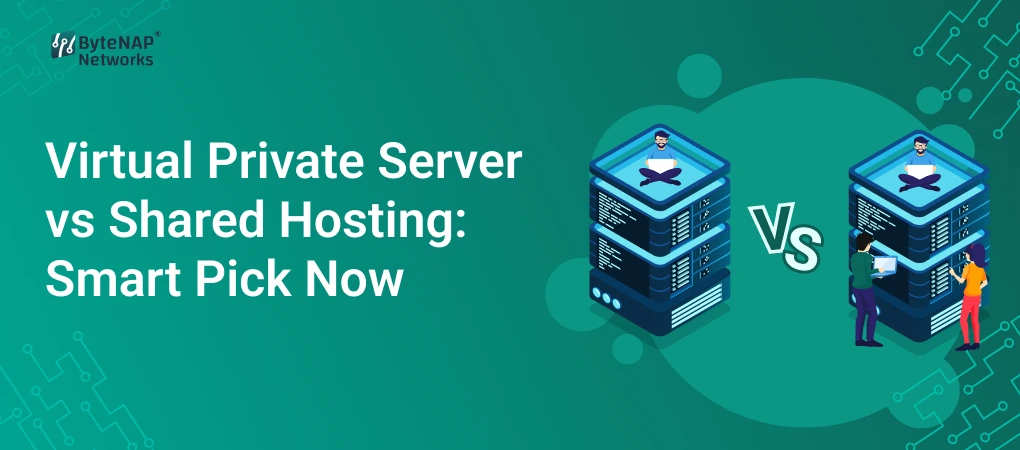
  • Virtual Private Server vs Shared Hosting: Smart Pick Now

    Virtual Private Server vs Shared Hosting: Smart Pick Now

    Your website is more than simply an online brochure in today’s digital age. It’s your business’s identity, shopfront, and money-making machine. But a lot of people don’t think about this important choice until it becomes a problem: picking the correct hosting environment.

    Your hosting package is probably at blame if your website is slow, continually crashing, or has trouble handling consumer traffic. You might have chosen shared hosting because it was cheap, but now you’re thinking about getting a Virtual Private Server (VPS) for greater power. You’re not the only one. Thousands of organisations are trying to decide between a Virtual Private Server and Shared Hosting when they grow.

    This article clears up any uncertainty and helps you make the best choice for your business now while also thinking about how it will grow in the future. We’ll explain everything in simple terms that even a newbie can understand. We’ll compare Managed VPS vs Shared Hosting and help you pick the one that works best for you in terms of speed, security, flexibility, and price.

    What is hosting that is shared? (An easy-to-understand explanation)

    Shared hosting is the most frequent and affordable way to host a website. Imagine a big apartment block where a lot of families use the same water, electricity and parking. on the same way, on a shared hosting plan:

    • Hundreds of websites share one physical server.
    • The CPU, RAM, bandwidth, and storage are all shared by all websites.
    • How well the server works relies on how other people use its resources.

    Who Should Use Shared Hosting?

    • People who blog
    • Little personal sites
    • Business webpages with few visitors
    • People who own a website for the first time

    It’s cheap and easy to use, but the shared environment makes it harder to regulate and execute.

    What is a VPS, or virtual private server?

    A Virtual Private Server is like having your own private flat in a big building. You share the physical area, but you have your own utilities that only you may utilise.

    This is how it works:

    • Virtualisation technology splits a real server into several virtual servers.
    • Every VPS has its own CPU, RAM, and storage space.
    • The performance of your website doesn’t depend on other websites on the same server.

    Who Needs VPS Hosting?

    • Websites for growing businesses
    • Platforms for e-commerce
    • Blogs with a lot of traffic
    • SaaS apps
    • Websites that need complex settings

    You have more power, security, and freedom than with shared hosting.

    What are the main differences between a virtual private server and shared hosting?

    Here is a clear, easy-to-understand list of the differences between VPS and Shared Hosting:

    1. How well it works

    Shared Hosting:

    • Speed is limited
    • Websites go slower when a lot of people are using them.

    VPS Hosting:

    • Pages load faster
    • Dedicated resources make sure things stay the same.

    2. Safety

    Shared Hosting:

    • Weaknesses because of shared spaces
    • An attack on one website impacts all

    VPS Hosting:

    • Environment that is separate
    • Better firewall and more powerful security tools

    3. Scalability

    Hosting Shared:

    • Few possibilities for upgrades
    • Not the best choice for expanding websites

    VPS Hosting:

    • RAM, CPU, and storage that can be easily expanded
    • Can handle more traffic and apps

    4. Personalisation

    Hosting that is shared:

    • Access is limited
    • Installing software is limited.

    VPS Hosting:

    • Most of the time, full root access
    • Set up custom apps and tweak server parameters to get the best performance.

    5. Price

    Hosting that is shared:

    • The cheapest choice (starts low)

    Hosting VPS:

    • Costs more but has far superior performance and features

    Which hosting works better in real life?

    Scenario 1: A website for a small business

    A startup bakery can use shared hosting to get its website up and running. It has a lot of traffic and requires a cheap, straightforward fix.

    Shared Hosting: The Smart Choice

    Scenario 2: Online Store

    An online electronics store that takes payments, shows enormous pictures, and lets users do things in real time needs to be fast and safe.

    VPS Hosting is a Smart Choice

    Scenario 3: Expanding a news or blog site

    If a blog has more than 1,000 visits a day, it will load slowly on shared hosting.

    VPS hosting is a smart choice for performance and uptime.

    Scenario 4: A web app or SaaS

    If you host programs that need certain settings, shared hosting won’t work for them.

    Managed VPS Hosting: A Smart Choice

    Why VPS Hosting Is the Best Choice Right Now

    The digital world is evolving. Traffic spikes, cyber risks, and what customers want require more than just basic hosting. Here’s why more people are moving from shared hosting to VPS hosting:

    1. Faster loading means more sales.

    A delay of even one second can cut conversions by 7%. VPS makes things run faster and helps with SEO.

    2. Better Safety

    A private server environment lowers risks because cyberattacks happen more and more each year.

    3. Ready for Business Growth

    You don’t have to move your VPS around a lot; it develops with your business.

    4. Access to more advanced tools

    VPS lets you:

    • Firewalls that are made to order
    • Caching at the server level
    • Control of resources
    • Installing software

    5. Long-Term Cost-Effectiveness

    VPS costs more up front, but it saves money by keeping your site up and running and protecting it from security problems.

    How to Choose Between Shared Hosting and VPS: A Step-by-Step Guide

    Step 1: Look at your traffic

    • If you get less than 200 visits a day, you should use shared hosting.
    • More than 1,000 visits a day = VPS Hosting

    Step 2: Figure Out What You Need Technically

    • Website with basic features → Shared
    • VPS for custom apps

    Step 3: Think about what security needs you have

    VPS is necessary if your website keeps track of consumer information.

    Step 4: Look at your budget

    Shared hosting is cheap, but VPS hosting pays out in the long run.

    Step 5: Making sure it will last

    Start with VPS right away if your firm is going to develop shortly.

    Why you should upgrade to VPS today: the benefits of VPS over shared hosting

    • Dedicated CPU and RAM make sure that performance stays the same
    • An isolated virtual environment makes security better
    • Works well with websites that get a lot of traffic
    • Allows full control by giving root access
    • Infrastructure that can grow
    • Faster speed means better SEO performance
    • Great for apps that are important for business and e-commerce

    Which is better: managed VPS or shared hosting?

    Managed VPS Hosting is a game-changer if you’re not a techie

    Managed VPS comes with:

    • Checking on the server
    • Backups every day
    • Patches and updates
    • Making security stronger
    • Help from experts

    You may enjoy all the benefits of VPS without having to do any technical work.

    When should you pick a managed VPS?

    • If you desire both performance and peace of mind
    • If you own a firm and don’t have an IT crew,
    • If uptime and security are important

    Frequently Asked Questions: Virtual Private Server vs. Shared Hosting

    1. Is VPS hosting faster than shared hosting?

    Yes. VPS gives you dedicated resources, which makes it much faster and more reliable.

    2. Does shared hosting have an effect on SEO?

    Yes. Google rankings can drop if your site takes a long time to load or goes down.

    3. Can VPS hosting be used by beginners?

    Yes, especially with Managed VPS Hosting, which doesn’t need any technical knowledge.

    4. When is it time to move from shared hosting to VPS?

    When your website gets bigger, slower, needs more security, or goes down a lot.

    5. Is it worth it to pay more for VPS?

    Yes. It’s a good long-term investment because it improves performance, security, and scalability.

    Conclusion: What Is the Best Choice Right Now?

    If you’re just starting out and don’t get a lot of visitors, shared hosting is fine. If your website is getting more visitors, making money, or needs better speed and security, though, moving to a VPS is not only sensible, it’s required.

    A VPS gives you more independence, power, security, and room to grow than shared hosting can. If you want to grow your business online, Virtual Private Server (VPS) is the clear winner over Shared Hosting.

  • Cheap VPS Server Solutions for Small Business Growth Now

    Cheap VPS Server Solutions for Small Business Growth Now

    You probably already know how hard it is for small businesses to compete with bigger companies online. Limited funds, slow websites, unreliable hosting, and bad performance are all things that can come in the way of your digital success. You want your business to expand, but your website keeps collapsing at the wrong time or loading too slowly for customers to trust you.

    This is where low-cost VPS server options may really help.

    Small businesses don’t have to spend thousands on dedicated servers anymore. Even small businesses can run fast, secure, and scalable websites without spending a lot of money thanks to reasonable and high-performance hosting solutions like cheap Linux VPS, cheap cloud VPS, and managed VPS services.

    This article will tell you all you need to know about cheap VPS servers, including what they are, why they are great for small business growth, how they function, their benefits, real-world examples, and how to choose the best one for your needs.

    What is a VPS server that doesn’t cost much? (An Easy-to-Understand Explanation)

    A VPS, or Virtual Private Server, is a virtualised server that is made by splitting a strong physical server into several separate settings. Each VPS has its own set of resources, such as:

    • The CPU
    • RAM
    • Storage
    • Bandwidth

    A VPS, on the other hand, guarantees performance and security, whereas shared hosting lets several users use the same resources.

    What Makes This VPS Server “Cheap”?

    When we say “cheap,” we don’t mean bad quality; we mean reasonable pricing plans with:

    • Scaling based on resources
    • Using hardware efficiently
    • Technology for virtualisation
    • Features that are not required instead of those that are

    This lets small firms start small and develop without spending too much money up front.

    What Does a VPS Do?

    When you rent an apartment in a big building, you are using VPS hosting.

    • The whole building is a physical server.
    • Every flat is a virtual server.
    • You have your own place, things, and solitude.
    • You can change your environment to fit your needs.

    This makes a cheap VPS server the best option between shared hosting (low cost, low performance) and dedicated hosting (high cost, high performance).

    Why affordable VPS server solutions are important for the growth of small businesses

    Digital speed is what drives small enterprises these days. A website that is slow or doesn’t work can hurt your credibility, destroy conversions, and lower your search rankings.

    Here’s how picking a cheap Linux VPS or cloud VPS might help your business grow:

    1. Faster website loading times

    Your website loads faster since it has its own CPU and RAM.

    More sales and a better user experience come from faster sites.

    2. More safety

    This means that each VPS is separate:

    • No one else has an impact on your surroundings.
    • Better control of the firewall
    • Less exposure to malware

    3. Resources that can grow

    Without having to stop working, upgrade your CPU, RAM, or storage.

    Great for businesses that are growing or have seasonal traffic spikes.

    4. Root Access for Making Changes

    You have full flexibility over installing apps, changing settings, and improving performance.

    5. Affordable

    This is great for anyone on a tight budget because it gives you near-dedicated-server performance at a much lower cost.

    How small businesses may use cheap VPS hosting in real life

    Let’s look at a few real-life examples.

    Example 1: An online store dealing with a lot of traffic at once

    A modest online apparel company that uses shared hosting often goes down during holiday sales.

    After switching to an inexpensive cloud VPS, they liked:

    • Page loads four times faster
    • No downtime during sales
    • More sales since the checkout process was easier

    Example 2: A digital marketing agency that runs more than one website

    An agency that runs more than 30 client sites thought shared hosting was too limiting.

    They got the following by switching to an inexpensive Linux VPS:

    • Better separation of client sites
    • Better SEO performance
    • Centralised management with access to the root

    Example 3: Web apps that help startups grow

    Startups that use CRM, custom software, or SaaS products need things to be stable and fast.

    An inexpensive VPS server lets them:

    • Scale when you need it
    • Keep performance stable
    • Keep costs from going up

    Cheap VPS Hosting Options for Small Businesses

    1. VPS for Linux at a low cost

    • Great for developers, agencies, and anyone that know a lot about technology
    • Quick, stable, and uses few resources
    • Works with PHP, Python, Node.js, databases, and more.
    • Very cheap

    2. Windows VPS at a low cost

    • Works well for enterprises that use .NET, ASP, and MSSQL
    • Interface with graphics
    • Simple access to remote desktops

    3. Cloud VPS for a low price

    Hosted on cloud platforms that offer:

    • Backups that happen automatically
    • Scalability
    • A lot of uptime
    • Quick SSD/NVMe storage

    4. Managed VPS for Cheap

    Great if you’re not tech-savvy:

    • Host takes care of updates
    • Updates to security
    • Watching the server
    • Managing backups

    A Step-by-Step Guide to Picking the Best Cheap VPS Server

    Here is an easy way to do it:

    Step 1: Figure out what resources you need

    Think about this:

    • How many sites do you own?
    • What do you think the traffic will be like?
    • Do you use big programs like WordPress and WooCommerce?

    Start small and add more when you need to.

    Step 2: Pick the Right Operating System

    • Linux VPS is the cheapest and fastest.
    • Windows VPS is for people who use .NET or Remote Desktop.

    Step 3: Search for SSD or NVMe storage

    This makes a big difference:

    • Loading the website
    • How well the database works
    • Taking care of files

    Step 4: Look at the guarantees for bandwidth and uptime

    Pick a provider that offers:

    • 99.9% of the time
    • Limits on high bandwidth
    • Data centres all over the world

    Step 5: Look over the security features

    Look for:

    • Protection against DDoS attacks
    • Firewalls
    • Scanning for malware
    • Backups on a regular basis

    Step 6: Look into customer support

    A cheap VPS server is only useful if the support is good.

    Look for:

    • Help with chat or tickets 24 hours a day, seven days a week
    • Quick response times
    • Staff who are good with technology

    Step 7: Compare prices to features

    The VPS that is best for you is not the cheapest one; it is the one that offers:

    • The ability to grow
    • How well it works
    • Help
    • Safety

    for a fair price.

    More tips for getting the most out of cheap VPS hosting

    Turn on Caching

    To speed things up, use server-level caching.

    Make your database better

    Remove any extra tables, logs, and plugins that you don’t need.

    Use a CDN

    Serve files and photos to customers around the world faster.

    Check the server logs

    Find performance problems early.

    Backups on a regular basis

    Make sure your work is always safe.

    How cheap VPS servers may help your business grow

    Here are some reasons why small businesses are moving to VPS hosting:

    • Low prices and good performance
    • Faster speed means better SEO ranks.
    • Better trust in the brand with stable uptime
    • Ability to deal with more traffic
    • Simple to grow without relocating infrastructure
    • Tools for extensive customisation that you can use
    • More safe than shared hosting

    A cheap VPS server is one of the best things you can do for your business if you want it to develop over time.

    Questions that are often asked (FAQ)

    1. Is an inexpensive VPS server good for business websites?

    Yes. VPS servers give you separate resources, which means your website stays stable and reliable even on cheap rates.

    2. Can I add more features to my VPS later as my business grows?

    Yes, for sure. One of the best things about a VPS is that it can grow with your needs. You can add more RAM, CPU, and storage whenever you need to.

    3. What is the difference between a cheap VPS and shared hosting?

    Many users share resources when they use shared hosting. You get dedicated resources, faster performance, and more control with a VPS.

    4. Do I need to know how to use technology to run a VPS?

    With managed VPS hosting, the provider takes care of all the technical work. You need to know a little bit about computers to use unmanaged VPS.

    5. Is Linux VPS or Windows VPS better for small businesses?

    Linux VPS is less expensive and works best for most websites. If you use .NET or MSSQL, Windows VPS is fantastic.

    Conclusion: Now is the time to get a cheap VPS server to help your business grow.

    A cheap VPS server is no longer a nice-to-have; it’s a must-have for business growth. It gives you speed, security, scalability, and reliability without costing too much. Switching to a cheap Linux VPS or cheap cloud VPS can speed up your business, whether you run a tiny online store, a startup, an agency, or a website with a lot of traffic.

    Call to Action (CTA)

    If you want to build your business with high-performance hosting, look into cheap VPS server solutions that are also reliable. Pick the package that works best for you and improve your website’s speed, security, and potential to grow.

  • Everything You Must Know Before Starting XAMPP Download

    Everything You Must Know Before Starting XAMPP Download

    XAMPP is a name you may have heard before if you want to make a website, test a PHP project, or learn how to make websites. And like most others who are just starting off, you could be asking:

    What is XAMPP, exactly? Do I need it? What is the right way to install it? What do I need to know before I start the XAMPP download?

    These are great questions to ask before you get started.

    XAMPP is quite popular with developers since it lets you set up a full local server environment with just a few clicks. But even if it’s easy, you need to know a few crucial things first: how to make sure it’s compatible, how to keep it safe, how to set it up correctly, and some frequent mistakes that new users make.

    This guide will teach you all you need to know before you start downloading XAMPP, such as how to set it up, how to use it in the real world, and answers to common questions. You’ll be ready to safely install XAMPP and start working on or testing your projects with confidence by the end.

    What is XAMPP? (An easy-to-understand explanation)

    It’s important to know what XAMPP does before you download the latest version.

    XAMPP is made up of Apache, MariaDB, PHP, and Perl, 

    which work on different platforms.

    Apache Friends made XAMPP, which is a free and open-source software package. It comes with all the tools you need to make and run websites or web apps on your own computer, so you don’t require a hosting company.

    Here’s a basic breakdown:

    Part What It Does

    Apache is the web server that handles requests from browsers.

    MariaDB (previously MySQL) is the database that stores your application’s data.

    PHP is the scripting language that powers dynamic web programs.

    Perl is another programming language that isn’t used as much anymore.

    In short, XAMPP turns your PC or laptop into a local server, which is great for testing, developing, and learning.

    Who Uses XAMPP Most Often?

    • People that make websites
    • Students that are studying PHP
    • Designers for WordPress
    • Testers of software
    • Startups making models
    • Backend engineers who work offline

    A XAMPP server download is one of the quickest methods to get started whether you want to run PHP apps, WordPress sites, or custom scripts on your own computer.

    What you need to know about XAMPP before you start a web project

    A lot of developers like XAMPP because it makes things easier.

    This is why it’s a useful tool:

    • No need to set anything up by hand; everything is already in place.
    • Great for learning without having to buy a domain or hosting
    • Helps you run more than one project at home
    • Gives you a chance to try out websites before they go online
    • Saves time; it only takes a few minutes to install.
    • Works with Linux, macOS, and Windows

    XAMPP gives you the basic tools you need to test a WordPress theme or build a PHP app.

    Things You Should Know Before You Start Downloading XAMPP

    Before you hit the download button, make sure you know these vital things.

    1. Check the system requirements

    XAMPP runs on:

    • Windows 8, 10, and 11
    • Linux
    • macOS

    Minimum suggested:

    • 4GB of RAM
    • 2GB of spare space on the disc
    • Administrator rights

    XAMPP can work on older PCs, although the speed may depend on the projects you are working on.

    2. Pick the Right Version

    Apache Friends has several versions that work with PHP.

    Before you download the most recent version of XAMPP, make sure to check:

    • Do you need PHP 7, PHP 8, or a different version for your project?
    • Is the PHP version you choose compatible with your CMS/tools?

    For instance:

    • At the moment, WordPress needs PHP 8 or higher
    • Some old systems still use PHP 7.4.

    Choosing the wrong version can cause problems later on.

    3. Turn off or change the settings for port-blocking apps

    A lot of novices have problems since ports are already in use.

    Common port conflicts:

    PortUsed By
    80 / 443Apache
    3306MySQL/MariaDB
    Applications like Skype, IIS, VMware, or Microsoft SQL Server may block these.

    Before you install XAMPP:

    • Leave Skype
    • Turn off IIS
    • Look for SQL services that are running.

    This stops Apache or MySQL from not starting.

    4. Know the limits of security

    XAMPP is not meant to be used in production.

    It is set up in a way that makes development easy on purpose.

    For instance:

    • Default ports
    • There is no password for phpMyAdmin.
    • Open services

    This is good for development on a local machine, but not safe for live servers.

    5. Understand What Parts You Really Need

    XAMPP includes:

    • Apache
    • MariaDB
    • PHP
    • Perl
    • FileZilla FTP Server
    • Mercury Email Server
    • Server Tomcat

    You probably won’t need all of them.

    When it comes to web development, most of the time:

    ✔ Apache

    ✔ PHP

    ✔ MariaDB/MySQL

    That’s enough.

    Step-by-Step Guide: How to Download and Install XAMPP

    Here’s a simple and easy guide for beginners to install it.

    Step 1: Go to the XAMPP website

    Visit the official page for Apache Friends and choose your operating system.

    Important note:

    To avoid virus threats, don’t download XAMPP from third-party sources.

    Step 2: Choose the Right Version

    Pick based on:

    • Requirements for PHP version
    • Works with CMS/frameworks including WordPress, Drupal, Joomla, Laravel, and others

    Step 3: Open the Installer

    Double-click the file that installs XAMPP and give it permission to run.

    It’s usual for Windows to show a warning about UAC (User Access Control).

    Step 4: Pick Parts

    Choose only what you need:

    Most developers choose:

    • Apache
    • PHP
    • MariaDB
    • phpMyAdmin

    If you don’t need Tomcat, FileZilla, or Perl, uncheck them.

    Step 5: Choose the Folder for Installation

    The default is usually:

    C:\xampp

    Do not install inside:

    • C:\Program Files
    • Folders on the system

    This helps keep permission problems from happening.

    Step 6: Finish Setting Up

    It takes 2 to 5 minutes to install.

    When you’re done, open the XAMPP Control Panel.

    Step 7: Turn on MySQL and Apache

    Next to Apache and MySQL, click Start.

    You’re ready to go if the modules turn green!

    Step 8: Check your local server

    To do this, open your browser and type:

    http://localhost

    Your installation worked if you see the XAMPP welcome page.

    How XAMPP Helps in Real Life

    1. Making a Website Before Getting Hosting

    Let’s say you’re making a new website for your firm.

    Instead of buying hosting right away:

    • Put it together on your own computer with XAMPP
    • Test out sites, plugins, and designs
    • Put it out there later when you’re ready.

    This method cuts costs and keeps everything running.

    2. Learning PHP or Database Programming

    XAMPP is used by students and novices to:

    • Learn how to use PHP
    • Make SQL queries
    • Learn how servers function.

    It’s the best place to learn without the internet.

    3. Trying out WordPress themes or plugins

    XAMPP is a tool that developers typically use to:

    • Make your own WordPress themes
    • Check for updates to the plugin
    • Fix bugs without breaking live sites

    It protects the website where things are made.

    4. Making a Prototype for Customers

    Agencies can:

    • Make a demo
    • Show off how it works
    • Quickly get feedback

    All of this may be done without using a public server.

    The advantages of using XAMPP for web development

    1. Totally free and open source

    No fees or limits on use—great for students and professionals.

    2. Simple to Set Up

    There is no need to set anything up by hand; everything is included in one installation.

    3. Support for several platforms

    It works on Windows, macOS, and Linux.

    4. Quick Local Testing

    Pages load right away because everything is stored locally.

    5. Great for making WordPress sites

    You may easily set up numerous WordPress sites in subfolders for testing.

    6. Tools that come with the system

    Contains:

    • Managing databases with phpMyAdmin
    • Mercury Mail for checking if email works
    • Dashboards that are easy for developers to use

    7. Safe Place

    You can test hazardous plugins or custom code without disrupting a live site.

    Problems that often happen when downloading or installing XAMPP (and how to fix them)

    1. Apache Not Starting

    Usually happens because of port conflicts.

    The answer is:

    In the XAMPP Control Panel, go to Config > Service and Port Settings to change ports.

    2. MySQL won’t start

    Because another SQL service is already operating.

    Answer:

    Turn off other SQL-related programs for a short time.

    3. UAC Limitations

    Windows stops writing to some directories.

    Answer:

    Don’t put XAMPP in the Program Files folder.

    4. Page is blank in the browser

    A lot of the time, it’s because of a PHP syntax problem.

    Answer:

    Look over your script or turn on PHP error reporting.

    Questions that are often asked (FAQs)

    1. Is it safe to use XAMPP?

    Yes, it is okay to use XAMPP for local development.

    But it shouldn’t be utilised as a production server that the public can see.

    2. Which version of XAMPP should I get?

    Pick based on what your project needs from PHP.

    For instance:

    • WordPress works best with PHP 8 or higher.
    • Older computers might need PHP 7.4

    3. Can I use XAMPP to run more than one website?

    Yes, for sure.

    You can make more than one folder inside htdocs or set up virtual hosts.

    4. Why isn’t Apache starting up after I installed it?

    Skype, IIS, or VMware are most likely using port 80 or 443, which is why this happens.

    Stop services that are clashing or change the ports.

    5. Is it possible to install WordPress on XAMPP?

    Yes!

    XAMPP makes it very easy to install WordPress, which is great for trying out themes or plugins.

    Conclusion and a Call to Action

    If you’re learning web programming, testing PHP apps, or making WordPress sites, one of the best things you can do is start a download of XAMPP. You can prevent typical mistakes and set up a seamless local development environment if you know what to do, from checking compatibility to following installation processes.

    You may now move forward with confidence because you know everything there is to know about XAMPP.