Blog

  • Virtual Server India: Affordable VPS Hosting Solutions for Growing Businesses

    Virtual Server India: Affordable VPS Hosting Solutions for Growing Businesses

    Virtual Server India:In today’s competitive digital world, having a fast, reliable, and scalable website is no longer a choice; it’s a must. But many growing businesses have problems with slow websites, frequent downtime, and not being able to completely control their sites because they are hosted on shared servers. These problems can cost you customers, hurt your search engine rankings, and make you miss out on opportunities.

    Others have heard this also.

    You really need a Virtual Server in India. This blog post will explain what a virtual private server is, why India is a fantastic country to host your website, and how cheap VPS hosting may help your business grow without costing too much.

    What does it mean to have a server in the cloud? 

    A virtual server, or Virtual Private Server (VPS), is a type of hosting that divides a physical server into many separate virtual spaces. A virtual server has its own CPU, RAM, storage, operating system, and other resources. It runs on its own.

    You should think of it this way:

    Shared hosting is like living in a flat with other people and sharing everything.

    Having a Virtual Private Server in India is like having your own flat in a building: you have your own space, your own rules, and guaranteed resources.

    This is why VPS hosting is a good solution for people who wish to share a server with others but don’t want to pay a lot for a dedicated server.

    What are the advantages of having a virtual server in India?

    If your target audience is in India or nearby areas, there are several benefits to hosting your website on a virtual server in India.

    Why You Should Host Your VPS in India

    • Low Latency: Pages load faster for individuals in India.
    • Better Performance: Less time spent waiting for the network
    • Low Prices: The local infrastructure helps keep expenses down.
    • Data Compliance: Follows the guidelines for where data can be hosted
    • Reliable Connectivity: Good routing inside and outside the nation

    Companies that service Indian clientele should host their websites in India for a better user experience and more confidence.

    Who in India should use a virtual private server?

    A cheap VPS India plan is perfect for:

    • Small and medium-sized businesses
    • Companies that make software as a service (SaaS) and new businesses
    • Web developers and agencies
    • Websites for online shopping
    • Bloggers and others who write content
    • Companies that have outgrown shared hosting

    If your website traffic is rising and you need more control and performance, a virtual server is the next logical step.

    Key Features of Virtual Server India

    1. Set aside resources

    With VPS, you know you’ll always have CPU, RAM, and storage, so no one can grab your resources like they can with shared hosting.

    2. Complete Access to Root

    You can easily install custom software, adjust server settings, and manage apps.

    3. The ability to grow

    As your business grows, you can easily add more resources without having to stop working.

    4. Quick storage

    SSD or NVMe storage speeds up reading and writing.

    5. More Safety

    Because each virtual server is separate, there are fewer security issues with accounts close to it.

    A Guide to Choosing the Best VPS Hosting in India Step by Step

    Step 1: Find out what you need from your hosting

    Consider:

    • How many people come to my site?
    • What kinds of apps will I use?
    • Do I need to get to the root?

    Step 2: Choose the Right OS

    Some well-known options are:

    • Ubuntu is simple to use and includes a lot of help.
    • CentOS and AlmaLinux are ready for business and stable.
    • Debian: Light and safe

    Step 3: Pick the Right Server Resources

    • 2 GB of RAM: For small blogs and websites
    • 4–8 GB of RAM: For businesses and online stores that are getting bigger
    • More CPU cores: Programs that need a lot of resources

    Step 4: Find out where the data centre is

    For the best performance, be sure the company has data centres in India.

    Step 5: Pick between a VPS that is managed and one that is not

    • If you need support with technology, managed VPS is the best option.
    • Unmanaged VPS: Best for engineers that know how to use servers

    How VPS Hosting Affects How Businesses Work in the Real World

    During sales events, a new online store that used shared hosting had slow load times. Customers fled their carts because it took too long.

    After switching to a cheap VPS India plan:

    • Page loading time is more than 50% faster.
    • Checkout performance stayed the same even when there was a lot of traffic.
    • More people were delighted with their purchases and bought more products.
    • This simple change had an instant influence on sales and growth.

    Benefits of Virtual Server India for Businesses

    1. Good performance that doesn’t cost a lot

    For a lot less money, you can have the same performance as a near-dedicated server.

    2. Websites that load more quickly

    Speed has a direct effect on how consumers feel about your site and how high it ranks in search engines.

    3. More control and personalisation

    Set up the server just the way your organisation needs it.

    4. More Safety

    Your data is safe thanks to robust firewall settings and separation.

    5. Good for SEO

    If your site loads faster and stays up longer, search engines can find it more easily.

    Why a Virtual Private Server in India Is Important for Growing Businesses

    As businesses grow, their hosting needs change. Shared hosting merely can’t handle increasing traffic, security needs, and performance expectations.

    Here are some things that a virtual server in India can do:

    • Reliability and stability
    • Space to grow in the future
    • Infrastructure that can change as the business does

    It’s a strategy to make sure you do well online for a long time.

    Things to stay away from when buying VPS hosting

    • Choosing too few server resources
    • Not paying attention to where the server is located
    • Not backing up your files often enough
    • Choosing an unmanaged VPS without understanding anything about tech
    • Only looking at pricing, not performance

    If you don’t make these mistakes, things will go well and you’ll be at rest.

    Questions that people ask a lot (FAQs)

    What is a virtual server in India?

    A VPS that is housed in Indian data centres is called a virtual server in India. This makes it speedier and more dependable for people who reside there.

    Is VPS hosting a decent choice for beginners?

    Yes, it’s easy to get started with managed VPS services and Linux distributions that are straightforward for beginners to use.

    Is cheap VPS India a decent option?

    Yes, but only if you pick a supplier with solid support and infrastructure.

    Can you host WordPress on a private server in India?

    Yes, for sure. VPS hosting works best with CMS platforms like WordPress and Magento.

    Am I in command of my VPS?

    Yes. Most VPS plans allow you to change everything and have full root access.

    Final Thoughts

    Virtual Server India is an excellent choice if you need a hosting service that is cheap, powerful, and can grow with your demands. It gives you flexibility and performance without costing too much, filling the gap between shared and dedicated hosting.

    A virtual private server in India gives business owners, developers, and growing businesses the tools they need to be successful in the long run.

    Call to Action

    Want to make your hosting experience better? 

    Take a look at our Virtual Server India options today. You can get cheap, high-performance VPS hosting that can grow with you.

    Need more expert assistance on hosting and running a server? 

    Subscribe to our blog to stay ahead in the digital world.
  • Web Hosting Checklist for First-Time Website Owners in India

    Web Hosting Checklist for First-Time Website Owners in India

    web hosting checklist for first-time website owners in India:

    A List of Things to Do Before You Host Your First Website in India

    It can be hard to start your own website. You may have a domain name concept, a company plan, or even a personal blog in mind. But the key question is, where should your website be? If you choose the wrong hosting, your site may load slowly, go down often, have a bad user experience, and even lose clients.

    This is why this web hosting checklist for new website owners in India was made.

    We’ll explain everything in simple terms in this article, from what web hosting truly is to how to choose the best form of hosting for Indian websites. You’ll have a clear, step-by-step web hosting checklist for first-time website owners in India that helps you make a smart and cost-effective choice by the end.

    What does it mean to host a website? 

    Let’s have some basic understanding before we get into the checklist.

    Web hosting is a service that puts your website’s files, like images, text, code, and videos, on a server and makes them available on the internet. The hosting server sends your site to their browser when they type in your website address.

    Imagine it as renting a room:

    • Your website is like your store.
    • The hosting server is the building where the store is.
    • The internet is the path that leads to your business.

    An excellent hosting company makes sure your site loads quickly, is safe, and is always up.

    This is an important part of any web hosting checklist for people in India who are new to owning a website.

    Why Indian Website Owners Should Care About Hosting Choice

    India has its own special hosting needs:

    • People can get to sites using mobile networks.
    • People who come to visit may be from Tier 2 or Tier 3 cities.
    • Latency is important because of distance between places
    • People and businesses who are just starting out are really sensitive to their budgets.

    That’s why an organised web hosting checklist for first-time website owners in India can help them avoid common mistakes.

    Checklist for First-Time Website Owners in India for Web Hosting

    Let’s go to the list of things you can do. Save this part as a bookmark; you’ll need it a lot.

    1. Figure out what your website is for

    The first thing on the web hosting checklist for new website owners in India is to be clear.

    Think about:

    • Is this a blog, a website for a business, a portfolio, or an online store?
    • Will you have a lot of heavy photos, videos, or products?
    • How many people do you think will come first?

    An example from the real world:

    • A college student who wants to start a personal blog needs basic shared hosting.
    • A small business that is starting an online store needs hosting that is speedier and safer.

    Everything else depends on your purpose.

    2. Pick the Right Kind of Hosting

    This stage is very important for any beginner’s guide to web hosting in India.

    Types of hosting that are common:

    • Shared Hosting is best for new users and sites with low traffic.
    • VPS Hosting gives you more control and greater performance.
    • Cloud Hosting: Reliable and able to grow
    • Dedicated Hosting is for big, busy websites.

    Tip for beginners:

    • Most novices will be happy with shared hosting or entry-level cloud hosting.
    • This knowledge will help you choose the right web hosting for Indian websites.

    3. Check the location of the server (India is important!)

    Server location is one of the most overlooked things on a web hosting checklist for first-time website owners in India. 

    Why it matters:

    • Indian users would be able to load pages faster.
    • Better SEO results in searches done in your area
    • Better experience for users

    Tip from a pro:

    Always choose hosting companies that have data centers in India or at least in nearby areas like Singapore.

    4. Know how much bandwidth and storage you need

    Not all plans that say “unlimited” really are.

    Check the following items on your web hosting checklist for new website owners in India:

    • SSD or NVMe storage (faster speed)
    • Bandwidth limits that are clear
    • Policy on fair use

    For example:

    A photography website with high-resolution pictures will take up more space than a blog that only has text.

    5. Look for Reliable Uptime (99.9% or More)

    Visitors will leave if your site is offline, and Google will notice.

    A good web hosting checklist for those in India who are making their first website should have:

    • 99.9% uptime promise
    • A history of success
    • Tools for monitoring

    If you have even 1% downtime, you could lose hours of visibility every month.

    6. Must-Have Security Features

    There is no way to change security.

    If you’re a first-time website owner in India, your web hosting checklist should have:

    • SSL certificate for free
    • Protection from firewalls
    • Scanning for malware
    • Backups on a regular basis

    A situation that you can relate to:

    Many people who own a website for the first time lose data because of hacking or mistakes. Backups every day save the day.

    7. Control Panel and Ease of Use

    If you’re just starting out, things that are too complicated can slow you down.

    Pick a hosting service that offers:

    • cPanel or a dashboard that is easy to use
    • Install WordPress with one click
    • Setting up email is easy.

    This is a very important part of any beginner’s introduction to web hosting in India.

    8. Customer service (available 24/7 and friendly to Indians)

    Support is important when anything breaks.

    Your web hosting checklist for people in India who are making their first website must check:

    • Live chat or phone assistance 24 hours a day, seven days a week
    • Quick response times
    • A technical staff that knows what they’re doing

    It’s a plus if the support crew knows what Indian businesses require.

    9. Scalability: Is it possible to grow later?

    You can start tiny, but you’ll expand quickly.

    Say:

    • Is it easy to upgrade my plan?
    • Is VPS or cloud accessible later?

    When you learn how to choose web hosting for Indian websites, you need to think about the future.

    10. Clear prices and costs for renewal

    A lot of new people fall for the “cheap first year” trick.

    Always verify the following on your web hosting checklist for new website owners in India:

    • Prices for renewal
    • Extra costs
    • Fees that aren’t clear

    For example:

    Always read the tiny print because a ₹99/month plan could renew at ₹399/month.

    The advantages of using a web hosting checklist

    Why is this collection of web hosting tips for new website owners in India so important?

    Main advantages:

    • Doesn’t make beginning mistakes
    • Saves money in the long run
    • Makes websites load faster and helps with SEO
    • Increases confidence in users
    • Makes scaling in the future easier
    • This list is your safety net.
    • Mistakes That New Website Owners Make Often
    • It helps to learn from others.

    Don’t make these mistakes:

    • Picking a host just because of the price
    • Not caring about where the server is
    • Not doing backups
    • Not looking at the prices for renewal
    • Buying more resources than you need

    These problems can be avoided by following a web hosting checklist for new website owners in India.

    A summary of the steps for choosing a host

    Here’s a quick list of things to remember:

    • Set a goal for your website
    • Pick the right form of hosting
    • Like servers in India
    • Look at the storage and bandwidth.
    • Make sure that 99.9% of the time is up.
    • Check the security features
    • Find tools that are easy for beginners to use
    • Make sure help is available 24/7
    • Make plans for future growth
    • Clearly compare prices

    This simple approach makes it evident how to choose web hosting for Indian websites.

    Web Hosting for Beginners in India: Frequently Asked Questions

    1. What is the finest hosting for those in India that are just starting out?

    Most people who are new to building websites should choose shared hosting or beginning cloud hosting.

    2. Is hosting on an Indian server better for SEO?

    Yes, local servers make pages load faster and aid with Indian search rankings.

    3. What is the cost of web hosting in India?

    Depending on the features, basic hosting might cost between ₹99 and ₹299 a month.

    4. Is it possible to change hosting later?

    Yes, most providers let you upgrade or move.

    5. Do I need to know how to use technology to handle hosting?

    No. Most modern hosting platforms are easy to use for beginners.

    Final Thoughts:

    Make a smart choice and start strong.

    Hosting is the first step to starting your first website. This web hosting checklist for new website owners in India is meant to help you feel confident, clear, and in charge from the start.

    Following this web hosting checklist for new website owners in India can help you get your blog, portfolio, or business website up and running the right way.

  • Web Hosting India WordPress in  for Fast & Secure Sites

    Web Hosting India WordPress in for Fast & Secure Sites

    Web Hosting India WordPress:

    Starting a WordPress site is simple. It’s hard for most site owners to make it swift, safe, and reliable. Slow loading speeds, frequent outages, security problems, and poor customer service can all slowly hurt your visitors and sales. If you run a blog, a business website, or an eCommerce store that targets Indian visitors, choosing the right WordPress hosting in India can make or break your online success.

    This detailed guide will help you learn about WordPress hosting in India, how managed WordPress hosting in India works, and how to choose a hosting plan that gives you speed, security, and peace of mind. This blog has everything you need, whether you’re just starting off or expanding an existing site.

    What does it mean to host a WordPress site?

    WordPress web hosting is a form of hosting that is made just for WordPress sites. It is unlike conventional hosting because it is meant to speed up WordPress, make it safer, obtain updates, and help it expand.

    When we talk about “WordPress hosting in India,” we’re talking about providers that host WordPress sites.

    • Use data centers that are in India or close to it.
    • Make sure Indian audiences get as little lag as possible.
    • Offer help and prices in the area
    • Meet Indian criteria for reliability and performance

    Web hosting India WordPress solutions are fantastic for businesses that want to reach Indian visitors because they are quick and easy to use.

    Why should you put your WordPress site in India?

    Many people who own websites don’t know that their WordPress sites are hosted on servers in other countries. What went wrong? Visitors who are upset with longer load times. Choosing WordPress hosting in India makes this problem easy to fix.

    Why You Should Choose Indian WordPress Hosting

    • Indian users will have faster page loads.
    • Better SEO rankings come from low latency.
    • More reliable and better uptime
    • Help for customers in your area
    • Prices in Indian Rupees

    If your audience is in India, WordPress hosting there is the best option.What Managed WordPress Hosting India Is

    Managed WordPress hosting India is a really popular choice right now. This kind of hosting is created particularly for WordPress users who want their sites to work well without having to worry about technical issues.

    What does it mean to host WordPress that is managed?

    If you have managed WordPress hosting in India, your hosting company does the following:

    • WordPress Updates
    • Fixes for security
    • Making things work better
    • Backups
    • Taking care of servers

    You may focus on content and growth while the hosting firm takes care of the technical side.

    How to Use WordPress with Web Hosting India (Step by Step)

    This is a short description of how WordPress site hosting services in India work:

    Step 1: Improve the server’s performance

    WordPress servers are built up with PHP, MySQL, and caching layers.

    Step 2: Find out where the data center is.

    When you host your WordPress site in India, it is hosted on servers in India or nearby, which makes delivery faster.

    Step 3: Install WordPress with just one click

    Most ISPs will set up WordPress for you right immediately.

    Step 4: Making things work better

    Built-in cache, CDN integration, and SSD storage all help speed things up.

    Step 5: Security and backups

    Your site is safe because it has firewalls, checks for malware, and makes backups automatically.

    Managed WordPress hosting India is very dependable because it sticks to a plan.

    In India, a small company website is a real-life illustration of this.

    A WordPress site for a coaching institution in Mumbai was hosted in another country. The website took more than five seconds to load.

    Answer

    They switched to managed WordPress hosting in India.

    Results

    • It now takes less than two seconds to load.
    • 30% extra traffic from search engines
    • Higher Google rankings

    This is a terrific example of how WordPress hosting in India can help a business grow.

    Different types of WordPress hosting in India

    1. Shared hosting for WordPress

    This is the best choice for tiny blogs and novice bloggers.

    2. Hosting WordPress on a VPS

    Websites that are growing will get more power and tools.

    3. Hosting for WordPress in India

    Good for businesses that demand speed, safety, and no maintenance.

    4. Hosting WordPress in the Cloud

    WordPress hosting in India that can manage a lot of visitors.

    There are benefits and cons to each approach, but managed WordPress hosting in India is usually the best option for both speed and ease of use.

    The key reasons to host WordPress in India

    1. The webpage loads more quickly

    Local servers make pages load faster and have less lag time.

    2. Better results in search engine optimisation

    Google appreciates pages that load quickly when you look for something close by.

    3. More Safety

    Managed WordPress hosting in India has built-in security features that work on their own.

    4. Uptime you can count on

    India’s data centers are incredibly dependable.

    5. Plans that help you save money

    • Prices that Indian users can afford.
    • Because of these benefits, serious website owners should host their sites in India.
    • The Importance of Speed for WordPress Sites
    • Speed isn’t only a technical thing; it also affects how people feel and how many people buy.
    • Web hosting India WordPress is good for your site in the following ways:
    • SSD storage
    • Caching on the server level
    • Putting CDN together
    • Best settings for PHP

    That’s why Indian consumers should always choose WordPress hosting in India over generic hosting.

    Managed WordPress Hosting in India: What to Look for in Security

    There are real security risks, especially for sites that use WordPress. Managed WordPress hosting India includes security features that can handle this.

    Here are some common security features:

    • WAF is short for Web Application Firewall.
    • Finding and getting rid of malware
    • WordPress updates that happen on their own
    • Daily backups
    • SSL certificates

    These features make sure that your WordPress hosting in India is always protected.

    How to Choose the Best WordPress Hosting in India

    This list will help you choose the correct provider:

    • The data center is in India or close by.
    • The greatest WordPress stack
    • Features that make it very safe
    • Things that can grow
    • You can count on great customer service
    • Prices that are clear

    If you don’t want to do anything, managed WordPress hosting India is usually a smart alternative.

    Hosting WordPress in India vs. Hosting WordPress in Other Places

    Latency: Indian Hosting has a low latency, while International Hosting has a large latency. SEO: Indian Hosting has superior local SEO than International Hosting. Help: Indian Hosting has local help, while International Hosting has delays because of time zones.

    Pricing: based on INR or USD Performance: optimised or generic

    This comparison makes it clear why Indian websites should use WordPress to host their sites in India.

    Who Should Use WordPress Hosting in India?

    Bloggers that want to connect with Indian readers

    • Companies of all sizes
    • Shops on the internet
    • Businesses that have more than one WordPress site
    • Startups that aim to get bigger

    Web hosting India WordPress gives all of these consumers speed, stability, and capacity to grow.

    Things You Shouldn’t Do

    • Picking a host that doesn’t have servers in India
    • Not using the benefits of managed hosting
    • Not using security features

    Picking the plan with the lowest price without looking at how well it works

    If you stay away from these mistakes, you can be confident that your investment in WordPress hosting in India will pay off.

    Questions & Answers About Hosting a WordPress Site in India

    1. What does it mean to host WordPress in India?

    This hosting is made for WordPress and features servers in or near India to make things go faster.

    2. Is it worth it to host WordPress in India with managed services?

    Yes, it works better, saves time, and makes things safer.

    3. Can those who are new to WordPress use web hosting India?

    Sure. Most providers provide dashboards that are straightforward to use and help you install WordPress with just one click.

    4. Does hosting WordPress in India help with SEO?

    Yes, servers that are closer to you and load faster can enhance your SEO rankings.

    5. What types of websites in India need managed WordPress hosting?

    Businesses, eCommerce sites, and sites with a lot of visitors get the most out of it.

    Last Thoughts

    Getting the right hosting is one of the most important things you can do for your website. For Indian users, WordPress hosting in India has the ideal combination of speed, security, and growth potential. You can focus on growing your site while your hosting works in the background with managed WordPress hosting India and web hosting India WordPress solutions.

    WordPress hosting in India is a wonderful alternative if you want your site to load faster, be safer, and perform more dependably.

  • Domain Transfer Guide: Move Your Domain Safely & Easily

    Domain Transfer Guide: Move Your Domain Safely & Easily

    Domain Transfer 

    Have you ever had to deal with a domain registrar that doesn’t help you much, charges too much to renew, or doesn’t have many features? You might have found a better hosting business or a registrar with rates that are easier to understand, but the idea of changing your domain name seems scary or hard to understand.

    You’re not the only one.

    Many website owners don’t switch providers because they don’t know how to move their domain or are worried of losing data and downtime. The good news? When done right, a domain transfer is safe, simple, and usually good for the long run.

    This detailed guide will show you how to move a domain name, go over the processes in the domain transfer process, point out common mistakes to avoid, and explain why changing your domain can be one of the best things you can do for your website.

    What does it mean to move a domain?

    A domain transfer is when you move your domain name from one registrar to another. If the domain transfer is done correctly, your website, email, and DNS settings will stay the same.

    In short:

    • Your domain name stays the same.
    • You still own it.

    The only thing that changes is the person who is in charge of the domain.

    If you know how the domain transfer procedure works, you can make sure that the change proceeds smoothly and without any complications.

    Why do individuals change domains?

    There are many reasons why website owners initiate the domain transfer process:

    • Fees for renewing that are too high or not clear
    • Not helpful for customers
    • There are better ways to administer DNS in other regions.

    When you buy hosting and a domain name together, you can enjoy a discount.

    Features that are safer

    If you know how to move a domain name, you can pick the best registrar for your purposes.

    How to Transfer a Domain Name: A Simple Guide for Newbies

    Before we go into the procedures, let’s make the process of transferring a domain easier:

    • You can unlock your domain at the registrar where it is today.
    • You need an EPP code, which is a code that lets you do something.
    • You tell the new registrant to move you.
    • You agree to the transfer.

    The domain is now owned by the new registrar.

    That is the most basic way to move a domain. If done right, it’s simple, structured, and safe.

    Before You Start a Domain Transfer, Here Are Some Things to Check

    Before you start the domain transfer process, be sure the following conditions are true:

    • The domain has been around for more than 60 days.
    • You can move the domain without it being locked.
    • Your email address is working.
    • The WHOIS data is up to date.

    The domain transfer process could take longer or not happen at all if you don’t execute these tests.

    A Step-by-Step Guide to Moving a Domain Name Safely

    Step 1: Open your domain

    To keep users from changing domains without permission, most registrars lock them by default.

    Log in to your existing registrar and unlock your domain to begin the domain transfer process.

    Step 2: Get the EPP Code of Approval

    The EPP code for your domain is like a password.

    This is a vital part of the domain transfer process, so ask your current registrar for it.

    Step 3: Choose a New Registrar

    Pick a registrant you can trust with:

    • Prices that are easy to understand
    • Very helpful
    • Easy DNS management

    Things proceed more smoothly when you start the domain transfer process with a reliable vendor.

    Step 4: Send in the request to move

    At your new registrar, put in:

    • The name of the domain
    • The EPP number

    This is the official beginning of the transfer of the domain.

    Step 5: Let the Transfer Go Through

    You will get an email to let you know.

    Give it the green light to move forward with the transfer of the domain.

    Step 6: Wait for it to finish

    It usually takes five to seven days to transfer. Your domain will keep running normally throughout this time if you don’t change your DNS settings.

    This waiting time is a regular part of the process of moving a domain.

    A flawless transfer of a domain with no downtime is an example from the real world.

    A small business owner was spending a lot of money to renew but not receiving excellent help. They decide to follow a standardised process for moving domains.

    What went wrong?

    • The site stayed up.
    • There were no problems with emails.
    • The cost of renewal decreased by 30%.

    This example shows that there is no risk if you know how to relocate a domain name effectively.

    Benefits of a Proper Domain Transfer Process

    1. More control over costs

    When you finish moving your domain, many registrars will provide you a free year of renewal.

    2. More safety

    Today’s registrars offer:

    • Verification in two steps
    • Security for domain locks

    During a secure domain transfer, your digital asset is safe.

    3. Easier to take care of

    It is easier to manage and renew domains and hosting when they are all in one place.

    4. Help you can count on

    • Most people start the domain transfer process because they seek good help.
    • What You Shouldn’t Do When Moving a Domain
    • Starting the process of moving the domain close to its expiration date
    • Forgetting to unlock the domain
    • Using an email address that isn’t working
    • Changing DNS settings while a transfer is in progress
    • To keep your domain transfer procedure going smoothly, don’t make these mistakes.
    • Will transferring a domain make my website or email stop working?
    • No, as long as the DNS settings stay the same.

    Many people are scared of this, but the domain transfer process doesn’t move your website or hosting by default. It only changes the registrar.

    Just to be clear, Domain Transfer vs. Domain Migration

    1. Moving a domain from one registrar to another is called a domain transfer.
    2. Migration: Moving a website’s data or hosting

    Knowing the difference between these two things will give you the confidence to tackle the domain transfer process.

    How Long Does It Take to Move a Domain?

    Most of the time:

    • It usually takes 5 to 7 days for most TLDs.
    • If you authorise some transactions by hand, they go through faster.
    • This is a normal time frame for the domain transfer process.

    How to Move a Domain Safely

    • At least two weeks before the domain expires, start the process of moving it.
    • Don’t change DNS until the transfer is finished.
    • Keep any emails that say yes
    • As soon as the transfer is done, renew the domain.

    These procedures will help the domain transfer happen smoothly.

    Domain Transfer Guide: Questions That Come Up a Lot

    1. What do you need to do to move a domain?

    You can move a domain from one registrar to another by using an authorization code.

    2. How to move a domain name right away?

    If you don’t change the DNS settings while the domain transfer is going on, your website will stay online.

    3. Is it safe to relocate a domain?

    Yes. When done correctly, the domain transfer process is safe and often used.

    4. How much does it cost to move a domain?

    Many registrars let you transfer for free, and the process includes a one-year renewal.

    5. Can you cancel a domain transfer?

    Yes, most registrars allow you to cancel before the transfer of the domain is complete.

    Why you should know how the domain transfer procedure works

    Your domain name is a very valuable digital property. Knowing how to transfer a domain name gives you greater control, flexibility, and long-term value.

    A well-planned domain transfer process can:

    • Cut costs
    • Make things safer
    • Make it easier to manage
    • Make the site more trustworthy in general

    Final Thoughts and a Call to Action

    It doesn’t have to be hard or harmful to move a domain. You can move your domain safely and with confidence if you know what you’re doing and have a clear plan.

    If you’re not happy with your current registrar or just want better features and rates, it’s time to take charge.

    Are you ready to start migrating your domain?

    Choose a reliable registrar and move your domain without any problems. Want more information about domains and hosting? Sign up for our blog to get professional guidance.

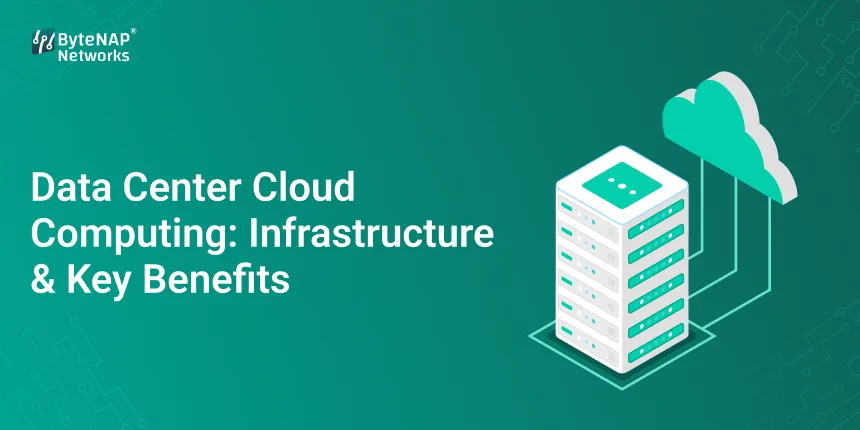
  • Data Center Cloud Computing: Infrastructure & Key Benefits

    Data Center Cloud Computing: Infrastructure & Key Benefits

    Data Center Cloud Computing:

    Cloud Computing in Data Centers: Infrastructure and Main Benefits

    Businesses now depend on data, but handling that data with old IT infrastructure is getting harder, more expensive, and less adaptable. You’re not the only one who has had trouble expanding servers, dealing with outages, or keeping up with expensive on-premise hardware. This is where cloud computing in data centers comes in.

    This blog will explain what data center cloud computing is, how cloud data center architecture works, and why data center virtualisation in cloud computing is the most important part of IT systems that can grow, are safe, and are ready for the future. This book will help you understand things better and give you useful information, whether you’re new to IT or an IT decision-maker.

    What is cloud computing in a data center?

    Data center cloud computing is the use of cloud-based technologies to provide computing resources including servers, storage, networking, and applications through centralised data centers. Instead of owning and taking care of real hardware, businesses can use these resources whenever they need them through the cloud.

    The main idea behind this concept is data center virtualisation in cloud computing, which lets many virtual environments function on the same physical infrastructure. This virtualisation layer is what gives cloud computing its flexibility, scalability, and low cost.

    In short:

    • Traditional data centers are places where you manage actual servers.
    • Cloud data centers are resources that are virtualised and managed by providers.
    • The engine that makes cloud computing work is data center virtualisation.

    Why companies are moving to data centers in the cloud

    Moving to cloud computing in data centers isn’t a fad; it’s a must. Businesses nowadays need to be able to adapt, stay up, and grow without spending a lot of money.

    Key factors are:

    • Fast digital change
    • Work paradigms that are remote and hybrid
    • More and more data
    • Need for high availability and catastrophe recovery

    Cloud data center infrastructure that is based on data center virtualisation in cloud computing makes all of these things possible.

    Getting to Know Cloud Data Center Infrastructure

    Let’s first learn what makes up the infrastructure of a cloud data center before we go any further.

    The main parts of cloud data centers

    • Servers in real life
    • High-performance gear kept safe in secure buildings
    • Layer of Virtualisation
    • Hypervisors that make it possible to virtualise data centers in the cloud
    • Making connections
    • Software-defined networking for more freedom
    • Systems for storing things
    • Object, block, and file storage that can grow
    • Tools for Managing and Orchestrating
    • Platforms for automation and monitoring

    This whole system lets data center cloud computing give out resources in real time.

    What does it mean to virtualise a data center on the cloud?

    Data center virtualisation in cloud computing is turning actual data center resources like servers, storage, and networks into virtual resources. You can then assign, scale, and manage these virtual resources on their own.

    Cloud platforms as we know them now wouldn’t exist without data center virtualisation in cloud computing.

    Why Virtualisation Is Important

    • Maximises use of hardware
    • Makes it easy to set up quickly
    • Works in environments with several tenants
    • Makes recovering from disasters easier

    This is why AWS, Azure, Google Cloud, and private cloud providers use cloud computing to virtualise data centers a lot.

    How to Use Cloud Computing in a Data Center (Step by Step)

    Let’s look at how data center cloud computing really works behind the scenes.

    Step 1: Set up the physical infrastructure

    Cloud providers develop big data centers with hardware that is good enough for businesses.

    Step 2: Putting virtualisation into action

    Cloud computing’s data center virtualisation makes virtual machines and containers using hypervisors.

    Step 3: Putting resources together

    The resources for computing, storage, and networking are all put together.

    Step 4: Access on Demand

    Users ask for resources using APIs or dashboards.

    Step 5: Automating and Scaling

    Cloud data center infrastructure automatically scales resources.

    Cloud computing’s data center virtualisation makes this smooth process possible.

    Retail Business in the Cloud: A Real-World Example

    During holiday sales, an Indian eCommerce company saw a lot of visitors. Their data center on-site couldn’t handle the load.

    Answer

    They moved to data center cloud computing by adopting a virtualised cloud environment.

    Outcomes

    • 99.99% of the time
    • Automatic scaling when traffic is at its highest
    • Costs of infrastructure are lower

    Data center virtualisation in cloud computing made this success possible since it let businesses grow right away without having to buy new hardware.

    Different kinds of cloud data centers

    1. Data Centers in the Public Cloud

    Providers take care of shared infrastructure.

    2. Data Centers in the Private Cloud

    A cloud data center infrastructure that is only for one company.

    3. Data Centers in the Hybrid Cloud

    A mix of on-premise and cloud computing in data centers.

    For flexibility, all of these approaches depend on cloud computing’s ability to virtualise data centers.

    The main benefits of cloud computing for data centers

    1. Scalability on Demand

    You may rapidly add more resources with data center cloud computing.

    2. Cost Effectiveness

    Cloud computing’s data center virtualisation lets you pay only for what you use.

    3. High Availability

    Cloud data centers have backup systems in several places.

    4. Faster Deployment

    Cloud data center infrastructure makes it faster to start up applications.

    5. Better security

    Advanced security protections are used by modern cloud platforms.

    Why Cloud Computing Needs Data Center Virtualisation

    Let’s be clear: virtualisation of data centers on the cloud is no longer an option.

    It lets:

    • Strategies for several clouds
    • DevOps and CI/CD pipelines
    • Backups and disaster recovery
    • Isolating workloads effectively

    Data center virtualisation in cloud computing is necessary for all modern data center cloud computing environments to work well.

    • Data Center Cloud Computing Use Cases: Hosting websites and apps
    • Analytics of big data
    • Workloads for AI and machine learning
    • Backup and recovery from disasters
    • Enterprise resource planning (ERP) and customer relationship management (CRM) systems

    Data center virtualisation in cloud computing makes it possible for any use case to take advantage of cloud data center architecture.

    Cloud Data Centers’ Security

    People often worry about security, although the infrastructure of modern cloud data centers is very safe.

    Features for Security Include:

    • Virtualisation for network isolation
    • Encryption while idle and in motion
    • Always watching
    • Certifications of compliance

    Once more, virtualisation of data centers in cloud computing is a key part of safely isolating workloads.

    How to Use Cloud Computing in Your Data Center the Right Way

    • Check what your workload needs
    • Pick the best cloud model
    • Use data center virtualisation in cloud computing to get the most out of it.
    • Put in place monitoring and expense restrictions.
    • Get teams ready for cloud work

    Following these measures will help you succeed with data center cloud computing in the long run.

    Common Problems and How to Fix Them

    Problem: Costs going over budget

    Solution: Keep an eye on utilisation and improve virtualisation

    Problem: Worries about safety

    Solution: Use a secure cloud data center infrastructure

    Skill gaps are a problem.

    Solution: Spend money on cloud training

    If you employ data center virtualisation correctly in cloud computing, you can handle any problems.

    Questions and Answers on Cloud Computing in Data Centers

    1. What is cloud computing for data centers?

    Data center cloud computing gives you computer capabilities through virtualised cloud data centers instead of real hardware.

    2. What is the infrastructure of a cloud data center?

    Cloud data center infrastructure is made up of servers, storage, networking, and virtualisation technologies that are utilised in cloud settings.

    3. Why is it vital to virtualise data centers in cloud computing?

    Virtualisation of data centers in cloud computing allows for growth, better use of resources, and lower costs.

    4. Is cloud computing safer than regular data centers?

    Yes, modern cloud data centers have advanced security mechanisms and can keep data safe by using virtualisation.

    5. Who should use cloud computing in a data center?

    Data center cloud computing may help businesses of all sizes, from little businesses to big ones.

    Last Thoughts

    Cloud computing is definitely the way of the future for IT infrastructure. Data center cloud computing, supported by robust cloud data center infrastructure and powered by data center virtualization in cloud computing, offers unmatched flexibility, performance, and cost efficiency.

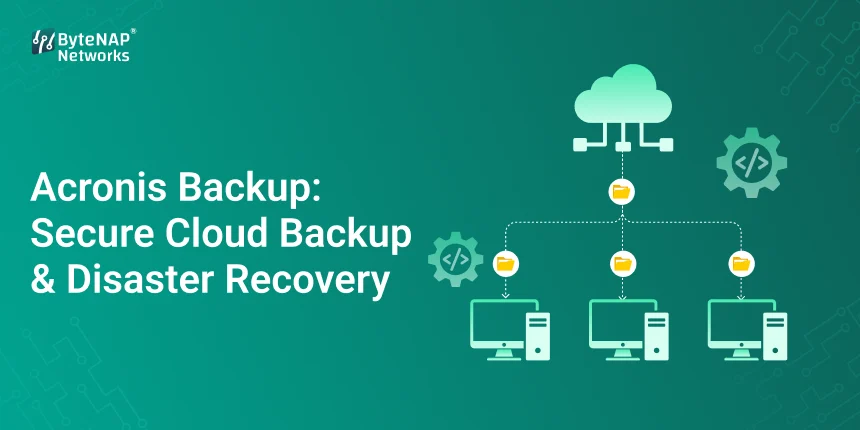
  • Acronis Backup: Secure Cloud Backup & Disaster Recovery

    Acronis Backup: Secure Cloud Backup & Disaster Recovery

    Acronis Backup: Safe cloud backup and recovery from disasters

    Picture this: it’s a routine weekday, your team is working on an important project, and all of a sudden, your server goes down. Important files are missing. You can’t get customer data. Panic sets in.

    Most firms don’t want to admit it, yet this happens a lot more than they want to. Cyberattacks, ransomware, technology problems, and natural disasters can happen at any time. That’s why Acronis Backup is a name that businesses that care about data protection trust.

    This guide will go into great detail about Acronis Backup: Secure Cloud Backup & Disaster Recovery. You’ll find out what it is, how it works, why it matters, and how Acronis backup and disaster recovery can help organisations of all sizes keep their data, operations, and reputation safe.

    What is the backup feature in Acronis?

    Acronis Backup is a whole data protection solution that can safely back up, recover, and safeguard data on physical servers, virtual machines, cloud workloads, endpoints, and applications.

    At its heart, Acronis backup and catastrophe recovery is a mix of

    Backups on the cloud that are safe

    • Quick recovery of data
    • Advanced security features for your computer
    • Tools for business continuity

    Acronis is different from other backup products since it focuses on cyber protection. This means that it protects against malware, ransomware, and other cyber threats as well as data loss.

    Why do today’s businesses need backup and disaster recovery?

    Let’s first talk about the problem that Acronis backup and disaster recovery solves before we get into further detail.

    Risks of losing data:

    • Attacks with ransomware
    • Failure of the hardware or server
    • Mistake by a person (deleting something by mistake)
    • Corruption of software
    • Natural calamities or power outages

    A small eCommerce shop lost its customer database when hackers used ransomware. Without a good backup, it took weeks to get back on track, and the business lost clients for good. With Acronis backup and catastrophe recovery, it would have taken only a few minutes to get the data back.

    How Acronis Backup Works?

    Acronis Backup has three easy steps:

    1. Backup: Your data is safely replicated and stored, either on your own computer, in the cloud, or both.
    2. Protection: Backups are safe from malware and ransomware thanks to advanced AI-based security.
    3. Recovery—When necessary, data, systems, or whole servers can be promptly recovered.

    This smooth operation is what makes Acronis backup and disaster recovery so useful for enterprises that can’t afford to be offline.

    Important Things About Acronis Backup

    1. Backup on the cloud that is safe

    The Acronis cloud backup service encrypts your data from start to finish, making sure it stays private and can’t be changed.

    2. Full Recovery from a Disaster

    You can restore with Acronis backup and disaster recovery:

    • Individual files
    • Whole systems
    • Virtual machines
    • Cloud jobs

    3. Protection from ransomware

    Acronis stops ransomware before it can encrypt your backups by using AI to find threats.

    4. Storage options that are flexible

    • Backups kept on-site
    • In the Cloud of Acronis
    • In mixed contexts

    5. Quick time to recover

    Business downtime costs a lot of money. Acronis backup and disaster recovery focuses on getting things back to normal as quickly as possible to cut down on downtime.

    Why do companies in many different fields use Acronis for backup and disaster recovery?

    Big benefits:

    • Business continuity even when there are cyber incidents
    • Data integrity and following the rules
    • Less time lost and less money lost
    • Can grow with your business
    • Easier to control IT

    This means that Acronis Backup is good for small businesses, big businesses, IT service providers, and teams who work from home.

    How to Use Acronis Backup: 

    Step 1: Look at your data

    Find out what needs to be protected:

    • Servers
    • Endpoints
    • Data bases
    • Applications

    Step 2: Pick a backup type

    You can choose from the following options with Acronis backup and disaster recovery:

    • Backups in full
    • Backups that happen in steps
    • Backups based on images

    Step 3: Choose a place to store it

    Choose between Acronis cloud backup service and

    • Storage on the computer
    • A mix of backup plans

    Step 4: Set up security settings

    Turn on: 

    • Encryption
    • Protection against ransomware
    • Controls for access

    Step 5: Check to see if it works again

    Testing your Acronis backup and disaster recovery plan on a regular basis makes sure it works when you need it most.

    Examples of how Acronis Backup is used in the real world

    Case Study 1: Safeguarding Small Enterprises

    A digital marketing company kept getting hit by ransomware attacks. They used Acronis backup and disaster recovery to fix infected PCs in less than an hour without losing any data.

    Case Study 2: Recovery from a disaster in a business

    A manufacturing company employed Acronis Backup to keep several places safe. Cloud-based recovery made it possible for operations to start up again soon after a server crash.

    Case Study 3: Protecting a Remote Workforce

    Acronis backup and disaster recovery made sure that endpoints were backed up and could be restored from anywhere, which was important because remote teams were working with sensitive data.

    Why Acronis Backup Will Be Important in 2026 and BeyondCyber Risks are changing?

     Companies are using cloud, remote work, and hybrid infrastructure. Just using regular backups isn’t enough anymore.

    Acronis backup and disaster recovery is important because it protects against modern cyber threats.

    • Helps with cloud-first plans
    • Make sure that rules are followed and data is safe.
    • In brief, it makes sure that your data protection plan will work in the future.

    How to Use Acronis Backup the Right Way?

    To get the most out of Acronis backup and catastrophe recovery:

    Set up frequent backups that happen automatically

    Follow the 3-2-1 backup rule.

    • Keep an eye on backup reports
    • Every three months, test your strategy for recovering from a crisis.
    • Update your software

    Following these steps will make sure that everything works as it should.

    Questions and Answers about Acronis Backup and Disaster Recovery

    1. What does Acronis Backup do?

    You may use Acronis Backup to safely back up, protect, and restore data on different platforms and in the cloud.

    2. Is Acronis Backup a good choice for small businesses?

    Yes, Acronis backup and disaster recovery can grow with your business and works well for both small and large firms.

    3. How safe is the Acronis cloud backup?

    For the highest level of security, the Acronis cloud backup service includes strong encryption and protection against ransomware.

    4. Is it possible for Acronis to recover from ransomware attacks?

    Of course. Acronis backup and disaster recovery is made to find, stop, and recover from ransomware.

    5. Does Acronis work with both cloud and on-premises environments?

    Yes, it works with on-premises, cloud, and hybrid infrastructures.

    Final Thoughts:

    Is Acronis Backup a Good Deal?

    Acronis Backup is not a choice if your organization needs data. It is a must-have. Acronis backup and disaster recovery gives you a piece of mind in a digital world that can be unexpected since it has strong security, quick recovery, and flexible deployment options.

    Acronis backup and disaster recovery keeps your organization safe, strong, and ready for anything, whether you’re safeguarding one server or a whole cloud ecosystem.

  • BitNinja: Advanced Server Security Solution for Modern Web Hosting

    BitNinja: Advanced Server Security Solution for Modern Web Hosting

    BitNinja: Advanced Server Security Solution for Modern Web Hosting

    BitNinja is a new web hosting company that offers better server security.

    Server security is an essential in today’s digital environment. Cyber dangers like malware, brute-force attacks, ransomware, and DDoS attacks are continually changing, no matter how many client servers you have or how many websites you run. A single successful attack could cause problems, loss of data, or even damage to your reputation that lasts a long time.

    BitNinja is what you need here.

    This guide will explain how BitNinja works, why it’s useful, and how it keeps your current web hosting settings safe. If you’ve ever wanted to defend your servers in a smarter, automatic method without having to use a bunch of different security tools, this post is for you.

    What is BitNinja? 

    BitNinja is a new server security application that keeps Linux-based web servers safe from many different types of cyber assaults. BitNinja doesn’t just use one layer of protection; it features a multi-layered defence system that works together to find and stop assaults as they happen.

    BitNinja is like a digital security guard for your server. It watches traffic, scans files, and stops threats before they can do any harm.

    What Sets BitNinja Apart?

    BitNinja security is different from other security solutions since it combines different protection modules into one primary platform. This makes it straightforward to use and far better than other solutions that only hunt for malware or firewalls.

    Why modern web hosting has to have safe servers

    • Hackers try to get into site hosting settings because
    • One server can host a lot of websites.
    • Weaknesses in one area can hurt others.
    • Companies that host websites protect important user information.
    • Without robust protection, even a little hole in security can let someone in in a few minutes.

    BitNinja keeps you safe from these common threats:

    • Attacks that use physical force to get in
    • Malware and ransomware
    • Attacks that cause DDoS
    • Exploits for web apps
    • Bots and spam traffic

    This is why more and more hosting companies and corporations are using BitNinja’s firewall and security capabilities.

    How BitNinja Works: Keeping Servers Safe in Many Ways

    BitNinja uses a defense-in-depth strategy, which means that several layers work together to stop threats at different places.

    The Most Important Security Layers of BitNinja

    1. The BitNinja Firewall (WAF)

    The BitNinja firewall stops bad traffic before it even gets to your server. It keeps you safe from:

    • SQL Injection
    • Cross-site scripting (XSS)
    • Exploits on the web

    2. Protection against brute force

    This module keeps an eye on login attempts and blocks IPs that try to get in without permission on their own.

    3. Finding and getting rid of malware

    BitNinja checks files in real time and gets rid of bad code before it can spread.

    4. Defence against DDoS

    It checks for strange patterns in traffic and stops attacks so that your server may keep working.

    5. Blocking IPs Based on How Good They Are

    BitNinja has a global threat intelligence network, which implies that if an IP is identified someplace, it is blocked everywhere.

    How BitNinja Protects Your Server in Steps

    Step 1: Get ready

    BitNinja installs right on your Linux server and works well with well-known administration interfaces like

    • cPanel
    • Direct Admin
    • Plesk

    Step 2: Watching Live

    BitNinja watches:

    • Traffic coming in
    • Changes added to files
    • When you log in, what happens?

    Step 3: Look for the Threat

    AI-powered detection and global threat databases quickly highlight behaviour that seems suspicious.

    Step 4: The response on its own

    Threats are halted, malware is eradicated, and attacks are documented without any help from anyone.

    Step 5: Put the dashboard in one spot.

    From one easy-to-use dashboard, admins can keep an eye out for risks, handle security, and get reports.

    How BitNinja Works: A Real-Life Example

    Think of a shared hosting server that has 200 websites on it. A hacker breaks into an old WordPress plugin, which lets malware proliferate.

    Not BitNinja:

    • Many websites have viruses.
    • The server doesn’t work as well
    • The client doesn’t trust you anymore.

      With BitNinja security:
    • The firewall stops the attempt to exploit.
    • Malware is rapidly put in a safe area.

    The other sites are fine.

    Because of this proactive defence, thousands of hosting companies throughout the world trust BitNinja.

    Why You Should Use BitNinja to Keep Your Website Safe

    1. A strategy to keep yourself safe

    You don’t need separate tools for scanning for malware, firewalls, and brute-force attacks.

    2. Protection that works by itself

    BitNinja runs in the background and doesn’t produce any noise, which makes your job easier.

    3. The server runs better

    Blocking bad traffic makes better use of the server’s resources.

    4. Your clients trust you more

    People feel safe when hosting settings are safe, which means fewer support tickets.

    5. Works for businesses of all sizes

    BitNinja can grow with your demands, no matter how many servers you have.

    Who Should Use BitNinja?

    BitNinja is great for:

    • Businesses that host webpages
    • People who own VPS and dedicated servers
    • Companies that offer managed hosting
    • Companies that host important apps
    • Developers that work on more than one website for a client
    • The Right Way to Use BitNinja
    • Check that your programs and operating system are up to date.
    • Check the security logs often. 
    • BitNinja lets you make passwords that are safe.
    • Teach children how to keep their computers safe.
    • BitNinja is strong, but the smartest thing to do is to stay safe.

    BitNinja Server Security: Questions and Answers

    1. What is BitNinja?

    BitNinja protects servers from cyber threats like DDoS attacks, malware, and brute-force attacks.

    2. Can BitNinja be used for shared hosting?

    Yes, BitNinja works well when a lot of users are utilising the same server.

    3. Do servers get slower with BitNinja?

    No, BitNinja usually improves servers work better by stopping bad traffic.

    4. Is BitNinja a better firewall than a regular one?

    Yes. The BitNinja firewall is just one part of a security system that contains many layers.

    5. Can BitNinja get rid of malware that is already on your computer?

    Yes, BitNinja can find and remove malware right away.

    Final Thoughts: Why You Should Host with BitNinja Today

    Cyber attackers are smarter and more aggressive than ever, so basic security measures aren’t enough anymore. BitNinja provides clever, intelligent, and scalable protection that works with modern web hosting systems.

    BitNinja security is worth the money if you want to feel safe, have more stable servers, and make your clients happy.

    Call to Action (CTA)

    Are you ready to protect your servers in a smart way?

    Try BitNinja today to defend your hosting infrastructure with powerful, multi-layered security.

    Want more expert advice on how to use hosting technologies and keep your server safe?

     Sign up for our blog to get insights and news on a regular basis.

  • Odoo VPS Hosting: Fast & Secure Odoo Server Solutions

    Odoo VPS Hosting: Fast & Secure Odoo Server Solutions

    Odoo VPS Hosting: 

    An Introduction to Why the Right Hosting is Important for Odoo Performance

    Hosting a basic website is not the same as running an ERP like Odoo. As your business expands, Odoo can handle a lot of things at once, such keep track of your finances, inventory, customer relationships (CRM), human resources (HR), sales, and more. Your whole business could be damaged if your server is slow, weak, or not safe.

    This is something that Odoo VPS hosting does extremely well.

    With a robust Odoo VPS, you can fully control your Odoo environment, get faster responses, and keep your data safer. If you’re a small business using Odoo for the first time or a major company growing its operations, picking the appropriate Odoo server hosting can have a big effect on how well your business functions and how much work you get done.

    This article will explain what odoo vps is, why it matters, how to pick the optimal arrangement, and how organisations use it successfully in the real world.

    What does it mean to host Odoo VPS?

    When you host Odoo on a Virtual Private Server (VPS), you get resources that are only for Odoo.

    When you buy an Odoo VPS, you get the following:

    • RAM and CPU only for you
    • Different way to set up the server
    • Full access to the root
    • Odoo settings

    Odoo VPS vs. Shared Hosting

    This is how you should think about it:

    • When a lot of people use the same resources, such with shared hosting, it can be slow, dangerous, and limiting.
    • Odoo VPS: A private area especially for you with guaranteed resources
    • Because Odoo uses a lot of resources, shared hosting sometimes causes crashes, slow dashboards, and database difficulties. These issues can be fixed with a dedicated Odoo VPS.

    Why Odoo Needs VPS Hosting

    Odoo has a lot of different services, like

    • Database for PostgreSQL
    • Python Jobs
    • People that work behind the scenes

    Web servers include Apache and Nginx.

    A properly configured Odoo VPS is the only thing that can give you all of these: a steady CPU, RAM, and disc I/O.

    Here are some reasons why companies choose to utilise Odoo VPS to host their sites:

    • Better performance for ERP tasks
    • Full control over the server environment
    • Can alter as people and information do
    • More safety for data in business

    There are a lot of nice things about Odoo VPS Hosting, such as  having 

    1. dedicated resources.

    Your ERP won’t have to share CPU or RAM with other users when you use an Odoo VPS.

    2. Full Access to the Root

    You can add as many third-party tools, bespoke Odoo modules, and connectors as you like.

    3. Storage that works well

    SSD or NVMe storage makes it easier to find stuff in databases and makes dashboards operate better.

    4. The ability to get bigger

    As your business grows, you can always add more RAM, CPU, or storage.

    5. Safer

    Firewalls, SSL encryption, and separate environments protect crucial ERP data.

    How to Set Up Odoo on a VPS

    Step 1 : Pick the best Odoo VPS package

    The fewest resources that are suggested are:

    • Small teams just need two to four gigabytes of RAM.
    • 4 to 8 GB of RAM (for enterprises that are getting bigger)

    Step 2 : Storage on a drive that doesn’t move

    Cores that are just for the CPU:

    • Choose a Linux operating system as the next step.
    • Most odoo vps hosting installations use:
    • Ubuntu is the most popular and trustworthy.
    • Debian is safe and not overly huge.

    Step 3 : Get the dependencies you need and put them in place.

    • Python
    • PostgreSQL
    • wkhtmltopdf
    • Node.js (for files)

    Step 4: Set up and install Odoo

    Get the right version of Odoo and install it.

    • Set up services and ports
    • Link Odoo to PostgreSQL

    Step 5: Protect Your Odoo VPS

    • Turn on the firewall
    • Set up SSL certificates
    • Limit SSH access
    • Make sure to back up your files often.

    People utilise Odoo VPS in the real world.

    A medium-sized store was using Odoo on shared hosting. There were issues like:

    • Making bills takes a long time.
    • ERP downtime during busy times
    • Issues with syncing data
    • After moving to an Odoo VPS:
    • The pages loaded 55% faster.
    • No downtime for sales during busy times
    • Faster report writing
    • The workers will have a better time.

    This shows that Odoo VPS hosting could help things function more smoothly.

    The pros of Odoo VPS Hosting

    1. ERP works faster

    Dedicated resources make database searches faster and workflows function more smoothly.

    2. Better continuity in business

    An odoo VPS makes sure everything runs properly and minimises down on downtime.

    3. Scaling that doesn’t cost a lot of money

    You can have almost the same performance as a dedicated server for a lot less money.

    4. The ability to change things

    You can add as many APIs, plugins, or integrations as you wish.

    5. Safer data

    Because Odoo deals with both customer and financial data, it’s very important to keep VPSs distinct.

    Why Small Businesses Should Host Their Websites on Odoo VPS

    The more you use your ERP,

    • A lot of folks are logging in at the same time.
    • The amount of information expands.
    • It gets difficult to write reports.

    This much traffic can’t be handled by a basic hosting plan. Your business will develop together with your infrastructure when you use Odoo VPS hosting.

    New businesses don’t have to pay a lot.

    It gives businesses strength and stability.

    An Odoo VPS is the best way to host Odoo installations for this reason.

    Things You Shouldn’t Do with Your Odoo VPS

    • Choosing not enough RAM
    • Not making a copy
    • Not making things safer

    Using Odoo versions that are no longer supported

    Not keeping an eye on how well the server is working

    If you don’t make these blunders, your odoo VPS will run well for a long time.

    These are questions that a lot of people have.

    1. What does Odoo VPS hosting mean?

    When you use Odoo VPS hosting, you run Odoo ERP on a virtual private server that you own and control completely.

    2. Is Odoo VPS a better choice than shared hosting?

    Yes, Odoo needs hosting that is faster and more reliable than shared hosting. A VPS for Odoo is more dependable and lets you use some resources.

    3. How much RAM does a VPS need for Odoo?

    • A small business just needs 2 to 4 GB of RAM.
    • A medium-sized business should have between 4 and 8 GB of RAM.
    • At least 8 GB of RAM is needed for a big business.

    4. Is it possible to run more than one Odoo instance on the same VPS?

    Yes. A strong Odoo VPS can host several Odoo instances if you set it up correctly.

    5. Is it possible to get managed Odoo VPS hosting?

    Yes, managed Odoo VPS hosting is an excellent choice for anyone that don’t want to have to deal with their own servers.

    In short

    It’s not just a technical choice to pick the proper Odoo VPS hosting; it’s also a commercial choice. A good Odoo VPS speeds things up, makes them safer, and helps your organisation develop over time.

    If you want your ERP to work as well as your staff, you need to find a reliable Odoo server hosting solution.

    Call to Action (CTA) 

    Are you ready to give your ERP an Odoo VPS that is fast and safe?

    Check out our Odoo VPS hosting services to see how safe, flexible, and reliable they are for businesses.

    Do you want more guidance from an expert on how to host ERP and make your server run faster?

    Sign up for our blog if you want to keep ahead in the digital business environment.

  • What Is XAMPP Used For? A Beginner’s Guide to Web Development

    What Is XAMPP Used For? A Beginner’s Guide to Web Development

    What is XAMPP used for, exactly? Why do programmers use it so much? And do beginners really need it?

    The good news is that you are not alone. When they first learn about things like local servers, databases, and backend coding, many people who want to be developers feel overwhelmed. This guide is meant to help you understand.

    By the time you finish reading this article, you’ll know what XAMPP is, why it’s necessary, and how to use it step by step, even if you’ve never written code before.

    What is XAMPP? A Simple Explanation for Newbies

    XAMPP is a free, open-source local server environment that lets you make and test websites on your own computer without needing the internet or a real hosting server.

    XAMPP is short for

    • X — Cross-platform (works on Windows, macOS, and Linux)
    • A – Apache (server for the web)
    • M — MySQL or MariaDB (a database)
    • P = PHP
    • P – Perl

    In short, XAMPP turns your computer into a small web server. This lets you safely build, test, and play around with websites before they go online.

    What Does XAMPP Do?

    The most typical question people who are new to XAMPP ask is, “What is it used for in real life?”

    Here are the primary things you can do with it:

    1. Setting up a local development environment

    XAMPP lets developers operate websites on their own computers, which means:

    • No need for hosting
    • No need for the internet
    • No chance of breaking a live site

    This is why people commonly term it a local server XAMPP.

    2. Getting to know web development

    XAMPP is great for people who are just starting to learn:

    • PHP
    • MySQL, WordPress, Laravel, and CodeIgniter

    It helps you practise backend development without any stress.

    3. Testing Websites Before They Go Live

    Before putting a website on a live server, developers utilise XAMPP to:

    • Test out features
    • Get rid of bugs
    • Improve performance

    4. Running CMS Platforms on Your Own

    You can set up platforms like:

    • WordPress
    • Joomla
    • Drupal

    on XAMPP and play around with it.

    What Makes XAMPP So Popular for Building Websites

    A lot of people use XAMPP because it makes things easier. XAMPP puts everything together so you don’t have to install Apache, PHP, and MySQL separately.

    Why Developers Love XAMPP

    • Simple to set up
    • Easy to use interface
    • Open source and free
    • Works with a lot of different operating systems
    • A lot of support from the community

    That’s why people typically recommend XAMPP for web development to beginners.

    A Simple Explanation of How XAMPP Works

    When you set up XAMPP:

    Apache is the web server on your computer.

    • PHP runs code on the back end
    • MySQL keeps track of and stores data
    • The website shows up in your browser
    • This all happens on your own PC.

    How to Use XAMPP for Web Development in Steps

    Let’s go over how new users really use XAMPP

    Step 1: Get XAMPP set up

    • You may get XAMPP from the Apache Friends website.
    • Put it on your computer like you would any other software.
    • During setup, pick Apache and MySQL.

    Step 2: Turn on the Local Server

    • To do this, open the XAMPP Control Panel and
    • Next to Apache, click Start.
    • Next to MySQL, click Start.
    • You’re ready to go if both turn green.

    Step 3: Make your first project

    • In the XAMPP directory, go to the htdocs folder.
    • Make a new folder (like mywebsite)
    • Put in a file called index.php

    Step 4: Start Your Project

    Open your web browser and enter in:

    http://localhost/mywebsite

    Congratulations! You have a website up and operating locally!

    Why Developers Use XAMPP in the Real World

    Think about making a WordPress site for a client.

    Instead of:

    • Paying for hosting
    • Uploading files over and over
    • Putting the site at risk of crashing

    You develop everything on XAMPP on your own computer, show the client a demo, make modifications, and then migrate it to a live server.

    This saves:

    • Time
    • Cash
    • Worry

    The benefits of using XAMPP are: 

    1. It’s easy for beginners to use

    You don’t need to know a lot about servers.

    2. A safe place to test

    You can break things, fix them, and learn without any problems.

    3. Cost-Effective

    No licensing fees at all.

    4. Development without the Internet

    You can work anywhere and at any time, even without the internet.

    5. Works with many different technologies

    PHP, MySQL, Perl, and well-known CMS platforms.

    Who Should Use XAMPP?

    XAMPP is great for:

    • People that are just starting to study web development
    • Students and teachers
    • Freelancers testing projects for clients
    • People who make PHP-based apps
    • Anyone who wants to test things in their own area
    • Things that new XAMPP users often do wrong
    • Not starting Apache/MySQL
    • Saving files in folders other than ht docs
    • Thinking that XAMPP will take the place of live hosting
    • Not paying attention to security settings for production use
    • Keep in mind that XAMPP is not for hosting production sites.

    Frequently Asked Questions About XAMPP

    1. What is XAMPP good for?

    You can use XAMPP to set up a local server on your PC to build and test websites.

    2. Is XAMPP a decent choice for beginners?

    Yes! XAMPP is a great tool for people who are just starting to learn PHP and how to make websites.

    3. Is it okay to use XAMPP with WordPress?

    Of course. People often use XAMPP to run WordPress on their own computers.

    4. Is it safe to use XAMPP?

    Yes, for growth in your area. But it’s not a good idea to use it in live production settings.

    5. Do I need to know how to code to use XAMPP?

    You don’t need to know much to start learning with XAMPP, but it helps.

  • Unmanaged VPS: You control your own VPS hosting for full server control.

    Unmanaged VPS: You control your own VPS hosting for full server control.

    Unmanaged VPS:

    When Shared Hosting Isn’t Enough: An Introduction

    At some point, any website owner, developer, or business that is growing will hit a wall. When you use shared hosting, everything are slow, limited, and you feel like you can’t do anything. You want more control, more options, and the opportunity to set up your server exactly way you want it, yet managed hosting sounds too expensive or limited.

    This is where unmanaged VPS hosting comes in.

    You can fully control an unmanaged VPS, get the finest performance, and have complete freedom—all without having to pay for managed services. We’ll talk about unmanaged VPSs in this post, including what they are, who they are for, how they work, and why many developers and businesses would prefer have a self-managed VPS hosting setup than a standard one.

    What does it mean to have a VPS that you don’t manage? 

    With an unmanaged VPS (Virtual Private Server), you get a virtual server with its own resources, but you have to take care of everything yourself.

    This includes:

    • Setting up the server
    • Putting software on
    • Setting up security
    • Updates and maintenance
    • Making things work better

    The hosting business gives you the basic VPS server, which has the CPU, RAM, storage, and network. You have the rest to do.

    Look at it this way:

    • When you share hosting, it’s like renting a place with furniture.
    • Managed VPS is like renting an apartment with maintenance included.
    • With unmanaged VPS, you own the keys and are in charge of everything.
    • You have the most freedom, but you are also completely responsible.

    How VPS Hosting Works by Itself?

    With a self-managed VPS hosting plan, your provider gives you the following:

    • A virtual server in action
    • Access as an administrator or root
    • You can pick either Linux or Windows as your OS.
    • Set aside resources

    After that, you:

    • Set up your server stack with tools like Apache or Nginx, PHP, MySQL, and others.
    • Set up firewalls and security rules
    • Make apps or web pages
    • Check on uptime and performance
    • Make sure to back up and update.

    This setup is great for folks who want to have complete control with no limits.

    Who Should Use an Unmanaged VPS?

    Unmanaged VPS hosting isn’t for everyone, but if it’s perfect for you, it’s a good and economical choice.

    • Best Fit For
    • Programmers and developers
    • People who run systems
    • DevOps teams
    • SaaS for startups

    Business owners who are very tech-savvy

    Companies that handle more than one project at a time

    If you know how to set up servers, use SSH, and command-line tools, an unmanaged VPS is a great choice.

    The best things about unmanaged VPS hosting:

    1. You have full access to the server’s root and can control it.

    You are in command of everything that happens on the server:

    • Install any software
    • Make your own rules for security.
    • Make a big difference in performance
    • One of the best things about a basic VPS server is this.

    2. Not as expensive as a managed VPS

    Because the provider doesn’t do maintenance:

    • Hosting prices are substantially lower.
    • You only have to pay for hardware.
    • No fees for management

    If you know what you’re doing, unmanaged VPS is a wonderful price.

    3. High performance with dedicated resources

    Not like shared hosting:

    • You can be sure of the CPU, RAM, and storage.
    • Don’t take things from your neighbours.
    • More steady when carrying a load
    • Good for apps that need to work quickly.

    4. Full Customisation

    With an unmanaged VPS, you can:

    • Choose your control panel and operating system.
    • Make your own server stacks
    • Run your own services and scripts
    • Managed solutions can’t be this flexible.

    5. Better chance of growing

    Most unmanaged VPS plans let you:

    • It’s easy to add more resources.
    • Scaling up when more people visit
    • Moving to servers that are only for you

    This is why self-managed VPS hosting is great for expansion over time.

    A quick look at unmanaged VPS and managed VPSVPS that isn’t managed VPS that is managed.

    Root Access: Full or Limited CostLower Higher Server MaintenanceYou handle the modification, while the provider handles the rest.Unlimited and limited hardware/network support for servers

    If control is more important than convenience, unmanaged VPS wins.

    How to Set Up a VPS Without Management in Steps

    Step 1: Choose the Right VPS Plan

    Consider:

    • Cores of the CPU
    • RAM (at least 2GB is recommended)
    • Storage on NVMe or SSD
    • Bandwidth

    Step 2: Pick an OS

    Some well-known choices are:

    • It is easy to use Ubuntu and there is a lot of help available.
    • Debian is stable and light.
    • Businesses can count on CentOS and AlmaLinux to work.

    Step 3: Keep Your Server Safe

    Important things to do to stay safe:

    • Change the SSH port that is set by default
    • Optional: Disable root login
    • Install a firewall, such UFW or iptables.
    • Install fail2ban on your computer.

    A VPS server that isn’t set up yet needs a lot of protection.

    Step 4: Set up the stack on your server

    It depends on how you want to use it:

    • Web server (Apache or Nginx)
    • Database (PostgreSQL or MySQL)
    • Python, PHP, and Node.js at runtime

    Step 5: Watch over and take care of

    Use tools like these:

    • Netdata
    • htop
    • Looking at logs
    • Scheduled backups

    This keeps things stable for a long period.

    Why developers enjoy unmanaged VPS, a real-world example

    A web company that ran more than 20 customer websites had problems with the constraints of shared hosting. After moving to an unmanaged VPS:

    • The server’s response time dropped by 55%.
    • The monthly costs of hosting went reduced.
    • There are now custom rules for caching and security.
    • Customers were more satisfied.

    This is why a lot of professionals prefer VPS hosting that they handle themselves.

    Things You Shouldn’t Do with a VPS That Isn’t Managed

    • Not paying attention to making security stronger
    • Not producing copies
    • Putting too much pressure on server resources
    • Not keeping track of updates
    • Choosing an unmanaged VPS when you don’t know how to use it

    You can do a lot with unmanaged VPS, but only if you know how to use it.

    Why unmanaged VPS hosting is important

    Unmanaged VPS hosting is important since it:

    • Encourages full control over technology
    • Reduces the cost of hosting
    • Allows for a lot of performance optimisation
    • Lets you make custom apps

    Grows with the company

    It’s one of the greatest hosting alternatives out there for folks who know what they’re doing.

    Questions that people ask a lot (FAQs)

    1. What does it mean to have a VPS that you don’t manage?

    You set up, secure, and keep an unmanaged VPS up to date on your own.

    2. Is unmanaged VPS a good choice for people who are new to it?

    Only if you know how to run a server. Managed VPS is safer, though.

    3. Is it safe to use a VPS server without any extras?

    Yes, but how safe it is depends on how well you set it up and maintain it up.

    4. Can you host websites on a VPS that isn’t managed?

    Yes, of course. It works well with WordPress, custom apps, APIs, and SaaS platforms.

    5. What are the benefits of an unmanaged VPS over a managed VPS?

    For a lower price, full customisation, and full access to the root.

    To sum up

    If you want full control over your server, an unmanaged VPS is the best option. You need to know a little bit about technology, but the benefits are better performance, more options, and cheaper expenses.

    With self-managed VPS hosting, you can build your hosting environment precisely how you want it, so you have full control over it.

    Call to Action (CTA) 

    Do you want to be in charge of your own server?

    Look at our unmanaged VPS hosting services and set up a powerful, adaptable server environment right now.

    Need more expert help with VPS, servers, and hosting?

    Sign up for our blog to get the latest news on hosting technology.