Category: Web Hosting

  • Indian Dedicated Server | Their Importance & Benefits for Software Development Company

    Indian Dedicated Server | Their Importance & Benefits for Software Development Company

    In the dynamic field of software development, organizations are always looking for methods to improve their performance, security, and operational efficiency. The selection of server infrastructure is one crucial factor that is frequently disregarded. Numerous advantages provided by an Indian dedicated server might have a big impact on the success of a software development company. This article examines the benefits of employing an Indian dedicated server and the reasons why software development organizations should think about doing so.

    The Need for an Indian Dedicated Server:

    Enhanced Performance and Reliability
    A dedicated server means your resources are not shared with other users, ensuring consistent performance. This is crucial for software development companies that require high-speed access to their data and applications. Indian dedicated servers offer robust hardware and state-of-the-art infrastructure, ensuring high uptime and reliability, which is essential for maintaining project timelines and productivity.

    Geographical Proximity
    For software development companies targeting the Indian market, hosting on an Indian dedicated server ensures lower latency and faster access times for local users. This geographical proximity can significantly enhance the user experience, leading to higher customer satisfaction and retention rates.

    Cost-Effectiveness
    Compared to servers located in other regions, Indian dedicated servers are often more cost-effective due to lower operational costs in India. This cost advantage allows software development companies to allocate resources more efficiently, investing more in development and innovation rather than infrastructure.

    Compliance and Data Sovereignty
    Hosting data on an Indian server ensures compliance with local regulations and data sovereignty laws. For software development companies handling sensitive information, this compliance is critical to avoid legal issues and ensure the security of their clients’ data.

    Benefits of Using an Indian Dedicated Server:

    Scalability
    Unmatched scalability from Indian dedicated servers allows software development organizations to easily update resources as their demands change. Because of this flexibility, companies can effectively handle expanding workloads and maintain high performance even as demand rises. Choosing an Indian dedicated server is a great way for organizations that plan to grow because it allows them to scale their infrastructure without any interruptions or downtime. Maintaining peak performance, fostering long-term success, and satisfying the ever-changing demands of the software development sector all depend on this adaptability.

    Customization
    With complete control over the server environment that dedicated servers provide, software development organizations can install necessary applications, adjust settings, and put in place certain security measures. This high level of customisation is necessary to optimize the development process and guarantee that the server precisely matches the unique requirements of the business. Businesses may improve performance and protect their apps and data by precisely configuring the server. Maintaining a safe, effective, and responsive development environment depends on this adaptability.

    Enhanced Security
    Robust security features such as intrusion detection systems, firewalls, and frequent security updates are available on Indian dedicated servers. Protecting sensitive development projects and client data from cyber attacks requires certain safeguards. Through the utilization of these sophisticated security protocols, organizations may guarantee the safety of their data and reduce the likelihood of assaults. Indian dedicated servers are a great option for companies that prioritize data protection because of their heightened security, which is essential for preserving the integrity and confidentiality of development work.

    Better Support
    Indian dedicated server providers typically offer superior customer support, including 24/7 technical assistance. This round-the-clock support is crucial for swiftly resolving issues, minimizing downtime, and maintaining the smooth operation of development activities. With experts available at all times, companies can address technical challenges promptly, ensuring that their projects stay on track. This reliable support enhances overall efficiency, allowing businesses to focus on their core development tasks without worrying about server-related disruptions.


    Conclusion

    Making the correct server infrastructure choice can greatly impact the competitive field of software development. There are several benefits to having an Indian dedicated server, such as improved security, cost-effectiveness, compliance with local laws, and performance. Software development firms can enhance their market performance, provide superior products, and streamline operations by capitalizing on these advantages. Purchasing an Indian dedicated server is a wise financial investment and a calculated move supporting the industry’s long-term objectives of expansion and quality in software development.
  • DDoS Attack | How to Secure Your Online Business

    DDoS Attack | How to Secure Your Online Business

    Being Aware of the Risks of DDoS Attacks

    In the digital age, distributed denial of service (DDoS) assaults pose a serious risk. They entail saturating a server, network, or webpage that is the target with an excessive amount of traffic coming from various sources. The system’s resources are depleted by this assault, slowing it down or even crashing it, preventing authorized users from accessing services. DDoS assaults have the potential to sabotage company operations, causing monetary losses, harm to a company’s reputation, and a decline in client confidence. Additionally, they may work as a cover for more sinister operations like malware infiltration or data breaches. DDoS Attacks are also more difficult to identify and counter because of their ever-changing scope and sophistication. Even strong security measures may be rendered ineffective by the sheer amount of traffic generated. Hackers can also carry out these attacks more easily because the means to initiate them are becoming more widely available. As such, DDoS assaults represent a serious and expanding threat to the security and stability of the internet.

    Tips to Recognize a DDoS Attack

    To lessen the effects of a DDoS (Distributed Denial of Service) assault, it is essential to recognize it. Unusually sluggish network performance, the inability to visit any website at all, or the unavailability of a specific website are indicators of a denial-of-service assault. Unusual traffic patterns, a notable rise in spam emails, and spikes in requests to a single endpoint are additional symptoms. By looking for patterns in the traffic that differ from the norm, monitoring systems can identify these abnormalities. A DDoS Attack is most likely indicated by abrupt and persistent surges in traffic, especially from different IP addresses or geographical regions. Network and application logs may also reveal recurrent unsuccessful connection attempts. Alerts can be generated when suspicious activity is discovered by intrusion detection systems (IDS) and real-time analytics. Early detection of a DDoS assault enables prompt action, reducing downtime and possible data and service damage.

    Resolving a DDoS Attack

    Protecting your internet-based company from DDoS (Distributed Denial of Service) assaults necessitates a multifaceted, proactive strategy. Invest first in a solid network infrastructure that can divide loads and withstand large amounts of traffic. Using intrusion detection systems (IDS) and firewalls aids in identifying and obstructing malicious communications. Update and patch your systems frequently to eliminate security holes that hackers could exploit. Before attack traffic reaches your servers, it can be absorbed and mitigated by using cloud-based DDoS protection services along with content delivery networks (CDNs). By using tools for traffic analysis and rate limitation, you may quickly identify anomalous traffic patterns and take appropriate action. Having an incident response plan in place that outlines what to do if an attack is detected is also crucial. The impact can be considerably lessened by teaching your staff how to spot DDoS assault warning indications and how to respond appropriately. You may strengthen the defences against DDoS assaults for your online business by putting these strategies into practice.

    Tips for Recovering After a DDoS Attack

    Recovering from a DDoS (Distributed Denial of Service) attack requires a structured and strategic approach. First, assess the extent of the damage by analyzing system logs and traffic reports to understand the scope and duration of the attack. Restore services gradually, prioritizing critical systems and ensuring that security measures are in place to prevent a recurrence. Update all software and hardware components, patching any vulnerabilities that may have been exploited.
    Conduct a thorough investigation to identify the attack vector and enhance defenses accordingly. Communicate transparently with customers, explaining the cause of the disruption and the steps being taken to prevent future incidents. This helps in rebuilding trust and maintaining customer loyalty. Additionally, review and update your incident response plan based on the lessons learned. Finally, consider investing in advanced DDoS protection solutions, such as traffic filtering, rate limiting, and cloud-based mitigation services, to enhance your resilience against future attacks.


    Conclusion

    In Conclusion, safeguarding your online business from DDoS attacks involves proactive measures, robust infrastructure, and effective incident response. By implementing advanced security technologies, regularly updating systems, and training your team, you can mitigate the risk and impact of such attacks. Ensuring clear communication with customers and continuously refining your defense strategies will help maintain trust and resilience. Taking these steps not only protects your business but also strengthens your overall cybersecurity posture.

  • Secure Web Hosting’s Function & How It Supports Online Stores

    Secure Web Hosting’s Function & How It Supports Online Stores

    For online stores to be successful and work properly, secure web hosting is vital. E-commerce has emerged as a key component of retail in the modern era, allowing companies to reach worldwide markets and run around the clock. The foundation for ensuring that online stores are not only reachable but also dependable, quick, and secure for the company and its clients is provided by secure web hosting. In this article, discusses the role of safe web hosting and how it helps online stores.

    The Function of Secure Web Hosting

    Secure web hosting is essentially giving an online store’s website a server space to live on. Customers can view the website at any time thanks to this hosting service, which guarantees that it is always accessible on the internet. Secure web hosting, though, is more than just accessible. It includes a number of vital roles:

    Data Protection: One of the primary functions of secure web hosting is to protect sensitive data. This includes customer information, payment details, and business data. Hosting providers implement security measures such as SSL certificates, encryption, and regular backups to safeguard data from cyber threats like hacking, phishing, and malware attacks.

    Performance Optimization: Secure web hosting services offer performance optimization features. These include high-speed servers, Content Delivery Networks (CDNs), and caching mechanisms. A fast-loading website is crucial for retaining customers and reducing bounce rates, directly impacting the store’s revenue and reputation.

    Uptime Guarantee: Reliable web hosting ensures high uptime, meaning the website remains accessible with minimal downtime. Hosting providers often offer Service Level Agreements (SLAs) guaranteeing a certain percentage of uptime, typically 99.9% or higher. This reliability is crucial for online stores, where downtime can result in lost sales and a tarnished reputation.

    Scalability: As online stores grow, their web hosting needs may change. Secure web hosting services provide scalable solutions that allow businesses to upgrade their resources seamlessly. This scalability ensures that the website can handle increased traffic during peak times, such as sales events or holiday seasons, without performance degradation.

    Technical Support: Secure web hosting comes with robust technical support. Hosting providers offer 24/7 customer support to resolve any issues promptly, ensuring that the online store operates smoothly. This support is crucial for addressing technical problems that could otherwise lead to downtime or security vulnerabilities.

    Supporting Online Stores

    Secure web hosting is essential for online retailers. In particular, it helps e-commerce enterprises in the following ways:

    Trust and Credibility: Security features like SSL certificates, which enable HTTPS, are vital for building trust with customers. When visitors see that a website is secure, they are more likely to make purchases. Secure web hosting thus directly influences customer trust and conversion rates.

    Compliance with Regulations: E-commerce businesses must comply with data protection regulations like GDPR or PCI DSS. Secure web hosting ensures that the website meets these legal requirements by implementing necessary security measures and maintaining data integrity.

    Protection Against Cyber Threats: Online stores are prime targets for cyber-attacks due to the valuable data they handle. Secure web hosting protects against such threats by regularly updating security protocols, conducting vulnerability assessments, and providing DDoS protection.

    Enhanced Customer Experience: Fast loading times, reliable uptime, and secure transactions contribute to a positive customer experience. Secure web hosting ensures that online stores provide a seamless shopping experience, which is essential for customer satisfaction and retention.

    SEO Benefits: Secure and fast websites are favored by search engines. Secure web hosting improves the site’s SEO performance, helping it rank higher in search results. Higher visibility leads to more traffic and potential sales.


    Conclusion

    Online stores need secure web hosting to be successful. It offers the infrastructure and security required to guarantee a dependable, quick, and secure website for the company and its clients. E-commerce companies may safeguard their data, adhere to legal requirements, and provide a remarkable shopping experience that promotes consumer loyalty and growth by making an investment in secure web hosting.

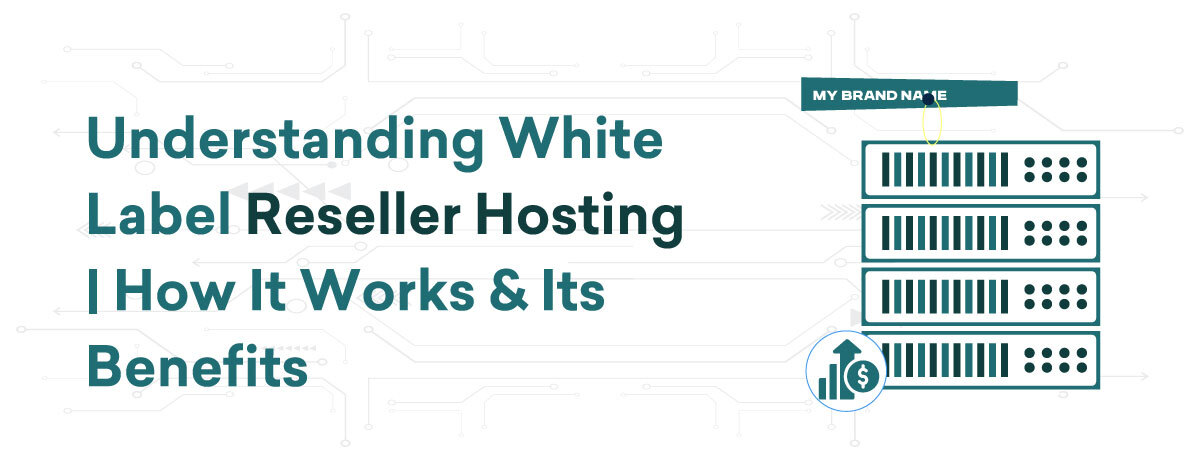
  • Understanding White Label Linux Reseller Hosting | How It Works & Its Benefits

    Understanding White Label Linux Reseller Hosting | How It Works & Its Benefits

    What is White-label Linux Reseller Hosting?

    Linux Reseller Hosting white-label allows individuals or companies to sell hosting services under their own brand without owning the server infrastructure. It provides a Linux-based platform, offering stability and flexibility. As a reseller, you can create and manage multiple hosting accounts, customise packages, and set pricing. White-label solutions ensure your clients see only your branding, not the original hosting provider. This approach is ideal for web designers, developers, and entrepreneurs looking to expand their services and generate additional revenue without the complexities of server management.

    How Does it Work White-label Linux Reseller Hosting?

    White label Linux reseller hosting allows individuals or businesses to offer hosting services under their own brand, using a Linux-based platform without managing the physical servers. Here’s how it works:

    1. Purchase a Reseller Plan: You start by purchasing a reseller hosting plan from a provider. This plan includes a specified amount of disk space, bandwidth, and other resources.
    2. Create and Manage Accounts: Using a control panel like cPanel/WHM, you can create and manage multiple individual hosting accounts. Each account can have its own domain, email, and website.
    3. Customization and Branding: White label means you can fully customize the interface, billing, and support systems to reflect your brand. Your clients will see your branding instead of the original provider’s.
    4. Set Pricing and Packages: You have the flexibility to create different hosting packages and set your own pricing, allowing you to target different market segments and maximize profits.
    5. Support and Maintenance: While you handle customer support and account management, the backend server maintenance and technical support are managed by the hosting provider, ensuring smooth operation.

    White label Linux reseller hosting is an excellent way to expand your service offerings, build your brand, and generate recurring revenue.

    Benefits of the Best White Label Linux Reseller Hosting

    Choosing the best white label Linux reseller hosting can transform your business with a host of benefits:

    1. Brand Customization: Fully brand your hosting services, allowing your clients to see your business name and logo, not the original provider’s. Customize control panels, billing systems, and support portals to align with your brand identity.
    2. Cost Efficiency: Avoid the high costs of owning and maintaining server infrastructure. Pay for a reseller plan, making it a budget-friendly solution that grows with your business.
    3. Revenue Opportunities: Create multiple hosting packages tailored to different client needs and set your own prices. This flexibility enables you to maximize profit margins and generate a steady stream of recurring revenue.
    4. Operational Focus: Let the hosting provider handle server maintenance, security, and technical support. This allows you to concentrate on marketing, customer service, and expanding your client base.
    5. Scalability: Easily upgrade your reseller plan as your business grows. The best providers offer scalable solutions that accommodate increasing client demands without significant disruptions.
    6. Reliable Performance: Benefit from robust server environments with high uptime and dependable performance, ensuring your clients’ websites run smoothly.
    7. Enhanced Security: Top-tier providers offer advanced security features, protecting your clients’ data and ensuring peace of mind.

    Opting for the best white label Linux reseller hosting can help you deliver exceptional services, strengthen your brand, and drive long-term business success.


    Conclusion

    White label reseller hosting empowers businesses to offer branded hosting services without owning server infrastructure. By understanding how it works and leveraging its benefits, such as cost efficiency, revenue generation, and reliable performance, you can expand your service offerings, build a strong brand, and achieve sustained success.

  • Explore the Advantages of Dedicated GPU Server | Your Business Success

    Explore the Advantages of Dedicated GPU Server | Your Business Success

    Most people only consider the Central Processing Units installed on servers when they think of processors. But CPUs are outdated technology. These days, companies are selecting GPU servers—better, more potent servers. The pros and advantages of GPU servers will be covered in this essay. Now let’s get going!

    Understanding the Role of Dedicated GPU Server

    A high-performance computing solution made especially to manage demanding computational activities requiring a lot of graphics processing power is a Dedicated GPU Server. GPU (Graphics Processing Unit) servers use strong GPUs to speed up parallel processing and carry out intricate computations at impressive speeds, in contrast to standard servers that only use CPUs (Central Processing Units) to process data.

    Originally designed to render visuals for video games, GPUs have matured into flexible processors that may be used for a variety of tasks outside of gaming. For applications like machine learning, artificial intelligence (AI), data analysis, scientific simulations, 3D rendering, and cryptocurrency mining, dedicated GPU servers are especially helpful. They are perfect for sectors that require tremendous computing power and efficiency since they can process enormous amounts of data simultaneously.

    Businesses may benefit from enhanced processing power without having to make large hardware investments or maintain a GPU server by dedicating one. These servers enable businesses to run complicated algorithms and models more quickly and effectively because they provide performance, scalability, and flexibility that is unmatched. Dedicated GPU servers are a crucial tool in today’s data-driven world as they allow organizations to boost productivity, innovate more quickly, and acquire a competitive edge in their respective sectors.

    Common Uses and Applications of GPU Servers

    Tasks requiring accelerated computing capabilities and massive parallel processing power are typically handled by GPU servers. Graphics Processing Units (GPUs), which are excellent at managing complicated computations concurrently, are used in these servers. Common applications include:

    Machine Learning and AI: GPU servers are crucial in training and deploying machine learning models due to their capacity to process massive datasets and perform matrix operations fast.

    Data analytics: GPU servers speed up data manipulation and analysis, making them useful for tasks like big data processing, predictive analytics, and real-time data visualization.

    Scientific Simulations: In domains such as physics, chemistry, and engineering, where computations entail complex mathematical models, dedicated GPU servers are indispensable.

    Rendering and Visual Effects: High-resolution graphics and intricate visual effects are rendered by GPU servers, which are used in the animation, cinema, and virtual reality industries.

    GPUs are necessary for mining cryptocurrencies, such as Ethereum, where processing power is needed to validate transactions and create new coins.

    Medical Imaging: By speeding up image processing operations like MRIs and CT scans, dedicated GPU servers improve medical diagnostics and enable earlier diagnosis and treatment planning.

    Scientific Simulations: In domains such as physics, chemistry, and engineering, where computations entail complex mathematical models, dedicated GPU servers are indispensable.

    Rendering and Visual Effects: High-resolution graphics and intricate visual effects are rendered by GPU servers, which are used in the animation, cinema, and virtual reality industries.

    Cryptocurrency Mining: GPUs are necessary for mining cryptocurrencies, such as Ethereum, where processing power is needed to validate transactions and create new coins.

    Medical Imaging: By speeding up image processing operations like MRIs and CT scans, GPU servers improve medical diagnostics and enable earlier diagnosis and treatment planning.

    Dedicated GPU Servers are essential for cutting-edge technological applications in a wide range of industries since they maximize performance, shorten processing times, and allow scalability for a variety of computing needs.

    The Benefits of Using a Dedicated GPU Server

    A GPU dedicated server is a great option for companies and organizations that need high-performance computing because it has several benefits. These servers include strong Graphics Processing Units (GPUs) that can effectively perform jobs requiring parallel processing. The following are some main advantages:

    Enhanced Computational Power: Dedicated GPU servers are very good at handling big datasets and carrying out intricate calculations. For projects like data analytics, scientific simulations, machine learning, and 3D rendering, this is essential.

    Speed and Efficiency: By processing several tasks at once, GPUs drastically cut down on the amount of time needed for data processing and analysis. As a result, projects are completed more quickly and productivity is increased.

    Scalability: As computing demands increase, GPU-dedicated servers may readily grow to meet new demands. Businesses can grow thanks to this flexibility without having to make large hardware investments.

    Cost-effective: Businesses can obtain high-performance computing without having to buy and maintain pricey hardware by deploying a GPU dedicated server. This guarantees effective resource usage and lowers overall operating expenses.

    Enhanced Efficiency for AI and ML: Dedicated GPU Servers are engineered to meet the rigorous demands of machine learning (ML) and artificial intelligence (AI) applications. They facilitate quicker model deployment and training, which produces faster insights and more accurate outputs.

    Conclusion

    A GPU Dedicated Server is an essential tool for modern computing operations in a variety of industries because they offer unmatched processing speed, scalability, and cost-efficiency.

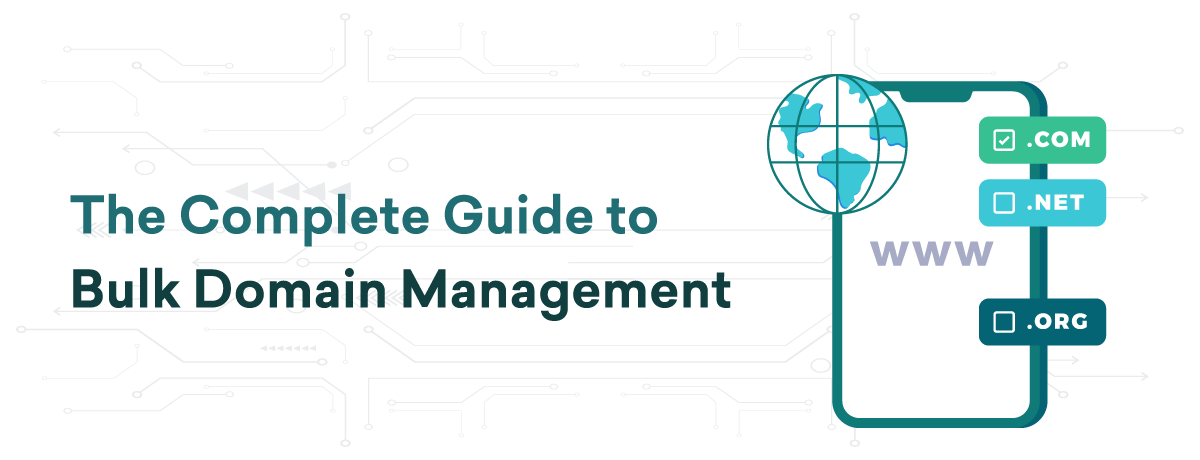
  • The Complete Guide to Bulk Domain Management

    The Complete Guide to Bulk Domain Management

    Managing multiple domains can be a complex and time-consuming task. Bulk domain management streamlines the process, saving you time and effort while ensuring consistency across all your domains. Here are some essential tasks you should consider managing in bulk:

    1. Domain Registration and Renewals

    Registering and renewing domains in bulk is a significant time-saver. Instead of handling each domain individually, bulk actions allow you to register or renew multiple domains simultaneously. This approach is especially useful for businesses and individuals managing large portfolios, helping to avoid the risk of domains expiring and becoming unavailable.

    2. DNS Management

    DNS settings are crucial for directing your domain traffic to the correct web servers. Managing DNS records in bulk ensures that all your domains have consistent and correct settings. This can include updating A records, CNAMEs, MX records, and other DNS configurations across multiple domains, which helps in maintaining site availability and performance.

    3. WHOIS Information Updates

    Keeping your WHOIS information up to date is essential for compliance and communication. Bulk updates allow you to change contact information, such as email addresses, phone numbers, and mailing addresses, across all your domains at once. This ensures that your contact details are accurate and consistent, which is vital for domain verification and renewal notices.

    4. Domain Locking

    Domain locking prevents unauthorised transfers of your domains. By applying this security measure in bulk, you can safeguard all your domains simultaneously, reducing the risk of theft or accidental transfers. Ensuring that all your domains are locked is a critical step in maintaining domain security.

    5. Name Server Changes

    Changing name servers in bulk is essential when you are migrating your domains to an affordable web hosting provider or DNS service. This process ensures that all your domains point to the correct name servers without the need to update each domain individually, streamlining the transition and minimising downtime.

    6. Email Forwarding

    For businesses managing multiple domains, setting up email forwarding in bulk can ensure that emails sent to any domain in your portfolio are directed to a central inbox. This helps in managing communications efficiently and ensures that no important messages are missed.

    7. SSL Certificate Management

    SSL certificates are vital for securing your websites. Managing SSL certificates in bulk allows you to purchase, install, and renew certificates for multiple domains at once. This not only saves time but also ensures that all your domains are protected and compliant with security standards.

    8. Subdomain Creation

    If you use subdomains for different sections of your website or for different services, creating and managing these in bulk can save significant time. This approach ensures consistency in the structure and management of your subdomains, making it easier to maintain and update them as needed.

    9. Automated Reporting

    Set up automated reports for your domain portfolio to keep track of renewals, expirations, DNS settings, and other critical information. This allows you to monitor the status of your domains without manually checking each one, ensuring you stay informed about any necessary actions.

    10. Bulk Transfer

    Transferring domains between registrars can be cumbersome. Bulk transfer simplifies this process, allowing you to move multiple domains at once, ensuring a smooth transition with minimal downtime and administrative effort.

    Conclusion

    Bulk domain management is essential for efficiently handling large domain portfolios. By performing tasks such as registration, DNS management, WHOIS updates, and SSL certificate management in bulk, you can save time, ensure consistency, and enhance the security of your domains. Adopting bulk management practices allows you to focus on strategic initiatives while maintaining control over your domain assets.

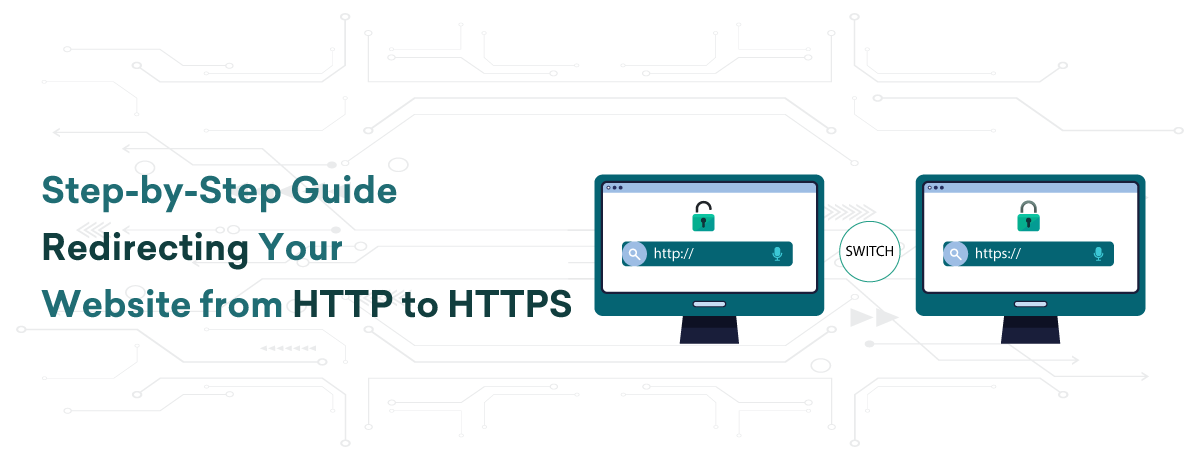
  • Step-by-Step Guide | Redirecting Your Website from HTTP to HTTPS

    Step-by-Step Guide | Redirecting Your Website from HTTP to HTTPS

    Using HTTPS (Hypertext Transfer Protocol Secure) to secure your website is essential for safeguarding user data, improving search engine rankings, and fostering visitor trust. Data transferred between the user’s browser and your server is encrypted via HTTPS, which makes it far more difficult for bad actors to intercept and misuse the data. Getting an SSL certificate, setting up your server, and changing your website’s settings are just a few of the procedures involved in switching your website from HTTP to HTTPS. You will be guided through the process of making this crucial shift by this step-by-step instruction.

    Get an SSL Certificate

    To start the process of switching your website from HTTP to HTTPS, you must first obtain an SSL certificate. An SSL Certificate allows encrypted connections and validates the legitimacy of your website. An SSL certificate is available from several sources:

    Certificate Authorities (CAs): Let’s Encrypt, Comodo, and DigiCert are a few examples of companies that offer SSL certificates. While some ask for a fee, others provide certificates for free.

    Hosting Companies: A lot of hosting companies include SSL certificates in their hosting packages or sell them as an add-on.

    After selecting a provider, create a Certificate Signing Request (CSR) and follow the provider’s instructions to get your SSL certificate.

    Installing the SSL Certificate

    Installing your SSL certificate on your web server is the next step after getting it. The installation procedure differs based on the hosting environment you are using:

    cPanel: To install the certificate, go to the SSL/TLS area, upload your certificate files, and then follow the instructions.

    Apache: To update the paths to your certificate files in your configuration files (usually httpd.conf or apache2.conf), you must restart the Apache server after making these changes.

    Nginx: To add the SSL certificate and key routes to a Nginx server, edit the server block in your configuration file and reload the server configuration.

    Modify the URL of Your Website

    Change the URL of your website to utilize HTTPS once your SSL certificate has been installed. This comprises:

    Content Management System (CMS): Change the site’s URL to use HTTPS if you are using a CMS such as WordPress, Joomla, or Drupal. This may be accomplished in WordPress by going to Settings > General.

    Hardcoded URLs: Make sure that all links, scripts, and images on your website that have hardcoded URLs use HTTPS. If a lot of the URLs on your website are hardcoded, you can use a plugin or script to automate this procedure

    Configure 301 Redirects

    Configure 301 redirects on your server to guarantee that all HTTP traffic is sent to HTTPS. This will notify browsers and search engines that your website has switched to HTTPS permanently. 301 redirect setup differs depending on the type of server you have:

    Apache: Add the following lines to your .htaccess file:-
    apache:
    RewriteEngine On

    RewriteCond %{HTTPS} off

    RewriteRule ^(.*)$ https://%{HTTP_HOST}%{REQUEST_URI} [L,R=301]

    Nginx: Add the following lines to your server block configuration:-
    nginx:
    server {

        listen 80;

        server_name yourdomain.com www.yourdomain.com;

        return 301 https://$host$request_uri;

    }

    Make Updates to Google Analytics & Google Search Console

    Update your Google Analytics and Search Console settings after switching to HTTPS:

    Google Search Console: Create a new property for your site’s HTTPS version and upload a new sitemap.

    Google Analytics: Make sure the new HTTPS URL is reflected in the property settings.

    Give Your Website an Evaluation

    Finally, make sure everything is working properly via HTTPS by thoroughly testing your website. Look out for:

    Mixed Content: Make sure that HTTPS is used to load all resources, including scripts, pictures, and stylesheets.

    Functionality: Verify that all of the forms and functions on the website function as intended.

    Check to make sure all HTTP pages properly reroute to their equivalent HTTPS pages.

    Conclusion

    You can effectively redirect your website from HTTP to HTTPS by following these instructions. This change improves the security of your website, safeguarding user information and fostering confidence. It can also raise your search engine rankings and give your visitors a more dependable, safe experience. Making the move to HTTPS is essential to ensuring that your website complies with current security requirements and keeps expanding.

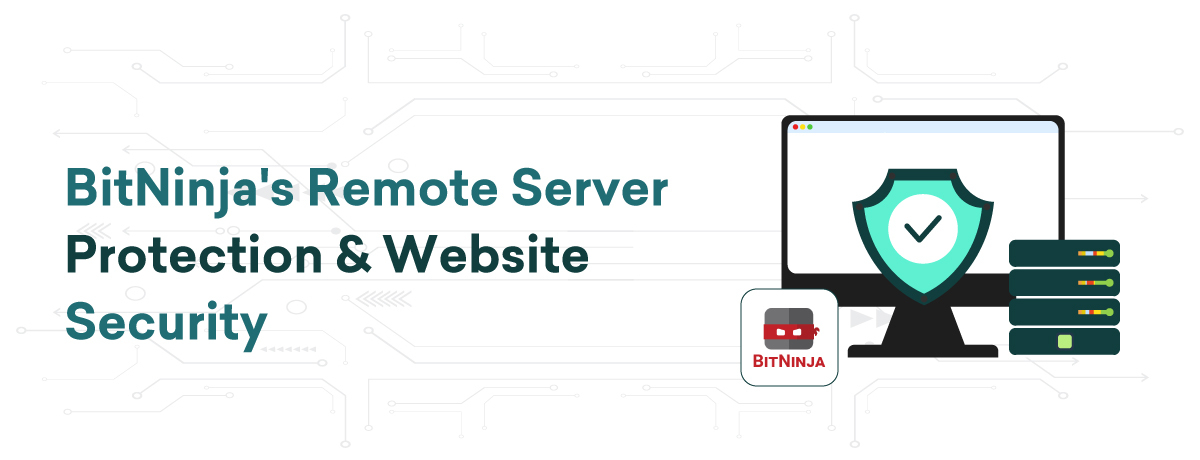
  • BitNinja’s Remote Server Protection & Website Security

    BitNinja’s Remote Server Protection & Website Security

    Websites are essential entry points for businesses, services, and information in the digital age. But they are also easy pickings for online attacks, such as virus injections and data breaches. An inventive remedy has surfaced as the conflict between security and vulnerability intensifies: BitNinja‘s Intelligent Website Security.

    This blog post looks into the subject of automated website security and explains how BitNinja is transforming the way we safeguard digital properties.

    The Development of Website Security Management

    Modern websites need to be protected against cyber threats, and manual security procedures are no longer adequate. Currently, BitNinja and other automated security solutions have taken over. BitNinja’s cutting-edge technology combines AI-driven intelligence and real-time monitoring to safeguard websites against threats, eliminating the need for human intervention entirely. For website managers and owners, it offers fresh serenity.

    Important Elements of BitNinja’s Independent Website Defense

    Virtual Repairing: This feature finds and fixes vulnerabilities in the code of a website without the need for human participation. It fills the void between discovering a vulnerability and the duration required to implement a fix.

    Behaviour Assessment: Using artificial intelligence (AI), it examines user behavior on the website to spot odd trends or questionable activity. It makes it possible to identify and stop threats like account takeovers and brute-force efforts early on.

    AI File Searching: This tool uses cutting-edge AI capabilities to identify harmful files by shifting the malware scanner’s workload from your server to the cloud.

    Firewall for Web Applications (WAF): BitNinja’s Web Application Firewall (WAF) provides a resilient defense against a range of online threats, such as SQL injection and cross-site scripting (XSS). The WAF functions independently, using automatic ruleset updates, file incident analysis, and real-time threat adaptation to handle incoming traffic. It has been demonstrated to be more trustworthy than Imunify360 and cPGuard.

    Finding and Eliminating Malware: Automated malware detection makes sure that there is no dangerous code on your website. If a threat is found, it removes it quickly to protect both the reputation of your website and the security of its users.

    Management of Intellectual Property Reputation: It keeps an up-to-date list of malicious IP addresses, automatically preventing access from known attack sources and lowering the possibility of unauthorized access.

    Honeypot Port: To stop malicious port scans, it opens pre-configured honeypot ports.

    Web Honeypot: Instantly deployable honeypots that may be used to target vulnerabilities in CMSs (WordPress, Joomla, Drupal) and other platforms.

    DoS Identification: It has adjustable sensitivity DoS mitigation to identify and prevent TCP-based DoS attacks.

    Log Evaluation: Real-time analysis of log files from various log routes is used for intrusion detection and response, which enables the quick and simple identification of IP-blocking triggers such as invalid passwords and more.

    Protective Robot: With the help of this feature, malware may be automatically detected in real-time, allowing for the automatic blacklisting of malicious IP addresses and the detection of backdoors.

    Cleaner for Databases: Malware is detected in SQL databases via the Database Cleaner module. It is only identifying infections in a log-only mode to maintain stability.

    Sandbox Scanner: Using a PHP emulator, one may identify malicious files based on their behavior—even if they employ obscure obfuscation techniques.

    Automatic Website Security Benefits

    Constant Watchfulness: Because the automated system is always running, your website is always protected. By doing away with manual inspections and adjustments, it guarantees the security of your website even when you’re not actively keeping an eye on it.

    Immediate Threat Reduction: Promptly identifying and resolving security breaches minimizes the possible harm caused by attacks, decreasing downtime and maintaining the functionality of your website.

    Effectiveness and Dependability: BitNinja and other automated security solutions improve the effectiveness and dependability of website defense by doing away with human error and guaranteeing constant watchfulness.

    Handling Ease: Website managers may concentrate on other important duties when their website’s security is taken care of by an advanced, AI-driven system thanks to automated security.

    Conclusion

    BitNinja’s website security and remote server protection provide all-inclusive ways to protect your online presence. BitNinja protects your servers and websites from cyberattacks by combining cutting-edge security technologies, automated defences, and real-time threat detection. Because of its strong security, you can be more dependable and trustworthy while concentrating on your main business without having to worry about possible safety breaches. Select BitNinja for reliable protection against the constantly changing array of cyber threats and peace of mind.

  • Key Features of Acronis Cloud Backup

    Key Features of Acronis Cloud Backup

    Multiple Backup Locations

    Acronis Cloud Backup offers the flexibility of multiple backup locations, ensuring your data is always secure and accessible. You can store backups locally, in the Acronis Cloud, or with other cloud storage providers. This multi-location strategy enhances data protection by providing redundant storage options, minimizing the risk of data loss due to hardware failures, cyberattacks, or other disasters. Additionally, it allows for quicker data recovery, as you can restore from the nearest location. By utilizing multiple backup locations, Acronis Cloud Backup ensures that your critical data is safe, secure, and readily available whenever needed.

    Multi-Tier and Multi-Tenancy Capabilities

    Acronis Cloud Backup supports multi-tier and multi-tenancy, making it ideal for businesses of all sizes, including service providers. The multi-tier architecture allows administrators to create multiple levels of management, enabling them to delegate responsibilities and manage backup operations efficiently across various departments or clients. Multi-tenancy ensures that each client or department has its own isolated environment within the same infrastructure, providing robust data security and privacy.

    This feature is particularly beneficial for managed service providers (MSPs) and enterprises with complex organizational structures, as it allows for customized backup policies and resource allocation for each tenant. Additionally, it simplifies billing and reporting by providing detailed insights into usage per tenant.

    Overall, Acronis Cloud Backup’s multi-tier and multi-tenancy capabilities ensure scalable, secure, and efficient data protection, allowing businesses to manage multiple users and clients effectively while maintaining high standards of data security and privacy.

    Optimised Management

    Acronis Cloud Backup offers optimised management features that streamline data protection for businesses of all sizes. Its user-friendly interface allows administrators to easily configure and monitor backup operations. The platform supports centralised management, enabling control over multiple devices and locations from a single console.

    With automated backup scheduling, you can ensure that data is consistently protected without manual intervention. The system also provides detailed reporting and alerts, helping you stay informed about the status of your backups and quickly address any issues.

    Additionally, Acronis Cloud Backup’s integration with other IT systems allows for seamless data management across various platforms. The multi-tier and multi-tenancy capabilities enable efficient resource allocation and policy management, making it ideal for managed service providers (MSPs) and enterprises with complex structures.

    Overall, Acronis Cloud Backup’s optimized management ensures that your data is secure, accessible, and efficiently managed, reducing administrative overhead and enhancing operational efficiency.

    Management Console

    Acronis Cloud Backup features a robust management console that simplifies data protection for businesses of all sizes. This intuitive dashboard allows administrators to configure and monitor backup operations effortlessly. With centralized management, you can control multiple devices and locations from one interface, enhancing efficiency.

    The console supports automated backup scheduling, ensuring continuous data protection without manual input. Detailed reporting and real-time alerts keep you informed about backup status and enable swift issue resolution. Integration with various IT systems allows seamless data management across different platforms.

    The console’s multi-tier and multi-tenancy capabilities make it ideal for managed service providers (MSPs) and complex enterprises, allowing efficient resource allocation and policy management. With its user-friendly design and powerful features, the Acronis Cloud Backup management console ensures your data remains secure, accessible, and well-organized, reducing administrative tasks and improving overall operational efficiency.


    Conclusion

    In conclusion, Acronis Cloud Backup offers a range of key features designed to enhance data protection and management. Its multi-tier and multi-tenancy capabilities ensure secure and efficient operations, while the user-friendly management console simplifies administration. Automated scheduling, detailed reporting, and seamless integration with IT systems provide robust, reliable data security, making Acronis Cloud Backup an ideal choice for businesses of all sizes.

  • Benefits of Choosing Windows VPS Hosting

    Benefits of Choosing Windows VPS Hosting

    Shared hosting plans are ideal for budding entrepreneurs, startups, and newbie bloggers. They are well-suited for websites with low traffic and minimal data, providing an affordable and straightforward hosting solution. However, as your website grows in traffic and data, upgrading your hosting plan becomes essential. Compared to shared hosting, a VPS hosting plan offers better performance by providing a dedicated OS, disk space, and higher bandwidth, ensuring an improved user experience.

    Now, let’s explore the benefits of a Windows VPS hosting plan over other hosting options available in the marketplace. But before we dive into the features, let’s understand what a Windows Virtual Private Server (VPS) is. Let’s get started.

    What is Windows VPS Hosting?

    VPS hosting that operates on the Windows OS is known as Windows VPS hosting. This offers users the advantage of a dedicated virtual server with greater control and resources compared to other hosting options. For businesses seeking secure hosting services with Windows-compatible technology and environment, VPS hosting with Windows OS is the ideal choice. For businesses accustomed to using Microsoft systems and tools to oversee various business operations, Windows VPS hosting stands out in its ability to efficiently manage the server.

    Benefits of Windows VPS Hosting

    Backup & Remote Support: In the digital realm, data is invaluable. Windows VPS hosting offers superior data security, regular backups, and round-the-clock remote support from experts, ensuring your data is safeguarded and readily recoverable in case of issues.

    Customized Solutions: Tailor your server to meet specific website needs with Windows VPS hosting. Customize features and allocate resources effectively to handle future demands with ease.

    Higher Reliability: Opting for Windows VPS hosting from a trusted provider in Kolkata ensures enhanced server security, comprehensive data backup, and system reliability. This plan helps prevent unauthorized access and mitigates the risk of malware attacks on personal and business data.

    Dedicated Resources: Windows VPS hosting provides full control over server resources unlike shared hosting. Regardless of traffic surges, your website’s loading time remains consistent, reducing bounce rates and enhancing user experience and satisfaction.

    Why Windows VPS Hosting is a Superior Choice?

    Choosing Windows VPS hosting offers a balanced blend of flexibility, performance, and security. Here are more reasons why this hosting plan is superior:

    Scalable Performance

    Improving website performance involves ensuring fast loading times and smooth operation for users. Opting for a VPS can enhance performance as it reduces the impact of other users on the server. Beyond this, VPS provides benefits like resource accessibility, increased storage, higher bandwidth, and updated technology, all of which can boost website traffic and speed.

    As your business grows, you can easily scale up resources by upgrading your VPS plan. Conversely, during downtimes, you have the flexibility to reduce technical resources. VPS eliminates the need for lengthy data transfers and complex hardware setups, offering a hassle-free experience.

    Moreover, when executing promotional campaigns on your website, such as paid ads or special offers to attract customers, VPS serves as a comprehensive solution to meet your needs.

    Robust Security

    Whether you are an individual or a large company, web hosting security is a major concern for anyone with an online presence. Stolen financial information, data loss, and compromised website content can have a direct negative impact on your business.

    To address these issues, VPS hosts your data files in a secure partition that is inaccessible to other clients, enhancing your data security. With root access to your server unlike shared hosting, you can implement advanced security measures for your server. This independent access to resources helps keep your data safe from other sources.

    For e-commerce businesses in particular, VPS or Dedicated Server Hosting can offer significant benefits. With a dedicated IP address, your website’s identity is unique, especially when providing features like email marketing and secure e-commerce transactions.

    In conclusion, the security provided by VPS can be compared to that of a Dedicated Server at a lower cost. Therefore, opting for VPS will protect your website and data from unauthorized access.

    Cost-Effective Solution

    VPS is the hybrid form of shared and dedicated hosting, offering ample resources at manageable costs. Choosing a Windows VPS allows you to easily scale server specifications as your website expands, making it a more cost-efficient choice than shared hosting. Moreover, scaling disk space and bandwidth to accommodate your site’s growth is effortless, eliminating concerns about server migration or plan changes.

    Unlike with Dedicated Server Hosting, where you must bear the significant expense of purchasing a physical server, with VPS, you only need to invest according to your requirements. 

    Administrative Control: 

    Windows VPS hosting offers extensive administrative control, allowing you to customize and optimize your server environment to meet your business needs. You can install any necessary software or applications, tailor server settings to enhance performance and security, and configure specific features for optimal functionality.

    With full administrative access, you can implement advanced security measures, manage user access, and schedule regular updates to protect your data. Efficient resource management ensures that critical applications receive the necessary CPU, RAM, and storage, maintaining consistent performance even during peak traffic times.

    Administrative control also allows you to set up and manage backup processes, ensuring quick data recovery in case of loss or system failure. Comprehensive monitoring tools keep you informed about server performance and potential issues, enabling proactive maintenance.

    As your business grows, administrative control ensures that you can easily scale your server resources, adding storage, bandwidth, or processing power as needed. This flexibility provides a future-proof solution, ensuring your server infrastructure evolves with your business.


    Conclusion

    Windows VPS hosting is a great option for businesses looking for improved control, performance, and security. While shared hosting suits startups and low-traffic sites, VPS hosting is crucial as your site grows. It provides top-notch data security, regular backups, and round-the-clock support, ensuring constant data protection and accessibility. Customization features enable efficient resource allocation and feature tailoring, maintaining consistent performance and high user satisfaction. Scalability allows easy resource adjustments as your business expands, with strong security measures to safeguard your data. Offering cost-effectiveness and benefits similar to a dedicated server, Windows VPS hosting provides extensive administrative control for optimal server management. This flexibility guarantees your server infrastructure can grow with your business, offering a reliable and scalable solution for expansion.