Category: Web Hosting

  • Boost Profits with Linux Reseller Web Hosting Plans

    Boost Profits with Linux Reseller Web Hosting Plans

    White-label Linux Reseller Web Hosting is a perfect choice for entrepreneurs, web designers, developers, or businesses looking to start a hosting service or expand their offerings. This solution allows you to resell hosting services under your own brand name without worrying about managing servers or handling complex backend operations. In this guide, we’ll explore the key advantages of white-label Linux reseller hosting in simple terms.

    What is White-Label Linux Reseller Hosting?

    White-label Linux web reseller hosting enables you to rent server resources from a hosting provider and resell them as your own hosting service. The “white-label” aspect means the hosting service is completely branded under your name. Your customers see only your branding, and you remain the sole point of contact for them. Using Linux-based servers, this hosting option benefits from the Linux operating system’s reliability, performance, and security. It is particularly favored by professionals who want to offer hosting services without investing in expensive infrastructure.

    Advantages of White-Label Linux Reseller Hosting

    Cost-Effective Business Model

    Starting your own web hosting business can be costly when you need to buy servers, software licenses, and hire technical staff. With white-label linux reseller web hosting, you avoid these expenses. The hosting provider takes care of infrastructure and server maintenance, allowing you to focus on selling services and growing your business. This model lets you start small with minimal investment and scale up as your customer base grows. The low startup costs make it accessible for individuals and small businesses.

    Branding and Customization


    White-label linux reseller web hosting ensures that the hosting services appear under your brand. From custom logos to email templates, everything can be tailored to reflect your business identity. This gives you full control over the way your brand is presented to your clients. Your customers will not know that another company is managing the server infrastructure. They will trust your brand for all their hosting needs, which strengthens customer loyalty and boosts credibility.

    Recurring Revenue Stream


    Hosting services are subscription-based, which means customers pay regularly—monthly or annually—for their plans. This creates a steady income stream for your business. As long as customers are satisfied with your service, they will continue to renew their plans, providing long-term financial stability.

    Scalability and Flexibility

    White-label Linux reseller web hosting offers scalability, meaning you can increase server resources like disk space, bandwidth, or the number of accounts as your business grows. You won’t need to change providers or invest in new hardware. Flexibility is another advantage. You can choose the type of hosting plans to offer—shared hosting, VPS hosting, or dedicated hosting—and adjust your pricing based on market demand.

    Technical Support and Maintenance

    One of the biggest challenges of running a hosting business is managing server uptime, maintenance, and troubleshooting technical issues. With a white-label Linux reseller web hosting service, the provider handles these responsibilities. Most providers offer 24/7 technical support, ensuring the servers run smoothly. This support allows you to provide top-notch service to your customers without requiring deep technical knowledge.

    Linux Benefits

    Linux is an open-source operating system known for its stability, security, and efficiency. These features make Linux hosting reliable and suitable for handling large-scale web hosting operations.
    The benefits of Linux include:
    Cost Savings: No licensing fees make Linux hosting more affordable.

    Security: Its architecture offers robust protection against cyber threats.

    Compatibility: Linux supports popular technologies like PHP, MySQL, Python, and more, making it ideal for hosting websites and applications.

    Multiple Hosting Features

    White-label Linux reseller web hosting comes with various tools and features to simplify account management:

    Control Panels: Platforms like cPanel or WHM make it easy to manage hosting accounts.

    Email Hosting: Offer professional email accounts with your customers’ domains.

    One-Click Installers: Tools like Softaculous allow users to quickly install applications like WordPress, Joomla, and Drupal.

    Backup Solutions: Automated backup options ensure data safety.
    These features add value to your hosting plans and attract more customers.

    Freedom to Set Your Pricing

    As a reseller, you have full control over your pricing. You can create different hosting packages tailored to your target audience and set prices that align with market demand. Competitive pricing allows you to attract more customers, while premium packages can boost profitability.

    Ideal for Upselling Services

    White-label Linux reseller web hosting opens up opportunities to upsell additional services such as: Domain registration, Website design and development, SSL Certificates, Digital Marketing Services
    These complementary services enhance your revenue potential and help your customers succeed online.

    Easy Entry into the Hosting Industry

    Becoming a hosting provider from scratch involves steep learning curves and heavy upfront costs. White-label reseller hosting simplifies this process. It offers a ready-made platform where you can focus on marketing and growing your business without worrying about technical complexities.

    Conclusion

    White-label Linux Reseller Web Hosting is an excellent way to start your own hosting business or expand your service portfolio. It combines the benefits of branding, affordability, and scalability, making it a smart choice for anyone aiming to enter the web hosting industry. Whether you’re a web designer looking to offer hosting as an additional service or an entrepreneur wanting to start a standalone hosting business, this model provides the tools and support needed to succeed. With a reliable Linux-based infrastructure backing your brand, you can offer customers top-notch services and build long-lasting relationships while generating steady income.
  • Advantages of the Right Server Location for Your Website

    Advantages of the Right Server Location for Your Website

    The location of your server is an important consideration when setting up a website. The location of the server, which houses and processes all of the data on your website, has a big impact on how well it works. Selecting the ideal server location can boost security, provide better user experiences, increase speed, and contribute to the overall success of your website. Here is a summary of the benefits of choosing the right server location for your website.

    Faster Loading Times for Your Visitors

    The closer your server is to your target audience, the faster your website will load. Data must travel between the server and the user’s device. If your server is located in a country far from your visitors, it may take longer for the data to reach them. For instance, if your audience is primarily based in Europe, hosting your website on a server in Europe can reduce loading times compared to hosting it in the United States. Faster loading speeds improve the user experience and boost your website’s search engine rankings.

    Better User Experience

    Visitors expect websites to load quickly and work smoothly. A slow-loading website can frustrate users, causing them to leave your site. This is especially true for e-commerce sites, where delays can result in lost sales. Choosing a server near your audience ensures that your website performs well, keeping users happy and encouraging them to stay longer on your site. A good user experience also helps build trust in your brand. Whether it’s a blog, an online store, or a business website, ensuring a seamless experience for visitors is key to your website’s success.

    Improved Search Engine Optimization (SEO)

    Search engines like Google consider website loading speed as a ranking factor. A website that loads quickly is more likely to appear higher in search results. Additionally, the right server location can impact local SEO. If your server is in the same region as your target audience, it signals to search engines that your website is relevant to users in that area. For example, if your business targets customers in Australia, hosting your website on a server in Australia can help it rank higher for local searches. This boosts your visibility and drives more traffic to your site.

    Enhanced Data Privacy and Compliance

    Different countries have different data privacy laws. Choosing the right server location that aligns with your target region’s regulations can help you comply with these laws and protect your users’ data. For example, if your website serves customers in the European Union (EU), hosting on a server in an EU country can make it easier to comply with the General Data Protection Regulation (GDPR). Selecting the right server location ensures that you follow the rules and avoid potential legal issues, building trust with your audience.

    Reduced Downtime

    The location of your server can also impact its reliability. Hosting your website on a server in a region prone to natural disasters or frequent power outages increases the risk of downtime. Choosing a server in a stable and well-connected location minimizes this risk, ensuring that your website stays online and accessible.

    Cost Efficiency

    The cost of hosting services can vary based on the server’s location. Some regions offer affordable hosting services with excellent performance, while others may be more expensive. By carefully choosing the right server location, you can balance performance and budget. For instance, if your target audience is in Asia, hosting on a server in Singapore or India might provide good connectivity at a reasonable price.

    Support for Global Audiences

    If your website serves a global audience, you might consider using a Content Delivery Network (CDN) in addition to selecting the right server location. A CDN stores copies of your website on multiple servers worldwide, ensuring fast loading times for users regardless of their location. Combining a central server in a strategic location with a CDN can provide the best experience for all your visitors.

    Competitive Advantage

    Choosing the right server location gives you an edge over competitors who may not prioritize this aspect. A website that loads faster, complies with regulations and delivers a great user experience can outperform similar sites, attracting and retaining more visitors.

    Conclusion

    The location of your website’s server is a critical decision that affects speed, user experience, SEO, security, and compliance. By aligning your server location with your audience’s needs, you can ensure your website performs at its best. Whether you are targeting local customers or a global audience, taking the time to select the right server location will pay off in improved website performance and user satisfaction. If you’re unsure about choosing the right server location for your website, consulting with a web hosting provider or IT expert can help you make an informed decision tailored to your goals.

  • Manage your Website Easily with cPanel & Boost Online Growth

    Manage your Website Easily with cPanel & Boost Online Growth

    The Internet has become a crucial platform for businesses to grow and connect with customers. Having a website is just the beginning; managing it efficiently is key to long-term success. This is where cPanel, a popular control panel for web hosting, can make a big difference. With its easy-to-use features, It helps businesses manage their online presence effortlessly, allowing them to focus on growth.

    What is cPanel?

    It is a web-based control panel that allows users to manage their website and hosting accounts. It has an intuitive interface and a range of tools that simplify complex tasks, such as managing email accounts, domains, databases, and files. Web hosting companies widely use it because of its reliability and user-friendly design.

    Key Features of cPanel for Business Growth

    Ease of Use
    It is designed for everyone, even those without technical knowledge. The dashboard is clean and easy to navigate, making tasks like uploading files, creating backups, or setting up email accounts simple. This ease of use saves time and helps business owners focus on other priorities.

    Efficient Website Management

    With cPanel, managing multiple websites becomes effortless. Whether you are running a single business site or multiple e-commerce stores, cPanel provides the tools to monitor and control them all from one place.

    Email Management

    Professional email accounts are essential for building trust with customers. It allows businesses to create custom email addresses (e.g., [email protected]). You can also manage spam filters, autoresponders, and email forwarding through cPanel.

    Domain and Subdomain Management

    Expanding your online presence often means adding more domains or subdomains. It makes it simple to register new domains, set up subdomains, and manage DNS settings. This flexibility is vital for businesses aiming to grow across different markets.

    Enhanced Security Features

    Security is a top priority for any online business. It includes features like SSL certificate installation, password-protected directories, and IP blocking to keep your website safe from cyber threats. A secure website builds customer confidence and protects your reputation.

    Automated Backups


    Regular backups are crucial for protecting your data. With cPanel, you can set up automated backups to ensure you never lose important information. If anything goes wrong, you can quickly restore your website with minimal downtime.

    One-Click App Installations


    Growing businesses often require additional tools and applications. cPanel supports one-click installation of popular apps like WordPress, Joomla, and Magento. This feature saves time and simplifies the process of adding new functionalities to your website.

    Performance Monitoring


    cPanel provides analytics and metrics to track your website’s performance. You can monitor visitor stats, bandwidth usage, and error logs. These insights help you optimize your site to provide a better user experience.

    Cost-Effective Solution


    It is a cost-effective tool for businesses. Its comprehensive features eliminate the need to hire expensive developers for routine tasks. By managing everything in-house, you can save money and allocate resources to other growth strategies.

    How cPanel Supports Business Growth

    Boosts Productivity
    It automates many tasks, such as backups and updates, allowing business owners to focus on their core activities. This automation ensures that your website operates smoothly without constant supervision.

    Enhances Customer Experience
    With features like faster loading speeds and secure connections (via SSL), It helps you provide a seamless and trustworthy experience to your customers. Happy customers are more likely to return and recommend your business.

    Scalability
    As your business grows, so do your website needs. It makes it easy to add more domains, storage, or apps. Its scalable nature ensures that your website can grow with your business.

    Better Marketing Opportunities
    A well-maintained website with tools like custom emails and SEO-friendly URLs (enabled by cPanel) improves your branding and marketing efforts. It helps your business reach a wider audience and generate more leads.

    Why Choose cPanel?

    Many hosting providers include cPanel as part of their packages because it’s trusted and widely used. Whether you are a small business or a large enterprise, It offers the flexibility and features needed to succeed online.

    Conclusion

    More than just a control panel, It is an effective tool for boosting your company’s internet presence. By making website administration easier and improving security and scalability, It gives you the flexibility to take charge of your online presence. Businesses may save time, cut expenses, and concentrate on what counts—growth and customer satisfaction—by utilizing cPanel. Unlock the full online potential of your company by utilizing cPanel right now!

  • Advantages of GPU Servers for AI & Machine Learning

    Advantages of GPU Servers for AI & Machine Learning

    In today’s technologically advanced world, high-performance computing is in high demand. This need is particularly apparent in domains that demand a lot of data processing, such as artificial intelligence (AI) and machine learning (ML). These functions were previously performed by central processing units (CPUs), but Graphic Processing Units (GPUs) have become a potent substitute. Particularly for AI and ML tasks, GPU servers with one or more GPUs offer significant advantages over CPU-based servers.

    What is a GPU Server?

    A server that combines GPUs and CPUs is known as a GPU server. GPUs are specifically made to do several computations at once, whereas CPUs handle broad processing duties and are necessary for practically every computer operation. Because of their superior parallel processing capabilities, GPUs are perfect for jobs like complicated algorithm execution and graphic rendering. A GPU server is ideal for high-compute jobs like deep learning, neural network training, data processing, and sophisticated computations in domains like scientific research, gaming, and particularly AI and ML since numerous GPUs can cooperate to carry out thousands of tasks simultaneously.

    Key Advantages of GPU Servers

    High Performance and Speed

    GPU servers can process information much faster than traditional CPU servers. With GPUs, complex mathematical calculations, which are typical in AI and ML, can be completed in seconds rather than minutes or hours. This speed is crucial in applications where large amounts of data need to be processed quickly. For instance, training a machine learning model involves analyzing and processing extensive datasets, and a GPU server can perform this training faster and more efficiently than a CPU.

    Enhanced Parallel Processing

    GPUs have thousands of cores that work in parallel, allowing them to handle multiple calculations simultaneously. This parallel processing capability is essential for AI and ML models, which require extensive data processing. Unlike CPUs, which focus on completing one task at a time, GPUs can manage numerous tasks at once. For example, training deep neural networks often involves breaking down tasks and running calculations on different sections of data, making the parallel processing ability of GPUs highly beneficial.

    Cost Efficiency

    Although it may have a higher upfront cost than CPU servers, they provide significant savings in the long run. With faster processing, less time and energy are required to complete tasks, leading to cost savings. Additionally, a single GPU server can replace multiple CPU servers for specific tasks, reducing both hardware and operational costs. For companies engaged in AI and ML, investing in GPU servers can result in faster project timelines and reduced computational costs.

    Better Energy Efficiency

    GPU servers tend to be more energy-efficient than CPU servers for intensive computational tasks. Because GPUs can handle multiple tasks simultaneously, they require less power over time to accomplish the same amount of work. In fields like AI and ML, where tasks can take days or even weeks to complete, this energy efficiency translates to lower electricity costs and a reduced environmental impact.

    Scalability and Flexibility

    They are designed to scale as business needs grow. You can easily add more GPUs to a server to increase processing power, allowing companies to handle more complex tasks or larger datasets. For AI and ML projects, this flexibility is invaluable. For example, if a company’s machine learning model requires more power as it grows, additional GPUs can be added without the need for a complete infrastructure overhaul.

    Advantages of GPU Servers for AI and Machine Learning

    Faster Model Training and Testing

    In AI and ML, model training and testing are critical steps that require processing massive datasets. GPU servers significantly accelerate these processes, allowing developers to train and test models faster. Faster training means that AI models can be developed and deployed more quickly, enabling businesses to bring AI-powered solutions to market sooner. In competitive industries, this speed offers a strategic advantage.

    Handling Large Datasets

    Machine learning models thrive on data, but handling and processing large datasets can be a challenge with CPU servers. With its ability to process large volumes of data, is ideal for AI and ML applications. They allow data scientists to work with extensive datasets, which improves model accuracy and performance. GPU servers make it feasible to analyze complex datasets and extract meaningful insights, which is particularly useful in fields like healthcare, finance, and retail, where detailed data analysis is essential.

    Improved Accuracy in AI Models

    The precision and speed of GPU servers enable the creation of highly accurate AI models. In AI and ML, higher accuracy often depends on running complex algorithms that would be time-consuming on traditional servers. It can run these algorithms faster and more efficiently, allowing for more iterations, refinement, and optimization. This accuracy is especially important in sensitive fields like autonomous driving, medical diagnosis, and fraud detection, where mistakes can have serious consequences.

    Enhanced Deep Learning Capabilities

    Deep learning, a subset of AI, relies heavily on neural networks that require intensive
    calculations. These networks, designed to mimic human brain functions, need powerful computing resources to achieve optimal performance. GPU servers, with their high-performance parallel processing, are ideal for deep learning applications. They allow for faster and more efficient training of complex neural networks, making them indispensable for applications like image recognition, natural language processing, and predictive analytics.

    Real-Time Processing and Decision Making

    In AI and ML applications, real-time processing can be crucial. It excels in applications that require immediate responses, such as recommendation engines, autonomous vehicles, and customer service chatbots. With This, AI systems can analyze data and make decisions in real-time, leading to a better user experience. In sectors like retail and finance, real-time processing enables faster decision-making, which can improve customer satisfaction and operational efficiency.

    Conclusion

    GPU servers are transforming the capabilities of AI and ML by offering unmatched processing power, speed, and efficiency. They handle large datasets, accelerate model training, improve accuracy, and enable real-time decision-making. For organizations focused on AI and ML, investing in GPU servers can lead to substantial improvements in performance and outcomes. By leveraging its advantages, companies can develop, train, and deploy AI solutions more effectively, giving them a strong edge in today’s data-centric world.

  • Domain Transfer Made Easy | How & Why to Switch Host

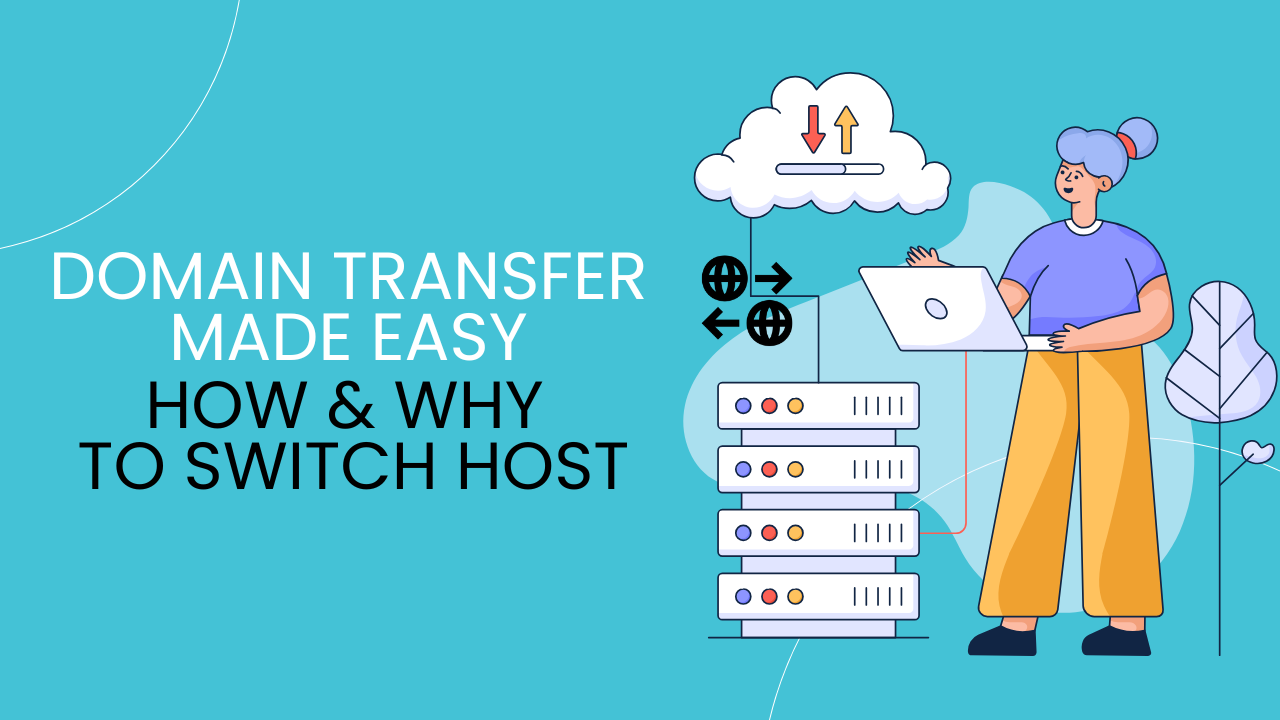
    Domain Transfer Made Easy | How & Why to Switch Host

    If you own a website, your domain name is one of its most crucial parts. It represents your brand and helps people find you online. Sometimes, though, you might need to move your domain to a new hosting provider for better performance, features, or support. This is known as a domain transfer. This guide will take you through transferring your domain and explain the expected benefits.

    Why Transfer Your Domain?

    You might want to transfer your domain to a new host for several reasons:

    Improved Site Speed: Some hosts offer faster servers and can load your site more quickly.

    Better Customer Support: Not all hosting companies provide the same quality of support. Moving to a host with better service can save you time and hassle.

    Cost Savings: Many hosts offer competitive pricing, so switching could save you money in the long run.

    Access to More Features: Some hosting providers include extra tools, security, and services that make managing your site easier and more secure.

    Steps to Transfer a Domain to a New Host

    Here’s a simple, step-by-step guide to help you transfer your domain to a new hosting provider.

    Step 1: Check Domain Eligibility for Transfer

    Before starting, ensure your domain is eligible for transfer. Most domains must be at least 60 days old before they can be transferred. Additionally, make sure your domain is not locked, and there are no pending renewals or holds.

    Step 2: Unlock Your Domain

    By default, most domains are locked to prevent unauthorized transfers. You’ll need to log in to your current registrar’s control panel (the place where you purchased your domain) and disable the lock. Look for an option called “Domain Lock” or “Transfer Lock” and switch it off.

    Step 3: Get the Authorization Code
    Next, you’ll need an authorization code (sometimes called an EPP code). This code verifies that you’re the rightful owner of the domain. It’s usually found in the domain settings in your account dashboard. If you can’t find it, reach out to your current host’s support team for help.

    Step 4: Choose Your New Hosting Provider
    Once you have the authorization code, it’s time to choose your new hosting provider. Make sure to research providers that offer the services and features you need. Once you’ve picked a provider, follow their domain transfer instructions.

    Step 5: Initiate the Domain Transfer

    Log in to your new hosting provider’s account and look for an option like “Transfer Domain.” Enter the authorization code when prompted, and follow any additional instructions. Your new host will guide you through the process.

    Step 6: Confirm the Transfer Request

    After starting the domain transfer, you may receive an email from your current provider asking you to approve it. Make sure to check your inbox and confirm the request if necessary. Approving the transfer will help speed up the process.

    Step 7: Wait for the Transfer to Complete
    Domain transfers can take a few hours or several days, depending on the providers involved. Most transfers are completed within five to seven days. Once finished, you’ll get a confirmation from your new host.

    Step 8: Update Your DNS Settings

    After the domain transfer, you may need to update your DNS settings. DNS (Domain Name System) connects your domain to your website. Your new host will provide you with the necessary DNS details, which you can update in your account.

    Benefits of Transferring Your Domain to a New Host

    Switching your domain to a new host can bring a lot of advantages. Here’s how it can benefit your website:

    Faster Website Loading Times
    Many hosting providers focus on speed and performance. By transferring your domain to a provider with faster servers, your website may load more quickly. This is especially important for users on mobile devices and search engine rankings.

    Better Security
    Security is essential to keep your website and user data safe. Some hosts offer extra security measures like DDoS protection, SSL certificates, and malware scanning. Transferring to a host with stronger security can give you peace of mind.

    Improved Customer Support
    High-quality support can make a big difference, especially if you’re not a technical expert. Many people transfer domains to a host with 24/7 support and a good reputation for helping customers solve issues quickly.

    Lower Costs
    Transferring your domain might help you find a more affordable hosting plan, with fewer add-on fees or renewal charges. Some hosts even offer free domain renewal or a discount as part of the transfer.

    Access to Additional Features and Tools
    Some hosting providers offer additional features like free website migration, email hosting, and easy WordPress installation. Transferring your domain to a provider with these extras can make your site management easier and more efficient.

    More Reliable Uptime
    Uptime measures how often your website is online and accessible. A hosting provider with high uptime will keep your website live more consistently. This can be especially helpful if your website supports a business or gets high traffic.

    Tips for a Smooth Transfer

    Here are a few tips to make your domain transfer as smooth as possible:

    Check for Transfer Fees: Some registrars charge a fee to transfer domains, so check if your new provider has any fees or requirements.

    Plan for Minimal Downtime: Transfers usually don’t cause much downtime, but to be safe, schedule your transfer during a period of low traffic.

    Keep Track of Renewal Dates: Make sure you’re clear on renewal terms with your new host so you don’t risk letting your domain expire accidentally.

    Conclusion

    Domain Transfer to a new hosting provider might seem like a big step, but it can be beneficial if you’re looking for improved speed, better support, or more features. With this guide, you’re ready to make the switch and enjoy the advantages of a more reliable, user-friendly hosting environment.

  • Keep Your Website Online with DDoS Protection

    Keep Your Website Online with DDoS Protection

    In today’s digital world, websites face constant risks from various cyberattacks, with Distributed Denial of Service (DDoS) attacks being among the most harmful. A DDoS attack occurs when hackers flood a website or server with excessive traffic, making it slow or completely unavailable to visitors. As businesses and services increasingly move online, having effective DDoS Protection has become essential. This guide explains DDoS protection and highlights its key benefits for websites.

    What is DDoS Protection?

    It is a security solution that detects, mitigates, and blocks attempts to overload a website or online service with fake traffic. This protection involves using advanced software, firewalls, or cloud-based tools to identify and filter malicious traffic, while allowing legitimate visitors to access the site without interruption. Modern DDoS protection solutions are often automatic, meaning they can detect attacks quickly and act in real time to maintain website performance.

    Why is DDoS Protection Important Today?

    As more businesses, retailers, and services move online, their websites become vital touchpoints for customers. Unfortunately, cybercriminals see these websites as easy targets. Without proper protection, a DDoS attack can:

    Crash the website, making it inaccessible for hours or even days.

    Damage a business’s reputation due to poor user experience.

    Cause loss of sales or disrupt essential services.

    Increase costs, as fixing the damage after an attack can be expensive.

    DDoS attacks are growing in size and frequency, which is why it’s critical to have reliable protection in place.

    Advantages of DDoS Protection

    Keeps Your Website Online
    One of the main advantages of DDoS protection is that it ensures your website stays up and running, even during an attack. The system identifies malicious traffic and blocks it, allowing legitimate users to access your services without interruptions. This helps maintain customer trust and prevents downtime that could lead to loss of revenue.

    Improves Website Performance
    DDoS protection tools can improve the overall performance of your website. By filtering out unwanted traffic, the server can focus on serving genuine users. This results in faster page load times, smoother browsing experiences, and improved user satisfaction.

    Enhances Security and Builds Trust
    It shows customers and clients that your website takes security seriously. In an era where online threats are common, this can boost user confidence. Businesses that offer a safe and reliable online environment are more likely to retain customers and build long-term trust.

    Protects Business Revenue
    E-commerce stores and online businesses rely heavily on continuous uptime to generate revenue. A DDoS attack can disrupt operations and lead to missed sales opportunities. With DDoS protection, businesses reduce the risk of downtime, helping them maintain a steady flow of income.

    Prevents Long-Term Damage
    Apart from immediate downtime, a DDoS attack can have lasting effects, such as reputation damage and data loss. Customers may view the brand as unreliable if the website is frequently unavailable. By preventing attacks it minimizes the chances of long-term harm to the business’s image.

    Saves Time and Money
    Recovering from a cyberattack can be costly and time-consuming. Businesses may need to hire experts, recover data, and repair the site after an attack. DDoS protection reduces these risks by stopping attacks before they cause serious damage, saving both time and money.

    Automated, Real-Time Protection
    Modern DDoS protection services use automation and artificial intelligence to detect attacks instantly. This real-time response ensures that threats are managed proactively, preventing disruptions without the need for manual intervention.

    Conclusion

    DDoS Protection is an essential part of website security in today’s online environment. With the rising frequency of attacks, having the right tools to protect your site is no longer optional but necessary. The advantages of DDoS protection include continuous uptime, better performance, enhanced security, and cost savings. Whether you run an e-commerce store, a service platform, or a blog, investing in DDoS protection ensures that your website remains secure and always available to users.

  • Affordable Web Hosting Tips | How to Secure a Website

    Affordable Web Hosting Tips | How to Secure a Website

    If you’re planning to launch a website, choosing the right hosting service is one of the most important steps. Web hosting can be both affordable and effective if you know how to manage it well. But having a good hosting plan is not enough; securing your website is equally essential to protect it from hackers and malware. This guide will walk you through some useful tips for affordable web hosting and simple ways to secure your website.

    Affordable Web Hosting Tips

    Finding affordable web hosting without compromising quality may seem challenging, but these tips will help you pick the right plan that suits your budget and needs:

    Look for Reliable Shared Hosting Plans

    Shared hosting is one of the most affordable types of hosting available. It allows multiple websites to share the same server resources, which lowers costs. Many hosting companies offer budget-friendly shared plans with essential features like free SSL, daily backups, and one-click installs.

    Take Advantage of Discounts and Promotions

    Affordable Web Hosting companies frequently offer discounts during special events, like Black Friday or Cyber Monday. Some even provide first-year discounts for new users. Look for these promotions to get affordable rates, but be sure to check renewal fees, as they can sometimes be higher.

    Go for Long-Term Hosting Plans

    If you’re serious about your website, opting for a long-term plan (e.g., 1-3 years) can save you money in the long run. Affordable Web Hosting providers often offer discounts on multi-year subscriptions, making it cheaper than renewing month-to-month.

    Choose a Plan with Essential Features

    While it’s tempting to go for the cheapest plan, ensure it offers essential features like free SSL certificates, regular backups, email accounts, and sufficient storage. These features are important for running your website smoothly and securely without having to pay extra.

    Check for Free Domain Offers

    Affordable Web Hosting providers offer a free domain name for the first year with their hosting plans. This can help you save money, especially if you’re just starting. Make sure to read the terms to avoid hidden fees when it’s time to renew the domain.

    Use LiteSpeed or SSD Storage Hosting

    Speed matters a lot for user experience. Look for hosts that offer LiteSpeed or SSD (Solid-State Drive) storage, as these can improve your website’s loading time and performance. Faster-loading websites can also rank higher on search engines, helping you attract more visitors without spending extra on advertising.

    Use Free Tools for Website Management

    Some web hosts offer free tools like WordPress installers, website builders, and control panels (e.g., cPanel). These tools make it easy to manage your website without needing a developer, saving you both time and money.

    How to Secure Your Website

    No matter how affordable your web hosting is, keeping your website secure is crucial. A secure website builds trust with visitors, protects their data, and prevents your business from losing its reputation. Here are simple ways to keep your website safe:

    Enable SSL Certificates

    SSL (Secure Socket Layer) certificates encrypt the data that travels between your website and visitors, preventing hackers from accessing sensitive information. Affordable Web Hosting providers offer free SSL certificates, and installing them is quick and easy. Visitors will feel safer browsing your site when they see the padlock icon in the browser.

    Update Software Regularly

    If your website runs on platforms like WordPress or Joomla, it’s essential to keep your software, themes, and plugins up-to-date. Outdated software is one of the most common ways hackers gain access to websites. Most hosting control panels notify you when updates are available, making it easier to keep everything secure.

    Use Strong Passwords

    Use strong, unique passwords for your hosting account, admin dashboard, and email accounts. Avoid using simple passwords like “123456” or “password.” Strong passwords combine uppercase and lowercase letters, numbers, and symbols. Also, use a password manager to store your passwords securely.

    Enable Two-Factor Authentication (2FA)

    Two-factor authentication (2FA) adds an extra layer of security by requiring two forms of verification—your password and a code sent to your phone or email. Many website platforms and affordable web hosting providers offer this feature. Enabling 2FA makes it much harder for hackers to access your accounts.

    Perform Regular Backups

    Regular backups ensure that you can restore your website quickly if something goes wrong, like a hack or accidental data loss. Affordable Web Hosting providers offer automated backups as part of their plans, but you can also use plugins to create manual backups.

    Use Security Plugins

    If your website is on WordPress, you can enhance its security by installing plugins like Wordfence, Sucuri, or iThemes Security. These plugins can detect vulnerabilities, block malicious traffic, and notify you of suspicious activities.

    Limit Login Attempts

    Hackers often use brute force attacks to guess passwords. Limiting login attempts will block IP addresses after a certain number of failed tries, reducing the risk of unauthorized access. Many website platforms offer this feature by default or through plugins.

    Monitor Your Website for Threats

    It’s a good practice to monitor your website for any suspicious activities. You can use tools like Google Search Console, security plugins, or services offered by your web host to scan for malware and other threats. Early detection helps prevent small issues from becoming big problems.

    Conclusion

    Affordable Web Hosting doesn’t mean sacrificing quality, and securing your website doesn’t have to be complicated. By choosing the right hosting plan with essential features and applying basic security practices, you can run a smooth and safe website. Whether you’re managing a personal blog or a business website, following these tips will help you stay within budget and protect your online presence from potential threats. Remember, a well-hosted and secure website builds trust, attracts visitors, and ensures long-term success.

  • Unlock Next-Gen Automotive Tech with a Powerful GPU Server

    Unlock Next-Gen Automotive Tech with a Powerful GPU Server

    The emergence of advanced driver assistance systems (ADAS), autonomous driving, connected automobiles, and electric vehicles (EVs) are driving a transformation in the automotive sector. The enormous processing capacity needed to process large volumes of data, train intricate machine learning models, and replicate real-world situations lies at the core of these technical developments. The GPU (Graphics Processing Unit) server is one of the most potent instruments spearheading this transformation.

    Originally intended for graphics rendering, A GPU Server has found a new purpose in enabling high-performance computing (HPC) applications such as big data analytics, deep learning, and artificial intelligence (AI). Here’s how GPU servers are transforming next-generation automotive technology.

    Accelerating Autonomous Vehicle Development

    Autonomous driving, perhaps the most exciting frontier in the automotive industry, relies on processing a massive amount of real-time data from sensors like cameras, LIDAR, and radar. These sensors generate data streams that need to be interpreted by complex algorithms to understand the environment and make driving decisions.

    Traditional CPUs (Central Processing Units) must be faster to handle the massive parallel computations required for autonomous driving. This is where GPU servers come in. GPUs are optimized for parallel processing, making them ideal for tasks like computer vision, object detection, and sensor fusion. They can process the enormous amounts of visual data generated by cameras and LIDAR much faster than a CPU.

    In particular, deep learning models, which are key to enabling self-driving cars, require large-scale training datasets and intense computation. GPU servers excel in training these AI models much faster, allowing car manufacturers to iterate quickly and refine their autonomous systems.

    Enabling Advanced Driver Assistance Systems (ADAS)

    Advanced Driver Assistance Systems (ADAS) are already being integrated into many vehicles today, offering features like adaptive cruise control, lane-keeping assistance, automatic braking, and parking assistance. These systems rely on real-time data processing to make split-second decisions and enhance driver safety.

    GPU servers help power ADAS by enabling real-time processing of sensor data and applying machine learning algorithms to detect potential hazards, recognize objects on the road, and predict traffic patterns. With GPUs handling the computationally heavy lifting, ADAS can respond faster and more accurately, leading to safer driving experiences.

    Enhancing In-Vehicle Infotainment and Connectivity

    The next generation of vehicles is not only focused on mobility but also on enhancing the overall driving experience with advanced infotainment and connectivity features. This includes everything from augmented reality (AR) displays that overlay navigation information on the windshield to immersive audio and video experiences within the vehicle.

    GPU servers enable real-time processing of high-quality graphics and multimedia content, delivering rich visual experiences for drivers and passengers. With the rise of connected cars, GPU servers also support the seamless integration of cloud-based services, allowing vehicles to access real-time traffic updates, entertainment, and other connected applications without any latency.

    Supporting Simulation and Testing Environments

    Before autonomous vehicles and ADAS features can be deployed in the real world, they must undergo rigorous testing and simulation. Testing these systems in real-world conditions is time-consuming, expensive, and potentially dangerous. This is where virtual simulation environments come into play, enabling car manufacturers to test and validate their systems in a safe, controlled setting.

    GPU servers play a critical role in creating realistic simulation environments that can model various driving conditions, weather scenarios, and traffic situations. By using high-performance GPUs, these simulations can run in real-time with high levels of detail, ensuring that autonomous systems are thoroughly tested before hitting the road.

    Moreover, GPU-accelerated simulations allow for the testing of thousands of scenarios in parallel, which speeds up the validation process significantly. This enables automakers to bring new autonomous features to market faster while ensuring their safety and reliability.

    Boosting Electric Vehicle (EV) Development

    Electric vehicles (EVs) are another cornerstone of the next-gen automotive landscape, and they present unique challenges in terms of battery management, power optimization, and efficiency. Developing next-gen EVs requires advanced simulation and modeling of battery performance, energy consumption, and thermal management systems.
    It assists in these areas by performing complex simulations of EV components, optimizing battery performance, and analyzing energy usage patterns. This helps manufacturers improve EV range, reduce charging times, and enhance overall vehicle performance. As a result, GPU-powered simulations contribute to the development of more efficient and reliable electric vehicles.

    Facilitating Big Data Analytics

    Modern vehicles generate a vast amount of data, from engine performance metrics to sensor data and driver behavior patterns. This data is invaluable for car manufacturers looking to improve vehicle performance, predict maintenance needs, and develop personalized driving experiences.

    It enables the processing and analysis of big data in real time, allowing manufacturers to gain insights faster. By leveraging GPU-accelerated analytics, companies can enhance predictive maintenance algorithms, optimize vehicle designs, and tailor services to individual drivers. This data-driven approach helps drive innovation in both the design and functionality of next-gen vehicles.

    Conclusion

    The most affordable Next-Generation Web Application Firewall is revolutionizing web security by providing cutting-edge features at a price point accessible to businesses of all sizes. With a combination of AI-driven threat detection, real-time monitoring, bot protection, and customizable security policies, these firewalls offer robust protection without compromising performance. As cyber threats continue to evolve, adopting an affordable next-gen WAF is an investment in the longevity and security of your web applications.

  • Unlimited Website Hosting Plan | Benefits for Your Business

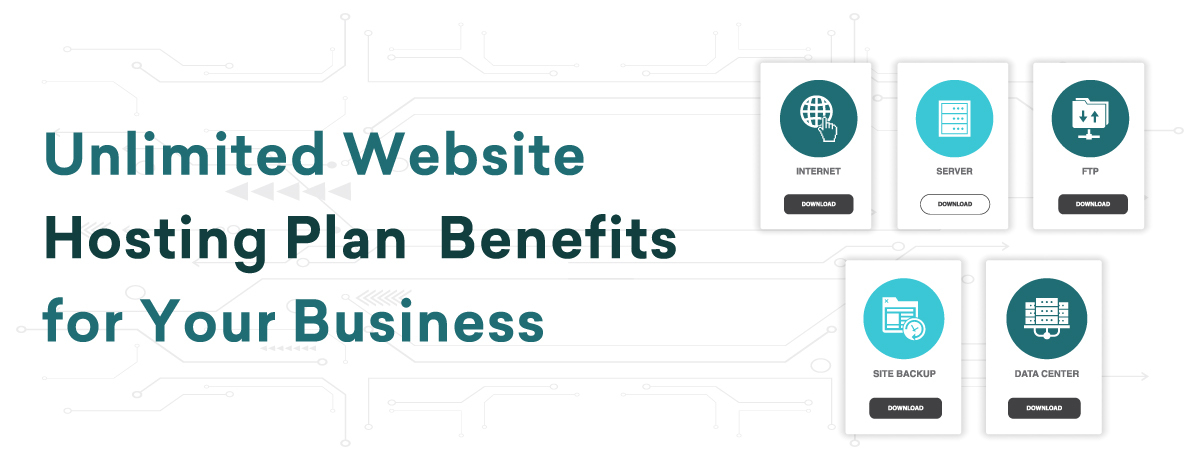
    Unlimited Website Hosting Plan | Benefits for Your Business

    An unlimited website hosting plan is a type of hosting service that allows businesses to run their websites without worrying about limitations on certain resources. It is commonly marketed as offering “unlimited” bandwidth, storage, or domains, meaning users can use as many resources as they need, within reasonable limits. This type of hosting is especially appealing to businesses that expect their website to grow, need flexibility, and don’t want to be bogged down by restrictions.

    Key Features of Unlimited Website Hosting Plans

    Here are some of the typical features offered in an unlimited website hosting plan:

    Unlimited Bandwidth: Bandwidth refers to the amount of data transferred between your website and its visitors. When a visitor opens your website or downloads a file from it, data is transferred. Traditional hosting limits how much bandwidth you can use, and if your website experiences a traffic surge, it can slow down or crash. An unlimited plan offers flexibility in handling traffic spikes, so your website can handle more visitors without additional costs.

    Unlimited Storage: With unlimited storage, businesses can host as much content as they need, including files, images, videos, and more. This is particularly helpful for businesses that run e-commerce stores or content-heavy websites, where they need to store large volumes of product images, customer data, and files. However, it’s important to note that “unlimited” doesn’t always mean infinite. The hosting provider might expect users to operate within normal usage patterns and avoid storing non-essential data like backups or massive media libraries.

    Unlimited Domains: An unlimited website hosting plan often allows you to host multiple websites under one account. This is ideal for businesses that operate more than one website, or those who plan to launch new projects or subdomains in the future. You can manage all your websites from one hosting account, saving costs and simplifying management.

    Unlimited Email Accounts: Many unlimited website hosting plans also include unlimited email accounts, meaning you can set up email addresses for your team members, using your business domain name. This helps make your business look professional and gives you flexibility as your team grows.

    Unlimited Databases: Most websites rely on databases to store and manage data. For example, if you run a WordPress site or an e-commerce store, you’ll need databases to store content, customer information, and transactions. With unlimited databases, you have the freedom to create as many databases as necessary to support your different projects and websites.

    How Unlimited Website Hosting Plans Benefit Your Business

    An unlimited website hosting plan can offer several advantages for your business:

    Cost-Efficiency: Small businesses and startups often have to watch their budget closely, especially when it comes to hosting costs. An unlimited hosting plan can help keep costs predictable and manageable because you don’t have to worry about overage charges or upgrading plans when you exceed certain limits. This is especially useful as your business and website grow, and you need more resources.

    Scalability: Businesses need to grow, and so do their websites. As you add new products, content, or services to your site, the demand for your hosting resources increases. With an unlimited hosting plan, you don’t have to keep switching plans to accommodate growth. The unlimited bandwidth, storage, and domains ensure you can scale your website without running into technical barriers.

    Simplified Management: Managing multiple websites under one hosting account simplifies administrative tasks. You don’t have to juggle multiple hosting plans or accounts. Everything is centralized, making it easier to manage updates, billing, and website performance in one place. This simplicity can free up time for your team to focus on other aspects of your business.

    Better User Experience: With unlimited bandwidth, your website can handle high traffic without slowing down. This ensures that your users have a smooth experience, even during peak times. A fast, reliable website enhances the customer experience, which can lead to increased sales, customer satisfaction, and positive reviews for your business.

    Professional Email and Branding: Unlimited email accounts give your team the ability to use professional email addresses tied to your domain name. For example, instead of using a generic email address like [email protected], you can use [email protected]. This looks more professional and builds trust with customers.

    Flexibility for Future Growth: With the ability to host multiple domains, create unlimited email accounts, and store more data, an unlimited website hosting plan gives your business the flexibility to grow without needing to make frequent upgrades. As your business expands and you launch new projects or websites, an unlimited website hosting plan can accommodate these changes without added costs or complexity.


    Conclusion

    The most affordable Next-Generation Web Application Firewall is revolutionizing web security by providing cutting-edge features at a price point accessible to businesses of all sizes. With a combination of AI-driven threat detection, real-time monitoring, bot protection, and customizable security policies, these firewalls offer robust protection without compromising performance. As cyber threats continue to evolve, adopting an affordable next-gen WAF is an investment in the longevity and security of your web applications.

  • Most Affordable Next-generation Web Application Firewall

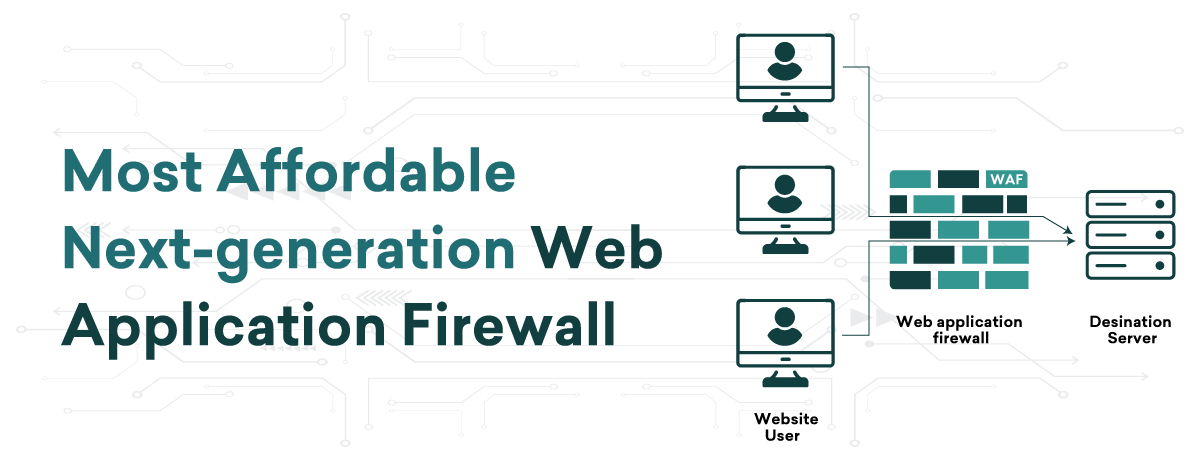
    Most Affordable Next-generation Web Application Firewall

    Web security is now essential in the increasingly digital world we live in. It is not a luxury. Cybercriminals constantly target web applications, posing a threat to businesses of all kinds. A strong security solution is necessary to reduce these threats, and one of the best tools for the job is the Next-Generation Web Application Firewall (WAF). Its sophisticated protective features make it unique, but many businesses are now selling similar firewalls for a reasonable price, opening it up to a larger market. With its cutting-edge security capabilities and cost combination, the next-generation WAF is an essential tool for companies looking to protect their digital assets without going over budget.

    What Is a Next-Generation Web Application Firewall?

    A Next-Generation Web Application Firewall is an enhanced version of traditional WAFs, designed to provide more comprehensive and sophisticated protection against modern cyber threats. Traditional WAFs typically focus on basic filtering, monitoring, and blocking of HTTP requests based on predefined rules. While effective to a certain extent, they cannot adapt to more complex and evolving security threats.

    The next-gen WAF is built to handle modern-day attacks, including Zero-Day threats, botnet attacks, and advanced persistent threats (APTs). These firewalls use cutting-edge technology such as machine learning (ML), behavioral analytics, and threat intelligence to proactively defend web applications. Their ability to detect, respond to, and even predict threats offers a significant improvement over legacy firewalls, providing businesses with much-needed security in today’s cyber landscape.

    Key Features of Next-Generation WAFs

    Machine Learning and AI-Powered Analytics
    One of the standout features of the next-gen Web Application Firewall is the integration of machine learning and artificial intelligence. These technologies enable the firewall to learn from patterns, predict emerging threats, and offer real-time response capabilities. Instead of relying solely on predefined rules, AI-based WAFs continuously evolve based on the behavior of traffic across multiple web applications, ensuring that the firewall stays updated with the latest threat vectors.

    Real-Time Threat Detection
    Next-gen WAFs are designed to detect and respond to cyber threats in real time. Unlike traditional WAFs that require manual updates for new rules and patterns, these modern firewalls utilize threat intelligence from various sources to immediately recognize new and evolving attacks. This capability significantly reduces the time window during which an attacker can exploit a vulnerability.

    Bot Protection
    A growing number of attacks come from automated bots, whether they are trying to brute force login credentials or scrape sensitive data. Next-gen WAFs provide bot management that detects and blocks malicious bots while allowing legitimate traffic from good bots, such as search engine crawlers.

    Comprehensive Application Layer Security
    The application layer is often where attackers target vulnerabilities, making it crucial for firewalls to protect this layer. Next-gen Web Application Firewall offers Layer 7 security, ensuring the protection of web applications, APIs, and microservices against SQL injections, cross-site scripting (XSS), and other application-layer attacks.

    Cloud Integration and Scalability
    Modern businesses often have web applications spread across different environments, including cloud infrastructures. Next-gen WAFs are designed to integrate seamlessly with cloud services, allowing businesses to deploy scalable security solutions across multi-cloud and hybrid environments without any performance degradation.

    Customizable Security Policies
    Businesses need flexible security policies tailored to their unique needs. Next-gen Web Application Firewall provides highly customizable settings, allowing administrators to define specific rules, create white and black lists, and fine-tune their firewalls to meet the demands of different applications and traffic flows.

    Benefits of Affordable Next-Generation Web Application Firewall

    Cost-Effective Protection
    Traditionally, advanced security solutions were cost-prohibitive for small and medium-sized businesses (SMBs). However, with the rise of affordable next-gen WAFs, companies can now access top-tier protection at a fraction of the cost. These firewalls offer subscription-based pricing models, meaning companies can avoid large upfront costs and only pay for the services they need.

    Proactive Threat Management
    One of the primary advantages of a next-gen Web Application Firewall is its proactive nature. Traditional firewalls are reactive, meaning they often only block known threats based on signature patterns. The next-gen WAF takes a step further by using behavioral analysis and threat intelligence to proactively detect and mitigate risks before they become full-blown attacks.

    Enhanced Performance
    Despite being more affordable, these Web Application Firewalls do not compromise on performance. With features like load balancing, caching, and minimization of latency, affordable next-gen WAFs ensure that the web application’s speed and performance are not affected, providing a seamless user experience while maintaining security.

    Reduced Complexity and Easy Deployment
    Affordable next-gen Web Application Firewall is designed for ease of use. They can be deployed quickly across a variety of environments, including on-premises, cloud, and hybrid infrastructures. With automated configurations and intuitive dashboards, even businesses with limited IT resources can manage and monitor their security systems with ease.

    Compliance and Reporting
    Cybersecurity regulations like GDPR, HIPAA, and PCI-DSS demand that businesses secure their data and demonstrate compliance. Next-gen Web Application Firewall provides detailed reporting, logs, and auditing features that help businesses stay compliant with industry regulations while ensuring their customers’ data is safe.

    Conclusion

    The most affordable Next-Generation Web Application Firewall is revolutionizing web security by providing cutting-edge features at a price point accessible to businesses of all sizes. With a combination of AI-driven threat detection, real-time monitoring, bot protection, and customizable security policies, these firewalls offer robust protection without compromising performance. As cyber threats continue to evolve, adopting an affordable next-gen WAF is an investment in the longevity and security of your web applications.