Tag: hosting

  • Unmanaged VPS: You control your own VPS hosting for full server control.

    Unmanaged VPS: You control your own VPS hosting for full server control.

    Unmanaged VPS:

    When Shared Hosting Isn’t Enough: An Introduction

    At some point, any website owner, developer, or business that is growing will hit a wall. When you use shared hosting, everything are slow, limited, and you feel like you can’t do anything. You want more control, more options, and the opportunity to set up your server exactly way you want it, yet managed hosting sounds too expensive or limited.

    This is where unmanaged VPS hosting comes in.

    You can fully control an unmanaged VPS, get the finest performance, and have complete freedom—all without having to pay for managed services. We’ll talk about unmanaged VPSs in this post, including what they are, who they are for, how they work, and why many developers and businesses would prefer have a self-managed VPS hosting setup than a standard one.

    What does it mean to have a VPS that you don’t manage? 

    With an unmanaged VPS (Virtual Private Server), you get a virtual server with its own resources, but you have to take care of everything yourself.

    This includes:

    • Setting up the server
    • Putting software on
    • Setting up security
    • Updates and maintenance
    • Making things work better

    The hosting business gives you the basic VPS server, which has the CPU, RAM, storage, and network. You have the rest to do.

    Look at it this way:

    • When you share hosting, it’s like renting a place with furniture.
    • Managed VPS is like renting an apartment with maintenance included.
    • With unmanaged VPS, you own the keys and are in charge of everything.
    • You have the most freedom, but you are also completely responsible.

    How VPS Hosting Works by Itself?

    With a self-managed VPS hosting plan, your provider gives you the following:

    • A virtual server in action
    • Access as an administrator or root
    • You can pick either Linux or Windows as your OS.
    • Set aside resources

    After that, you:

    • Set up your server stack with tools like Apache or Nginx, PHP, MySQL, and others.
    • Set up firewalls and security rules
    • Make apps or web pages
    • Check on uptime and performance
    • Make sure to back up and update.

    This setup is great for folks who want to have complete control with no limits.

    Who Should Use an Unmanaged VPS?

    Unmanaged VPS hosting isn’t for everyone, but if it’s perfect for you, it’s a good and economical choice.

    • Best Fit For
    • Programmers and developers
    • People who run systems
    • DevOps teams
    • SaaS for startups

    Business owners who are very tech-savvy

    Companies that handle more than one project at a time

    If you know how to set up servers, use SSH, and command-line tools, an unmanaged VPS is a great choice.

    The best things about unmanaged VPS hosting:

    1. You have full access to the server’s root and can control it.

    You are in command of everything that happens on the server:

    • Install any software
    • Make your own rules for security.
    • Make a big difference in performance
    • One of the best things about a basic VPS server is this.

    2. Not as expensive as a managed VPS

    Because the provider doesn’t do maintenance:

    • Hosting prices are substantially lower.
    • You only have to pay for hardware.
    • No fees for management

    If you know what you’re doing, unmanaged VPS is a wonderful price.

    3. High performance with dedicated resources

    Not like shared hosting:

    • You can be sure of the CPU, RAM, and storage.
    • Don’t take things from your neighbours.
    • More steady when carrying a load
    • Good for apps that need to work quickly.

    4. Full Customisation

    With an unmanaged VPS, you can:

    • Choose your control panel and operating system.
    • Make your own server stacks
    • Run your own services and scripts
    • Managed solutions can’t be this flexible.

    5. Better chance of growing

    Most unmanaged VPS plans let you:

    • It’s easy to add more resources.
    • Scaling up when more people visit
    • Moving to servers that are only for you

    This is why self-managed VPS hosting is great for expansion over time.

    A quick look at unmanaged VPS and managed VPSVPS that isn’t managed VPS that is managed.

    Root Access: Full or Limited CostLower Higher Server MaintenanceYou handle the modification, while the provider handles the rest.Unlimited and limited hardware/network support for servers

    If control is more important than convenience, unmanaged VPS wins.

    How to Set Up a VPS Without Management in Steps

    Step 1: Choose the Right VPS Plan

    Consider:

    • Cores of the CPU
    • RAM (at least 2GB is recommended)
    • Storage on NVMe or SSD
    • Bandwidth

    Step 2: Pick an OS

    Some well-known choices are:

    • It is easy to use Ubuntu and there is a lot of help available.
    • Debian is stable and light.
    • Businesses can count on CentOS and AlmaLinux to work.

    Step 3: Keep Your Server Safe

    Important things to do to stay safe:

    • Change the SSH port that is set by default
    • Optional: Disable root login
    • Install a firewall, such UFW or iptables.
    • Install fail2ban on your computer.

    A VPS server that isn’t set up yet needs a lot of protection.

    Step 4: Set up the stack on your server

    It depends on how you want to use it:

    • Web server (Apache or Nginx)
    • Database (PostgreSQL or MySQL)
    • Python, PHP, and Node.js at runtime

    Step 5: Watch over and take care of

    Use tools like these:

    • Netdata
    • htop
    • Looking at logs
    • Scheduled backups

    This keeps things stable for a long period.

    Why developers enjoy unmanaged VPS, a real-world example

    A web company that ran more than 20 customer websites had problems with the constraints of shared hosting. After moving to an unmanaged VPS:

    • The server’s response time dropped by 55%.
    • The monthly costs of hosting went reduced.
    • There are now custom rules for caching and security.
    • Customers were more satisfied.

    This is why a lot of professionals prefer VPS hosting that they handle themselves.

    Things You Shouldn’t Do with a VPS That Isn’t Managed

    • Not paying attention to making security stronger
    • Not producing copies
    • Putting too much pressure on server resources
    • Not keeping track of updates
    • Choosing an unmanaged VPS when you don’t know how to use it

    You can do a lot with unmanaged VPS, but only if you know how to use it.

    Why unmanaged VPS hosting is important

    Unmanaged VPS hosting is important since it:

    • Encourages full control over technology
    • Reduces the cost of hosting
    • Allows for a lot of performance optimisation
    • Lets you make custom apps

    Grows with the company

    It’s one of the greatest hosting alternatives out there for folks who know what they’re doing.

    Questions that people ask a lot (FAQs)

    1. What does it mean to have a VPS that you don’t manage?

    You set up, secure, and keep an unmanaged VPS up to date on your own.

    2. Is unmanaged VPS a good choice for people who are new to it?

    Only if you know how to run a server. Managed VPS is safer, though.

    3. Is it safe to use a VPS server without any extras?

    Yes, but how safe it is depends on how well you set it up and maintain it up.

    4. Can you host websites on a VPS that isn’t managed?

    Yes, of course. It works well with WordPress, custom apps, APIs, and SaaS platforms.

    5. What are the benefits of an unmanaged VPS over a managed VPS?

    For a lower price, full customisation, and full access to the root.

    To sum up

    If you want full control over your server, an unmanaged VPS is the best option. You need to know a little bit about technology, but the benefits are better performance, more options, and cheaper expenses.

    With self-managed VPS hosting, you can build your hosting environment precisely how you want it, so you have full control over it.

    Call to Action (CTA) 

    Do you want to be in charge of your own server?

    Look at our unmanaged VPS hosting services and set up a powerful, adaptable server environment right now.

    Need more expert help with VPS, servers, and hosting?

    Sign up for our blog to get the latest news on hosting technology.
  • n8n VPS Hosting for Secure Self-Hosted Workflow Automation

    n8n VPS Hosting for Secure Self-Hosted Workflow Automation

    Why it’s crucial to keep process automation safe and under control:

    Automation is quite vital for businesses these days. By syncing customer data, sending emails, keeping APIs up to date, and executing backend tasks, automation saves time and lowers the risk of making mistakes. But a lot of teams have problems using automation tools from other organisations since they aren’t safe, can’t be changed, and cost too much.

    This is where n8n VPS hosting comes in

    Running n8n on your own server is the ideal method to have full control over your operations, keep your data safe, run as many automations as you like, and make things work better. If you host n8n on your own VPS, you don’t have to worry about the constraints of SaaS anymore. You own both the data and the infrastructure.

    This article will explain what n8n VPS hosting is, how it works, why it’s important, and how businesses use it to build secure workflow automation systems that can grow with their demands.

    What is VPS Hosting for n8n?

    You can install and execute the n8n automation platform on a Virtual Private Server (VPS) instead of using a hosted SaaS version. This is called n8n VPS hosting.

    n8n is a free program that lets you automate tasks. Here are some things you can do with it:

    • Links APIs
    • Let chores happen by themselves
    • Make difficult activities look easy
    • Control how data moves between apps

    You receive the following with a self-hosted n8n VPS:

    Things you need to have your own server

    • Full access to the root
    • Full access to data
    • Settings that are exclusive for you

    Think about it this way in your mind:

    • It’s like renting an apartment to use SaaS automation technologies.
    • Having your own home is like having n8n VPS hosting.

    Why would you choose to use a self-hosted n8n VPS instead of a cloud-based SaaS product?

    Many companies start out with hosted automation systems, but they run into challenges very fast.

    Problems with SaaS automation platforms:

    • Costs that are high every month
    • A lot of people didn’t die.
    • Locked in with a buyer
    • Concerns concerning privacy of data
    • Not a lot of options for personalisation

    What makes n8n VPS hosting better:

    • Workflows that never end
    • No expenses for each time you do it
    • You are in command of all the links.
    • More safety and following the regulations
    • Fulfils your demands

    That’s why developers, agencies, and business owners use VPS to build n8n workflow automation servers.

    What You Need to Know About Hosting n8n VPS

    1. You own all of your data.

    No one else can see the data on how your server works.

    2. Put money aside

    Automation needs to work right if the CPU, RAM, and storage aren’t shared.

    3. Changing the settings for security

    Setting up private networks, firewalls, SSL, and VPNs is simple.

    4. The ability to grow

    As the amount of work that has to be done by automation rises, you can always add more resources.

    5. Workflows that go on forever

    You can run as many times as you like.

    Setting Up n8n VPS Hosting

    Step 1: Choose the Best VPS Plan

    Minimum criteria that are suggested:

    • 2 GB of RAM for easy tasks
    • 4 to 8 GB of RAM for employment in manufacturing
    • Storage on an SSD
    • The operating system is Linux.

    If you set up your n8n VPS hosting correctly, everything will work fine.

    Step 2: Pick a Linux Distribution

    Some people that have their own n8n VPS use:

    • Ubuntu (the best choice)
    • Debian is safe and light.

    Step 3: Install Docker (This is a good idea)

    Installing and updating n8n is simple with Docker.

    Pros:

    • It’s easier to set up
    • You can easily handle different versions
    • More space to clean

    Step 4: Get n8n running on the VPS

    This is how you can install it:

    • Compose for Docker
    • npm
    • Installing in binary

    In the actual world, Docker is the ideal way to host n8n VPS.

    Step 5: Make sure your n8n Workflow Automation Server is safe.

    Important things to do to keep safe:

    • Start the firewall
    • Use HTTPS (SSL)
    • Authentication will keep n8n safe.
    • Give SSH access only to specified people
    • Make a plan on what to do if things go wrong.

    One of the main reasons businesses choose n8n VPS hosting is because it is safe.

    How n8n VPS Works in the Real World

    SaaS automation tools let a digital marketing organization do these things:

    Things that didn’t go well for them:

    • Limits on how to do
    • High monthly bills
    • Data kept outside

    When you switch to n8n VPS hosting:

    • The price of automation dropped by 70%.
    • You can have as many workflows as you need.
    • The information about clients is still private.
    • Things got best when they were the busiest.

    This real-life example shows how useful a self-hosted n8n VPS can be.

    1. Automation that doesn’t cost much

    A VPS can do the tasks of more than one SaaS subscription.

    2. Better Performance

    Dedicated resources handle heavy automation loads.

    3. The most freedom

    You can adjust triggers, integrations, and workflows in any way you choose.

    4. Following the rules and having good safety

    Good for organisations and places where GDPR is really crucial.

    5. Good for programmers and companies

    You can have more than one automation project running on the same server at the same time.

    People who need a lot of automation will love these features of n8n VPS hosting.

    Who Should Get n8n VPS Hosting?

    n8n VPS hosting is a wonderful choice for:

    • People who write code
    • Businesses who are new to SaaS
    • businesses that do services for other businesses without being asked
    • People that work with data
    • Companies that value privacy

    If you automate a lot of your business, n8n workflow automation server installations will provide you control for a long time.

    Things You Shouldn’t Do with a VPS

    • Not picking enough RAM
    • Not making copies
    • If SSL isn’t working,
    • Not watching how much work the server is doing
    • Putting n8n out there without needing to log in

    Your n8n VPS hosting will be safe and reliable if you stay away from these things.

    What businesses need n8n VPS Hosting for right now

    You have to automate now if you want to stay ahead of the game.

    Here are some of the benefits that n8n VPS hosting might provide businesses:

    • Faster workflows
    • More dependable
    • Not as much money
    • Control over data
    • Ability to grow larger

    A self-hosted n8n VPS is a good long-term choice as the requirement for automation rises.

    Frequently asked questions (FAQs)

    1. What does it mean to run n8n on a VPS?

    It runs n8n on a virtual private server (VPS) that has its own resources and is in charge of everything.

    2. Is it safe to use n8n on a VPS?

    Yes. If you set up the correct firewall rules, SSL, and authentication, it is very safe.

    3. How much RAM does n8n need to run on a VPS?

    To do simple things, you need 2 GB of RAM.

    4 GB of RAM for everyday use

    To accomplish a lot of automation, you need at least 8 GB of RAM.

    4. Can you operate more than one workflow on the same n8n VPS?

    Yes, a n8n workflow automation server can handle multiple projects or processes at once.

    5. Is there managed VPS hosting for n8n?

    Yes, managed plans handle upgrades, security, and monitoring for you.

    In short,

    n8n VPS hosting is the greatest option for automation because it is the most versatile, safe, and cheap. You can make complicated procedures with a self-hosted n8n VPS without using SaaS solutions.

    More and more firms, both big and little, are using n8n workflow automation server installations as their major means to automate things in today’s market.

    Call to Action (CTA)

    Are you ready to deploy safe automation that can grow?

    Check out our n8n VPS hosting plans right now and take control of how you run your business.

    Do you need more help from professionals with VPS hosting and automation?

    Sign up for our blog to stay ahead in a future where automation is king.

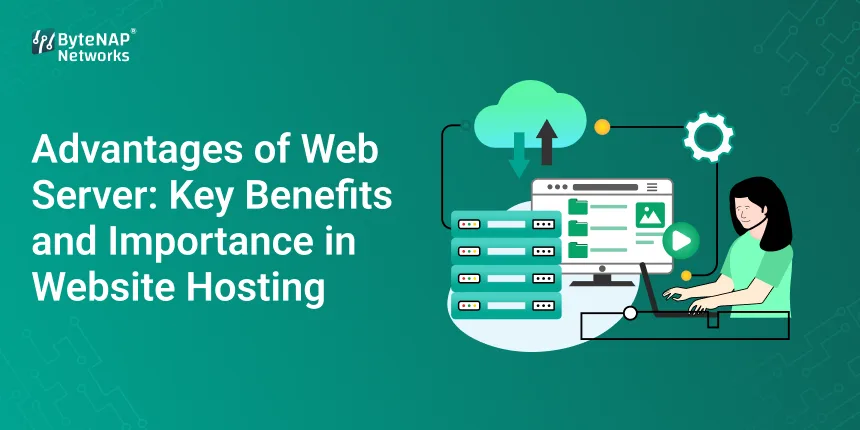
  • Advantages of Web Server: Key Benefits and Importance in Website Hosting

    Advantages of Web Server: Key Benefits and Importance in Website Hosting

    Advantages of Web Server:

    Main Benefits of Web Servers and Why They Are Important for Web Hosting

    Have you ever wondered why a website loads so rapidly when you type its address into your browser?
    A web server does most of the work that makes a website work.

    If you know what a web server can accomplish for you, you can confidently make your personal blog, eCommerce business, or company website bigger, faster, and better hosting choices. This blog will explain what web servers are, why they are vital, and how they host current websites.

    Let’s break everything down into simple terms.

    Let’s start by talking about web servers. (A brief and simple explanation)

    Web servers are the hardware and software that store, process, and deliver information from websites to users over the internet.

    When someone goes to your website:

    • Their browser submits a request.
    • It goes to the server on the web.
    • After that, the server transmits the requested webpage back.

    You wouldn’t be able to get to websites online without a web server.

    Why people use web servers to host websites

    Renting space on a web server is what website hosting is all about. Your website will be:

    • Always there
    • Quick and honest
    • Safe and reliable

    Anyone who wants to be online needs to know how web servers work to host websites.

    A Full List of Web Server Benefits

    Let’s talk about the main reasons why you need a web server to host websites and what they are.

    1. Reliable access to the website (always there)

    One of the best things about a web server is that it is always there.

    The significance of

    You may always look at your website.
    Customers can always get to your stuff.
    If you set up your servers correctly, they won’t go down as often.

    For example, an online store with a reliable web server might take orders while the owner is asleep.

    2. The website loads and runs faster

    It’s crucial to answer fast.

    People set up web servers to do the following:

    • Answer a number of questions at the same time.
    • Give out things with minimum effort
    • Speed up the loading of pages

    Good things

    A better experience for people that utilise it
    Less bouncing around
    Higher rankings in search engines

    One of the best benefits about using a web server is that Google and other search engines award websites that load quickly a higher position.

    3. Websites and data are safer

    In today’s digital environment, it’s not safe to put security at risk.

    You can do the following with modern web servers:

    • Using TLS/SSL for encryption
    • Protection from firewalls
    • Check for safety
    • Protection from DDoS and virus attacks

    Web servers are incredibly vital for keeping things safe:

    • Information about the customer
    • Information about the login
    • Information about payment

    A secure web server protects your business’s name and fosters confidence.

    4. Effectively Managing Several Users

    Web servers are built to handle a lot of users at once without any difficulties.

    How this is helpful

    Simple to use when things are busy
    Good for company websites, blogs, and online retailers
    guarantees that access will always be possible, even when there is a lot of ad or viral traffic.

    People go to news websites more often when there is breaking news. A good web server will make sure that the site is constantly up and functioning.

    5. Websites that let you keep track of all your resources in one place

    The important place to watch is web servers:

    • Files for the Internet
    • Database
    • What the news says
    • Apps and scripts

    This unified management makes things easier:

    • Updates and backups
    • Taking care of
    • Looking at

    It’s one of the most crucial benefits of web servers, although few people know about it.

    6. Scalable websites should be able to grow

    Your server can grow as your website does.

    Web servers make it possible for:

    This potential to grow is highly crucial for new firms and those who are already growing.

    7. Help with Different Technologies and Platforms

    Web servers can work with a multitude of different technologies, such as:

    • JavaScript, CSS, and HTML
    • Node.js, PHP, and Python
    • PostgreSQL and MySQL

    Some CMS systems are Drupal, Joomla, and WordPress.

    Web servers are quite adaptable, thus they may be used for almost any kind of website.

    8. Better SEO and being easier to find in search engines

    A well-configured web server has a direct impact on SEO by:

    • Getting the website to load faster
    • Less time spent down
    • Backing up HTTPS
    • Taking redirection into consideration the right way

    All of these things increase your rankings and visibility.

    Web servers are vital for more than just hosting websites; they also make it easier to find them.

    A Complete Guide on Running a Web Server

    To assist newcomers comprehend better, think of this simple flow:

    • The person types in the address of a website.
    • The browser sends a request to the web server.
    • The server gives back an answer.
    • We have received the files that were requested.
    • The server gives the answer to the browser.
    • The website appears on the user’s screen.

    It’s simple to use, but very strong.

    A Real-Life Example: A Working Web Server

    Imagine a small business making its first website.

    At first, shared hosting works well because there isn’t much traffic. As marketing activities get bigger:

    • More individuals are going to websites.
    • Loading times are slow.
    • Sometimes there is downtime.

    Switching to a better web server setup:

    • makes things go faster.
    • makes things more secure.
    • helps things get bigger.

    This modification makes it evident how important and useful it is to use a web server the right way.

    A Quick Look at the Different Kinds of Web Servers

    There are many things that different web servers can do:

    1. Apache Web Server: Popular and adaptable.
    2. Nginx: fast and able to grow.
    3. Microsoft IIS: The best choice for Windows programs.
    4. LiteSpeed: Made to be as quick and useful as possible.

    Each one has its own pros and cons, depending on where it is hosted.

    You need web servers to host websites

    To sum up their importance:

    • Let websites be on the internet
    • Make sure speed, safety, and stability
    • Encourage growth and the chance to grow even more
    • Improve the user experience and SEO
    • Create a system for managing and controlling everything from one place.

    Web servers are what make modern internet experiences possible.

    Things You Shouldn’t Do Wrong When Using Web Servers

    • Choosing the cheapest server without thinking about how effectively it performs
    • not paying attention to the settings for security
    • Not keeping track of how long the server has been up
    • Not paying attention to regular updates
    • putting too much stress on servers that are shared

    You can get the most out of your web server if you don’t make these blunders.

    Questions and Answers (FAQs)

    What are the main advantages of having a web server?

    Some of the key benefits are centralised website management, scalability, security, speed, and stability.

    What does a web server do for a website?

    A web server is needed to connect to the internet since it stores, processes, and sends out website content.

    Do you need a web server to host a website?

    No, a web server is essential for any website to be able to be visited online.

    What can a web server do to help a website work better?

    by managing resources well, optimising content delivery, and responding to demand.

    Are web servers safe to use?

    Yes, but only if the firewalls, security updates, and encryption are set up correctly.

    Final thoughts

    Understanding how websites work will be easier if you know what web servers do. Web servers are the most critical part of reliable website hosting. They take care of everything, from SEO and scalability to security and performance.

    The way you set up your web server can have a huge impact on how easy it is to make a new website or improve an old one.

    Call to Action (CTA)

    Are you ready to make your website more useful and trustworthy?
    Learn about trustworthy web hosting services that work with web servers that have already been set up for the best performance.

    Would you like more tips on how to improve the performance of servers, hosting, and websites?
    Sign up for our blog to get the latest stories from the digital world.

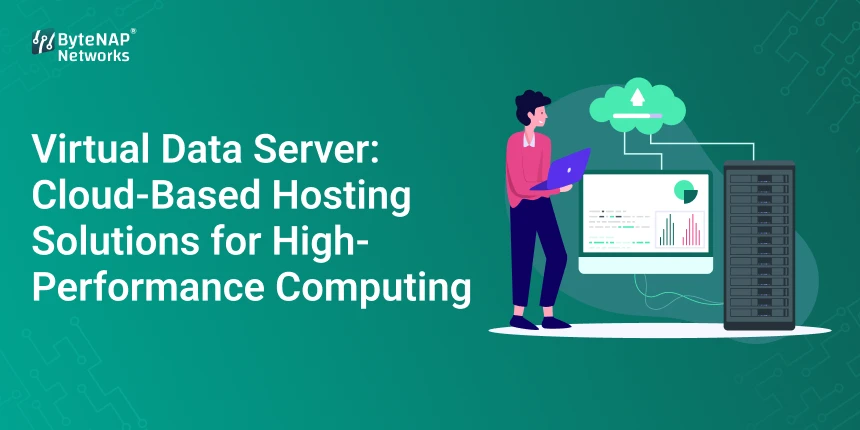
  • Virtual Data Server: Cloud-Based Hosting Solutions for High-Performance Computing

    Virtual Data Server: Cloud-Based Hosting Solutions for High-Performance Computing

    Virtual Data Server: 

    An Introduction to Why Traditional Servers Aren’t Enough Anymore

    In a world where digital comes first, businesses are creating more data than ever before. AI workloads, big data analytics, and complicated web apps are hard for traditional servers to handle. They are hard to grow, can cause issues, and usually cost a lot of money to start.

    The Virtual Data Server (VDS) is a cloud-based service that is fast, flexible, and can grow with your needs. A cloud-based virtual data server can affect how you store and work with data if you run programs that need a lot of resources or host a lot of virtual environments.

    This guide will teach you everything you need to know about hosting a virtual data server, including what it is, how it works, why it’s important, and how to choose the best one for your organisation.

    What is the job of a virtual data server? 

    A Virtual Data Server (VDS) is a cloud-based virtual machine that works like a dedicated server but doesn’t have the same hardware restrictions. A virtual data server is not the same as shared hosting or ordinary servers because it lets you:

    Dedicated resources: CPU, RAM, storage, and bandwidth that are only for you

    With complete root access, you may install apps, alter their settings, and keep them safe.

    Scalability means that you can add or take away resources depending on how much work you have to complete.

    It’s like having your own cloud server that can do really hard things really well.

    How a Virtual Data Server Works

    Virtual data servers employ virtualisation technology to make real servers into many different virtual settings. This is an easy method to do things:

    • A cloud data centre has a real server that runs a lot of virtual computers.
    • Every virtual computer has its own resources and runs on its own.
    • Since the VDS is connected to the internet, you can utilise your apps or websites.
    • Your server is safe for people and apps to connect to.

    This architecture makes sure that the system is constantly available, separate, and works the same way every time. This is exactly what modern enterprises require.

    Things You Should Know About Virtual Data Servers

    • Resources set aside for apps that need a lot of power to work.
    • You have full root access, so you can set up and control everything.
    • It can handle additional work as it comes in since it can grow easily.
    • Cloud-based architecture for reliability and getting back on track after disasters
    • Your security is better if you have a firewall, a VPN, and choices for encryption.

    How to Make a Virtual Data Server

    Step 1: Choose a company that sells virtual data servers.

    Look for businesses that offer:

    • VDS systems that are stored in the cloud
    • Plans for prices that might go up or down
    • You can get technical help at any time of day or night.

    Step 2: Pick the Server Specs

    Choose:

    • CPU Cores
    • Memory
    • Storage (SSD or NVMe for speed)
    • Bandwidth needs

    Step 3: Choose an OS

    Some of the most popular operating systems for VDS hosting are

    • Ubuntu, CentOS, and Debian are all Linux distributions.
    • Different versions of Windows Server

    Step 4: Choose the security settings

    Activate the firewalls.

    • Set up VPN access if you require it.
    • Your connections will be safe with SSL/TLS.

    Step 5: Make Your Apps Available

    Get the software and resources you need to do your job.

    Put your databases, websites, or apps online.

    Make sure the test server is connected and fast.

    Step 6: Look and Get Bigger

    Check how much CPU, RAM, and bandwidth your machine is consuming with monitoring tools.

    Change the number of resources you have dependent on how many people require them.

    The Benefits of a Virtual Data Server

    1. Works well with a lot of work

    VDS gives you a dedicated CPU and RAM, which keeps apps running smoothly even when there is a lot of traffic or they need a lot of resources.

    2. Less expensive than real servers

    You don’t have to pay for hardware right away. You just pay for what you use, and you can get extra resources whenever you need them.

    3. Complete control and freedom

    When businesses have full root access, they may install their own software, set their own settings, and handle security in the way that works best for them.

    4. On-Demand Scalability

    You may add more resources to your app, website, or database without having to take it down.

    5. More safety

    In segregated virtual areas, tenants are less likely to attack each other. Some further security methods that keep data safe are firewalls, VPNs, and encryption.

    6. Backup and trustworthiness in the cloud

    Many cloud-based virtual data servers have more than one backup and failover mechanism to make sure their servers are continuously operational.

    How people use virtual data servers in their daily lives

    1. Websites for shopping online

    • During sales, there is a lot of traffic to deal with.
    • Process transactions safely
    • Change the size of resources on the fly

    2. Data and Analysis

    • Use models of AI and ML
    • Do analytics as they happen.
    • Quickly and effectively work with large datasets

    3. SaaS apps

    • Have more than one instance for each customer
    • For safety, make sure that the space surrounding you is separate.
    • Use the right tools to obtain the greatest outcomes.

    4. Tools for working and chatting to persons who are far away

    • Let people use cloud apps and PCs to work together.
    • Keep track of who can see what safely.
    • Add more storage as your teams develop.

    Why a virtual data server is so important

    In the fast-paced digital world of today:

    • Businesses need infrastructure that is dependable and functions properly.
    • Today’s apps might not perform properly with old servers.

    Cloud-based VDS solutions are fantastic for businesses of all sizes since they are safe, provide you control, and can be utilised in a lot of different ways.

    By employing virtual data server hosting, businesses can work faster, save money, and get ready for future growth without having to worry about hardware constraints.

    Frequently asked questions (FAQs)

    1. What kind of server keeps information in a virtual space?

    A virtual data server (VDS) is a cloud-based virtual computer that enables you access the root, gives you dedicated resources, and can manage huge workloads.

    2. What steps do you need to take to set up a virtual data server in the cloud?

    It uses virtualisation to split real servers into several independent virtual machines. Each virtual machine has its own resources and runs its own software.

    3. Who needs a VDS?

    VDS hosting is best for businesses who have busy websites, SaaS apps, AI workloads, big data analytics, or programs that are made just for them.

    4. How is a VDS different from a VPS or a dedicated server?

    VPS: It often shares CPU resources, which makes it less secure.

    • A dedicated server is a whole server that only you have access to and costs more.
    • VDS gives you freedom, dedicated resources, and the ability to grow in the cloud.

    5. Is it safe to utilise a VDS in the cloud?

    Yes, VDS hosting has firewalls, encryption, distinct environments, and backup solutions to protect your data.

    At last

    A Virtual Data Server is a terrific method for businesses to access cloud computing that is fast, flexible, and secure. If you run e-commerce sites, SaaS applications, or big data analytics, a cloud-based virtual data server will keep your workloads operating smoothly, allow them grow without any problems, and keep them safe.

    Call to Action (CTA) 

    Do you want to use cloud hosting to help your business develop quickly?

    Look at our Virtual Data Server hosting options to find out how your apps can run on infrastructure that is safe, fast, and can grow with your demands.

    Want to know which cloud computing, hosting, and server services are the best?

    Sign up for our blog to stay ahead in the digital world.

  • Cheap VPS Server Solutions for Small Business Growth Now

    Cheap VPS Server Solutions for Small Business Growth Now

    You probably already know how hard it is for small businesses to compete with bigger companies online. Limited funds, slow websites, unreliable hosting, and bad performance are all things that can come in the way of your digital success. You want your business to expand, but your website keeps collapsing at the wrong time or loading too slowly for customers to trust you.

    This is where low-cost VPS server options may really help.

    Small businesses don’t have to spend thousands on dedicated servers anymore. Even small businesses can run fast, secure, and scalable websites without spending a lot of money thanks to reasonable and high-performance hosting solutions like cheap Linux VPS, cheap cloud VPS, and managed VPS services.

    This article will tell you all you need to know about cheap VPS servers, including what they are, why they are great for small business growth, how they function, their benefits, real-world examples, and how to choose the best one for your needs.

    What is a VPS server that doesn’t cost much? (An Easy-to-Understand Explanation)

    A VPS, or Virtual Private Server, is a virtualised server that is made by splitting a strong physical server into several separate settings. Each VPS has its own set of resources, such as:

    • The CPU
    • RAM
    • Storage
    • Bandwidth

    A VPS, on the other hand, guarantees performance and security, whereas shared hosting lets several users use the same resources.

    What Makes This VPS Server “Cheap”?

    When we say “cheap,” we don’t mean bad quality; we mean reasonable pricing plans with:

    • Scaling based on resources
    • Using hardware efficiently
    • Technology for virtualisation
    • Features that are not required instead of those that are

    This lets small firms start small and develop without spending too much money up front.

    What Does a VPS Do?

    When you rent an apartment in a big building, you are using VPS hosting.

    • The whole building is a physical server.
    • Every flat is a virtual server.
    • You have your own place, things, and solitude.
    • You can change your environment to fit your needs.

    This makes a cheap VPS server the best option between shared hosting (low cost, low performance) and dedicated hosting (high cost, high performance).

    Why affordable VPS server solutions are important for the growth of small businesses

    Digital speed is what drives small enterprises these days. A website that is slow or doesn’t work can hurt your credibility, destroy conversions, and lower your search rankings.

    Here’s how picking a cheap Linux VPS or cloud VPS might help your business grow:

    1. Faster website loading times

    Your website loads faster since it has its own CPU and RAM.

    More sales and a better user experience come from faster sites.

    2. More safety

    This means that each VPS is separate:

    • No one else has an impact on your surroundings.
    • Better control of the firewall
    • Less exposure to malware

    3. Resources that can grow

    Without having to stop working, upgrade your CPU, RAM, or storage.

    Great for businesses that are growing or have seasonal traffic spikes.

    4. Root Access for Making Changes

    You have full flexibility over installing apps, changing settings, and improving performance.

    5. Affordable

    This is great for anyone on a tight budget because it gives you near-dedicated-server performance at a much lower cost.

    How small businesses may use cheap VPS hosting in real life

    Let’s look at a few real-life examples.

    Example 1: An online store dealing with a lot of traffic at once

    A modest online apparel company that uses shared hosting often goes down during holiday sales.

    After switching to an inexpensive cloud VPS, they liked:

    • Page loads four times faster
    • No downtime during sales
    • More sales since the checkout process was easier

    Example 2: A digital marketing agency that runs more than one website

    An agency that runs more than 30 client sites thought shared hosting was too limiting.

    They got the following by switching to an inexpensive Linux VPS:

    • Better separation of client sites
    • Better SEO performance
    • Centralised management with access to the root

    Example 3: Web apps that help startups grow

    Startups that use CRM, custom software, or SaaS products need things to be stable and fast.

    An inexpensive VPS server lets them:

    • Scale when you need it
    • Keep performance stable
    • Keep costs from going up

    Cheap VPS Hosting Options for Small Businesses

    1. VPS for Linux at a low cost

    • Great for developers, agencies, and anyone that know a lot about technology
    • Quick, stable, and uses few resources
    • Works with PHP, Python, Node.js, databases, and more.
    • Very cheap

    2. Windows VPS at a low cost

    • Works well for enterprises that use .NET, ASP, and MSSQL
    • Interface with graphics
    • Simple access to remote desktops

    3. Cloud VPS for a low price

    Hosted on cloud platforms that offer:

    • Backups that happen automatically
    • Scalability
    • A lot of uptime
    • Quick SSD/NVMe storage

    4. Managed VPS for Cheap

    Great if you’re not tech-savvy:

    • Host takes care of updates
    • Updates to security
    • Watching the server
    • Managing backups

    A Step-by-Step Guide to Picking the Best Cheap VPS Server

    Here is an easy way to do it:

    Step 1: Figure out what resources you need

    Think about this:

    • How many sites do you own?
    • What do you think the traffic will be like?
    • Do you use big programs like WordPress and WooCommerce?

    Start small and add more when you need to.

    Step 2: Pick the Right Operating System

    • Linux VPS is the cheapest and fastest.
    • Windows VPS is for people who use .NET or Remote Desktop.

    Step 3: Search for SSD or NVMe storage

    This makes a big difference:

    • Loading the website
    • How well the database works
    • Taking care of files

    Step 4: Look at the guarantees for bandwidth and uptime

    Pick a provider that offers:

    • 99.9% of the time
    • Limits on high bandwidth
    • Data centres all over the world

    Step 5: Look over the security features

    Look for:

    • Protection against DDoS attacks
    • Firewalls
    • Scanning for malware
    • Backups on a regular basis

    Step 6: Look into customer support

    A cheap VPS server is only useful if the support is good.

    Look for:

    • Help with chat or tickets 24 hours a day, seven days a week
    • Quick response times
    • Staff who are good with technology

    Step 7: Compare prices to features

    The VPS that is best for you is not the cheapest one; it is the one that offers:

    • The ability to grow
    • How well it works
    • Help
    • Safety

    for a fair price.

    More tips for getting the most out of cheap VPS hosting

    Turn on Caching

    To speed things up, use server-level caching.

    Make your database better

    Remove any extra tables, logs, and plugins that you don’t need.

    Use a CDN

    Serve files and photos to customers around the world faster.

    Check the server logs

    Find performance problems early.

    Backups on a regular basis

    Make sure your work is always safe.

    How cheap VPS servers may help your business grow

    Here are some reasons why small businesses are moving to VPS hosting:

    • Low prices and good performance
    • Faster speed means better SEO ranks.
    • Better trust in the brand with stable uptime
    • Ability to deal with more traffic
    • Simple to grow without relocating infrastructure
    • Tools for extensive customisation that you can use
    • More safe than shared hosting

    A cheap VPS server is one of the best things you can do for your business if you want it to develop over time.

    Questions that are often asked (FAQ)

    1. Is an inexpensive VPS server good for business websites?

    Yes. VPS servers give you separate resources, which means your website stays stable and reliable even on cheap rates.

    2. Can I add more features to my VPS later as my business grows?

    Yes, for sure. One of the best things about a VPS is that it can grow with your needs. You can add more RAM, CPU, and storage whenever you need to.

    3. What is the difference between a cheap VPS and shared hosting?

    Many users share resources when they use shared hosting. You get dedicated resources, faster performance, and more control with a VPS.

    4. Do I need to know how to use technology to run a VPS?

    With managed VPS hosting, the provider takes care of all the technical work. You need to know a little bit about computers to use unmanaged VPS.

    5. Is Linux VPS or Windows VPS better for small businesses?

    Linux VPS is less expensive and works best for most websites. If you use .NET or MSSQL, Windows VPS is fantastic.

    Conclusion: Now is the time to get a cheap VPS server to help your business grow.

    A cheap VPS server is no longer a nice-to-have; it’s a must-have for business growth. It gives you speed, security, scalability, and reliability without costing too much. Switching to a cheap Linux VPS or cheap cloud VPS can speed up your business, whether you run a tiny online store, a startup, an agency, or a website with a lot of traffic.

    Call to Action (CTA)

    If you want to build your business with high-performance hosting, look into cheap VPS server solutions that are also reliable. Pick the package that works best for you and improve your website’s speed, security, and potential to grow.

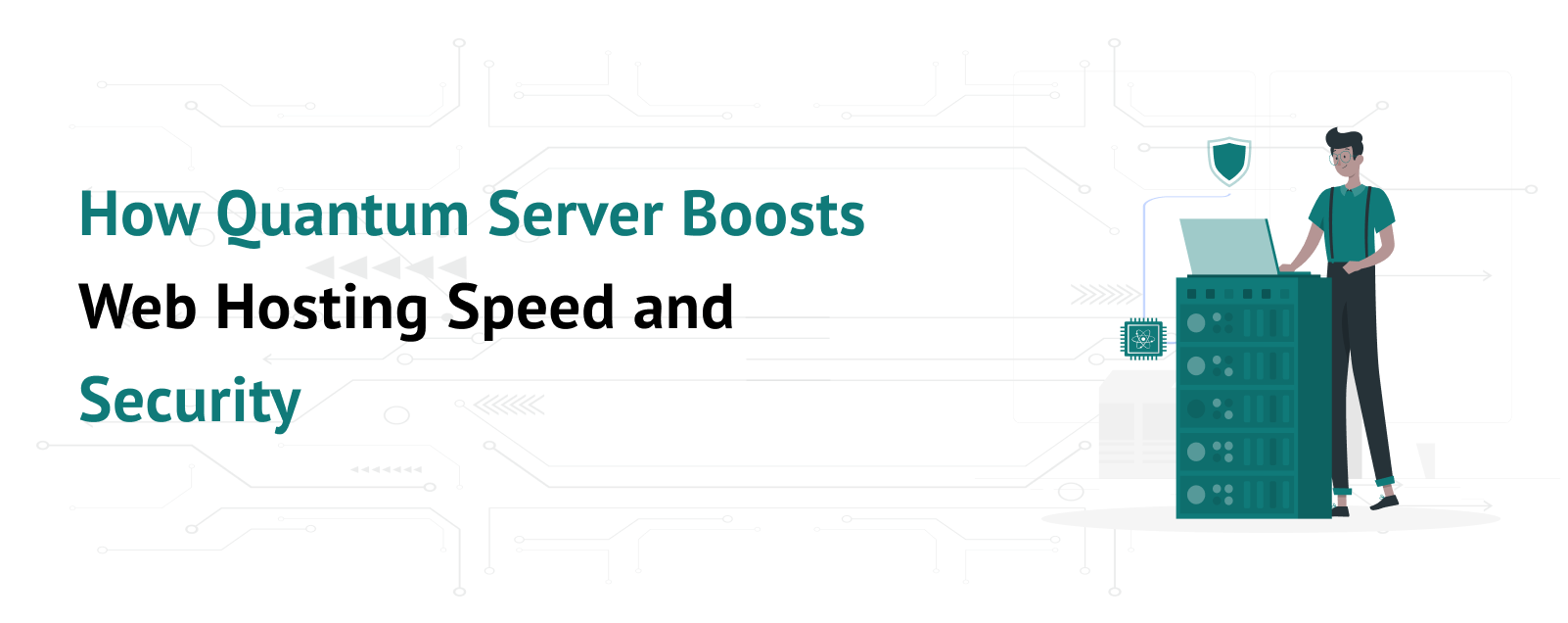
  • How Quantum Server Boosts Web Hosting Speed and Security

    How Quantum Server Boosts Web Hosting Speed and Security

    In today’s digital world, websites need to be fast and secure. A slow website can make visitors leave, while weak security can expose sensitive data to hackers. To solve these problems, the latest Quantum Server technology is changing how web hosting works. These advanced servers use quantum computing to improve both speed and security.

    What is a Quantum Server?

    A Quantum Server is a web hosting server that uses quantum computing technology to process data much faster than traditional servers. Unlike regular computers that use binary bits (0s and 1s), quantum computers use qubits. Qubits can exist in multiple states simultaneously, allowing them to perform complex calculations much faster.

    How Quantum Server Improves Web Hosting Speed

    Speed is one of the most important factors for any website. A slow-loading website frustrates users and can even affect search engine rankings. It solves this issue in the following ways:

    Faster Data Processing

    Traditional servers process data sequentially, but quantum servers handle multiple calculations at the same time using qubits. This reduces the time required to process requests, leading to a faster website experience.

    Reduced Server Load

    Quantum computing can optimize server resources, distributing the load more efficiently. This means that even during high traffic periods, websites remain fast and responsive.

    Better Caching and Data Retrieval

    Web hosting services use cache memory to store frequently used data. Quantum servers make caching more effective by quickly predicting which data users will need next. This results in quicker page load times.

    Improved Content Delivery Networks (CDNs)

    A CDN is a network of servers placed around the world to deliver content quickly to users. Quantum server can optimize routing and traffic management, ensuring users get the fastest possible connection to a website.

    How Quantum Servers Improve Web Hosting Security

    Security is a big concern for website owners. Hackers are constantly looking for ways to steal information or disrupt websites. Quantum server improves security in several ways:

    Stronger Data Encryption

    Encryption keeps data safe by converting it into a code that only authorized users can understand. Quantum computing enables quantum encryption, which is far more secure than traditional encryption methods. Quantum Key Distribution (QKD) makes it nearly impossible for hackers to intercept and decode sensitive data.

    Protection Against Cyberattacks

    Quantum servers can detect cyber threats faster and more accurately than traditional servers. They use quantum algorithms to analyze patterns and identify potential security risks before they become serious threats.

    Secure Authentication Systems

    It improves login and authentication methods by making passwords and security keys much harder to crack. This helps prevent unauthorized access to websites.

    Preventing Data Breaches

    A data breach can cause huge losses for businesses. Quantum security helps protect databases by making it nearly impossible for attackers to break into systems and steal user information.

    Other Benefits of Quantum Servers in Web Hosting

    Besides speed and security, it offers several other advantages:

    Better Resource Management

    It efficiently manages how resources are used, reducing waste and optimizing performance. By distributing workloads more effectively, they help lower web hosting costs and improve overall server efficiency.

    Energy Efficiency

    Quantum computing is designed to process vast amounts of data with minimal energy consumption. Compared to traditional servers, they require less power, reducing electricity costs and the carbon footprint of data centers. This makes web hosting providers more environmentally friendly.

    Advanced AI and Machine Learning Integration

    It enhances artificial intelligence (AI) and machine learning (ML) by processing complex calculations at incredible speeds. This leads to smarter chatbots, improved recommendation systems, and enhanced automated website functions. Businesses can provide better user experiences through AI-powered features that operate in real-time.

    Conclusion

    It is transforming web hosting by making websites faster and more secure. Their ability to process data quickly improves website performance, while quantum encryption and advanced security features protect against cyber threats. Even though this technology is still developing, it has the potential to change the future of web hosting. In the coming years, more businesses will adopt quantum servers to provide better and safer online experiences for users worldwide.

  • Understanding QPU Processor | Qubit Probability and Advantages

    Understanding QPU Processor | Qubit Probability and Advantages

    Quantum computing is a new and exciting field of technology that has the potential to change the way we solve problems. Unlike traditional computers, which use bits to store and process information as 0s and 1s, quantum computers use quantum bits or qubits. Qubits are special because they can exist in both 0 and 1 states simultaneously, thanks to a property called superposition. However, when we measure a qubit, it collapses to either 0 or 1, with a certain probability. This probability is important in quantum computing, and quantum processing units (QPUs) help solve these probabilities effectively. Let’s explore how a QPU Processor helps determine the likelihood of a qubit being measured as 0 or 1 and the advantages of using QPUs in computing.

    Understanding Qubits and Probability

    In classical computing, a bit can only be in one of two states: 0 or 1. In quantum computing, a qubit can be in a superposition, meaning it exists in both states at the same time until measured. The probability of a qubit collapsing to 0 or 1 depends on its quantum state, which is described by a mathematical equation. Each qubit has an associated probability amplitude, which determines the likelihood of measuring it as 0 or 1. The sum of these probabilities always equals 1. For example, a qubit might have a 70% chance of collapsing to 0 and a 30% chance of collapsing to 1. Quantum algorithms use these probabilities to perform complex calculations much faster than classical computers.

    How QPUs Solve the Probability of a Qubit Being 0 or 1

    A Quantum Processing Unit (QPU) is the core of a quantum computer. It consists of several qubits and performs quantum operations. Here’s how a QPU Processor helps solve the probability of a qubit being 0 or 1:

    Quantum Gates and Operations: QPU Processor uses quantum gates to manipulate qubits. These gates apply mathematical transformations that change the probability amplitudes of the qubits. By applying different quantum gates, QPUs control the chances of a qubit being measured as 0 or 1.

    Superposition and Interference: QPUs maintain the superposition state of qubits until measurement. They use quantum interference, where probabilities add or cancel out, to optimize the probability of obtaining the correct result in a calculation.

    Measurement Process: When a qubit is measured, the QPU Processor calculates its probability based on its amplitude. The measurement collapses the qubit’s state, and the result is recorded as either 0 or 1. By running quantum algorithms multiple times, the QPU gathers statistical data to determine the most likely outcome.

    Quantum Error Correction: Due to noise and decoherence, quantum computers can make errors in calculations. QPU Processor uses special quantum error correction techniques to reduce errors and improve accuracy when determining probabilities.

    Advantages of Using QPUs

    Using QPUs in computing brings many advantages. Here are some key benefits:

    Faster Computation: QPU Processor can solve complex problems much faster than classical computers. This is because they process multiple probabilities at once using superposition and quantum parallelism.

    Efficient Probability Calculations: Unlike classical computers, which calculate probabilities step by step, QPUs use quantum mechanics to determine probabilities in a fraction of the time.

    Better Optimization Solutions: Many real-world problems, such as traffic flow, financial modeling, and supply chain management, involve probability calculations. QPUs help find the best solutions quickly.

    Enhanced Machine Learning and AI: Quantum computing improves machine learning models by speeding up probability-based calculations. This helps in training AI models faster and making predictions more accurately.

    Advanced Cryptography and Security: Quantum computers use probability-based encryption methods that are far more secure than classical encryption. This makes QPUs essential for cybersecurity and data protection.

    Solving Complex Scientific Problems: Fields like physics, chemistry, and medicine benefit from QPUs because they can model molecular interactions, predict drug behaviors, and simulate quantum systems more efficiently.

    Parallel Processing Capabilities: QPU Processors process multiple computations at the same time, unlike classical computers that process tasks sequentially. This parallelism leads to higher efficiency in solving probability-related problems.

    Conclusion

    Quantum Processing Units (QPUs) play a crucial role in solving probability problems in quantum computing. By manipulating qubits through quantum gates, maintaining superposition, and using interference, QPUs determine the probability of a qubit being measured as 0 or 1. This ability makes QPU Processor highly valuable in fields like AI, cryptography, optimization, and scientific research. With continuous advancements, quantum computing and QPUs will revolutionize the way we solve complex problems, making computing faster, more efficient, and highly secure.

  • XAMPP Server | Easy and Best Choice for Web Development

    XAMPP Server | Easy and Best Choice for Web Development

    In the world of website development, having the right tools is essential. One of the most popular tools for developers is the XAMPP Server. XAMPP is an open-source platform that makes setting up a local server for web development easy. It is widely used by beginners and professionals alike because of its simplicity and rich features. In this article, we will explore why you should consider using the XAMPP server for your website development.

    What is XAMPP?

    XAMPP stands for Cross-Platform, Apache, MariaDB, PHP, and Perl. It is a free software package that combines these technologies into one bundle, making it convenient to install and use. XAMPP Server allows you to create a local web server on your computer, enabling you to test and develop websites before making them live on the internet.

    The platform supports multiple operating systems, including Windows, macOS, and Linux, making it versatile and accessible to many users.

    Key Features of the XAMPP Server

    Apache Server: The core of XAMPP Server, Apache, is one of the most widely used web servers in the world. It ensures that your website runs smoothly during development.

    MariaDB: This database management system helps you store and manage data efficiently. MariaDB is a reliable alternative to MySQL, which is essential for dynamic websites.

    PHP and Perl: These scripting languages allow you to build interactive and dynamic websites. PHP, in particular, is used extensively in web development.

    User-Friendly Control Panel: XAMPP’s control panel lets you easily manage different services such as Apache, MariaDB, and FTP.

    Cross-Platform Compatibility: Whether you use Windows, macOS, or Linux, XAMPP is available for all major operating systems.

    Open Source: XAMPP Server is free and open-source, which means you can use it without any licensing fees.

    Reasons to Use XAMPP for Website Development

    Easy Installation and Setup

    One of the biggest advantages of XAMPP Server is its simplicity. Installing XAMPP takes just a few clicks, and it requires minimal technical knowledge. Once installed, you can quickly start a local server and begin working on your website. This makes XAMPP an excellent choice for beginners.

    Local Development Environment

    XAMPP creates a local development environment on your computer. This means you can develop and test your website without needing a live server. You can experiment with different features, debug errors, and make changes without affecting your live website. This flexibility is especially useful for developers who want to ensure everything works perfectly before launching their site.
     

    Supports Popular Web Technologies

    With XAMPP Server, you get access to popular web technologies like PHP, Perl, and MariaDB. These tools are essential for building modern websites. Whether you are creating a simple static website or a complex dynamic application, XAMPP provides everything you need in one package.

    Time-Saving for Developers

    XAMPP Server saves time by eliminating the need to set up individual components separately. For instance, instead of installing Apache, MariaDB, and PHP individually, XAMPP bundles them together. This all-in-one approach lets you focus on your project rather than worrying about server configuration.

    Testing and Debugging Made Easy

    Testing is a critical part of website development. With XAMPP Server, you can test your website locally to identify and fix bugs before going live. The local server environment simulates real-world conditions, helping you ensure your site is optimized and error-free.

    Cross-Platform Functionality

    XAMPP’s cross-platform compatibility means it can be used on different operating systems. This is particularly useful for teams where members might use a mix of Windows, macOS, and Linux. Developers can work seamlessly, knowing XAMPP behaves consistently across platforms.

    Ideal for Learning and Experimentation

    If you are new to web development, XAMPP Server is a fantastic tool for learning. You can experiment with coding, create sample projects, and test your skills in a safe, controlled environment. Its user-friendly interface makes it easier for beginners to grasp complex concepts.

    Built-in Add-ons and Modules

    XAMPP Server comes with additional modules like phpMyAdmin, which simplifies database management. These tools enhance your development experience and allow you to perform advanced tasks without needing separate installations.

    Free and Open-Source

    Cost is always a consideration when choosing development tools. Since XAMPP is free and open-source, it’s an excellent choice for developers who want a powerful yet cost-effective solution.

    How to Get Started with XAMPP

    To get started with XAMPP Server, follow these steps:

    Download the latest version of XAMPP from the official website.

    Install the software by following the on-screen instructions.

    Open the XAMPP control panel and start the Apache and MariaDB services.

    Place your website files in the “htdocs” folder located in the XAMPP directory.

    Open your browser and type localhost to view your website.

    Conclusion

    XAMPP Server is a powerful and versatile tool for website development. Its ease of use, comprehensive features, and ability to create a local development environment make it a top choice for developers. Whether you are a beginner learning the basics or an experienced developer working on complex projects, XAMPP simplifies the process and boosts productivity. By using XAMPP, you can focus on building and refining your website without worrying about server setup or configuration. This makes it an invaluable asset for anyone looking to create high-quality websites efficiently and effectively.

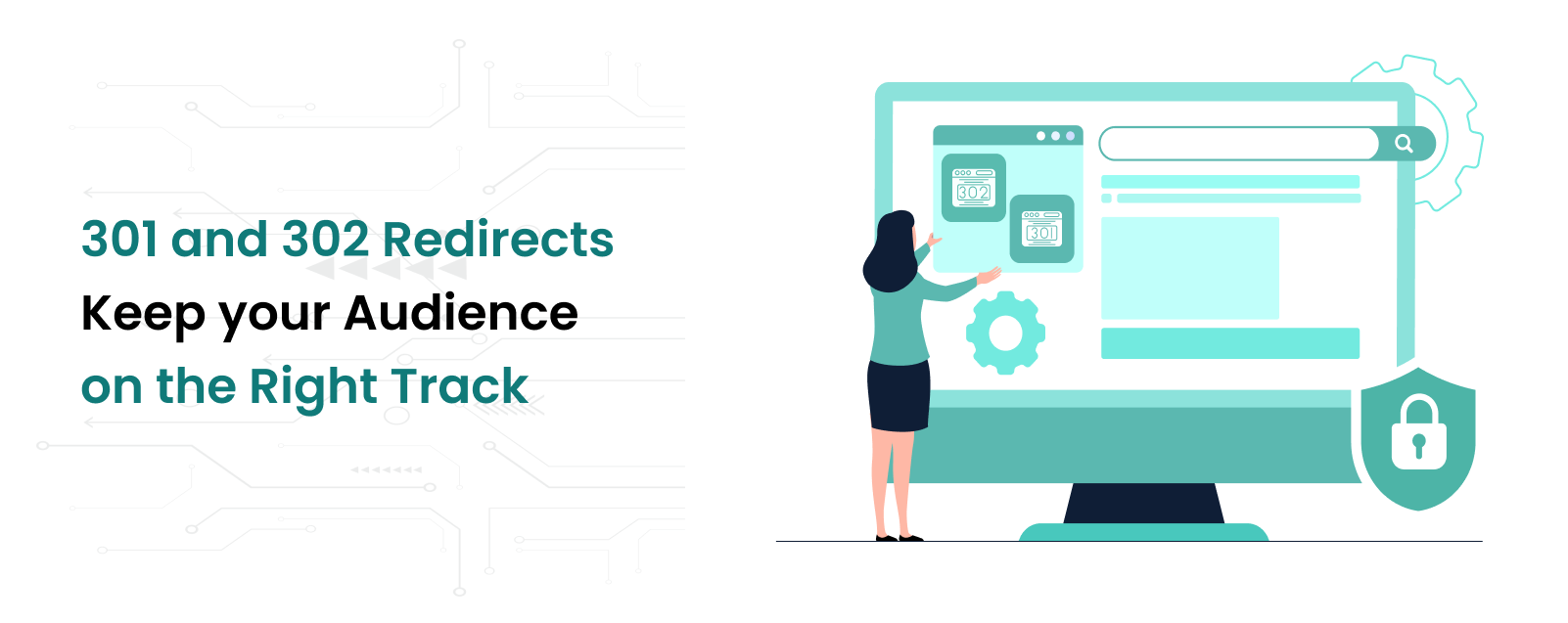
  • 301 and 302 Redirects| Keep your Audience on the Right Track

    301 and 302 Redirects| Keep your Audience on the Right Track

    Ensuring your visitors find the correct pages is essential when managing a website. Sometimes, pages get moved, URLs change, or you simply need to guide your audience to a new location. This is where redirects come into play. Redirects are tools that automatically send users from one URL to another. Two of the most common types are 301 and 302 Redirects. Let’s dive into how they work, their differences, and how to use them effectively.

    What Are 301 and 302 Redirects?

    A redirect is a way of telling browsers and search engines that a page’s location has changed. Think of it as a road sign pointing visitors to a new destination.

    301 Redirect (Permanent):
    This type of redirect tells search engines and browsers that the page has permanently moved to a new location. It passes most of the original page’s ranking power (SEO juice) to the new page. For example:
    If you move your blog from example.com/blog to example.com/articles, a 301 redirect ensures your readers and search engines find the new page.

    302 Redirect (Temporary):
    This redirect tells browsers and search engines that the change is temporary. It does not transfer SEO benefits because the original page is expected to return. For example:
    If you’re updating a webpage but want to direct visitors to a temporary location, a 302 redirect is the right choice.

    Why Are Redirects Important?

    Redirects are crucial for maintaining a smooth user experience and keeping your website’s SEO intact.

    Avoid Broken Links:
    When pages move or URLs change, visitors clicking old links might see a “404 Error: Page Not Found.” Redirects prevent this by taking them to the right place.

    Retain SEO Rankings:
    If a high-ranking page changes its URL, a 301 redirect ensures that its ranking transfers to the new URL. This helps maintain your site’s visibility in search engines.

    Improve User Experience:
    Redirects ensure your visitors don’t hit dead ends and instead land on relevant content quickly.

    Facilitate Website Redesigns:
    When redesigning your site or changing its structure, redirects help transition old URLs to new ones seamlessly.

    When to Use 301 and 302 Redirects

    Understanding when to use each type is essential for effective website management.

    Use 301 Redirects When:

    The page is permanently moved or deleted.

    Merging two pages or consolidating content.

    Changing domain names or site URLs.

    Example: Moving from example.com/old-page to example.com/new-page permanently.

    Use 302 Redirects When:

    You’re conducting a temporary campaign or promotion.

    Testing a new webpage but planning to revert later.

    Redirecting visitors to a seasonal page.

    Example: Redirecting example.com/summer-sale to example.com once the sale is over.

    How to Set Up 301 and 302 Redirects

    Here’s a step-by-step guide to implementing redirects:

    Use an .htaccess File (For Apache Servers)

    For websites running on Apache servers, you can set up redirects in the .htaccess file.
    301 Redirect Example:
    apache
    Redirect 301 /old-page.html https://www.example.com/new-page.html
    302 Redirect Example:
    apache
    Redirect 302 /temporary-page.html https://www.example.com/temp.html
    Use Server Configuration (For Nginx Servers)
    On Nginx servers, add the following lines to the server configuration file:
    301 Redirect Example:
    nginx
    rewrite ^/old-page$ https://www.example.com/new-page permanent;
    302 Redirect Example:
    nginx
    rewrite ^/temporary-page$ https://www.example.com/temp redirect;
     

    Use a Content Management System (CMS)

    If your site runs on platforms like WordPress, Joomla, or Drupal, there are plugins or built-in tools to manage redirects easily.
    For WordPress: Use plugins like Redirection or Yoast SEO.
    For Joomla: Use the Redirect Manager extension.
    For Drupal: Use the Path Redirect module.
     

    Set Up Redirects with Your Hosting Provider

    Many hosting providers offer tools in their control panels (e.g., cPanel or Plesk) to create redirects without touching code.

    Best Practices for Redirects

    Use the Right Type: Always choose 301 for permanent changes and 302 for temporary ones.

    Avoid Redirect Loops: Ensure that one redirect doesn’t point back to itself or create a chain of redirects.

    Update Internal Links: Once you’ve set up a permanent redirect, update internal links to point directly to the new URL.

    Monitor Redirects: Regularly test your redirects to ensure they’re working as intended. Use tools like Google Search Console or Screaming Frog for this.

    Conclusion

    301 and 302 redirects are powerful tools to ensure your website remains user-friendly and search-engine optimized. By understanding their differences and using them strategically, you can improve user experience, maintain SEO rankings, and handle website changes effortlessly. Always plan your redirects carefully and monitor them for the best results.

  • Advantages of GPU Servers for AI & Machine Learning

    Advantages of GPU Servers for AI & Machine Learning

    In today’s technologically advanced world, high-performance computing is in high demand. This need is particularly apparent in domains that demand a lot of data processing, such as artificial intelligence (AI) and machine learning (ML). These functions were previously performed by central processing units (CPUs), but Graphic Processing Units (GPUs) have become a potent substitute. Particularly for AI and ML tasks, GPU servers with one or more GPUs offer significant advantages over CPU-based servers.

    What is a GPU Server?

    A server that combines GPUs and CPUs is known as a GPU server. GPUs are specifically made to do several computations at once, whereas CPUs handle broad processing duties and are necessary for practically every computer operation. Because of their superior parallel processing capabilities, GPUs are perfect for jobs like complicated algorithm execution and graphic rendering. A GPU server is ideal for high-compute jobs like deep learning, neural network training, data processing, and sophisticated computations in domains like scientific research, gaming, and particularly AI and ML since numerous GPUs can cooperate to carry out thousands of tasks simultaneously.

    Key Advantages of GPU Servers

    High Performance and Speed

    GPU servers can process information much faster than traditional CPU servers. With GPUs, complex mathematical calculations, which are typical in AI and ML, can be completed in seconds rather than minutes or hours. This speed is crucial in applications where large amounts of data need to be processed quickly. For instance, training a machine learning model involves analyzing and processing extensive datasets, and a GPU server can perform this training faster and more efficiently than a CPU.

    Enhanced Parallel Processing

    GPUs have thousands of cores that work in parallel, allowing them to handle multiple calculations simultaneously. This parallel processing capability is essential for AI and ML models, which require extensive data processing. Unlike CPUs, which focus on completing one task at a time, GPUs can manage numerous tasks at once. For example, training deep neural networks often involves breaking down tasks and running calculations on different sections of data, making the parallel processing ability of GPUs highly beneficial.

    Cost Efficiency

    Although it may have a higher upfront cost than CPU servers, they provide significant savings in the long run. With faster processing, less time and energy are required to complete tasks, leading to cost savings. Additionally, a single GPU server can replace multiple CPU servers for specific tasks, reducing both hardware and operational costs. For companies engaged in AI and ML, investing in GPU servers can result in faster project timelines and reduced computational costs.

    Better Energy Efficiency

    GPU servers tend to be more energy-efficient than CPU servers for intensive computational tasks. Because GPUs can handle multiple tasks simultaneously, they require less power over time to accomplish the same amount of work. In fields like AI and ML, where tasks can take days or even weeks to complete, this energy efficiency translates to lower electricity costs and a reduced environmental impact.

    Scalability and Flexibility

    They are designed to scale as business needs grow. You can easily add more GPUs to a server to increase processing power, allowing companies to handle more complex tasks or larger datasets. For AI and ML projects, this flexibility is invaluable. For example, if a company’s machine learning model requires more power as it grows, additional GPUs can be added without the need for a complete infrastructure overhaul.

    Advantages of GPU Servers for AI and Machine Learning

    Faster Model Training and Testing

    In AI and ML, model training and testing are critical steps that require processing massive datasets. GPU servers significantly accelerate these processes, allowing developers to train and test models faster. Faster training means that AI models can be developed and deployed more quickly, enabling businesses to bring AI-powered solutions to market sooner. In competitive industries, this speed offers a strategic advantage.

    Handling Large Datasets

    Machine learning models thrive on data, but handling and processing large datasets can be a challenge with CPU servers. With its ability to process large volumes of data, is ideal for AI and ML applications. They allow data scientists to work with extensive datasets, which improves model accuracy and performance. GPU servers make it feasible to analyze complex datasets and extract meaningful insights, which is particularly useful in fields like healthcare, finance, and retail, where detailed data analysis is essential.

    Improved Accuracy in AI Models

    The precision and speed of GPU servers enable the creation of highly accurate AI models. In AI and ML, higher accuracy often depends on running complex algorithms that would be time-consuming on traditional servers. It can run these algorithms faster and more efficiently, allowing for more iterations, refinement, and optimization. This accuracy is especially important in sensitive fields like autonomous driving, medical diagnosis, and fraud detection, where mistakes can have serious consequences.

    Enhanced Deep Learning Capabilities

    Deep learning, a subset of AI, relies heavily on neural networks that require intensive
    calculations. These networks, designed to mimic human brain functions, need powerful computing resources to achieve optimal performance. GPU servers, with their high-performance parallel processing, are ideal for deep learning applications. They allow for faster and more efficient training of complex neural networks, making them indispensable for applications like image recognition, natural language processing, and predictive analytics.

    Real-Time Processing and Decision Making

    In AI and ML applications, real-time processing can be crucial. It excels in applications that require immediate responses, such as recommendation engines, autonomous vehicles, and customer service chatbots. With This, AI systems can analyze data and make decisions in real-time, leading to a better user experience. In sectors like retail and finance, real-time processing enables faster decision-making, which can improve customer satisfaction and operational efficiency.

    Conclusion

    GPU servers are transforming the capabilities of AI and ML by offering unmatched processing power, speed, and efficiency. They handle large datasets, accelerate model training, improve accuracy, and enable real-time decision-making. For organizations focused on AI and ML, investing in GPU servers can lead to substantial improvements in performance and outcomes. By leveraging its advantages, companies can develop, train, and deploy AI solutions more effectively, giving them a strong edge in today’s data-centric world.