Tag: domain

  • WHOLS Domain Registration for Resellers & Businesses

    WHOLS Domain Registration for Resellers & Businesses

    WHOLS

    Why does your business need a domain name?

    Getting a suitable domain name is the first step to beginning a successful online business. Acquiring a domain name is more than just acquiring an address for your website. It’s also about protecting your brand, gaining trust, and making it easier for your business to develop.

    With WHOLS domain registration, resellers and corporations may quickly and cheaply handle more than one name at a time. Wohls makes it easy for businesses, agencies, and hosting services to register and keep domains. This allows you time to work on growing your business.

    We’ll discuss a lot about how to register a WHOLS domain in this guide. We’ll speak about how it works and why it’s a great option for businesses and resellers.

    A Simple Guide to WHOLS

    WHOLS is a service that helps corporations and resellers easily register, administer, and renew domains. WHOLS is not like other registrars because it lets resellers:

    • Give clients domains
    • Set up payments and renewals to happen automatically.
    • Take care of big domain portfolios

    In short, WHOLS domain registration lets businesses keep control of their brand and what they sell while still being able to manage their domains efficiently.

    Why should you use WHOLS to register a domain?

    1. It’s easier to deal with domains

    With wohls, you may control more than one domain from one dashboard. This is really helpful for resellers who have to maintain track of a lot of client domains.

    2. Prices that are good for those who sell products

    Resellers can make more money with WHOLS domain registration because the prices are low and the quality is still high.

    3. Easy to use and set up for automation

    Whols is great for organisations who want to get more done because it sends automated renewal reminders, lets you manage several domains at once, and connects to an API.

    4. Support you can count on

    Dedicated assistance keeps your domains and your clients’ websites safe and running.

    How to Register a WHOLS Domain: A Step-by-Step Guide

    Step 1: Create an account with WHOLS

    • Go to the WHOLS website
    • Pick a business plan or a reseller.
    • Finish signing up

    Step 2: Look for open domains

    Use the search tool to find out if a domain is available.

    Sort the results by top-level domains (TLDs), which are things like .com, .net, .org, and so on.

    Step 3: Sign up for your domain

    • Choose the domains you want.
    • If you require it, add WHOIS privacy protection.
    • Pay in full

    Step 4: Use the dashboard to manage domains

    Keep track of when things run out and when they need to be refilled.

    • Set up the DNS options
    • Set up email forwarding and hosting

    Step 5: Sell domains to others that want them.

    • Set pricing and sell things
    • Set up automatic billing and invoicing
    • Make it simple for customers to get in touch with you.
    • WHOLS in Action is a real-life example.

    A tiny web hosting company wanted to add domain registration to the list of things it does. When you sign up for a domain with WHOLS:

    • They cut the time it took to run everything by 60%.
    • Selling domains is more profitable
    • Maintained a professional dashboard for clients

    The agency grew swiftly without adding additional personnel, which shows how wohls helps businesses thrive.

    How WHOLS Domain Registration Helps Businesses and Resellers

    1. Complete control over domains

    Businesses and resellers may handle all aspects of domains, such as DNS settings and renewals, without needing help from others.

    2. Inexpensive

    WHOLS offers names at inexpensive prices, which could help resellers make more money.

    3. Automation saves time

    Bulk registration, automatic renewal, and API connectivity all help make the work of administrators easier.

    4. Safety and Dependability

    WHOLS keeps domains safe, which protects data for both customers and corporations.

    5. The ability to grow

    WHOLS can grow with your business, no matter how many domains you have.

    Who Should Get a Domain Name from WHOLS?

    • Companies that host websites and want to offer domain services
    • Digital agencies that take care of more than one website for a client
    • People that want to build their own enterprises online
    • Resellers who want to sell whole domain solutions

    WHOLS is the greatest option if you want full control, dependability, and domain solutions that can grow with your demands.

    How to Pick the Best WHOLS Domain Plan

    • Check how many domains you have and pick a package that fits the size of your portfolio.
    • Check to see if the TLDs you want are available. Make sure they are.
    • Look for characteristics that help you. Automatic renewals save you time and make sure you don’t forget to do it.
    • Look into the several ways to receive aid. Every day, all day, businesses and resellers need help.
    • Look at the many price levels and choose the one that will help your business grow the most.

    Questions That Are Often Asked

    1. How do you register for a WHOLS domain?

    It is a service that enables corporations and resellers to register and keep track of many domains at the same time.

    2. Is it possible for domain sellers to use WHOLS to sell domains?

    Yes, WHOLS is for those who sell domains, and it lets them automatically bill and keep track of their clients.

    3. Is WHOLS safe?

    Yes, WHOLS protects domains with WHOIS privacy, encryption, and other security features.

    4. What kinds of domains can I sign up for using WHOLS?

    WHOLS works with well-known TLDs like .com, .net, and .org, as well as many others that are only available in some countries.

    5. Does WHOLS help businesses?

    Yes, they offer dedicated help to both business customers and resellers.

    The End

    Managing a domain name isn’t only about registering it; you also have to make it grow, keep it safe, and make it bigger. With WHOLS domain registration, resellers and corporations may better manage their domains, save money, and generate more money.

    Wohls is a reliable tool that makes it easy to handle your own portfolio or give domains to clients. It grows as you need it to.

    Call to Action (CTA)

    Are you ready to sell and make it easy to register a domain?

    Sign up for WHOLS today to effortlessly, safely, and quickly manage your domains.

    Need more advice on how to expand your business, sell domains, and host websites?

    Sign up for our blog to get the most recent news and expert tips on hosting and domains.
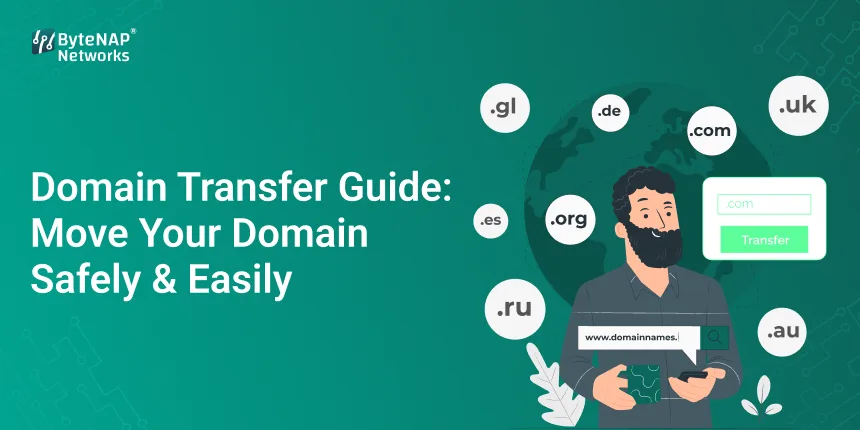
  • Domain Transfer Guide: Move Your Domain Safely & Easily

    Domain Transfer Guide: Move Your Domain Safely & Easily

    Domain Transfer 

    Have you ever had to deal with a domain registrar that doesn’t help you much, charges too much to renew, or doesn’t have many features? You might have found a better hosting business or a registrar with rates that are easier to understand, but the idea of changing your domain name seems scary or hard to understand.

    You’re not the only one.

    Many website owners don’t switch providers because they don’t know how to move their domain or are worried of losing data and downtime. The good news? When done right, a domain transfer is safe, simple, and usually good for the long run.

    This detailed guide will show you how to move a domain name, go over the processes in the domain transfer process, point out common mistakes to avoid, and explain why changing your domain can be one of the best things you can do for your website.

    What does it mean to move a domain?

    A domain transfer is when you move your domain name from one registrar to another. If the domain transfer is done correctly, your website, email, and DNS settings will stay the same.

    In short:

    • Your domain name stays the same.
    • You still own it.

    The only thing that changes is the person who is in charge of the domain.

    If you know how the domain transfer procedure works, you can make sure that the change proceeds smoothly and without any complications.

    Why do individuals change domains?

    There are many reasons why website owners initiate the domain transfer process:

    • Fees for renewing that are too high or not clear
    • Not helpful for customers
    • There are better ways to administer DNS in other regions.

    When you buy hosting and a domain name together, you can enjoy a discount.

    Features that are safer

    If you know how to move a domain name, you can pick the best registrar for your purposes.

    How to Transfer a Domain Name: A Simple Guide for Newbies

    Before we go into the procedures, let’s make the process of transferring a domain easier:

    • You can unlock your domain at the registrar where it is today.
    • You need an EPP code, which is a code that lets you do something.
    • You tell the new registrant to move you.
    • You agree to the transfer.

    The domain is now owned by the new registrar.

    That is the most basic way to move a domain. If done right, it’s simple, structured, and safe.

    Before You Start a Domain Transfer, Here Are Some Things to Check

    Before you start the domain transfer process, be sure the following conditions are true:

    • The domain has been around for more than 60 days.
    • You can move the domain without it being locked.
    • Your email address is working.
    • The WHOIS data is up to date.

    The domain transfer process could take longer or not happen at all if you don’t execute these tests.

    A Step-by-Step Guide to Moving a Domain Name Safely

    Step 1: Open your domain

    To keep users from changing domains without permission, most registrars lock them by default.

    Log in to your existing registrar and unlock your domain to begin the domain transfer process.

    Step 2: Get the EPP Code of Approval

    The EPP code for your domain is like a password.

    This is a vital part of the domain transfer process, so ask your current registrar for it.

    Step 3: Choose a New Registrar

    Pick a registrant you can trust with:

    • Prices that are easy to understand
    • Very helpful
    • Easy DNS management

    Things proceed more smoothly when you start the domain transfer process with a reliable vendor.

    Step 4: Send in the request to move

    At your new registrar, put in:

    • The name of the domain
    • The EPP number

    This is the official beginning of the transfer of the domain.

    Step 5: Let the Transfer Go Through

    You will get an email to let you know.

    Give it the green light to move forward with the transfer of the domain.

    Step 6: Wait for it to finish

    It usually takes five to seven days to transfer. Your domain will keep running normally throughout this time if you don’t change your DNS settings.

    This waiting time is a regular part of the process of moving a domain.

    A flawless transfer of a domain with no downtime is an example from the real world.

    A small business owner was spending a lot of money to renew but not receiving excellent help. They decide to follow a standardised process for moving domains.

    What went wrong?

    • The site stayed up.
    • There were no problems with emails.
    • The cost of renewal decreased by 30%.

    This example shows that there is no risk if you know how to relocate a domain name effectively.

    Benefits of a Proper Domain Transfer Process

    1. More control over costs

    When you finish moving your domain, many registrars will provide you a free year of renewal.

    2. More safety

    Today’s registrars offer:

    • Verification in two steps
    • Security for domain locks

    During a secure domain transfer, your digital asset is safe.

    3. Easier to take care of

    It is easier to manage and renew domains and hosting when they are all in one place.

    4. Help you can count on

    • Most people start the domain transfer process because they seek good help.
    • What You Shouldn’t Do When Moving a Domain
    • Starting the process of moving the domain close to its expiration date
    • Forgetting to unlock the domain
    • Using an email address that isn’t working
    • Changing DNS settings while a transfer is in progress
    • To keep your domain transfer procedure going smoothly, don’t make these mistakes.
    • Will transferring a domain make my website or email stop working?
    • No, as long as the DNS settings stay the same.

    Many people are scared of this, but the domain transfer process doesn’t move your website or hosting by default. It only changes the registrar.

    Just to be clear, Domain Transfer vs. Domain Migration

    1. Moving a domain from one registrar to another is called a domain transfer.
    2. Migration: Moving a website’s data or hosting

    Knowing the difference between these two things will give you the confidence to tackle the domain transfer process.

    How Long Does It Take to Move a Domain?

    Most of the time:

    • It usually takes 5 to 7 days for most TLDs.
    • If you authorise some transactions by hand, they go through faster.
    • This is a normal time frame for the domain transfer process.

    How to Move a Domain Safely

    • At least two weeks before the domain expires, start the process of moving it.
    • Don’t change DNS until the transfer is finished.
    • Keep any emails that say yes
    • As soon as the transfer is done, renew the domain.

    These procedures will help the domain transfer happen smoothly.

    Domain Transfer Guide: Questions That Come Up a Lot

    1. What do you need to do to move a domain?

    You can move a domain from one registrar to another by using an authorization code.

    2. How to move a domain name right away?

    If you don’t change the DNS settings while the domain transfer is going on, your website will stay online.

    3. Is it safe to relocate a domain?

    Yes. When done correctly, the domain transfer process is safe and often used.

    4. How much does it cost to move a domain?

    Many registrars let you transfer for free, and the process includes a one-year renewal.

    5. Can you cancel a domain transfer?

    Yes, most registrars allow you to cancel before the transfer of the domain is complete.

    Why you should know how the domain transfer procedure works

    Your domain name is a very valuable digital property. Knowing how to transfer a domain name gives you greater control, flexibility, and long-term value.

    A well-planned domain transfer process can:

    • Cut costs
    • Make things safer
    • Make it easier to manage
    • Make the site more trustworthy in general

    Final Thoughts and a Call to Action

    It doesn’t have to be hard or harmful to move a domain. You can move your domain safely and with confidence if you know what you’re doing and have a clear plan.

    If you’re not happy with your current registrar or just want better features and rates, it’s time to take charge.

    Are you ready to start migrating your domain?

    Choose a reliable registrar and move your domain without any problems. Want more information about domains and hosting? Sign up for our blog to get professional guidance.

  • Gmail Domain Price Explained: Custom Domain Cost & Business Email Pricing

    Gmail Domain Price Explained: Custom Domain Cost & Business Email Pricing

    Gmail Domain Price

    Companies have definitely used corporate email addresses, such as [email protected], in place of free Gmail accounts. It appears more reputable, refined, and well-established.

    But then the crucial question arises:

    • What is the true cost of a Gmail domain?
    • Is it costly? 
    • Is it worthwhile?
    • For what precisely are you paying?

    You’re not the only one who finds Google’s corporate email rates, Gmail domain fees, and custom domain costs bewildering. This book helps you make the right choice for your company by explaining everything in plain terms, without surprises and jargon.

    What Is Meant by “Gmail Domain”?

    First, let’s dispel a popular misconception.

    “Gmail domains,” as they are known, are not sold directly by Google. Rather, when people discuss the price of a Gmail domain, they typically mean:

    obtaining a unique domain 

    Using Google Workspace to access Gmail with that domain

    Consequently, the whole expense originates from two distinct sources:

    • The cost of a domain name
    • Google Workspace’s Gmail business email subscription
    • Gmail Business Email with a Custom Domain: What Is It?

    You can utilise Gmail’s corporate email interface with your own domain name since it is a component of Google Workspace.

    As an alternative to:

    1. [email protected] is my Gmail address. You receive:
    2. [email protected] is the email address.

    This configuration combines:

    • The familiar experience of Gmail
    • Your company’s identity
    • Enterprise-level protection

    When customers look for Gmail business email rates with a domain, they typically suggest that.

    Gmail Domain Cost: Comprehensive Cost Analysis

    To avoid any confusion, let’s dissect the true expenses.

    1. The initial cost of a bespoke domain plus renewal fees

    Your online identity is represented by your domain name.

    While a.in domains cost between ₹500 and ₹900 annually, a.com names usually cost between ₹800 and ₹1,200.

    Different with other extensions (.net,.org) A domain registrar receives payment for this expense once a year.

    Crucial Point

    This fee is not included with Google Workspace or Gmail.

    2. Google Workspace’s Gmail Business Email Pricing

    The cost of Gmail corporate email is determined by Google Workspace.

    Well-liked Google Workspace Plans for Entrepreneurs

    1. Gmail expertise
    2. Each user has access to 30 GB of storage.
    3. Video conferences
    4. Cost: Entry-level package
    5. The Standard for Business
    6. Each user has access to 2 TB of storage.
    7. Improved cooperation
    8. Improved meeting features
    9. Apart from Business
    10. 5 TB of storage
    11. Enhanced protection
    12. Qualities of compliance

    Each user, not every domain, is subject to monthly costs.

    The total cost of, say, a bespoke Gmail domain

    Let’s examine a straightforward illustration of a small company:

    Domain: 1,000 naira annually

    One user’s monthly membership to Google Workspace

    The domain and email subscription are included in the total annual fee.

    For the majority of startups and small enterprises, this makes Gmail business email shockingly reasonable.

    Why the Cost of Gmail Business Email Is Justified

    • People mistakenly compare Gmail’s free and premium versions at first glance.
    • You actually receive this.

    A Custom Domain’s Advantages for Gmail Business Email

    1. Expert Brand Image

    Emails from branded domains are more likely to be trusted by customers than those from free ones.

    2. Better Deliverability of Emails

    Emails from businesses are less likely to wind up in spam folders.

    3. Security at the Enterprise Level

    • Protection against phishing and spam
    • Verification in two steps
    • Safe Google data centres

    4. Cooperation

    Gmail is easily linked to:

    • Google Drive
    • Documents and Sheets
    • Google Meet
    • Calendars that are shared

    5. Expandable Growth

    As your company expands, you can add or remove users at any moment.

    How to Get Gmail with a Custom Domain: A Step-by-Step Guide

    Step 1: get a domain name.

    Make sure your brand is complemented by the domain you select.

    Step 2: Select a Plan for Google Workspace

    Choose a plan based on the size and storage capacity of the team.

    Step 3: Confirm Domain Ownership

    Google offers simple DNS verification techniques.

    Step 4: Make MX Records Up to Date

    This establishes a connection between the Gmail servers and your domain.

    Step 5: Establish Business Email Accounts

    Configure emails such as:

    • Email addresses for sales and support at yourbusiness.com
    • Only that you’re still here.
    • Real-World Example: Gmail Domain Cost

    When using a free Gmail account, a freelance consultant found that clients frequently questioned legitimacy.

    After switching to a custom Gmail domain:

    • Response rates from clients increased.
    • Spam no longer applied to emails.
    • Business appeared to be more reliable.
    • There was organised communication.

    The impact was enormous, but the annual expense was insignificant.

    Can Small Businesses Afford the Cost of a Gmail Domain?

    Yes, and here’s why:

    • No server maintenance
    • It’s easy.
    • Monthly prices that are predictable
    • expands with your team.

    The return on investment is far more than the expense for the majority of enterprises.

    Typical Errors to Avoid

    • Believing that Gmail comes with a free domain
    • Selecting a poor storage strategy
    • Disabling two-step verification
    • Ignoring backups
    • Using Gmail’s free edition for business correspondence

    Time is saved and your brand is safeguarded by avoiding these errors.

    FAQs (Questions & Answers)

    How much does a Gmail domain cost?

    It covers the price of your Google Workspace subscription as well as your domain name.

    Does Gmail offer a custom domain for free?

    No, domains need to be bought separately.

    Does Gmail have a cost per user for corporate email?

    Indeed. Each user must pay a monthly charge.

    Can I use any domain with Gmail?

    Indeed. Nearly any domain can be linked to Google Workspace.

    Is using Gmail for business emails advantageous?

    Without a doubt for dependability, security, and professionalism.

    The Significance of Gmail Custom Domains in 2026 and Later

    Consumers anticipate expert communication. It is increasingly necessary and regarded as a sign of trust to send business emails.

    Using your domain with Gmail:

    • increases credibility
    • enhances communication
    • promotes sustained growth

    There is a significant business return on a tiny investment.

    Concluding remarks

    It’s not difficult to comprehend Gmail domain pricing. Everything makes sense when you realise that the price only covers the domain and Google Workspace.

    A custom domain for your Gmail business email is one of the best investments you can make if you want improved security, professional communication, and a strong brand image.

    CTA 

    Are you prepared to use your custom domain to set up Gmail?

    To offer your company the competitive advantage it deserves, look into Google Workspace corporate email alternatives right now.

    Are you looking for further domain, hosting, and email solution guides?

    To keep up with the most recent advancements in the digital world, subscribe to our blog.

  • Domain Transfer Made Easy | How & Why to Switch Host

    Domain Transfer Made Easy | How & Why to Switch Host

    If you own a website, your domain name is one of its most crucial parts. It represents your brand and helps people find you online. Sometimes, though, you might need to move your domain to a new hosting provider for better performance, features, or support. This is known as a domain transfer. This guide will take you through transferring your domain and explain the expected benefits.

    Why Transfer Your Domain?

    You might want to transfer your domain to a new host for several reasons:

    Improved Site Speed: Some hosts offer faster servers and can load your site more quickly.

    Better Customer Support: Not all hosting companies provide the same quality of support. Moving to a host with better service can save you time and hassle.

    Cost Savings: Many hosts offer competitive pricing, so switching could save you money in the long run.

    Access to More Features: Some hosting providers include extra tools, security, and services that make managing your site easier and more secure.

    Steps to Transfer a Domain to a New Host

    Here’s a simple, step-by-step guide to help you transfer your domain to a new hosting provider.

    Step 1: Check Domain Eligibility for Transfer

    Before starting, ensure your domain is eligible for transfer. Most domains must be at least 60 days old before they can be transferred. Additionally, make sure your domain is not locked, and there are no pending renewals or holds.

    Step 2: Unlock Your Domain

    By default, most domains are locked to prevent unauthorized transfers. You’ll need to log in to your current registrar’s control panel (the place where you purchased your domain) and disable the lock. Look for an option called “Domain Lock” or “Transfer Lock” and switch it off.

    Step 3: Get the Authorization Code
    Next, you’ll need an authorization code (sometimes called an EPP code). This code verifies that you’re the rightful owner of the domain. It’s usually found in the domain settings in your account dashboard. If you can’t find it, reach out to your current host’s support team for help.

    Step 4: Choose Your New Hosting Provider
    Once you have the authorization code, it’s time to choose your new hosting provider. Make sure to research providers that offer the services and features you need. Once you’ve picked a provider, follow their domain transfer instructions.

    Step 5: Initiate the Domain Transfer

    Log in to your new hosting provider’s account and look for an option like “Transfer Domain.” Enter the authorization code when prompted, and follow any additional instructions. Your new host will guide you through the process.

    Step 6: Confirm the Transfer Request

    After starting the domain transfer, you may receive an email from your current provider asking you to approve it. Make sure to check your inbox and confirm the request if necessary. Approving the transfer will help speed up the process.

    Step 7: Wait for the Transfer to Complete
    Domain transfers can take a few hours or several days, depending on the providers involved. Most transfers are completed within five to seven days. Once finished, you’ll get a confirmation from your new host.

    Step 8: Update Your DNS Settings

    After the domain transfer, you may need to update your DNS settings. DNS (Domain Name System) connects your domain to your website. Your new host will provide you with the necessary DNS details, which you can update in your account.

    Benefits of Transferring Your Domain to a New Host

    Switching your domain to a new host can bring a lot of advantages. Here’s how it can benefit your website:

    Faster Website Loading Times
    Many hosting providers focus on speed and performance. By transferring your domain to a provider with faster servers, your website may load more quickly. This is especially important for users on mobile devices and search engine rankings.

    Better Security
    Security is essential to keep your website and user data safe. Some hosts offer extra security measures like DDoS protection, SSL certificates, and malware scanning. Transferring to a host with stronger security can give you peace of mind.

    Improved Customer Support
    High-quality support can make a big difference, especially if you’re not a technical expert. Many people transfer domains to a host with 24/7 support and a good reputation for helping customers solve issues quickly.

    Lower Costs
    Transferring your domain might help you find a more affordable hosting plan, with fewer add-on fees or renewal charges. Some hosts even offer free domain renewal or a discount as part of the transfer.

    Access to Additional Features and Tools
    Some hosting providers offer additional features like free website migration, email hosting, and easy WordPress installation. Transferring your domain to a provider with these extras can make your site management easier and more efficient.

    More Reliable Uptime
    Uptime measures how often your website is online and accessible. A hosting provider with high uptime will keep your website live more consistently. This can be especially helpful if your website supports a business or gets high traffic.

    Tips for a Smooth Transfer

    Here are a few tips to make your domain transfer as smooth as possible:

    Check for Transfer Fees: Some registrars charge a fee to transfer domains, so check if your new provider has any fees or requirements.

    Plan for Minimal Downtime: Transfers usually don’t cause much downtime, but to be safe, schedule your transfer during a period of low traffic.

    Keep Track of Renewal Dates: Make sure you’re clear on renewal terms with your new host so you don’t risk letting your domain expire accidentally.

    Conclusion

    Domain Transfer to a new hosting provider might seem like a big step, but it can be beneficial if you’re looking for improved speed, better support, or more features. With this guide, you’re ready to make the switch and enjoy the advantages of a more reliable, user-friendly hosting environment.

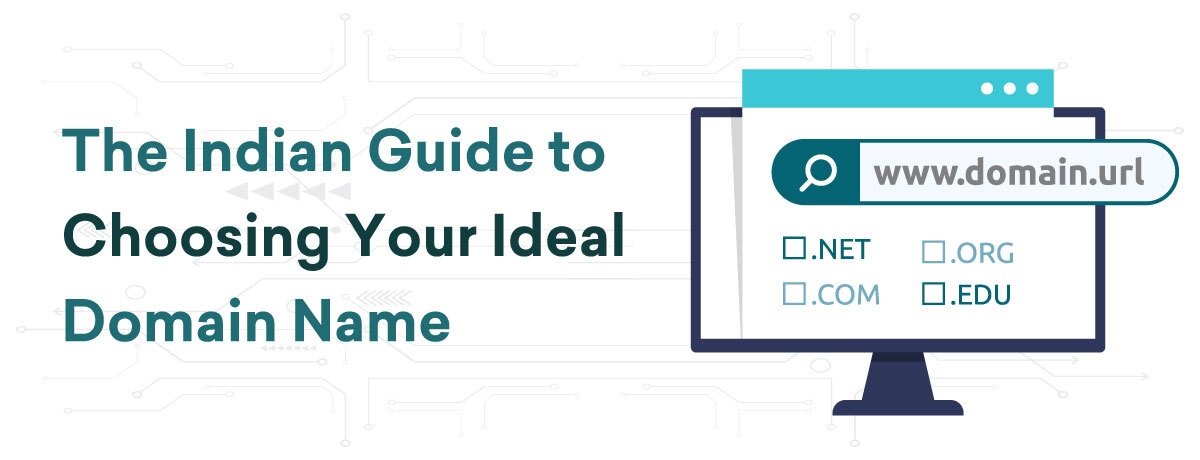
  • The Indian Guide to Choosing Your Ideal Domain Name

    The Indian Guide to Choosing Your Ideal Domain Name

    It’s safe to say that choosing the right domain name is an important part of any new project. So how can you ensure you make the right choice? Tips that are specifically catered to Indian businesses and individuals in order to help you find a domain name that will improve your brand, drive traffic, and increase your bottom line. Your domain name is the key branding element for any business and, if chosen wisely, will stay with you for years, maybe even a lifetime.

    What Exactly is a Domain Name?

    Before going into the process of selecting an excellent domain, let us clarify what it is.

    Online addresses such as google.com and bytenap.in are domain names used to access company websites, news sources, and any other gems (or oddities!) the Internet may have.

    In technical terms, a domain name is a string of characters that, through a DNS service, computer systems connected to the Internet may translate into an electronic address known as an Internet Protocol, or IP, address.

    Through a domain name registration provider like Web Hosting India, available domain names can be registered for a cost each year and for a duration of one to ten years. Once registered, you can pay its renewal fee to keep your domain active indefinitely.

    Exploring the Parts of a Domain Name

    Domain Name: The special address, such as “example.in,” that distinguishes your website. It consists of an extension and a name.

    Name: The primary domain name portion, to the left of the dot, sometimes known as the second-level domain, or SLD. Get creative—you can register any name that is offered under a particular extension! It is not case-sensitive and is limited to letters, digits, and hyphens. It is limited to 253 characters (having one that lengthy would not be feasible!).

    Extension: The last part of a domain name, like.COM or.in, on the right. Another name for it is a top-level domain, or TLD. There are currently over a thousand TLDs accessible, some are limited based on a person’s occupation or place of residence, but the majority are public and open to anyone.

    Subdomain: Neither the domain name registration process nor your domain name include this. Don’t worry about this, from your webhosting account, you may establish as many subdomains as you like!

    You will be looking for a name and extension combination that isn’t already reserved by someone else when choosing a new domain name. Although you have a lot of creative freedom when choosing a name, the extensions that registries (the organizations that oversee domain extensions) offer will restrict your options.

    If it’s accessible, I could, for instance, register MyDomainSuperCool.in as my domain name, but no registry has generated the domain extension.I’m not allowed to have the domain name MyDomain, supercool.Super Chill

    After learning about the many components of a domain name, let’s move on to the important task of choosing the ideal name.

    Tips for Choosing a Great Domain Name

    1. Mention your brand

    Try to incorporate the name of your brand into your domain. It will maintain your domain’s clarity and simplicity while contributing to its memorability.

    For instance, even if hosting.com contains keywords, Webhosting.com is a more successful domain name for the webhosting brand than it is.

    1. Make it descriptive and intuitive

    Don’t leave guests in suspense! Make your domain name easier to type and reflect the core values of your company to increase its memorability. One way to achieve this is by using helpful keywords that people might use to look for websites similar to yours.

    Among the instances are:

    ToysForToddlers.in 

    LowCostAutoRepair.com 

    AffordableHomesInVadodara.in

    Here are a few helpful tools to find the most common keywords:

    Use Google Trends to find out what is popular and which keywords are trending in relation to it.

    Ubersuggest: Find out how many times a specific keyword is searched for each month along with some related suggestions.

    Although you might be tempted to stuff your domain with keywords, Google has significantly reduced the weight it gives to keywords in recent years. However, when used as anchor texts in links, keywords contained in domains still benefit SEO.

    1. Prioritize.in and.COM domains.

    When conducting business in India, Indian consumers respond more favorably to domains ending in.in.The most well-known and widely used option globally is COM. If possible, we highly advise you to try and obtain both of them.

    If the majority of your business is conducted in India, the.in domain extension might be a better option for you because it will instantly identify you as an Indian company, unlike an Indian rival who might be using a.COM domain.

    1. Don’t make it too short; just right.

    Long names are more likely to be misspelled and might be challenging to recall. For optimal results, try to select a domain with fewer than 20 characters. However, stay away from employing slang or abbreviations that could make your domain longer but more difficult to spell.

    For instance, even though PopularSci.in is shorter, PopularScience.in is a better option.

    Remember that finding the domain online will get more difficult the shorter the domain gets. In the most popular extensions, nearly every 3- and 4-letter domain variation is already taken, and 5-letter domains are also rather rare.

    1. Think about distinct domains for each language.

    Do you speak English with guests? If so, either register two domains, one in each language, or attempt to discover a domain that could be used in both languages (very difficult, in some situations).

    The Indian Bay corporation, the oldest corporation in India, divides its website into multiple languages under one domain, theindianbay.com (English).

    Additionally, keep in mind that Indian English spelling occasionally varies from that of American or British English. Make sure the terms you’ve selected are appropriate for the market you want to target, and think about registering every possible spelling variation for your domain.

    1. Use Domain Extensions Creatively

    Use your imagination with any of the hundreds of new domain extensions that are now accessible if your domain isn’t available with.in or.com or if you want to stand out with something distinctive. Go through our domain extension categories, like “Food and Drink” or “Services,” to find more alternatives that are tailored to your web project.

    Here are a few imaginative instances:

    MontrealModern.com/art

    I adore everyone.tech

    SurprisesIn.store

    Games ComePlayVideo.games IWroteA.blog

    When you search for domains other than the “traditional” extensions, you’ll see that the availability of domains increases significantly.

    1. Make Pronouncing It Simple

    Not only would an easily pronounceable domain be easier to give verbally in person or over the phone, but it will also be more remembered and positively associated with your brand. People should be able to grasp your domain without you having to spell it.

    It is best to avoid using slang, hyphens, or digits as these can cause misunderstandings when spoken. For example, would you automatically think of “get-more4less.in” if someone told you that there were amazing offers at “get more for less dot in”? Most likely not.

    Consider registering both the word and numerical versions of your domain, such as TopTenLists.in and Top10Lists.in, if you do choose to utilize numbers.

    1. Fashion It for Local Search

    If you’re targeting a specific area (which you almost always should be!), adding in the city, region or province will help people know right away what area you serve and could increase relevance.

    Examples include:

    VadodaraPlumber.in

    HockeyFans.bombay

    1. Avoid Trademarks

    There’s a chance that your domain name violates the trademark of another company. You may still be sued for using the domain name by another company even after you’ve registered it. This can result in expensive legal disputes or force you to give up your domain name and go through the entire process again.

    Generally speaking, avoid using another company’s trademark in your domain name or causing any misunderstanding with another company’s brand (including by using misspellings or typos). If you’re looking for registered trademarks, you may also check the Indian Trademark Database.

    1. Protect Your Brand and your Visitors

    After deciding on your main domain name, you should think about securing it by registering any related secondary domains. These are referred to be defensive registrations, and they shield you from possible issues like rivals or, worse, hackers, taking advantage of your success and possibly siphoning off some of the traffic to your website.

    Many forms exist for defensive registrations, however the following are the most typical:

    widely used extensions. If it’s feasible, think about registering your domain with each of the following “classic” extensions:.IN,.COM,.NET,.ORG, and.CO.

    typos. Even among those who can spell correctly, errors inevitably occur. Examine the most frequently misspelled words and think about registering well-liked variations.

    Options. If you registered a name like EnJoysOrganicFoods.com, you might want to think about registering versions like EnJoyOrganicFood.com or EnjoyOrganicFoods.com Bilingual, as plurals and possessives can be confusing. It’s a wise idea to register your domain in French even if your website is just in English since you could ultimately wish to expand into the French Canadian market.

    Bear in mind that defense registration charges may mount up quickly, with an average price tag domain each year. Your risk tolerance, the amount of money your website is bringing in, and the value of the brand you are employing will all influence how much you should spend on it.

    1. Make Use of a Powerful Domain Spinner

    It doesn’t follow that someone hasn’t already registered a particular domain name just because it doesn’t have an active website. Because it offers domain recommendations and alternatives, a provider’s domain availability search tool—often referred to as a domain spinner—is the most accurate approach to find out if the domain is actually available for registration.

    A competent domain spinner ought to:

    Give quick access to the domain you looked for.

    Look up several extensions for your domain and make recommendations.

    Make it simple and quick for anyone to register one or many domains.

    Reduce pointless distractions, like service upsells.

    The Indian domain search tool assists you in locating the ideal domains for your requirements by offering quick results and searches through the most popular extensions.

    Conclusion

    Selecting the fastest WordPress hosting is critical for optimizing user experience, improving SEO rankings, and ensuring scalability. Cloudways emerges as a top choice, providing cloud-based solutions that prioritize speed, reliability, and security. By focusing on key performance factors and using tools like Pingdom, GTmetrix, and Google PageSpeed Insights, you can ensure your WordPress site operates efficiently, meeting both user expectations and search engine requirements.