Tag: cloud

  • Cloud Email Services: Features, Benefits & Costs

    Cloud Email Services: Features, Benefits & Costs

    Are you still using free email accounts or obsolete mail servers for your business?

    Are you worried about spam attacks, not being able to get your email, or the protection of your data?

    You’re not the only one.

    Cloud email services will be used by businesses of all sorts, from small startups to major multinationals, in 2026. This is because they are more reliable, scalable, and secure. There are a lot of cloud email service providers to select from, so it could be hard to pick the best one. Also, costs and features might be significantly varied when it comes to picking the best business cloud email options.

    This entire lesson will break everything down for you:

    • What cloud email services truly are
    • Things that are important to look for
    • Benefits for businesses
    • Real-world examples
    • Costs broken down

    Step-by-step guide to making a choice

    Questions that people often ask to help you make a good choice

    Let’s work together to make things easier.

    What are cloud-based email services?

    A Simple Explanation of the Definition

    Cloud email services are email hosting services that use servers in the cloud instead of servers that are on-site. This means:

    • Your emails are stored in secure data centers.
    • You may check your email from any location.
    • You don’t have to worry about physical mail servers.

    The best cloud email service providers handle everything for you, so you don’t have to bother about hardware, upgrades, or backups.

    To sum up:

    Cloud email is email that is kept on the internet and handled by experts.

    Why Businesses Are Moving to Cloud Email Services

    There are issues with hosting email the old-fashioned way:

    • Costs of maintaining servers
    • Security holes
    • Not enough room to store things
    • Risks of being down

    That’s why a lot of firms are moving to business cloud email solutions that are safer and more versatile.

    Freelancers, startup entrepreneurs, and company IT administrators should use cloud email services instead.

    Things You Should Know About Cloud Email Services

    Keep these points in mind as you search for the best cloud email service providers:

    1. Business email that appears professional

    Email with your own domain name, such as [email protected].

    Have faith in the brand

    This is an important part of cloud email services for organisations.

    2. Better encryption and security

    Here are some of the finest cloud email services:

    • Removing spam
    • Keeping malware away
    • Verification in two steps
    • Data encryption

    One of the main reasons businesses use business cloud email is for security.

    3. A lot of room to store items

    The finest cloud email service companies give you more than just free email:

    • 30GB to unlimited space
    • Plans for storage that can go bigger

    4. Can be accessed from anywhere

    Get email on your laptop.

    Tablet for cell phone

    These days, cloud email services are built for people who work from home.

    5. Things that help people cooperate together

    Some of the features that many cloud email services for organisations offer are calendar, video conferencing, file sharing, and team collaboration.

    Some popular cloud email service providers

    When you look at the best cloud email service providers, you will usually see these names:

    • Workplace on Google
    • Microsoft 365 and Zoho Mail
    • Amazon WorkMail

    You can use the cloud email services from any of these companies to build your business, whether it’s a startup, a small business, or a big company.

    What are the good things about cloud email services?

    Let’s talk about why cloud email for business is so vital in 2026.

    1. More safety

    Professional cloud email services protect you from:

    • Attacks that want to take your information
    • Cyberattacks that hold data for ransom

    Compared to self-hosted email, the best cloud email service providers spend a lot of money on security.

    2. Cost-effectiveness

    No need for: 

    • Server hardware
    • IT worker for upkeep and backup systems

    Moving to cloud-based email for business saves many small firms thousands of dollars per year.

    3. The ability to grow

    Are you bringing on new employees?

    All you have to do with cloud email services is:

    • Add a user
    • Hand out licenses

    Get going right immediately. That’s the kind of freedom that businesses today require.

    4. Reliability and uptime

    The best cloud email service providers promise:

    • 99.9% of the time
    • More data centers
    • Automatic backups

    This makes sure that you always get your emails.

    5. Letting people work from home

    Business cloud email solutions can help with:

    • Working together as a group
    • Safe access from a distance
    • Sharing files in the cloud

    Cloud Email Services Price Breakdown (Prices for 2026)

    It’s crucial to know how much a cloud email service will cost before you choose one.

    • Average Monthly Cost (for Each User)
    • Basic Plan: ₹100 to ₹250
    • Standard Plan: ₹300 to ₹650
    • The premium package costs between ₹700 and ₹1,500.

    The cost varies on:

    • How much room it has
    • Security features
    • Things to help people work together
    • How much help you get

    Small teams usually start with cheap business cloud email services and then switch to better ones as they grow.

    A Step-by-Step Guide to Choosing the Best Cloud Email Service

    Let’s do this.

    Step 1: Find out what your firm requires.

    Consider: 

    • How many people use it?
    • Do you need storage?
    • Want more safety?
    • Will it work with other tools?

    This helps you pick the best cloud email services.

    Step 2: Compare the best cloud email service companies next to each other

    Write down:

    • Costs Storage
    • Security features
    • Help for customers
    • Ability to connect

    Putting the best cloud email services next to each other helps you avoid making costly blunders.

    Step 3: Check out the security features

    Check that the corporate cloud email solutions you choose have:

    • Spam filters
    • Data encryption Backup systems
    • Certifications for following the rules

    Step 4: Check to see how scalable it is.

    Can your cloud email services keep up with your organization as it grows?

    Choose plans that can change from the best cloud email service providers.

    Step 5: Consider getting help with the move

    Are you moving from an old email program?

    The finest cloud email services for organisations have:

    • Free moving tools
    • Help in setting up and using technology

    A case study of a digital firm that is growing is a real-life example.

    A digital marketing firm with 12 employees was using free email accounts.

    Problems:

    • Spam emails
    • Storage limits
    • No good backups

    They moved to one of the best cloud email service providers and set up professional cloud email solutions for their business.

    Results: 30% more emails went through.

    Clients trust you more

    Working together in the workplace without any problems

    Their investment in cloud email services paid off in just a few months.

    Things You Shouldn’t Do

    Don’t choose cloud email services solely on price alone.

    • Not paying attention to security features
    • Not checking to see whether it can grow
    • Not paying attention to compliance with data
    • Not looking at the finest cloud email service providers side by side

    Why Cloud Email Services Are More Important Than Ever

    In 2026, email is still the most common means for organisations to talk to each other.

    Without skilled business cloud email solutions, companies are at risk:

    • Data loss
    • Security breach
    • Not trusting the brand so much
    • Time when operations are down

    It’s not an expense to buy reliable cloud email services; it’s a wise choice.

    Frequently Asked Questions (FAQ)

    1. What are cloud-based email services?

    Cloud email services are hosted email solutions that use cloud servers to work. They provide a secure and adaptable means of communication for enterprises.

    2. What are the best firms that provide cloud email services?

    Some of the best cloud email services are Google Workspace, Microsoft 365, Zoho Mail, and Amazon WorkMail.

    3. How much do business cloud email services cost?

    Most commercial cloud email services charge between ₹100 and ₹1,500 per user per month, depending on what they can do.

    4. Are cloud-based email services safe?

    Yes, professional cloud email services keep your data safe, get rid of spam, and employ the latest encryption.

    5. Are cloud email services useful for small businesses?

    Definitely. Many of the best cloud email services feature affordable plans for small teams and new businesses.

    Final Thoughts

    Choosing the right cloud email services can revolutionise how your business communicates with each other.

    You can be sure you’re getting the greatest cloud email service if you thoroughly compare the top providers and pick scalable corporate cloud email solutions.

    • Safer
    • More dependable
    • Branding for business people

    Saving money over time

    Switching to professional cloud email services is one of the best things you can do in a world where digital comes first.

    Want to make your company email better?

    Today is the day to move forward:

    Compare the finest cloud email service providers next to each other.

    Choose cloud email choices for organisations that can grow with you.

    To keep your conversations safe, use cloud email services that are well-known.

    Start now on the path to better, safer, and more professional email communication.
  • Virtual Machine Security in Cloud Computing Guide

    Virtual Machine Security in Cloud Computing Guide

    virtual machine security in cloud computing:

    Guide to Cloud Computing Virtual Machine Security

    If you’re running workloads in the cloud, you might be wondering, “Are my virtual machines really safe?” You’re not the only one. As more and more firms move their apps to the cloud, worries about breaches, ransomware, and misconfigurations are growing quickly.

    That’s why it’s no longer optional to know about virtual machine security in cloud computing; it’s necessary.

    In this complete guide, we’ll make it easy for you to understand everything you need to know about:

    • What virtual machine security really implies in cloud computing
    • Common security threats and fixes for cloud VMs
    • Step-by-step plans for putting things into action
    • Security situations in the real world
    • Best practices for keeping virtual machines safe
    • Questions and answers that are useful

    At the conclusion, you’ll have a clear plan for how to safely and professionally protect your cloud virtual machines.

    What does “virtual machine security” mean in cloud computing?

    Virtual machine security in cloud computing is the use of technologies, techniques, and settings to keep virtual machines (VMs) safe against cyber attacks, unauthorised access, data leaks, and operational weaknesses.

    A virtual machine (VM) is a computer that runs on a real server and is controlled by a hypervisor. Big cloud systems like Amazon Web Services

    • Microsoft Azure
    • Google Cloud Platform

    let users to up and control VMs when they need them.

    But just starting a VM doesn’t mean it will be safe. Cloud computing systems can be in danger of major dangers if virtual machines aren’t properly secured.

    Why It’s Important to Keep Virtual Machines Safe in the Cloud

    Cloud environments today are flexible and can grow. This flexibility is great, but it also makes cloud VM security more risky and makes finding solutions harder.

    Businesses may risk the following if they don’t pay attention to VM security:

    • Data leaks
    • Attacks with ransomware
    • Root access without permission
    • Violations of compliance
    • Service downtime

    Knowing the best ways to keep virtual machines safe will help keep your infrastructure safe.

    Common Cloud VM Security Problems and How to Fix Them

    Let’s look at the most common security threats and fixes for cloud VMs that you should know about.

    1. Wrong settings

    Misconfigured security settings are one of the major hazards to the security of virtual machines in the cloud.

    Examples:

    • Open SSH ports
    • Weak rules for the firewall
    • Databases that are open to the public
    • Solution: Set up stringent security groups
    • Use the least amount of access possible
    • Do regular checks of your configurations

    This is one of the most popular types of cloud VM security risks and solutions.

    2. Operating systems that haven’t been patched

    Software that isn’t up to date makes systems less secure.

    Solution: Turn on automatic updates

    • Use tools for managing patches
    • Keep an eye on security alerts

    One of the greatest ways to keep virtual machines safe is to keep their systems up to date.

    3. Weak Authentication

    Using default passwords or shared credentials makes cloud computing virtual machines less secure.

    Solution: Turn on Multi-Factor Authentication (MFA)

    • Use SSH keys to log in
    • Use role-based access control

    Authentication control deals with the biggest security threats and solutions for cloud VMs.

    4. APIs that aren’t safe

    APIs are important for cloud platforms. If they get inside a VM environment, attackers can change it.

    Solution: Make sure API endpoints are safe

    • Use encryption
    • Keep an eye on API activities

    Strong API management makes virtual machine security best practices better.

    5. VM Sprawl: Companies typically generate VMs without keeping track of them.

    Risk: VMs that aren’t being watched

    • Blind spots in security
    • Solution: Keep track of your VMs
    • Automate watching
    • Shut down unused VMs on a regular basis.

    Managing VM sprawl lowers the threats to cloud VM security and solutions.

    How to Set Up Virtual Machine Security in Cloud Computing: A Step-by-Step Guide

    Let’s do something about this.

    Step 1: Make the operating system stronger

    In cloud computing, hardening is the first step to keeping virtual machines safe.

    What to do:

    • Turn off services that aren’t needed
    • Close ports that aren’t in use
    • Get rid of default accounts

    One of the greatest ways to keep virtual machines safe is to harden the operating system.

    Step 2: Set up network security

    Safe ways to talk to one other.

    • Use IP addresses that are not public
    • Set up firewalls
    • Limit incoming traffic

    Network segmentation is very important for lowering the security risks of cloud VMs and the weaknesses of solutions.

    Step 3: Turn on encryption

    Encryption keeps data safe when it’s stored and when it’s being sent.

    • Use SSL/TLS
    • Encrypt storage volumes
    • Turn on disc encryption

    Encryption makes the security of virtual machines in cloud computing much better.

    Step 4: Set up access control

    One of the most important things you can do to keep your virtual machines safe is to regulate who can access them.

    • Give permissions based on roles
    • Don’t use shared admin accounts.
    • Use tools for managing your identity

    This stops people from getting into VMs without permission.

    Step 5: Keep an eye on things all the time

    You can’t just do security once.

    • Check: Login attempts
    • Changes to files
    • Using resources
    • Traffic on the network

    Monitoring is an important aspect of effectively managing the security threats and solutions for cloud VMs.

    Example from the real world: A data breach in e-commerce

    Think of an online retailer that keeps its database on a VM in the cloud.

    A programmer accidentally leaves port 3306 accessible to the public.

    • Result: Hackers get in
    • Data about customers leaked
    • Brand reputation hurt

    This breach may have been stopped if cloud computing had better virtual machine security mechanisms in place, like firewall restrictions and monitoring.

    This situation highlights how important it is to know about the threats and solutions for cloud VM security.

    The best ways to keep virtual machines safe

    Here are some best practices for virtual machine security that you should follow:

    1. Use the Least Privilege Principle

    Give people access just to what they need to do their jobs.

    2. Set up firewalls and security groups

    Only let traffic from trusted sources through.

    3. Backups on a regular basis

    Back up your files often to lessen the effects of ransomware.

    4. Set up systems to detect intrusions

    Find questionable activity early.

    5. Make security policies automatic

    By lowering the chance of human error, automation makes virtual machine security in cloud computing stronger.

    6. Regular security checks

    Assessments that happen every so often find weaknesses.

    7. Managing patches

    Updates that happen on time fix known exploits.

    All of these are important best practices for keeping virtual machines safe.

    Advantages of having strong security for virtual machines

    Putting money into virtual machine security in the cloud has a lot of benefits:

    • Keeps private information safe
    • Keeps things running
    • Makes sure of compliance
    • Lowers the danger of losing money

    Makes customers more likely to trust you

    Taking care of cloud VM security threats and solutions the right way keeps both technical and business assets safe.

    Virtual Machine Security Trends (2026)

    The future of cloud computing’s virtual machine security includes:

    1. Threat detection that uses AI

    Machine learning finds strange behaviour on its own.

    2. Architecture with No Trust

    Every request is checked, even those that come from inside the network.

    3. Monitoring compliance automatically

    Cloud tools now check for compliance on their own.

    These trends make the best practices for virtual machine security better all around the world.

    Questions that people often ask (FAQ)

    1. What does cloud computing mean when it comes to virtual machine security?

    This means keeping cloud-based virtual machines safe from cyber threats, wrong settings, and those who shouldn’t be able to access them.

    2. What are some common security risks and fixes for cloud VMs?

    Some common hazards are bad configuration, insufficient authentication, and systems that aren’t up to date. Encryption, patch management, and access control are all parts of the solution.

    3. What are the best ways to keep a virtual computer safe?

    They make systems less vulnerable, keep private information safe, and make sure that rules are followed.

    4. Is VM security different in the cloud than it is on-premises?

    Yes. In cloud environments, you need to be more conscious of API security, identity management, and shared accountability.

    5. Is it possible for automation to make virtual machines in the cloud more secure?

    Yes, for sure. Automated monitoring and patching cut down on risks by a lot.

    Last Thoughts

    As businesses grow in the cloud, it becomes more and more vital to protect virtual machines. Knowing how to keep virtual machines safe in the cloud might help keep your infrastructure safe from new threats.

    You can make your cloud environment more secure, scalable, and resilient by knowing about typical cloud VM security threats and solutions and using proven best practices for virtual machine security.

    It’s not a luxury to have security; it’s a need.

    Ready to make your cloud VM more secure?

    Today, start by checking out your current cloud environment.

    Set up monitoring, automate patch management, and follow best practices for virtual machine security.

    Want to learn more about cloud security? To protect your infrastructure well, sign up for or look into advanced security tools.

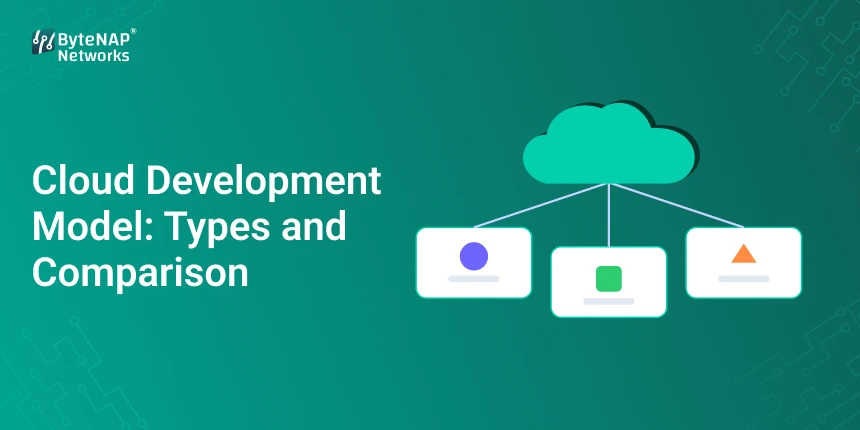
  • Cloud Development Model: Types and Comparison

    Cloud Development Model: Types and Comparison

    Different Types of Cloud Development Models and How They Compare

    Are you thinking about moving your app to the cloud but don’t know which model to use? You’re not the only one. A lot of firms have trouble understanding the cloud development model and how it is different from deployment techniques. If you choose the wrong model, you could end up paying more, putting your security at danger, or not being able to grow your business.

    We’ll explain the cloud development model in simple words in this whole tutorial. What a cloud development model really is

    • The most common forms of cloud development models
    • The main distinctions between the cloud deployment and development paradigm
    • Examples and comparisons from the real world
    • Steps you can take to pick the proper model
    • Pros and cons, as well as future trends

    In the end, you’ll have a clear plan that will help you choose the best cloud development model for your business with confidence.

    What does a cloud development model look like?

    A cloud development paradigm is the planned way that businesses create, test, and deploy apps in the cloud. It explains how to set up resources, environments, and workflows for software development.

    Don’t mix up the cloud development model with the deployment models. Keep in mind the following while talking about cloud deployment versus development model:

    Development model ↑ How apps are made and kept up to date

    Deployment model: Where apps are hosted (public, private, hybrid, etc.)

    Knowing the difference between cloud deployment and development models might help you avoid expensive architectural blunders.

    Why the Cloud Development Model is Important

    Choosing the correct cloud development paradigm has a direct effect on:

    • Cost-effectiveness
    • Safety
    • Scalability
    • How well it works
    • Speed of development
    • With big cloud providers like Amazon Web Services
    • Azure from Microsoft
    • Platform for Google Cloud

    Businesses need to know exactly what kinds of cloud development models are out there because they offer flexible settings.

    Different kinds of cloud development models

    There are different types of cloud development models, and each one is best for a different set of demands. Let’s take a closer look at them.

    1. The public cloud development model

    In this cloud development strategy, apps are made and tested in a public cloud that anybody can access via the internet.

    Important Features:

    • Infrastructure that is shared
    • Pay-as-you-go pricing
    • Quickly growing
    • Best For: New Businesses
    • SaaS platforms
    • Prototyping quickly

    Public cloud usually means where the deployment takes place, while the development model outlines the tools and workflow employed.

    2. Private Cloud Development Model

    This cloud development paradigm works in a dedicated space, which can be on-premise or hosted privately.

    Main Features:

    • More control
    • Better security
    • Custom settings
    • Best For: Banks and other financial entities
    • Health care groups
    • Government offices

    When compliance is very important, private cloud is a common choice among the several sorts of cloud development models.

    3. Model for Developing a Hybrid Cloud

    The hybrid cloud development model uses both public and private spaces.

    Important Features:

    • Being able to change
    • Optimising costs
    • Security that is balanced

    A retail corporation builds its app for customers in the public cloud while keeping its sensitive financial data in the private cloud.

    This example shows how choices about whether to use cloud deployment or development models affect architecture.

    4. A model for developing in several clouds

    In this sophisticated cloud development strategy, companies use more than one cloud provider at the same time.

    Pros:

    • Don’t become locked in with a vendor
    • Make redundancy better
    • Make performance better

    This is becoming more common among modern cloud development methods.

    5. Model for Developing a Community Cloud

    Organisations that have similar compliance needs share this cloud development paradigm.

    For example, universities working together on research projects.

    It is less prevalent, but it is still one of the many sorts of cloud development models.

    A Step-by-Step Guide to Picking the Right Cloud Development Model

    It doesn’t have to be hard to choose amongst the several sorts of cloud development methods.

    Step 1: Set goals for your business

    Think about this:

    • Are you putting speed first?
    • Do you need rigorous adherence?
    • Are you trying to get the best price?

    The optimal cloud development paradigm depends on your aims.

    Step 2: Figure out what security needs you have

    Industries with a lot of rules frequently like private or hybrid cloud development strategies.

    Knowing the difference between cloud deployment and development model here makes sure that compliance is handled correctly.

    Step 3: Look at how scalable your needs are

    If traffic changes a lot, public or hybrid models might be the best cloud development models.

    Step 4: Look at the budget limits

    Public cloud development models often have lower expenses up front.

    Step 5: Think about how flexible it will be in the long run.

    Multi-cloud techniques allow you not rely on just one supplier.

    When picking between cloud deployment and development model methods, many businesses today use a mix of both.

    Case Study from the Real World: A Startup SaaS Platform

    A new company that makes CRM software chose:

    • The public cloud development model
    • CI/CD pipelines
    • Infrastructure that scales itself

    Why?

    They needed to be able to deploy quickly and save money.

    • Application for Enterprise Banking
    • A bank chose a hybrid cloud development architecture.
    • A private place for private data
    • Public cloud for apps that customers use

    This shows how knowing the difference between cloud deployment and development models may help you match your approach with the needs of your organization.

    Advantages of Picking the Right Cloud Development Model

    Choosing the correct cloud development paradigm has a number of benefits:

    1. Quicker time to market

    Efficient development workflows cut down on delays.

    2. Cutting costs

    Public models lower the cost of building infrastructure.

    3. Better security

    Private and hybrid models make data safer.

    4. Better working together

    Cloud-based systems make it easier for teams to work together.

    5. Ability to grow

    Dynamic scalability is possible with modern sorts of cloud development methods.

    To get the most out of these benefits, you need to know the difference between cloud deployment and development models.

    Trends in Cloud Development Models for 2026

    The cloud development approach is changing for the better.

    1. Combining DevOps

    CI/CD pipelines are becoming the norm in all kinds of cloud development scenarios.

    2. Development with AI

    AI technologies now automatically make the best use of resources.

    3. Architectures without servers

    Serverless computing is changing how cloud development works today by making it easier to manage infrastructure.

    Questions That Are Commonly Asked (FAQ)

    1. What is a model for cloud development?

    A cloud development paradigm tells you how to build, test, and manage apps on the cloud.

    2. What kinds of cloud development models are there?

    Public, private, hybrid, multi-cloud, and community models are the most common types of cloud development models.

    3. What is the difference between a cloud deployment model and a cloud development model?

    Cloud deployment is about where applications are hosted, while development models are about how they are produced and run.

    4. What is the ideal cloud development model for new businesses?

    Public cloud development models are frequently the best choice for new businesses because they are easy to scale and don’t cost a lot.

    5. Is a hybrid cloud better than a public cloud?

    It all depends on what your firm needs. Comparing the cloud deployment model to the development model helps you figure out which one is best.

    Last Thoughts

    The cloud development strategy you choose can have a big effect on how your business does business in the future. You can match technology with business strategy if you know the many sorts of cloud development approaches.

    It’s just as vital to know the difference between cloud deployment and development models so that infrastructure choices and development workflows are clear.

    Businesses that pick the correct cloud development model will be able to come up with new ideas faster, grow smarter, and compete better in 2026 and beyond.

    Are you ready to build better in the cloud?

    If you want to go to the cloud or start a new app, the first thing you need do is figure out which cloud development model is best for you.

    Need help from an expert? Talk to a cloud architect or look through your cloud provider’s documentation to come up with a plan for the future.

    be up to date, be flexible, and use the cloud to your advantage.

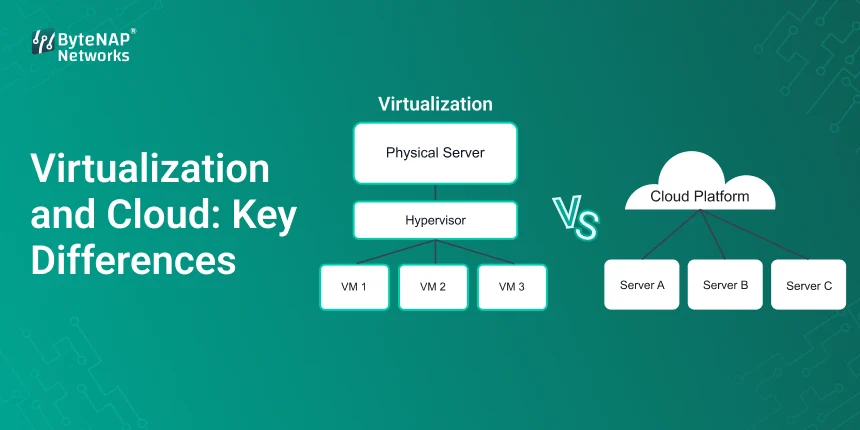
  • Virtualization and Cloud: Key Differences

    Virtualization and Cloud: Key Differences

    Do you not know what virtualisation and the cloud are? You’re not the only one. A lot of IT workers, business owners, and even students use these words the same way, yet they don’t mean the same thing.

    This book will help you grasp the distinction between virtualisation and cloud computing, or what virtualisation does in cloud computing, in a clear and useful way.

    You will know by the end of this article:

    • What the cloud and virtualisation actually mean
    • The main distinction between cloud computing and virtualisation
    • Why cloud computing needs virtualisation
    • When to use both the cloud and virtualisation
    • Real-life examples and times when it is utilised

    Let’s do it one step at a time.

    What is virtualisation?

    We need to build a firm base before we can grasp virtualisation and the cloud.

    Virtualisation is the process of making a virtual copy of real hardware, such servers.

    • Devices for storing
    • Networks
    • Systems for running things

    Virtualisation lets more than one virtual machine (VM) run on the same physical server, so you don’t have to use just one operating system.

    Some well-known ways to virtualise are:

    • VMware vSphere
    • Microsoft Hyper-V
    • KVM

    In summary, virtualisation makes one real server into many virtual servers.

    To understand the difference between virtualisation and cloud computing, this is the first thing you need to know.

    What does “cloud computing” mean?

    Now let’s talk about the other side of virtualisation and the cloud.

    Cloud computing is when the internet is utilised to provide computer services including databases, servers, storage, and networking.

    Businesses rent resources from companies like these instead of buying their own hardware:

    • Amazon Web Services
    • Azure from Microsoft
    • Cloud from Google

    Cloud computing and virtualisation are not the same thing. Virtualisation is often used as a platform for cloud computing to offer services on demand.

    The main characteristics that make virtualisation and cloud computing different

    Let’s be clear about how cloud computing and virtualisation are different.

    1. Virtualisation is a type of technology that lets virtual machines run on real hardware.

    Cloud Computing: A means to use computing power over the internet.

    This is the main difference between cloud computing and virtualisation.

    2. A model of ownership

    • Virtualisation often operates within a private data center.
    • Cloud computing needs help from other businesses.
    • When you compare virtualisation to the cloud, one thing you should think about is who owns what.

    3. The ability to get bigger

    • A lot of hardware doesn’t operate well with virtualisation.
    • Cloud can go as big as it needs to be.
    • This is one of the most important things that set virtualisation and cloud computing apart.

    4. How the costs are set up

    • You have to buy some hardware before you can use virtualisation.
    • You just pay for what you use on the cloud.
    • It’s important to know why there is a price difference when you think about virtualisation and the cloud.

    5. Easy to get to

    • Most of the time, people get access virtualised systems from the inside.
    • You can use cloud services from anywhere in the world as long as you have an internet connection.
    • This goes into further information about how virtualisation and cloud computing are not the same in the real world.What Virtualisation Does in the Cloud

    Now comes the best part:

    • Virtualisation is what makes it feasible to have cloud infrastructure.
    • Virtualisation is particularly important in cloud computing since it lets more than one person utilise it.
    • It lets you keep your resources apart.
    • It makes hardware work better.
    • It makes things grow.

    Cloud companies wouldn’t be able to readily share resources with millions of users without virtualisation.

    virtualisation and the cloud are not the same thing, but virtualisation is an important part of cloud computing that links the two.

    How the Cloud and Virtualisation Work Together

    Think about this example to help you grasp what virtualisation does in cloud computing:

    • Cloud providers have huge data centers.
    • Set up actual servers.
    • Virtualisation software turns servers into virtual machines.
    • People pay to use these VMs.

    This makes it very apparent that virtualisation is the technology behind cloud services and is an important feature of cloud computing.

    For example, Startup Infrastructure

    Think of a new business that makes a SaaS product.

    Option 1: Virtualisation

    They buy servers and then utilise VMware to make a lot of virtual machines for their own business.

    Pros:

    • Complete control
    • Privacy of data

    Con: 

    • High cost at the start
    • Not very easy to grow

    Option 2 is the Cloud.

    They use AWS to quickly start apps.

    Pros: 

    • No cost for hardware
    • Scaling by itself
    • Accessible in all regions of the globe

    This side-by-side comparison shows how virtualisation and cloud computing are different in real life.

    When is the optimum time to adopt virtualisation?

    • If you want to have complete control over your data, virtualisation is the best choice.
    • For systems to be in compliance with the rules, they must be on-site.
    • You already have stuff like buildings and other items that you can touch.
    • Businesses may be able to make better decisions if they know the difference between virtualisation and cloud computing.

    When is it a good idea to use the cloud?

    • Cloud computing is the best choice when you need to get things done fast.
    • Traffic should change, so be ready for it.
    • You like operational costs better than capital costs.

    Virtualisation is an important part of cloud computing since it makes sure that everything runs smoothly. Cloud computing, on the other hand, is more flexible.

    Combining Cloud and Virtualisation in a Hybrid Model

    A lot of companies now use both virtualisation and the cloud in a hybrid fashion.

    For instance, important systems run on virtualised servers that are on-site.

    Customers’ apps run in the cloud.

    This plan uses virtualisation in the cloud but keeps control inside.

    The advantages of knowing about virtualisation and the cloud

    It’s good for organisations to know the distinction between virtualisation and cloud computing because:

    1. Costs are lower

    Pick the correct model for your infrastructure.

    2. Get better at what you do

    Use virtualisation for workloads that don’t change and the cloud for workloads that do.

    3. Make it easy to grow

    Scaling on the cloud is much more flexible.

    4. Improve safety

    Using a mix of strategies makes things stronger.

    You will be able to make better IT decisions if you know how virtualisation works in cloud computing.

    Enterprise Migration Case Study

    A manufacturing business depended a lot on virtualisation.

    Problems: 

    • The hardware is getting outdated
    • Costs of maintenance are going increasing.
    • Not very easy to grow
    • The company’s costs fell down by 30% when it converted to a hybrid cloud strategy.
    • Faster recovery from disasters
    • It’s easier to go to from far away.

    This change highlights how virtualisation and cloud computing are different in real life and how virtualisation is becoming more and more important in cloud computing.

    What People Don’t Get Right

    Myth 1: Virtualisation and cloud computing are the same thing.

    That’s not correct. The main distinction between virtualisation and cloud computing is who runs the services and how they are supplied.

    Myth 2: No, the cloud doesn’t use virtualisation.

     Virtualisation is a big part of cloud computing.

    Myth 3: Virtualisation Is No Longer Useful

    Virtualisation is still very important, especially in systems that use both real and virtual machines.

    Trends in cloud computing and virtualisation for 2026

    Right now, these are some of the most important trends in the cloud and virtualisation:

    • Using containers, such as Docker and Kubernetes
    • Computing without servers
    • Computing at the Edge
    • Infrastructure powered by AI
    • Virtualisation is still very important in cloud computing, even on older systems.

    Questions That Are Often Asked (FAQ)

    1. What is the major difference between virtualisation and cloud computing?

    Cloud computing transmits computing services over the internet, whereas virtualisation makes virtual machines on real hardware.

    2. What does virtualisation do in the cloud?

    Virtualisation in cloud computing lets you share, retain separate, and increase resources on the cloud.

    3. Is it possible for virtualisation to exist without the cloud?

    Yes, virtualisation can work on its own in data centers that are on-site.

    4. Is virtualisation more expensive than the cloud?

    It all depends on how you use it. Cloud computing saves money on hardware, but it could cost a lot more as it grows.

    5. Should small firms use the cloud or virtualisation?

    The cloud is a better option for most small businesses since it is more flexible and less expensive.

    Last Thoughts

    To make good IT decisions these days, you need to know about the cloud and virtualisation.

    Virtualisation and cloud computing are not the same because of who owns them, how big they may grow, and how they supply services. Cloud computing and virtualisation are very tightly intertwined, which illustrates how vital virtualisation is.

    Don’t think of them as competitors; think of them as technologies that work well together.

    Want to improve the infrastructure?

    If you know about virtualisation and the cloud, you’ll be ahead of the game whether you establish a new firm or modify the way your current one works.

    Would you like to know more about hosting, cloud computing, and IT architecture in general? Sign up now to stay ahead in the digital world of 2026, which is continually changing.

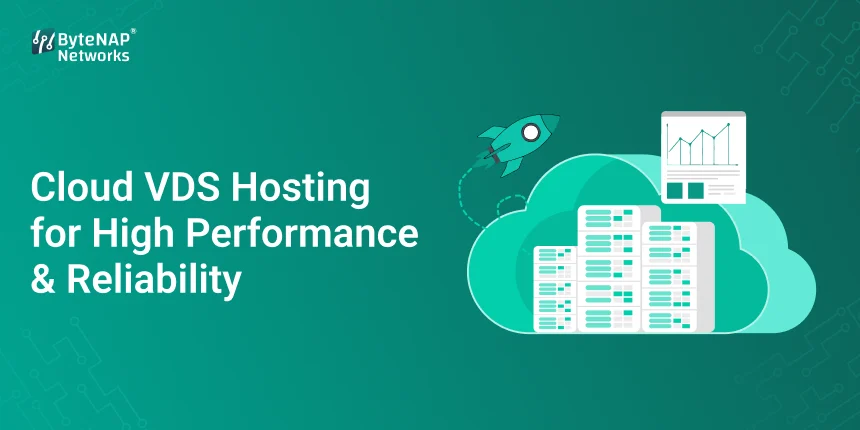
  • Cloud VDS Hosting for High Performance & Reliability

    Cloud VDS Hosting for High Performance & Reliability

    If your website or app is developing quickly, you’ve probably encountered a wall that many people have hit before: shared hosting seems too limited, yet a complete dedicated server looks too expensive and complicated. You want things to be fast, under your control, and reliable, but you don’t want to spend a lot of money or deal with hardware problems.

    Cloud VDS hosting is the answer to that.

    This detailed tutorial will explain what cloud VDS is, how a cloud virtual dedicated server works, and why high-performance cloud VDS hosting is becoming the best alternative for enterprises that need power, flexibility, and reliability. You’ll know by the end if cloud VDS hosting is suited for your project and how to use it well.

    What does Cloud VDS Hosting mean?

    Cloud VDS hosting is short for Cloud Virtual Dedicated Server hosting. It is a hosting solution that gives you the strength of dedicated servers and the freedom of cloud infrastructure.

    You get the following with a cloud virtual dedicated server:

    • A dedicated CPU, RAM, and storage
    • Resources that are apart (no noisy neighbours)
    • Scalability and redundancy in the cloud

    You don’t have to share resources with other people like you do with shared hosting. You get cloud benefits like failover and simple scaling that you don’t get with traditional dedicated servers. This balance is what makes high-performance cloud VDS hosting so appealing.

    How Cloud Virtual Dedicated Server Hosting Works

    A cloud virtual dedicated server works on a group of actual servers instead of just one machine.

    Here’s how cloud VDS hosting gives you great performance and dependability:

    • Virtualisation technology keeps your server apart from others.
    • Your VDS has its own set of resources set aside for it.
    • Cloud infrastructure lets you have backups and failover.
    • Your server won’t go down if the hardware fails.

    This design is what makes high-performance cloud VDS hosting possible, making sure that speed and uptime are always the same.

    Why High Performance Cloud VDS Hosting is Important

    You can’t choose not to have performance and reliability anymore. Slow loading times, outages, and limited resources all have a direct effect on user experience and sales.

    High-performance cloud VDS hosting is important since it:

    • Doesn’t crash when there are a lot of visitors
    • Gives users a steady speed
    • Supports applications that are very important to the mission
    • Grows with your business

    High-performance cloud VDS hosting can change the game for eCommerce, SaaS, finance, or content-heavy websites.

    Cloud VDS, shared hosting, and dedicated servers

    Let’s take a brief look at your choices:

    • Hosting that is shared
    • Cheapest
    • Resources that are shared
    • Poor performance
    • Not good for growth
    • Servers for a specific purpose
    • Complete control over hardware
    • Great performance
    • Costly
    • Not as flexible
    • Hosting in the Cloud VDS
    • Virtual resources that are exclusive for you
    • Scalability in the cloud
    • A lot of uptime
    • Affordable

    This is why a lot of companies switch to high-performance cloud VDS hosting instead of going straight to physical servers.

    1. Dedicated Resources are one of the most important features of high-performance cloud VDS hosting.

    Your cloud virtual dedicated server comes with guaranteed CPU, RAM, and storage, which are all important for high-performance cloud VDS hosting.

    2. Dependability in the Cloud

    Cloud VDS hosting has built-in redundancy and fault tolerance because your server operates in the cloud.

    3. Scalability on Demand

    Want more power? One of the best things about high-performance cloud VDS hosting is that you can scale resources without having to stop working.

    4. Access to the full root

    You have full control over the environment of your server.

    5. Better security

    Cloud VDS hosting is safer than shared settings since it has isolated resources that lower risk.

    How to Use Cloud VDS Hosting the Right Way, Step by Step

    Step 1: Figure out what you need to do well

    Before you choose high-performance cloud VDS hosting, think about:

    • Amount of traffic
    • Type of application
    • What you need in terms of resources

    This makes sure that your cloud virtual dedicated server is the right size.

    Step 2: Pick the Right Cloud VDS Setup

    Choose the CPU, RAM, and storage you need now and in the future. Too much provision costs money, and too little provision hinders performance.

    Step 3: Make your server stack as good as it can be

    To get the most out of high-performance cloud VDS hosting, set up:

    • Apache or NGINX
    • Improvements for PHP-FPM or Node.js
    • Caching in the database
    • Integrating CDN

    Step 4: Turn on backups and monitoring

    Both monitoring tools and backups are necessary for reliable cloud VDS hosting. Monitoring tools help keep uptime, and backups keep data safe.

    Step 5: Grow as you go

    One of the best things about high-performance cloud VDS hosting is that it can grow without any problems. Add resources as needed.

    A real-life example of scaling e-commerce with Cloud VDS

    During sales events, an online store’s pages took a long time to load. Shared hosting couldn’t manage the load, and the downtime hurt sales.

    After moving to cloud VDS hosting:

    • The speed at which pages load went up by 40%.
    • There were a lot fewer checkout failures.
    • Traffic spikes were handled without any problems.

    The business was able to grow without going over budget thanks to high-performance cloud VDS hosting.

    1. Always High Performance

    Dedicated resources make sure that performance stays stable, which is important for high-performance cloud VDS hosting.

    2. High Availability

    Cloud redundancy cuts down on downtime.

    3. Cost-effectiveness

    You get almost devoted performance for less money.

    4. Being flexible

    You can scale resources at any time without having to move them.

    5. More safety

    Your data is safe because of isolation and robust security safeguards.

    Who Should Use Cloud VDS Hosting with High Performance?

    Cloud VDS hosting with high performance is great for:

    • Startups that are growing
    • Websites with a lot of traffic
    • SaaS systems
    • Online stores
    • Developers who require full control

    Cloud VDS hosting is something you should really think about if uptime and performance are important to you.

    Best Ways to Use Cloud VDS Hosting

    • Pick SSD or NVMe storage
    • Use layers for caching
    • Keep an eye on how resources are used
    • Update your software
    • Plan for growth

    If you follow these steps, you’ll get the most out of high-performance cloud VDS hosting.

    Common Problems and How to Fix Them

    The Learning Curve

    You need to know how to use a server to set up a cloud virtual dedicated server. Managed cloud VDS hosting could be able to help.

    Keeping costs down

    Keep an eye on use to avoid over-scaling in high-performance cloud VDS hosting.

    Cloud VDS Hosting Frequently Asked Questions

    1. What is hosting on the cloud?

    Cloud VDS hosting gives you a virtual dedicated server that can grow and is always available.

    2. What makes a cloud virtual dedicated server different from a VPS?

    A cloud virtual dedicated server runs on a cloud cluster, which means it has better uptime than a regular VPS.

    3. Is high-performance cloud VDS hosting good for online stores?

    Yes, it’s perfect because it’s fast, can grow, and is dependable.

    4. Can I always add more resources?

    Yes, being able to scale is a key part of high-performance cloud VDS hosting.

    5. Is it safe to use cloud VDS hosting?

    Yes, it is quite safe because it has separate resources and cloud security features.

    Why High Performance Cloud VDS Hosting Is the Best Option

    Hosting has to keep up with the growing needs of the internet. High-performance cloud VDS hosting gives you the right mix of power, flexibility, and dependability, all without the hassle of physical servers.

    A cloud virtual dedicated server gives you control, speed, and peace of mind, all supported by cloud infrastructure that can expand with you.

    Are you ready to switch to Cloud VDS Hosting?

    If your app or website needs:

    • Better speed
    • More uptime
    • Scaling that can change

    Check out high-performance cloud VDS hosting now Pick a strong cloud virtual dedicated server. Build with confidence on cloud VDS hosting that you can trust.

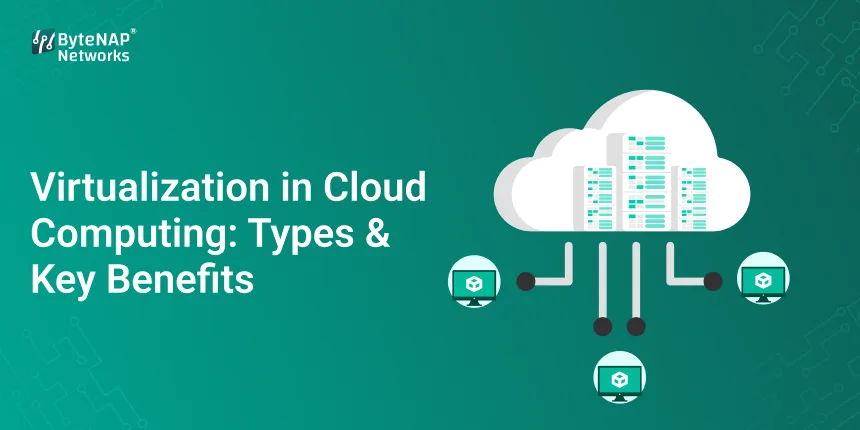
  • Virtualization in Cloud Computing: Types & Key Benefits

    Virtualization in Cloud Computing: Types & Key Benefits

    virtualization in cloud computing:

    Different Types of Virtualisation in Cloud Computing and Their Main Benefits

    You could launch a new program, deal with unexpected traffic spikes, or run many systems without having to buy additional servers or worry about hardware breaking down. Does that sound like magic? No, it isn’t. Virtualisation is what cloud computing employs to do its function.

    For many businesses, cloud computing can appear complicated and daunting at first. Words like “virtual machines,” “hypervisors,” and “containers” can be hard to understand if you’re new to technology. This blog is meant to make things easier. By the end, you’ll know exactly what virtualisation in cloud computing is, how it works, the different types of virtualisation in cloud computing, and why this technology is so vital for modern IT.

    Let’s go over it one step at a time.

    What does it mean to virtualise on the cloud?

    The primary principle underlying virtualisation in cloud computing is to utilise software to create virtual duplicates of real computer resources, such as servers, storage, networks, or operating systems.

    With cloud virtualisation, one physical server can run multiple virtual machines (VMs), each with its own operating system and programs. This is not the same as having one server execute one application.

    A simple comparison

    • You can conceive of a physical server as a building with several apartments.
    • Each flat is like a computer in a virtual world.
    • Tenants live in the same building, although they don’t share a space.
    • If one flat has a problem, the other flats are not affected.
    • Virtualisation in cloud computing means sharing resources while keeping environments separate.

    The foundation of cloud computing is virtualisation.

    Without virtualisation, cloud platforms wouldn’t be able to grow, save money, or be flexible.

    What virtualisation lets you do:

    • Giving out resources when needed
    • Cloud environments with more than one tenant
    • Setting up apps quickly
    • Better usage of hardware

    In short, cloud virtualisation technology makes it possible to use the cloud.

    How to Use Virtualisation in Cloud Computing (Step by Step)

    You don’t have to be a computer guru to understand how virtualisation works in the cloud. Here’s a quick breakdown:

    Step 1: Set up the gear in real life

    Cloud providers put fast physical servers in their data centers.

    Step 2: Set up the hypervisor

    There is virtualisation software called a hypervisor on each server. Here are some well-known hypervisors:

    • ESXi from VMware
    • Microsoft’s Hyper-V
    • KVM

    The hypervisor is the most crucial portion of the technology that makes cloud virtualisation work.

    Step 3: Creating Virtual Machines

    The hypervisor divides real resources like CPU, RAM, and storage into separate virtual environments.

    Step 4: Handing away resources

    Each VM has its own resources and runs by itself.

    Step 5: The Layer for Managing the Cloud

    Users can manage virtual resources with cloud dashboards, APIs, or automated tools.

    This whole thing is a real-life example of how cloud computing uses virtualisation.

    There are different types of virtualisation in cloud computing.

    One of the most important things to accomplish is learn about the different kinds of virtualisation that are used in cloud computing. Each type has its own purpose.

    1. Making a server virtual

    This is the most common approach to employ virtualisation in the cloud.

    What it does:

    Turns one real server into a number of virtual servers

    Pros:

    • Better usage of hardware
    • Infrastructure costs went down.

    For instance, a startup uses different VMs on the same physical server to host its website, database, and email server.

    2. Making storage virtual

    Storage virtualisation takes the physical storage of several devices and puts it all into one virtual storage system.

    The main benefits are:

    • It’s easier to back up and restore.
    • More solutions for storage that are versatile

    Many companies that work with a lot of data use this cloud virtualisation technology.

    3. Making networks virtual

    Network virtualisation makes real networking devices like routers and switches less necessary.

    How to use:

    • VPNs, which stand for “virtual private networks,”
    • Software-defined networking (SDN)
    • Virtualisation makes cloud computing safer and more flexible.

    4. Making the desktop virtual

    When you utilise desktop virtualisation, the desktops of users run on servers that are not in the same room as the users.

    For example, IT teams let people who work from home use computers that are not in the office.

    This is one of the greatest kinds of virtualisation for people that use cloud computing.

    5. Making Applications Virtual

    Apps run in distinct areas and don’t need to be loaded on devices directly.

    Pros:

    • Less issue with compatibility
    • Updates are easier
    • Another amazing method to employ virtual cloud technologies.

    6. Virtualisation at the OS level (using containers)

    Containers virtualise the operating system instead of the hardware.

    Popular tools:

    • Docker
    • Kubernetes

    Containers are lightweight and work well with current DevOps in the cloud computing environment of virtualisation.

    A Real-Life Example of How Virtualisation Works

    Case Study: Growing an Online Store

    A lot of people visit an Indian e-commerce site over the holidays.

    Before virtualisation:

    • One server in real life
    • When there is a lot of traffic, websites go down.
    • Hardware upgrades that cost a lot
    • After employing virtualisation in the cloud:
    • A few virtual machines handle the web, the database, and payments.
    • Automatically growing when there is a lot of traffic
    • Costs for infrastructure drop by 40%.

    This is what cloud virtualisation technology can actually do.

    The major benefits of using virtualisation in the cloud

    Let’s find out why businesses throughout the world adopt cloud virtualisation.

    1. Cost-effectiveness

    • Fewer physical servers
    • Costs of maintenance are reduced.

    2. The chance to grow

    • You can instantly add or take away resources.
    • Good for both small and large businesses

    3. High Availability

    • The other VMs keep working even if one quits.
    • More time up

    4. More safety

    • Places that are cut off from the rest of the world are less dangerous.
    • Safe infrastructure for more than one tenant

    5. Faster Deployment

    • Start servers in a matter of minutes
    • Development cycles that go faster

    Every benefit illustrates how crucial it is to use different types of virtualisation in cloud computing right now.

    How to Fix Common Problems

    • Cloud computing’s virtualisation is strong, however it also has several issues.
    • More work for better performance
    • Solution: Choose the best hypervisors and keep an eye on how they are using resources.
    • Security that isn’t set up right
    • Solution: Set up the necessary access controls and keep an eye on things.
    • Tough for Newbies
    • Learn as you go with managed cloud services.
    • The Right Way to Use Cloud Virtualisation Technology

    Here are some things you need to perform if you want to use virtualisation in cloud computing:

    • Choose the right kind of cloud computing virtualisation for your needs.
    • Check performance on a regular basis
    • Set up backups and recovery from disasters to happen automatically.
    • Make sure to keep your virtualisation software up to date.
    • Show your staff how to use the cloud the right way.
    • The future of virtualisation in the cloud
    • The future looks bright for cloud virtualisation technology:
    • Using AI to make the most use of resources
    • Computing without a server
    • More people using containers

    Virtualisation will remain be the key driver of new ideas in cloud computing, even as cloud platforms shift.

    Questions and Answers (FAQs)

    1. What does it mean to make anything virtual in cloud computing?

    Virtualisation in cloud computing is the process of producing virtual copies of real computing resources so that they work better, can be used by more people, and cost less.

    2. Why is cloud virtualisation technology so important?

    You can share resources, develop environments that can grow, and keep them safe for many people with cloud virtualisation technology.

    3. What are the main types of virtualisation used in cloud computing?

    The main types of virtualisation in cloud computing are server, storage, network, desktop, application, and OS-level virtualisation.

    4. Is it safe to use virtualisation on the cloud?

    Yes, virtualisation in cloud computing can provide strong security and privacy if it is set up appropriately.

    5. Can virtualisation be useful for small businesses?

    Sure. Cloud computing virtualisation helps small businesses save money and grow easily.

    Last Thoughts: Why Virtualisation Is More Important Than Ever

    If you operate a startup, manage enterprise IT, or are simply learning the basics of the cloud, you need to know about virtualisation in cloud computing. It gives modern digital businesses the freedom, growth potential, and strength they need.

    By choosing the right kind of virtualisation in cloud computing and leveraging the latest cloud virtualisation technology, you may make systems that are smarter, faster, and less expensive. Are you ready to start?

    Check out cloud platforms that provide good virtualisation tools, or talk to one of our cloud specialists about how to construct the finest virtualised infrastructure for your organization.

    Today is the day to start using the cloud!

  • PaaS Cloud Solutions for Scalable App Development

    PaaS Cloud Solutions for Scalable App Development

    PaaS Cloud Solutions for Building Apps That Can Grow

    It’s easier than ever to make an app these days, but making sure it works well as more people use it? That’s where a lot of teams have trouble.

    You launch your app, people love it, traffic goes up, and all of a sudden, your developers are spending more time managing servers, upgrades, and setups than they are really making new features. You’re not the only one who thinks this way.

    This is where PaaS cloud solutions come in.

    We’ll talk about how PaaS cloud platforms help businesses design, launch, and scale apps faster in this article. They do this without the hassle of managing infrastructure. We’ll discuss platform as a service cloud computing, break down PaaS cloud architecture in simple words, and teach you how to use it well for building apps that can grow.

    What is the cloud for PaaS?

    PaaS cloud (Platform as a Service cloud computing) is a type of cloud that gives developers everything they need to design, run, and administer apps without having to worry about servers, storage, networking, or operating systems.

    Developers don’t have to worry about managing infrastructure; they only have to focus on:

    • Writing code
    • Testing apps
    • Putting adjustments into action
    • Features that can be scaled

    The core of this paradigm is PaaS cloud architecture, which hides the different layers of infrastructure and handles scaling, security, and maintenance automatically.

    A Beginner’s Guide to PaaS Cloud Architecture

    PaaS cloud architecture is meant to make it easier to build apps while also allowing for growth and speed.

    PaaS cloud architecture comprises the following at a high level:

    • Infrastructure layer: servers, storage, and networking (the provider takes care of these)
    • Platform layer: databases, middleware, and runtime environments
    • Application layer: Your services, APIs, and code

    Developers can make apps that can grow without having to change settings manually because PaaS cloud architecture takes care of the bottom layers. This structure is what makes modern platform as a service cloud computing possible.

    Why PaaS Cloud Is the Best Choice for Building Apps That Can Grow

    It’s not enough to merely be able to handle more people; you also need to do it well.

    The PaaS cloud architecture has scalability built in, so applications can grow without having to redesign the whole system.

    Here are some of the main reasons why PaaS cloud works so well:

    • Scaling on its own
    • Load balancing built in
    • Monitoring that works together
    • Deployments that go faster

    Important Parts of PaaS Cloud Architecture

    Let’s take a closer look at the parts of PaaS cloud architecture to really comprehend scalability.

    1. The Runtime Environment

    It offers language-specific runtimes (like Java, Python, Node.js, etc.) that grow on their own.

    2. Middleware

    Handles communications, authentication, and APIs, which are all important for programs that may grow.

    3. Services for databases

    Managed databases that are optimised for performance and reliability in PaaS cloud architecture.

    4. Tools for DevOps

    Cloud computing as a service has built-in CI/CD pipelines that make it easier to deploy.

    A flexible PaaS cloud architecture is made up of all of its parts working together.

    How to Use PaaS Cloud for Scalable App Development in Steps

    Step 1: Figure out what your app needs

    Begin by figuring out:

    • Expected growth in traffic
    • Needs for performance
    • Languages that are supported for programming

    This helps make sure your project works with the correct PaaS cloud architecture.

    Step 2: Pick the Right PaaS Cloud Platform

    Check out platforms that offer:

    • Support for auto-scaling
    • Very safe
    • Available all throughout the world
    • PaaS cloud architecture that may change

    Scaling is easy in a platform as a service cloud computing environment that is well-designed.

    Step 3: Build for growth from the start

    Use APIs, microservices, and stateless components. These patterns work perfectly with PaaS cloud architecture.

    Step 4: Use the Auto Scaling Feature

    One of the best things about PaaS cloud is that it automatically scales up or down based on how much it’s used. This is an important part of PaaS cloud architecture.

    Step 5: Keep an eye on and improve performance

    Use the built-in analytics tools to keep track of:

    • Times of response
    • Rates of mistakes
    • Use of resources

    Your PaaS cloud architecture will stay efficient if you keep an eye on it all the time.

    A Real-World Example: Using PaaS Cloud to Grow a Startup

    A financial business built a mobile app that runs on regular servers. As more people used it, deployments slowed down and disruptions happened more often.

    They switched to a PaaS cloud platform with up-to-date PaaS cloud architecture:

    • Auto scaling took care of traffic spikes.
    • Managed databases made things more reliable.
    • CI/CD pipelines save deployment time by 60%.

    What happened? Platform as a service cloud computing makes it possible to deliver things faster, cut expenses, and grow without any problems.

    Advantages of PaaS Cloud Solutions

    1. Shorter development cycles

    Thanks to PaaS cloud architecture, developers don’t have to worry about infrastructure.

    2. Scalability Built In

    Platform as a service cloud computing environments have auto scalability built in.

    3. Lower costs of doing business

    No need to administer servers by hand or give them too much power.

    4. Better safety

    The PaaS cloud architecture takes care of security updates and patches.

    5. Steady Performance

    Optimised environments make sure that things work even when they are under a lot of stress.

    • A quick look of PaaS Cloud, IaaS, and SaaS
    • IaaS: You are in charge of apps and infrastructure.
    • SaaS: You only use the program

    PaaS cloud: You take care of the app, while the provider takes care of everything else.

    PaaS cloud architecture is the best way to balance scalability and app development.

    • Common Uses for PaaS Cloud
    • Making apps for the web and mobile
    • Platforms that use APIs
    • Making SaaS products
    • Applications for microservices
    • Fast prototyping
    • All of these depend a lot on a flexible PaaS cloud infrastructure.
    • Best Ways to Use PaaS Cloud
    • Create apps that don’t need to save data
    • Use databases that are maintained
    • Make deployments automatic
    • Keep an eye on how resources are being used
    • Always make things better

    These recommended practices will help you succeed with platform as a service cloud computing in the long run.

    Problems with PaaS Cloud and How to Fix Them

    Vendor Lock-In

    Use open standards and frameworks that may be used on many platforms to make PaaS cloud architecture more versatile.

    Not much customisation

    Learn about the boundaries of the platform early on so that the app design fits with the PaaS cloud architecture.

    PaaS Cloud Solutions: Frequently Asked Questions

    1. What is the cloud called PaaS?

    PaaS cloud is a type of cloud that gives you a managed platform to build and grow apps.

    2. How does the design of a PaaS cloud help it grow?

    Auto scaling, load balancing, and managed services are all parts of PaaS cloud architecture.

    3. Is platform as a service cloud computing good for new businesses?

    Yes, it cuts costs and speeds up growth for organisations that are getting bigger.

    4. Can PaaS cloud support apps with a lot of traffic?

    Yes, for sure. The modern PaaS cloud architecture is made to be available all the time and to grow.

    5. Do developers still require DevOps while using PaaS cloud?

    Yes, but a lot less, because cloud computing as a platform as a service automates most operations.

    Why PaaS Cloud Will Be the Future of App Development

    It’s no longer possible to manage infrastructure by hand as apps get more complicated and users expect more.

    PaaS cloud solutions, which are built on strong PaaS cloud architecture, help teams come up with new ideas faster, grow their businesses smarter, and give users better experiences all without putting too much strain on operations.

    Platform as a service cloud computing is no longer an option for your business if speed, simplicity, and scalability are important.

    Are you ready to make scalable apps with PaaS Cloud?

    If you want to start or grow an app:Check out modern PaaS cloud platforms. Build using PaaS cloud architecture that is fit for the future. Make development easier with platform as a service cloud computing.

    Today is the day to start making apps that are smarter, faster, and more scalable.

  • Cloud Based Server Cost: Cloud Server Pricing & Monthly Costs Explained

    Cloud Based Server Cost: Cloud Server Pricing & Monthly Costs Explained

    cloud based server cost : 

    How Much Does a Cloud Based Server Cost?

    Why it’s more important than ever to know how much cloud servers cost

    If you’re thinking about moving your website, app, or business infrastructure to the cloud, the first thing you undoubtedly want to know is, 

    “How much does a cloud-based server really cost?”

    To be honest, the cost of a cloud-based server can be hard to understand at first. Prices change, monthly bills change, and if you’re not watchful, extra fees can show up out of nowhere. It’s important for startups, emerging businesses, and even big companies to understand how much cloud servers cost so they don’t pay too much and yet receive good performance.

    We’ll explain how much cloud-based servers cost in simple words in this blog. You’ll find out how prices operate, what affects monthly costs, real-life examples, and how to pick the best cloud server for your needs at the lowest price.

    What is a server that is in the cloud? 

    A cloud-based server is a virtual server that is hosted in the cloud instead of on actual hardware at your location.

    • You don’t have to acquire and take care of your own servers; instead, you
    • Rent computers and other resources
    • Pay for what you use.
    • You can rapidly change the size of resources.

    Cloud hosting costs might be very different from month to month because of this flexibility.

    When you talk about the cost of a cloud-based server, you usually mean:

    • CPU (power to process)
    • Memory (RAM)
    • Storage (SSD/NVMe)
    • Bandwidth (the amount of data that can be sent)

    Extra services include backups, security, and monitoring

    How Much Does a Cloud Server Cost?

    Cloud server cost is usually based on how much you use it, unlike traditional hosting.

    Pricing Models for Cloud Services

    1. Pay as you go

    • You just pay for the resources you use.
    • Perfect for new businesses
    • Flexible, however the price can change every month.

    2. Set Prices Every Month

    A monthly cloud hosting cost that you can count on

    • Easier to plan your budget
    • Common for business tasks

    3. Plans that are set aside or last a long time

    • Lower prices when you agree to stay long-term
    • Less expensive cloud-based server
    • Best for workloads that don’t change much

    If you know how these models work, you can better control the cost of cloud servers.

    Important Things That Affect the Cost of Cloud Servers

    1. Setting apart CPU and RAM

    More CPU cores and RAM means a greater cost for cloud-based servers.

    Some such examples are:

    • 1 vCPU and 1 GB of RAM = minimal cost
    • 4 vCPUs and 8 GB of RAM = mid-range
    • 8 or more vCPUs and 16 or more GB of RAM = business pricing

    2. The kind and size of storage

    • SSD storage is more expensive than HDD storage.
    • NVMe is the quickest, although it costs a little more.

    Storage has a direct effect on the cost of cloud-based servers, especially for apps that use a lot of data.

    3. How much bandwidth you use

    Many providers let you send and receive data for free, but they charge you for sending data.

    More traffic means a higher monthly cost for cloud hosting.

    4. The operating system

    • Linux servers are frequently cheaper.
    • Windows servers cost more because of licensing expenses.

    The price of a cloud server depends a lot on the operating system you choose.

    5. Services that are managed vs. services that are not managed

    Managed services include:

    • Changes
    • Patches for security
    • Keeping an eye on
    • Backups

    Managed plans pay more for cloud-based servers, but they reduce the amount of technical work that needs to be done.

    Cost of a Cloud Based Server on Average Each Month

    Here’s a rough guide to help you figure out how much cloud hosting will cost you each month:

    • Cloud Server for Beginners
    • 1 to 2 GB of RAM
    • 1 virtual CPU

    SSD storage Cost: Low monthly range

    Best for testing, tiny webpages, and blogs

    • Cloud Server in the Middle
    • 4 to 8 GB of RAM

    2–4 vCPU Cost of a moderate cloud-based server

    Best for apps, websites, and CMS for businesses

    Cloud Server with High Performance

    16 GB or more of RAM

    8+ vCPU More expensive cloud server prices

    Best for databases, SaaS, and enterprise apps

    A Step-by-Step Guide to Figuring Out How Much Your Cloud Server Will Cost

    Step 1: Figure out what you need to do

    Think about:

    • Is it a website or an app?
    • What kind of traffic do you expect?
    • How big is the database?
    • Tasks that use a lot of CPU?

    Step 2: Pick the Right Size for the Server

    Don’t give too much. You can always upgrade a smaller server, which helps keep cloud-based server costs down.

    Step 3: Figure out how much you’ll use each month

    Take into account:

    • Increase in storage
    • Using bandwidth
    • How often to back up

    This helps you precisely guess how much your cloud hosting will cost each month.

    Step 4: Include Extra Services

    Cloud server prices go higher because of security, backups, and monitoring, but they also make the servers more reliable.

    Cloud Cost in Action: A Real-Life Example

    A big online store switched from shared hosting to cloud servers.

    Before:

    • Slow website during sales
    • A lot of downtime
    • Set limits on hosting
    • After moving to the cloud:
    • Load times are faster
    • Scaling up automatically when traffic is high
    • Monthly cost of a cloud-based server that stays the same
    • What happened:
    • Conversions went up by 40%
    • Better experience for users
    • Monthly cost of controlled cloud hosting

    Benefits of Knowing the Cost of Cloud-Based Servers 

    1. Better Control Over Your Budget

    Understanding how prices work keeps you from getting unexpected bills.

    2. Scaling that doesn’t cost a lot

    Only scale resources when you need to.

    3. Better Performance

    Put your money where it counts: CPU, RAM, and storage.

    4. Being able to change

    Cloud servers can expand with your organization.

    5. Better choices for hosting

    If you know how much cloud servers cost, you can pick the best provider and plan.

    Why the Cost of a Cloud-Based Server Matters for Businesses

    Infrastructure costs have a direct effect on how much money businesses make.

    A good plan for how much a cloud-based server will cost makes sure that:

    • Costs that can be predicted
    • More time online
    • Scalability without having to buy new hardware
    • Get to market faster

    No matter if you’re a startup or a big company, finding the best cloud hosting cost per month helps you save money on IT.

    Common Mistakes That Make Cloud Server Costs Go Up

    • Overestimating how many resources you need
    • Not paying attention to bandwidth fees
    • Forgetting how much backup storage costs
    • Choosing managed plans when you don’t have to
    • Not keeping an eye on how the server is being used

    Avoiding these blunders can save you a lot of money on cloud-based servers.

    Commonly Asked Questions (FAQs)

    1. How much does a cloud-based server cost on average per month?

    Entry-level servers are cheap, but enterprise installations cost more each month. It all relies on the resources.

    2. Are cloud servers less expensive than regular servers?

    Yes, especially when you think about the hardware, maintenance, and growth of the system.

    3. Is it possible for the price of a cloud server to alter every month?

    Yes. Models depending on usage can change from month to month.

    4. How can I lower the monthly cost of cloud hosting?

    Use servers that are the proper size, keep an eye on how they are being used, and don’t waste resources.

    5. Can businesses count on cloud prices?

    With fixed monthly pricing, you know how much your cloud-based server will cost.

    Final Thoughts

    To make wise hosting choices, you need to know how much a cloud-based server costs. Cloud servers are quite useful if you know how to use them, because they provide flexible pricing, scalable resources, and pay-as-you-go approaches.

    Businesses may get great performance without spending too much money by picking the correct configuration, keeping an eye on consumption, and knowing how much cloud servers cost.

    Call to Action (CTA) 

    Are you looking for cloud server solutions that are cheap and can grow with your business?

    Check out our cloud hosting plans today. You’ll see clear prices with no hidden fees.

    Want more expert advice on optimising servers and cloud hosting?

    Stay ahead in the cloud-first world by subscribing to our blog.

  • Virtual Data Server: Cloud-Based Hosting Solutions for High-Performance Computing

    Virtual Data Server: Cloud-Based Hosting Solutions for High-Performance Computing

    Virtual Data Server: 

    An Introduction to Why Traditional Servers Aren’t Enough Anymore

    In a world where digital comes first, businesses are creating more data than ever before. AI workloads, big data analytics, and complicated web apps are hard for traditional servers to handle. They are hard to grow, can cause issues, and usually cost a lot of money to start.

    The Virtual Data Server (VDS) is a cloud-based service that is fast, flexible, and can grow with your needs. A cloud-based virtual data server can affect how you store and work with data if you run programs that need a lot of resources or host a lot of virtual environments.

    This guide will teach you everything you need to know about hosting a virtual data server, including what it is, how it works, why it’s important, and how to choose the best one for your organisation.

    What is the job of a virtual data server? 

    A Virtual Data Server (VDS) is a cloud-based virtual machine that works like a dedicated server but doesn’t have the same hardware restrictions. A virtual data server is not the same as shared hosting or ordinary servers because it lets you:

    Dedicated resources: CPU, RAM, storage, and bandwidth that are only for you

    With complete root access, you may install apps, alter their settings, and keep them safe.

    Scalability means that you can add or take away resources depending on how much work you have to complete.

    It’s like having your own cloud server that can do really hard things really well.

    How a Virtual Data Server Works

    Virtual data servers employ virtualisation technology to make real servers into many different virtual settings. This is an easy method to do things:

    • A cloud data centre has a real server that runs a lot of virtual computers.
    • Every virtual computer has its own resources and runs on its own.
    • Since the VDS is connected to the internet, you can utilise your apps or websites.
    • Your server is safe for people and apps to connect to.

    This architecture makes sure that the system is constantly available, separate, and works the same way every time. This is exactly what modern enterprises require.

    Things You Should Know About Virtual Data Servers

    • Resources set aside for apps that need a lot of power to work.
    • You have full root access, so you can set up and control everything.
    • It can handle additional work as it comes in since it can grow easily.
    • Cloud-based architecture for reliability and getting back on track after disasters
    • Your security is better if you have a firewall, a VPN, and choices for encryption.

    How to Make a Virtual Data Server

    Step 1: Choose a company that sells virtual data servers.

    Look for businesses that offer:

    • VDS systems that are stored in the cloud
    • Plans for prices that might go up or down
    • You can get technical help at any time of day or night.

    Step 2: Pick the Server Specs

    Choose:

    • CPU Cores
    • Memory
    • Storage (SSD or NVMe for speed)
    • Bandwidth needs

    Step 3: Choose an OS

    Some of the most popular operating systems for VDS hosting are

    • Ubuntu, CentOS, and Debian are all Linux distributions.
    • Different versions of Windows Server

    Step 4: Choose the security settings

    Activate the firewalls.

    • Set up VPN access if you require it.
    • Your connections will be safe with SSL/TLS.

    Step 5: Make Your Apps Available

    Get the software and resources you need to do your job.

    Put your databases, websites, or apps online.

    Make sure the test server is connected and fast.

    Step 6: Look and Get Bigger

    Check how much CPU, RAM, and bandwidth your machine is consuming with monitoring tools.

    Change the number of resources you have dependent on how many people require them.

    The Benefits of a Virtual Data Server

    1. Works well with a lot of work

    VDS gives you a dedicated CPU and RAM, which keeps apps running smoothly even when there is a lot of traffic or they need a lot of resources.

    2. Less expensive than real servers

    You don’t have to pay for hardware right away. You just pay for what you use, and you can get extra resources whenever you need them.

    3. Complete control and freedom

    When businesses have full root access, they may install their own software, set their own settings, and handle security in the way that works best for them.

    4. On-Demand Scalability

    You may add more resources to your app, website, or database without having to take it down.

    5. More safety

    In segregated virtual areas, tenants are less likely to attack each other. Some further security methods that keep data safe are firewalls, VPNs, and encryption.

    6. Backup and trustworthiness in the cloud

    Many cloud-based virtual data servers have more than one backup and failover mechanism to make sure their servers are continuously operational.

    How people use virtual data servers in their daily lives

    1. Websites for shopping online

    • During sales, there is a lot of traffic to deal with.
    • Process transactions safely
    • Change the size of resources on the fly

    2. Data and Analysis

    • Use models of AI and ML
    • Do analytics as they happen.
    • Quickly and effectively work with large datasets

    3. SaaS apps

    • Have more than one instance for each customer
    • For safety, make sure that the space surrounding you is separate.
    • Use the right tools to obtain the greatest outcomes.

    4. Tools for working and chatting to persons who are far away

    • Let people use cloud apps and PCs to work together.
    • Keep track of who can see what safely.
    • Add more storage as your teams develop.

    Why a virtual data server is so important

    In the fast-paced digital world of today:

    • Businesses need infrastructure that is dependable and functions properly.
    • Today’s apps might not perform properly with old servers.

    Cloud-based VDS solutions are fantastic for businesses of all sizes since they are safe, provide you control, and can be utilised in a lot of different ways.

    By employing virtual data server hosting, businesses can work faster, save money, and get ready for future growth without having to worry about hardware constraints.

    Frequently asked questions (FAQs)

    1. What kind of server keeps information in a virtual space?

    A virtual data server (VDS) is a cloud-based virtual computer that enables you access the root, gives you dedicated resources, and can manage huge workloads.

    2. What steps do you need to take to set up a virtual data server in the cloud?

    It uses virtualisation to split real servers into several independent virtual machines. Each virtual machine has its own resources and runs its own software.

    3. Who needs a VDS?

    VDS hosting is best for businesses who have busy websites, SaaS apps, AI workloads, big data analytics, or programs that are made just for them.

    4. How is a VDS different from a VPS or a dedicated server?

    VPS: It often shares CPU resources, which makes it less secure.

    • A dedicated server is a whole server that only you have access to and costs more.
    • VDS gives you freedom, dedicated resources, and the ability to grow in the cloud.

    5. Is it safe to utilise a VDS in the cloud?

    Yes, VDS hosting has firewalls, encryption, distinct environments, and backup solutions to protect your data.

    At last

    A Virtual Data Server is a terrific method for businesses to access cloud computing that is fast, flexible, and secure. If you run e-commerce sites, SaaS applications, or big data analytics, a cloud-based virtual data server will keep your workloads operating smoothly, allow them grow without any problems, and keep them safe.

    Call to Action (CTA) 

    Do you want to use cloud hosting to help your business develop quickly?

    Look at our Virtual Data Server hosting options to find out how your apps can run on infrastructure that is safe, fast, and can grow with your demands.

    Want to know which cloud computing, hosting, and server services are the best?

    Sign up for our blog to stay ahead in the digital world.