Blog

  • Physical Server Explained: Uses, Benefits & Setup

    Physical Server Explained: Uses, Benefits & Setup

    What does it mean to have a physical server? What are its uses and advantages, and how do you get it set up?

    Why physical servers are still vital even though the cloud is now the most important thing.

    People talk a lot these days about cloud hosting, virtualisation, and container systems. A lot of people still need a physical server for performance, security, and control, even if these technologies are getting a lot of press right now.

    You’re not the only one trying to choose between a physical server and a virtual server if you’re a developer, business owner, or IT professional. A lot of people don’t realise when dedicated hardware is the best option or what the real advantages of physical servers are.

    You will learn everything you need to know from this guide. We’ll talk about what a physical server is, the pros and cons of both physical and virtual servers, and provide novices a step-by-step instruction on how to set one up.

    By the end of this essay, you’ll know for sure if a physical server is the best choice for your project or business.

    What does a physical server do?

    A physical server is a piece of hardware that only stores data, runs applications, and handles network requests from more than one user or system. You can use all of the CPU, RAM, storage, and network on a physical server. These resources are shared on a virtual server.

    A physical server is a real computer that is in an office or data center that executes programs and operating systems directly on the hardware.

    Important Parts of a Physical Server

    A normal physical server has

    • The CPU, or central processing unit, is what makes a computer work.
    • Memory (RAM) keeps track of what’s going on.
    • Storage Drives: SSDs and HDDs hold files.
    • Network interface: This allows the server to talk to other computers on the same network.
    • Power supply and cooling: make sure everything runs smoothly.

    Dedicated resources usually make physical servers work better and be more reliable than shared configurations.

    Real Server vs. Virtual Server

    Businesses often want to know what the difference is between a virtual server and a physical server.

    If you know how to compare these things, you can choose the right infrastructure.

    Server in the real world

    A physical server is a piece of hardware that runs an operating system directly on the computer.

    What they are like

    • Full access to hardware
    • No resources that are shared
    • Best performance
    • Costs go climb when you set up

    Server in a digital world

    Virtualisation software turns a real server into a virtual server by breaking it up into smaller pieces.

    Features:

    • Hardware resources that are shared
    • Not as costly
    • Easier to make larger
    • A little more work to do

    What people usually do with servers in person

    Cloud infrastructure is becoming more common, but a lot of firms still need physical servers.

    1. Data Centers for Businesses

    Many big organisations use physical servers to run their apps, databases, and internal networks.

    2. Websites that get a lot of traffic

    Some websites that get a lot of traffic may use dedicated hardware since genuine servers can handle traffic spikes without slowing down.

    3. Systems for managing databases

    Databases perform best when they have their own resources. A physical server is great for handling a lot of data.

    4. Servers that run games

    Latency and performance are very important to gaming firms, thus they normally choose physical servers over virtual ones.

    5. Infrastructure for Private Clouds

    A lot of companies use groups of real servers to make their own private clouds.

    Benefits of physical servers

    When you realise what they can do, it’s easy to see why physical servers are still popular.

    1. Performance that is orientated

    One of the best things about physical servers is that one person owns all of the hardware.

    There is no sharing of resources, which keeps performance the same.

    2. Safer

    Physical servers are also safer, which is another huge bonus.

    Because the system isn’t shared with other users, there is less of a chance of cross-tenant vulnerabilities.

    3. More options to personalise it

    Businesses can build up their own hardware and software on a physical server that is made just for them.

    4. Performance that can be predicted

    When you look at a physical server and a virtual server, virtual environments might sometimes have “noisy neighbours.” This isn’t a problem with a real server.

    5. Better for a lot of work

    Servers that are physical are helpful for programs that need a lot of computing power.

    For instance, 

    • AI Processing
    • Examination of data
    • Systems for money
    • Making films

    Steps for Setting Up a Physical Server

    It could seem hard to set up a physical server, but it’s easier if you break it down into smaller steps.

    Step 1: Pick the Right Hardware

    Choosing the right hardware needs is the first step in setting up a physical server.

    Think about the CPU’s cores.

    How much RAM do you have?

    • SSD vs. HDD for storage
    • The network’s speed

    These choices will have an effect on how well physical servers perform with your architecture over time.

    Step 2: Prepare the operating system

    You can install an operating system like one of these Linux distributions once the hardware is set up.

    • Windows Server

    The operating system lets the physical server run programs and offer services.

    Step 3: Set up the network settings

    Setting up the network makes it possible for users to get to the real server.

    Here are some important settings:

    • IP address that doesn’t change
    • DNS settings
    • Rules for the firewall

    Step 4: Set up the software for the server

    Install software like web servers based on how you plan to utilise it.

    • Systems for databases
    • App frameworks

    This step makes the physical server an important part of the system.

    Step 5: Put in place safety measures.

    When you set up a physical server, security is quite important.

    Here are some important things to do:

    • Strong proof
    • Updates on a regular basis
    • Keeping an eye out for people who shouldn’t be there
    • Backup systems

    These updates make sure that physical servers work, which makes them even better.

    A Real-Life Example of Why Companies Use Physical Servers

    Think of an online store that is doing really well and getting thousands of orders every day.

    They started by putting their website on a virtual server. But their performance changes when the traffic increases.

    After thinking over the merits and cons of both types of servers, they move their database to a physical server.

    The outcome:

    • Queries to the database go faster
    • Check out faster
    • Less time spent down

    This example shows how real servers could be useful in real life for programs that need a lot of resources.

    When is the best time to buy a server?

    When applications need the best performance, a physical server is the best solution.

    • It’s really important to keep data safe and separate.
    • It’s easy to see that workloads are high.
    • You have to build your own hardware.

    Businesses can figure out what kind of infrastructure they need by knowing the difference between physical and virtual servers.

    Questions that are often asked (FAQ)

    1. What is a server that is physical?

    A physical server is a piece of hardware that executes applications and services directly, without any virtualisation layers.

    2. What makes a real server different from a virtual server?

    The way they employ their resources is the major distinction between a physical server and a virtual server. A genuine server has its own hardware, although virtual servers use the same computer’s resources.

    3. What are the benefits of using real servers?

    The key benefits of physical servers are that they are faster, more secure, easier to estimate workloads, and provide you more control over hardware.

    4. Are people still using physical servers?

    Yes. Many businesses still utilise physical servers for important tasks because they provide so many benefits.

    5. Is a virtual server better than a real server?

    It all depends on how much work there is to accomplish. Physical servers are preferable for apps that need a lot of processing power, while virtual servers are cheaper and can do more things.

    Last thoughts

    Cloud computing and virtualisation have changed how modern infrastructure works, but many firms still need real servers. Dedicated hardware still gives you stability and control, whether you’re using it for business apps or high-performance databases.

    If companies know the differences between physical and virtual servers and the real benefits of physical servers, they might be able to make better judgments about their infrastructure. A physical server can give you the reliability and performance you need to succeed in the long term, whether you operate resource-intensive programs, manage sensitive data, or host a website with a lot of traffic.

    Call to Action

    If you want to make your infrastructure better or establish a hosting environment that performs effectively, you should think about using a physical server for the best control and stability. Talk to web hosting companies and see what your options are. Pick the one that works best for your business. If you get the appropriate server design now, it will work better, be safer, and be able to grow in the future.

  • Dedicated Hosting Cheap: Best Plans 2026

    Dedicated Hosting Cheap: Best Plans 2026

    Dedicated Hosting Cheap:

    You’re not the only one whose website is slowing down, crashing when there are a lot of visitors, or having trouble keeping client data safe. A lot of organisations that are developing run into problems with shared or basic VPS hosting. The good news is? You don’t need a lot of money to make improvements. Dedicated hosting inexpensive solutions are stronger and easier to get than ever before in 2026.

    This tutorial will tell you all you need to know about discovering the best cheap dedicated server hosting plans, picking the correct provider, and why economical dedicated hosting for small businesses is a good idea. This article will help you make a confident choice, whether you manage an eCommerce store, a SaaS platform, or an agency website.

    What does “dedicated hosting” mean?

    Before we look at the top cheap dedicated hosting plans, let’s quickly go over what dedicated hosting is.

    Dedicated hosting is a type of hosting where one person or corporation gets their own physical server. Dedicated hosting gives you more than shared hosting, which means that hundreds of websites share resources.

    • Full power of the CPU
    • RAM that is only for you
    • Only for you to store
    • Full control over how the server is set up

    Cheap dedicated server hosting plans are great for websites with a lot of traffic, big databases, gaming servers, SaaS apps, and organisations that are growing and need reliability.

    In basic terms, shared hosting is like renting a room, while dedicated hosting is like owning the whole house.

    Why Dedicated Hosting Cheap Plans Are Important in 2026

    You might believe that dedicated servers are too pricey, yet they used to be. But in 2026, cloud technology and competition have made dedicated hosting inexpensive and easy for small enterprises and startups to get.

    This is why it matters:

    1. Everything is about performance

    Google gives priority to websites that load quickly. A slow site will cost you money and hurt your results. With economical dedicated hosting for small businesses, you can count on fast speeds.

    2. More and more people are worried about security

    There are more and more cyberattacks around the world. Dedicated hosting keeps your server separate from other servers, making it less vulnerable than shared setups.

    3. Ability to grow

    You won’t have to move again when your traffic grows. The correct affordable dedicated server hosting plans can easily add more resources.

    Who Should Think About Cheap Dedicated Hosting?

    If you want to save money on dedicated hosting, you should think about these affordable options:

    • Have a store on WooCommerce or Shopify Plus
    • Handle more than 100,000 visitors a month
    • Take care of private consumer information
    • Run SaaS or membership sites
    • Need to set up servers in a certain way

    Many new businesses in India and around the world are now migrating to cheap dedicated hosting for small businesses because it saves money in the long run compared to always upgrading.

    Best Cheap Dedicated Hosting Providers in 2026

    Here are some of the best companies that offer cheap and reliable dedicated server hosting plans:

    1. Hostinger

    Why pick it?

    • Prices that won’t break the bank
    • Managed dedicated choices
    • Data centers around the world
    • Control panel that is easy for beginners to use

    Hostinger has great cheap dedicated hosting solutions for websites that are expanding. It’s great for small organisations who want cheap dedicated hosting without having to deal with complicated management.

    2. Bluehost

    Best for:

    •  Websites that use a lot of WordPress
    • Optimised for speed
    • Help available 24 hours a day, 7 days a week
    • Server settings that can be changed

    Their cheap dedicated server hosting services are great for business owners that are moving up from shared hosting.

    3. A2 Hosting

    Famous for:

    • Turbo servers
    • Setup that is easy for developers
    • Access to the root

    A2 Hosting offers inexpensive dedicated hosting plans with built-in performance optimisation.

    4. Hosting via InMotion

    • Options for a lot of RAM
    • Infrastructure that is focused on business
    • Great promise of uptime

    Great for small businesses who need cheap dedicated hosting with good support.

    How to Pick the Best Cheap Dedicated Server Hosting Plans

    It’s not enough to only look at pricing when picking the correct cheap dedicated hosting package.

    Step 1: Look at your traffic

    Look:

    • Visitors each month
    • Users at the same time
    • Use of resources (CPU and RAM)

    You probably need superior inexpensive dedicated server hosting plans if your site goes down during sales events.

    Step 2: Check the specs of the hardware

    Check for:

    • At least 16GB of RAM
    • Storage on SSD or NVMe
    • Modern CPUs, like the Intel Xeon or AMD EPYC,

    Strong hardware makes sure that your cheap dedicated hosting for small businesses will last for a long time.

    Step 3: Look at the management options

    There are two kinds:

    • Managed Dedicated Hosting means that the provider takes care of upgrades and security.
    • Unmanaged Dedicated Hosting means you are in charge of everything.

    If you’re a developer, affordable unmanaged dedicated hosting alternatives could help you save money.

    Step 4: Features for security

    Make sure that your cheap dedicated server hosting plans include:

    • Protection against DDoS
    • Setting up the firewall
    • Backups on a regular basis
    • Support for SSL

    Security is very crucial for cheap dedicated hosting for small businesses who do business online.

    Step 5: Look at the price and the value

    Don’t just choose the lowest price. The ideal affordable dedicated hosting plan is one that:

    • Cost
    • How well it works
    • Help
    • Choices for upgrades
    • Example from the real world

    If you have an online store that makes ₹10–15 lakh a month,

    Your traffic goes up three times over the holidays. Your site goes down and you lose money when you use shared hosting.

    After switching to cheap dedicated hosting for small businesses, you notice:

    • Loading times are twice as fast.
    • No downtime when traffic rises
    • More people who buy

    In this instance, putting a little more money into cheap dedicated server hosting plans will instantly boost profits.

    The Most Important Benefits of Cheap Dedicated Hosting Plans

    Here are some reasons to think about cheap dedicated hosting:

    1. Full control over resources

    No sharing of RAM or CPU with other people.

    2. Better Performance

    Consistent speed helps your SEO rankings.

    3. Better safety

    Isolation lowers the danger of contamination between sites.

    4. Personalisation

    Set up your own software, operating system, and settings.

    5. Savings over time

    It’s usually cheaper to upgrade to affordable dedicated hosting for small businesses once than to move them over and over again.

    Things to Avoid Doing

    When you get cheap dedicated hosting, don’t:

    • Choosing based simply on cost
    • Not paying attention to support reviews
    • Not choosing backup options
    • Not thinking about how to make it bigger

    Keep in mind that the ideal cheap dedicated hosting for small businesses is the one that can grow with them.

    Dedicated Hosting Trends for the Future (2026)

    We can see in 2026:

    • AI-powered server optimisation
    • Data centers that are green
    • NVMe storage is becoming the norm.
    • Better tools for cybersecurity

    This makes inexpensive dedicated hosting alternatives more powerful than ever.

    Questions that are often asked (FAQ)

    1. Is cheap dedicated hosting good for small businesses?

    Yes. Many providers now offer dedicated hosting for small businesses at a low cost and with flexible pricing. It’s perfect for websites that need to expand and work well.

    2. What will the cost of affordable dedicated server hosting plans be in 2026?

    Usually, it costs between $70 and $150 a month, depending on the specs and level of administration. In this price range, several cheap dedicated hosting providers offer great value.

    3. Is it worth it to pay for managed dedicated hosting?

    Managed inexpensive dedicated server hosting plans are worth the extra money if you don’t know anything about computers.

    4. Can I upgrade later?

    Yes. Most providers that offer cheap dedicated hosting for small businesses let you easily upgrade.

    5. Is dedicated hosting better for search engine optimization?

    Of course. Dedicated hosting affordable plans with faster loading times and better uptime help your search rankings.

    Final Thoughts

    Is Dedicated Hosting Cheap Right for You? 

    If your website is getting more visitors, handling more transactions, or having traffic spikes, inexpensive dedicated hosting services can make it work better and more reliably.

    The most important thing is to pick the proper affordable dedicated server hosting plans that fit your traffic, budget, and level of technical skill. For many business owners, cheap dedicated hosting for small businesses isn’t just an improvement; it’s a choice that will help their firm expand.

  • Server Manager: Complete Setup Guide 2026

    Server Manager: Complete Setup Guide 2026

    Server manager:

    When you set up a Windows server for the first time, it might be challenging to know where to begin. When you log in, you notice a lot of roles, features, and settings, and you don’t know what to do first.

    This is when server administration comes in handy.

    This article is for you if you’ve ever tried to find the Windows Server Manager software or learn how to utilise Server Manager in Windows Server. We’ll go over everything in this setup guide for 2026 in a clear, step-by-step method, without using any misleading jargon or leaving out any tasks.

    When you finish reading this article, you will know the following:

    • What does a server manager do?
    • How to use the Windows Server Manager application
    • How to set up and use the Server Manager in Windows Server
    • The greatest ways to organise things and keep them safe
    • Examples from real life of how to take care of servers well

    Let’s get going.

    What does the Server Manager do?

    Server Manager is a built-in management panel that comes with Windows Server operating systems. It lets administrators set up, keep an eye on, and manage server jobs and obligations from one dashboard.

    It is a part of:

    • Windows Server 2022
    • Windows Server 2019
    • Windows Server 2016

    The Windows Server Manager program offers a graphical interface that makes it easier to accomplish challenging administration chores.

    When you run a server, you don’t have to type in commands all the time to get things done:

    • Put roles on the server
    • Set up Active Directory
    • Control DNS and DHCP
    • Check to see how effectively the server is working.
    • Add servers that are not in the area.

    If you’re learning how to use Windows Server, think of server management as your main control panel.

    What Server Manager Will Do for You in 2026

    Businesses today really need Windows Server infrastructures. If you use server manager the appropriate manner, it will make sure that:

    • Infrastructure that is safe
    • Nice job
    • Not as much time off
    • One spot to take charge

    If you don’t know how to use the Windows Server Manager application, managing servers can be slow and easy to goof up.

    When things go wrong, knowing how to use the Server Manager in Windows Server can help you save a lot of time.

    Important Things About Server Manager

    Before we start, let’s have a look at how the server management is set up.

    When you open Windows Server Manager, you’ll see:

    • Dashboard
    • There is a server close by.
    • Every Server
    • Services for files and storage
    • A list of tools

    Every part shows you how to utilise the server manager in Windows Server correctly.

    How to Use Server Manager in Windows Server: A Step-by-Step Guide

    Let’s go through the setup process in real life.

    1. Start Server Manager

    When you log into a Windows Server, server management normally starts up right away.

    If not,

    • Hit the Start button
    • Look for “Server Manager”
    • Start the Windows Server Manager program.

    You may now learn how to manage servers in Windows Server.

    Step 2: Set up the settings for the local server

    In the server management, click on “Local Server.”

    You can set things up here:

    • The name of the PC
    • Domain or group of work
    • Updates for Windows
    • Firewall settings
    • Desktop from a distance

    This part is very important for learning how to use Server Manager to set up Windows Server for the first time.

    Step 3: Include Features and Roles

    The Windows Server Manager tool is great since it allows you install roles.

    To set up a role:

    • Press “Manage”
    • Press “Add Features and Roles.”
    • Choose the kind of installation
    • Choose a server
    • Choose roles

    Some frequent roles are:

    • Active Directory Domain Services
    • DNS for the server
    • DHCP Server
    • Services for Files

    Before you can learn how to manage a server, you need to know how to set up roles in Windows Server.

    Step 4: Take care of more than one server

    You can control more than one server from a distance with the server management.

    To add a server:

    • Click on “All Servers”
    • Select “Add Servers”
    • Find by name or IP

    This is what makes the Windows Server Manager tool so useful for businesses.

    Step 5: Keep an eye on events and performance

    Server administration needs to keep an eye on things.

    You can see:

    • How much of the CPU is in use
    • How well the network works
    • Records of things that happened

    Cautions

    When you know how to use Windows Server’s server management like a pro, keeping an eye on things makes them more reliable and safe.

    How to set up IT for a small business in the real world

    Say you work in IT for a small accounting firm.

    You have to:

    • Make Active Directory work
    • Set up file sharing
    • Set up DNS services
    • You can do the following with server manager:
    • Set up the roles you need
    • Make accounts for people
    • Allow folders to have permissions

    If you didn’t have the Windows Server Manager tool, you would need to know how to use PowerShell in a complicated way.

    This example shows how helpful it is to know how to use Windows Server’s server management tools in real life.

    Advantages of Using Server Manager

    Learning how to handle servers has a lot of benefits:

    1. Control everything from one location

    You may manage servers, roles, and features all from one spot.

    2. Easier to deal with

    The Windows Server Manager tool makes it less required to handle tasks by hand.

    3. More safety

    It’s simple to check for updates and firewall settings.

    4. Running servers from far away

    Do a good job of managing a lot of systems.

    5. Getting things done faster

    If you know how to use Windows Server’s server management, you can get your administrative work done faster.

    What Not to Do

    Even seasoned server managers make blunders from time to time.

    Don’t do these things:

    • Not obtaining any new information
    • Not checking event logs
    • Putting people to work who don’t need to be
    • Ignoring security settings

    Everything will operate fine if you use the Windows Server Manager tool correctly.

    More tips for 2026

    Here are some advanced tactics for when IT changes:

    1. Use PowerShell with

    PowerShell and Server Manager work well together to make automation work better.

    2. Allow access depending on roles

    To keep things safer, limit admin rights.

    3. Make sure you check in often

    Regular inspections with the server manager keep downtime from happening.

    You need to mix the ease of use of a GUI with automated technology to learn how to use Windows Server’s server management in 2026.

    Windows Admin Center and Server Manager

    A lot of people compare server manager to in 2026:

    The Windows Admin Center

    Windows Server Manager is a built-in application that works well. However, Windows Admin Center lets you control your server from a web browser.

    IT admins still need to know how to run servers on Windows Server, though.

    Questions that people ask a lot (FAQ)

    1. What do you use the server management for?

    In Windows Server environments, Server Manager is used to install, set up, and administer server roles and functions.

    2. Is the Windows Server Manager tool available in all versions of Windows?

    You can only get the Windows Server Manager utility in Windows Server editions, not in standard Windows desktop editions.

    3. How can I go to the server manager?

    You may find “Server Manager” by typing “servermanager” into the Run box or by heading to the Start menu.

    4. Can server management be used to control more than one server?

    Yes, the server manager lets you control more than one server from one dashboard.

    5. Is it vital to know how to use Windows Server’s server management in 2026?

    Of course. Even if there are newer tools, it’s still important to know how to utilise Windows Server’s server manager for basic server management.

    Final Thoughts

    Anyone who uses Windows Server, whether they’re new to it or have been doing it for a while, has to know how to use Server Manager.

    The Windows Server Manager tool makes hard administrative chores easy. If you know how to utilise it in Windows Server, the system will be safer, more versatile, and faster.

    Even if IT architecture is still developing in 2026, server manager is still an integral part of running Windows Server.

    Want to Learn How to Use Your Server Better?

    If you want to feel more comfortable with Windows systems, start using server management right away.

    Try out different tasks and setups, and learn more about your field bit by bit.

    Would you like more detailed guides on Windows Server, cloud infrastructure, and hosting? Sign up to get better at IT and stay up to date.

  • Best Cloud Hosting Solutions for Scalable & Secure Websites

    Best Cloud Hosting Solutions for Scalable & Secure Websites

    Best Cloud Hosting:

    It’s easy to start a website these days. Growing it without problems like crashes, sluggish speeds, or security holes? That’s where a lot of firms have trouble.

    If your website gets a lot of traffic all of a sudden, shared hosting could not work for you. If you’re worried about security issues, standard hosting could seem too limited. This is exactly why modern websites are choosing the best cloud hosting alternatives.

    This tutorial will explain what the best cloud hosting is, how it works, why it matters, and how to choose the best one for websites that need to grow and stay safe, all without becoming too technical.

    What is hosting on the cloud? 

    When you use cloud hosting, your website runs on several servers that are connected to each other instead of just one physical system. These servers work together to make a strong system.

    To put it simply:

    • Your website’s information is saved on more than one server.
    • If one server goes down, another one takes its place.
    • Resources automatically grow or shrink depending on need.

    This is what makes the finest cloud hosting safe, adaptable, and ready for the future.

    Why Best Cloud Hosting Is Getting More Popular

    Companies are switching to the finest cloud hosting because it fixes common hosting concerns like downtime, sluggish speeds, and limited scalability.

    Some of the main reasons are:

    • Scalability on demand
    • Strong layers of security
    • Pricing based on how much you use
    • High uptime and good performance

    Scalable cloud hosting solutions change as your needs change, whether you are a startup or a business site.

    Who Should Use the Best Cloud Hosting?

    The best cloud hosting is perfect for:

    • Websites for growing businesses
    • Online stores
    • SaaS platforms
    • Blogs with a lot of traffic
    • Agencies and developers
    • Businesses that need to be flexible

    Best cloud hosting is a good investment if you predict growth or want to be ready for it.

    How to Use Cloud Hosting?

    Let’s take a look at how best cloud hosting works to see why it’s so powerful:

    • A person visits your website
    • The cloud network sends the request to the right place.
    • The server that responds the fastest
    • If traffic goes up, resources automatically scale up.
    • Data is stored on more than one server.

    This framework is what makes scalable cloud hosting options so reliable.

    Important Features of the Best Cloud Hosting Services

    1. Automatically scales

    • Automatic scaling is one of the best things about the best cloud hosting.
    • CPU and RAM change right away
    • Handles sudden increases in traffic well
    • No need to upgrade by hand

    This is why scalable cloud hosting is great for websites that are growing.

    2. High Availability and Uptime

    Cloud hosting spreads workloads among servers, which makes sure that

    • 99.9% or more of the time up
    • There is no one point of failure.
    • Failover without any problems

    This is why the finest cloud hosting is more dependable than regular hosting.

    3. Better security

    Best cloud hosting comes with built-in security, such as:

    • Firewalls
    • Protection against DDoS
    • Encrypting data
    • Backups on a regular basis

    These features make top cloud hosting perfect for storing sensitive corporate data.

    4. Improving Performance

    Best cloud hosting gives you:

    • Pages load faster
    • Better experience for users
    • Better search engine optimisation (SEO) rankings

    Different kinds of cloud hosting solutions

    • Hosting in the Public Cloud
    • Infrastructure for shared cloud
    • Affordable
    • Great for enterprises with a small to medium size
    • Hosting in a Private Cloud
    • A cloud environment just for you
    • More control and safety
    • Perfect for businesses
    • Hosting on a Hybrid Cloud
    • A mix of public and private cloud
    • Adaptable and able to grow
    • A lot of rising businesses like it

    When chosen appropriately, all of these can be the greatest cloud hosting.

    How to Pick the Best Cloud Hosting: A Step-by-Step Guide

    Step 1: Know what your website needs

    Think about:

    • How much traffic do I think I’ll get?
    • Do I need a lot of security?
    • Will my site grow quickly?

    This makes it easier for you to pick the best cloud hosting plan.

    Step 2: Look at the best cloud hosting companies side by side.

    Search for:

    • Clear prices
    • Where the data centers are
    • Options for scalability

    Choosing from the best cloud hosting companies guarantees dependability.

    Step 3: Check out the security features

    The ideal cloud hosting should have:

    • Certificates for SSL
    • Protection against malware
    • Backups that happen automatically

    There is no room for negotiation when it comes to security.

    Step 4: Look at the performance metrics

    Speed is important. Make sure your best cloud hosting includes:

    • Storage on SSD or NVMe
    • Adding CDN
    • Balance of load

    Step 5: Help and Management

    Some of the things that good scalable cloud hosting solutions offer are:

    • Technical help 24 hours a day, 7 days a week
    • Managed choices for people who aren’t tech-savvy
    • Control panels that are easy to use
    • Cloud Hosting in Action: A Real-Life Example
    • During sales, an online clothing store’s website often crashed.
    • After moving to the best cloud hosting:
    • Traffic spikes were handled without any problems.
    • The pace at which pages load got 50% faster.
    • The amount of downtime went down to almost nothing.

    This is what makes scalable cloud hosting options so powerful.

    The best cloud hosting for websites has these benefits:

    1. Unlimited Scalability

    You may grow your website without worrying about resources. The best cloud hosting grows with you.

    2. Cost-Effectiveness

    You just pay for what you use. The best cloud hosting doesn’t make you pay too much for resources you don’t use.

    3. Good Security

    Built-in security makes top cloud hosting safer than regular hosting.

    4. A faster website

    Speed improves both SEO and the user experience, which is another reason why best cloud hosting stands out.

    5. Keeping the business going

    Best cloud hosting makes sure that service is always available by using backups and redundancy.

    Things to Avoid When Using Cloud Hosting

    • Picking the cheapest package without thinking
    • Not paying attention to security features
    • Not thinking about how much growth will happen in the future
    • Not keeping an eye on use
    • Not doing backups

    To get the most out of the best cloud hosting, stay away from them.

    1.What is the best cloud hosting?

    The best cloud hosting services are those that are based in the cloud and offer scalability, security, and high performance.

    2. Is cloud hosting a suitable choice for small businesses?

    Yes. The best cloud hosting is cheap and can grow with your business, making it perfect for small enterprises.

    3. How safe is cloud hosting?

    The finest cloud hosting is quite safe because it uses encryption and firewalls.

    4. Is cloud hosting able to handle a lot of traffic?

    Yes, for sure. Cloud hosting options that can grow with your business are made to handle spikes in traffic.

    5. Is it expensive to host on the cloud?

    Not always. Long-term, the best cloud hosting is generally cheaper than regular hosting.

    Why the Best Cloud Hosting is Important for the Future

    These days, websites need to be:

    • Quick
    • Safe
    • Can be scaled

    The best cloud hosting service works with all three. It helps organisations change rapidly, serve customers better, and stay competitive in a world where digital is king.

    Last Words

    If you want peace of mind, stability, and flexibility, the best cloud hosting is no longer an option; it’s a must. Scalable cloud hosting solutions are the building blocks for long-term growth and security, whether you’re a startup or a big company.

    Picking the correct provider from the best cloud hosting companies might make a big difference.

    Call to Action (CTA) 

    Are you ready to switch to the best cloud hosting?

    Check out our cloud hosting options that can grow with your business and are fast and safe.

    Want more expert advice on cloud and hosting technology?

    Stay ahead of the game by subscribing to our blog.

  • Cloud Email Services: Features, Benefits & Costs

    Cloud Email Services: Features, Benefits & Costs

    Are you still using free email accounts or obsolete mail servers for your business?

    Are you worried about spam attacks, not being able to get your email, or the protection of your data?

    You’re not the only one.

    Cloud email services will be used by businesses of all sorts, from small startups to major multinationals, in 2026. This is because they are more reliable, scalable, and secure. There are a lot of cloud email service providers to select from, so it could be hard to pick the best one. Also, costs and features might be significantly varied when it comes to picking the best business cloud email options.

    This entire lesson will break everything down for you:

    • What cloud email services truly are
    • Things that are important to look for
    • Benefits for businesses
    • Real-world examples
    • Costs broken down

    Step-by-step guide to making a choice

    Questions that people often ask to help you make a good choice

    Let’s work together to make things easier.

    What are cloud-based email services?

    A Simple Explanation of the Definition

    Cloud email services are email hosting services that use servers in the cloud instead of servers that are on-site. This means:

    • Your emails are stored in secure data centers.
    • You may check your email from any location.
    • You don’t have to worry about physical mail servers.

    The best cloud email service providers handle everything for you, so you don’t have to bother about hardware, upgrades, or backups.

    To sum up:

    Cloud email is email that is kept on the internet and handled by experts.

    Why Businesses Are Moving to Cloud Email Services

    There are issues with hosting email the old-fashioned way:

    • Costs of maintaining servers
    • Security holes
    • Not enough room to store things
    • Risks of being down

    That’s why a lot of firms are moving to business cloud email solutions that are safer and more versatile.

    Freelancers, startup entrepreneurs, and company IT administrators should use cloud email services instead.

    Things You Should Know About Cloud Email Services

    Keep these points in mind as you search for the best cloud email service providers:

    1. Business email that appears professional

    Email with your own domain name, such as [email protected].

    Have faith in the brand

    This is an important part of cloud email services for organisations.

    2. Better encryption and security

    Here are some of the finest cloud email services:

    • Removing spam
    • Keeping malware away
    • Verification in two steps
    • Data encryption

    One of the main reasons businesses use business cloud email is for security.

    3. A lot of room to store items

    The finest cloud email service companies give you more than just free email:

    • 30GB to unlimited space
    • Plans for storage that can go bigger

    4. Can be accessed from anywhere

    Get email on your laptop.

    Tablet for cell phone

    These days, cloud email services are built for people who work from home.

    5. Things that help people cooperate together

    Some of the features that many cloud email services for organisations offer are calendar, video conferencing, file sharing, and team collaboration.

    Some popular cloud email service providers

    When you look at the best cloud email service providers, you will usually see these names:

    • Workplace on Google
    • Microsoft 365 and Zoho Mail
    • Amazon WorkMail

    You can use the cloud email services from any of these companies to build your business, whether it’s a startup, a small business, or a big company.

    What are the good things about cloud email services?

    Let’s talk about why cloud email for business is so vital in 2026.

    1. More safety

    Professional cloud email services protect you from:

    • Attacks that want to take your information
    • Cyberattacks that hold data for ransom

    Compared to self-hosted email, the best cloud email service providers spend a lot of money on security.

    2. Cost-effectiveness

    No need for: 

    • Server hardware
    • IT worker for upkeep and backup systems

    Moving to cloud-based email for business saves many small firms thousands of dollars per year.

    3. The ability to grow

    Are you bringing on new employees?

    All you have to do with cloud email services is:

    • Add a user
    • Hand out licenses

    Get going right immediately. That’s the kind of freedom that businesses today require.

    4. Reliability and uptime

    The best cloud email service providers promise:

    • 99.9% of the time
    • More data centers
    • Automatic backups

    This makes sure that you always get your emails.

    5. Letting people work from home

    Business cloud email solutions can help with:

    • Working together as a group
    • Safe access from a distance
    • Sharing files in the cloud

    Cloud Email Services Price Breakdown (Prices for 2026)

    It’s crucial to know how much a cloud email service will cost before you choose one.

    • Average Monthly Cost (for Each User)
    • Basic Plan: ₹100 to ₹250
    • Standard Plan: ₹300 to ₹650
    • The premium package costs between ₹700 and ₹1,500.

    The cost varies on:

    • How much room it has
    • Security features
    • Things to help people work together
    • How much help you get

    Small teams usually start with cheap business cloud email services and then switch to better ones as they grow.

    A Step-by-Step Guide to Choosing the Best Cloud Email Service

    Let’s do this.

    Step 1: Find out what your firm requires.

    Consider: 

    • How many people use it?
    • Do you need storage?
    • Want more safety?
    • Will it work with other tools?

    This helps you pick the best cloud email services.

    Step 2: Compare the best cloud email service companies next to each other

    Write down:

    • Costs Storage
    • Security features
    • Help for customers
    • Ability to connect

    Putting the best cloud email services next to each other helps you avoid making costly blunders.

    Step 3: Check out the security features

    Check that the corporate cloud email solutions you choose have:

    • Spam filters
    • Data encryption Backup systems
    • Certifications for following the rules

    Step 4: Check to see how scalable it is.

    Can your cloud email services keep up with your organization as it grows?

    Choose plans that can change from the best cloud email service providers.

    Step 5: Consider getting help with the move

    Are you moving from an old email program?

    The finest cloud email services for organisations have:

    • Free moving tools
    • Help in setting up and using technology

    A case study of a digital firm that is growing is a real-life example.

    A digital marketing firm with 12 employees was using free email accounts.

    Problems:

    • Spam emails
    • Storage limits
    • No good backups

    They moved to one of the best cloud email service providers and set up professional cloud email solutions for their business.

    Results: 30% more emails went through.

    Clients trust you more

    Working together in the workplace without any problems

    Their investment in cloud email services paid off in just a few months.

    Things You Shouldn’t Do

    Don’t choose cloud email services solely on price alone.

    • Not paying attention to security features
    • Not checking to see whether it can grow
    • Not paying attention to compliance with data
    • Not looking at the finest cloud email service providers side by side

    Why Cloud Email Services Are More Important Than Ever

    In 2026, email is still the most common means for organisations to talk to each other.

    Without skilled business cloud email solutions, companies are at risk:

    • Data loss
    • Security breach
    • Not trusting the brand so much
    • Time when operations are down

    It’s not an expense to buy reliable cloud email services; it’s a wise choice.

    Frequently Asked Questions (FAQ)

    1. What are cloud-based email services?

    Cloud email services are hosted email solutions that use cloud servers to work. They provide a secure and adaptable means of communication for enterprises.

    2. What are the best firms that provide cloud email services?

    Some of the best cloud email services are Google Workspace, Microsoft 365, Zoho Mail, and Amazon WorkMail.

    3. How much do business cloud email services cost?

    Most commercial cloud email services charge between ₹100 and ₹1,500 per user per month, depending on what they can do.

    4. Are cloud-based email services safe?

    Yes, professional cloud email services keep your data safe, get rid of spam, and employ the latest encryption.

    5. Are cloud email services useful for small businesses?

    Definitely. Many of the best cloud email services feature affordable plans for small teams and new businesses.

    Final Thoughts

    Choosing the right cloud email services can revolutionise how your business communicates with each other.

    You can be sure you’re getting the greatest cloud email service if you thoroughly compare the top providers and pick scalable corporate cloud email solutions.

    • Safer
    • More dependable
    • Branding for business people

    Saving money over time

    Switching to professional cloud email services is one of the best things you can do in a world where digital comes first.

    Want to make your company email better?

    Today is the day to move forward:

    Compare the finest cloud email service providers next to each other.

    Choose cloud email choices for organisations that can grow with you.

    To keep your conversations safe, use cloud email services that are well-known.

    Start now on the path to better, safer, and more professional email communication.

  • Cloud Computing Life Cycle Explained Guide 2026

    Cloud Computing Life Cycle Explained Guide 2026

    Are you thinking about moving your business to the cloud but don’t know where to start? Or maybe you’ve already started using cloud services and are having trouble keeping track of expenses, security, and performance? You are not the only one.

    A lot of firms start using the cloud without fully understanding the cloud computing life cycle. This is when difficulties start, like unanticipated costs, compliance issues, outages, and problems with scaling.

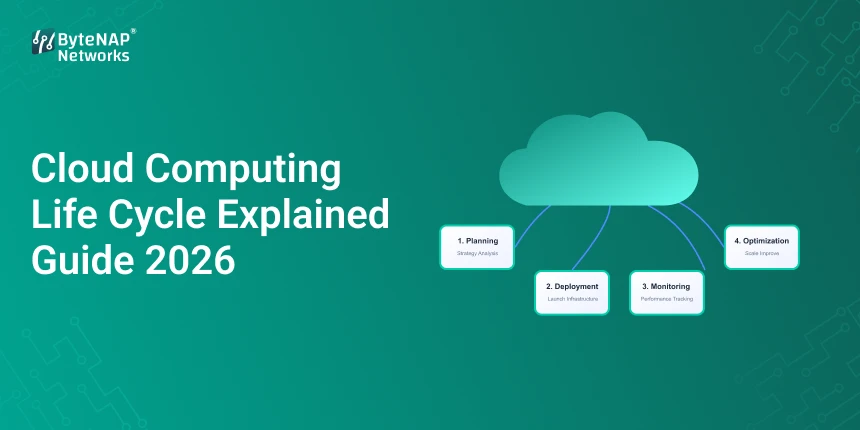
    In this detailed guide for 2026, we’ll explain the cloud computing life cycle in easy-to-understand, useful terms. You’ll learn about the many stages of the cloud computing life cycle, how to manage the cloud service life cycle, and useful tips for managing each step well.

    Let’s make the trip easier.

    What is the cloud computing life cycle?

    The cloud computing life cycle is the whole process of a cloud service, from planning and designing it to deploying it, keeping an eye on it, improving it, and finally shutting it down.

    Think of it as building and taking care of a house:

    • Planning
    • Making plans Building
    • Keeping up
    • Rebuilding or tearing down

    The stages of the cloud computing life cycle also show businesses how to use and manage cloud services in the best way.

    Without structured cloud service life cycle management, cloud initiatives generally don’t give the promised return on investment (ROI).

    Why it’s important to know about the cloud computing life cycle in 2026

    Cloud technology has changed quickly. Places like:

    • AWS
    • Microsoft Azure
    • Google Cloud

    give organisations powerful capabilities, but if they don’t have a comprehensive cloud computing life cycle, they could make mistakes.

    Here’s why it’s important to understand the steps in the cloud computing life cycle:

    • Keep costs from going over budget
    • Make it easier to scale
    • Make sure you follow the rules
    • Make the best use of performance
    • Make things safer

    Proper cloud service life cycle management changes cloud adoption from random to planned.

    The Seven Important Steps in the Cloud Computing Life Cycle

    Let’s go through the cloud computing life cycle one step at a time.

    Step 1: Planning and Evaluation

    This is the first step in the cloud computing life cycle.

    Before moving to the cloud, businesses need to:

    • Look at the current infrastructure
    • Find workloads
    • Set goals
    • Check what security needs are
    • Make a budget estimate

    Important Questions:

    1. Which apps should be moved to the cloud?
    2. What rules do you have to follow?
    3. What is the projected return on investment?

    If you skip this step in the cloud computing life cycle, you will have troubles in the future.

    Example from the real world

    A retail business moved all of its systems at once without doing a proper evaluation. What happened? Time off and price increases. They cut their cloud costs by 30% by changing how they manage the life cycle of their cloud services.

    Step 2: Design and Architecture

    This stage shows how the architecture of a web server and an app server are the same in the cloud, but on a larger scale.

    This is the part of the cloud computing life cycle when you plan:

    • The structure of the network
    • Plan for storage
    • Layers of security
    • Plans for backup
    • Recovering from a disaster

    Strong architecture makes sure that the cloud computing life cycle goes smoothly from one stage to the next.

    Step 3: Moving

    One of the most important parts of the cloud computing life cycle is migration.

    It has:

    • Moving data
    • Reconfiguration of applications
    • Moving a database
    • Testing

    Ways to Move:

    • Lift and Move
    • Re-platform
    • Reorganise

    Good cloud service life cycle management ensures that there is as little downtime as possible during this stage.

    Step 4: Deployment

    After migration, apps are ready to use.

    At this point in the cloud computing life cycle, teams:

    • Set up auto-scaling
    • Set up tools for monitoring
    • Turn on logging
    • Put in place security measures

    Deployment is not the end; it’s just one more phase in the cloud computing life cycle.

    Step 5: Keep an eye on things and make them better

    A lot of businesses don’t give this stage enough credit.

    In the cloud computing life cycle, continuous monitoring is necessary to:

    • Keep an eye on performance
    • Find threats
    • Cut expenses
    • Make things more efficient

    Tools That Are Often Used:

    • AWS CloudWatch
    • Azure Watch
    • The Google Operations Suite

    At this level, good cloud service life cycle management makes sure that performance stays high.

    Step 6: Rules and Compliance

    Security and compliance are very important parts of the current cloud computing life cycle.

    This step includes:

    • Control of access
    • Managing your identity
    • Following the rules
    • Logs of audits

    The cloud computing life cycle becomes dangerous without rules.

    Step 7: Retirement and Renewal

    Every program will ultimately stop working.

    In the last stage of the cloud computing life cycle, companies:

    • Stop providing services
    • Store data
    • Get rid of old systems

    This stage makes sure that cloud service life cycle management works well without wasting resources.

    How to Successfully Use Cloud Service Life Cycle Management

    Now that you know the many stages of the cloud computing life cycle, let’s talk about how to use them.

    1. Form a Cloud Strategy Group

    Set roles for:

    • People who design clouds
    • Officers of security
    • Engineers who work in DevOps

    Structured leadership makes the cloud computing life cycle stronger.

    2. Automate whenever you can

    Automation technologies make managing the life cycle of cloud services better by:

    • Cutting down on mistakes made by people
    • Deployments that are faster
    • Managing settings

    Infrastructure-as-Code (IaC) is very important in the later phases of the cloud computing life cycle.

    3. Keep an eye on costs often

    One of the worst things that may happen in the cloud computing life cycle is not managing costs properly.

    Best ways to do things:

    • Set up notifications for spending
    • Use tools to cut costs
    • Look at resources that aren’t being used

    Financial control is always a part of good cloud service life cycle management.

    4. Make security a priority from the start

    In the cloud computing life cycle, security should not be an afterthought.

    Put into action:

    • Authentication with more than one factor
    • Encryption
    • Access control based on roles

    The advantages of properly managing the cloud computing life cycle

    When done right, the cloud computing life cycle gives you:

    1. Cost-effectiveness

    Better use of resources.

    2. Ability to grow

    Smooth growth during expansion.

    3. Trustworthiness

    Better uptime and performance.

    4. Following the rules

    Ready for rules.

    5. Long-Term Viability

    Good cloud service life cycle management keeps systems up to date and safe.

    Case Study: A SaaS Startup Grows with Cloud Life Cycle

    At first, a SaaS startup didn’t pay attention to the structured stages of the cloud computing life cycle.

    Problems encountered:

    • Quickly rising costs
    • Time off during busy times
    • Weaknesses in security

    Once they put in place formal cloud service life cycle management, they:

    • Costs went down by 25%
    • Increased uptime to 99.99%
    • More trust from customers

    What did you learn? The cloud computing life cycle is not something you can skip; it’s necessary.

    Things You Shouldn’t Do

    When you are in charge of the cloud computing life cycle, don’t:

    • Not doing the assessment phase
    • Not paying attention to monitoring
    • Giving too many resources
    • Not doing security audits

    Every mistake makes cloud service life cycle management less effective.

    Questions that are often asked (FAQ)

    1. What is the life cycle of cloud computing?

    The cloud computing life cycle is the full process of planning, deploying, monitoring, optimising, and retiring cloud services.

    2. What are the different steps in the cloud computing life cycle?

    Planning, design, migration, deployment, monitoring, governance, and retirement are the essential steps in the life cycle of cloud computing.

    3. What makes managing the life cycle of cloud services important?

    Good management of the life cycle of cloud services makes sure that costs stay low, security stays high, scalability stays high, and long-term sustainability stays high.

    4. How long does the life cycle of cloud computing last?

    The life cycle of cloud computing changes based on how complicated the application is and what the business wants. Some services last for years before they need to be renewed.

    5. Is it possible for small businesses to use cloud service life cycle management?

    Yes, for sure. Structured stages of the cloud computing life cycle help even new businesses avoid problems with cost and performance.

    Last Thoughts

    The cloud computing life cycle is more than just a technical framework; it’s a plan for how modern enterprises should work.

    Organisations can:

    • Keep prices down
    • Make things better
    • Make things safer
    • Scale with confidence

    Not only technology, but also lifecycle discipline will determine how well the cloud does in 2026.

    Are you ready to improve your cloud strategy?

    If you wish to move to the cloud or make your current infrastructure better, the first step is to look at your current cloud computing life cycle.

    Want more expert advice on cloud design, DevOps, and hosting plans? Sign up for weekly updates to stay ahead of the changing cloud landscape.

  • Windows VPS Server India: Best Hosting Options

    Windows VPS Server India: Best Hosting Options

    Windows VPS Server India: 

    You might be looking for something quicker, more reliable, and more adaptable if your website or app has outgrown shared hosting. A lot of Indian firms and developers have the same problem: shared hosting isn’t good enough, but dedicated servers might be expensive.

    A Windows VPS Server India can help you handle this problem quickly and easily.

    A Windows VPS server in India can give you dedicated resources, greater performance, and full control over your server environment for a low fee. With a VPS, you can run ASP.NET programs, host business software, or run more than one website.

    This article will teach you all you need to know about Windows VPS server India, such as how it works, why businesses like cheap Windows VPS hosting India, and how to find the finest Windows VPS server providers India for your needs.

    What is a VPS server for Windows?

    Let’s first talk about what a Windows VPS server is before we talk about the finest Windows VPS server providers in India.

    A Windows VPS server in India is a real server that runs the Windows OS on a virtual machine. Each VPS has its own RAM, CPU, and storage space.

    This means that your virtual environment can function by itself, even if the real server is shared.

    Main Features of a Windows VPS Server

    • Dedicated RAM and CPU
    • The operating system for Windows Server
    • Full access to the administration
    • Help with Remote Desktop (RDP)

    Things that can get bigger

    A lot of firms select cheap Windows VPS hosting India over shared hosting because of these benefits.

    Why You Should Get a Windows VPS Server in India

    People in India who own or run websites like Windows VPS servers because they are quick, cheap, and work well with Microsoft products.

    1. Users in India get improved performance.

    Your website loads faster and has less latency when you host your server locally. A Windows VPS server in India lets people in India load pages faster.

    2. Complete Control of the Server

    When you choose inexpensive Windows VPS hosting in India, you are the full administrator. This means you may install applications and set up your environment. This is not the same as shared hosting.

    3. Help with Microsoft software

    • A lot of developers utilise Windows VPS server India to host their ASP.NET sites.
    • Databases for Microsoft SQL Server and .NET programs
    • Business software that runs on Windows

    4. Hosting that doesn’t cost a lot of money

    Windows VPS hosting in India gives you a lot more resources for a lot less money than dedicated servers.

    Important Features of Windows VPS Hosting

    These are the most important things to think about while choosing a Windows VPS server in India.

    Only for You: Resources

    The most reliable Windows VPS server companies in India will give you CPU, RAM, and storage.

    Access to Remote Desktop

    You can control your Windows VPS server India from anywhere using Remote Desktop Protocol (RDP).

    Storage on SSD or NVMe

    Modern, economical Windows VPS hosting services in India come with fast SSD storage to make things go faster.

    Ability to grow

    The best Windows VPS server companies in India make it easy to add more resources as your site gets bigger.

    The best Windows VPS server businesses in India

    Here are a few trustworthy Indian companies that host Windows VPS servers.

    1. Hostinger

    People know Hostinger for its cheap hosting and reliable infrastructure.

    Things to do

    • VPS servers that work really well
    • Full access to the root
    • Storage on SSD

    You can obtain support at any time of day or night.

    Many people think that Hostinger is one of the greatest places in India for new businesses and programmers to get Windows VPS servers.

    2. Digital Ocean

    DigitalOcean has cloud infrastructure that can grow with your needs and works quite well.

    • Prices that change are a feature
    • A platform that is easy for developers to use
    • Fast servers

    A lot of people use Linux servers to host Windows environments, therefore Linux is a great choice for Windows VPS server India solutions.

    3. Kamatera

    Kamatera has data centers all over the world and cloud servers that you may change to fit your needs.

    Things to Watch Out For:

    • Building your own server
    • Things that can get bigger
    • Business infrastructure

    Because it is so adaptable, a lot of experts think that Kamatera is one of the top Windows VPS server providers in India.

    4. GoDaddy

    GoDaddy is one of the most well-known hosting providers in the world.

    • Has Windows Server Hosting
    • Managed VPS options
    • Uptime that you can count on

    Many Indian businesses prefer GoDaddy for cheap Windows VPS hosting since it has a solid support network.

    How to Choose the Best Windows VPS Server in India: A Step-by-Step Guide

    A good Windows VPS server in India can make a big difference in how well your website works.

    Step 1: Figure out what you need to do

    Learn how much RAM, storage, and CPU your project needs.

    Windows VPS hosting in India is cheap, however it might not be adequate for big apps.

    Step 2: Find out where the data center is.

    Choose providers with servers in India or nearby if you want speedier service.

    A Windows VPS server in India that is actually in India has less latency and runs faster.

    Step 3: Check the prices

    varying Windows VPS server companies in India have varying rates for their services.

    Look for plans that provide you a good mix of pricing and performance.

    Step 4: Check out the client service

    When hosting a Windows VPS server in India, it’s quite important to have reliable help.

    Pick providers that are constantly there for you.

    Step 5: Look at the security features

    Your low-cost Windows VPS hosting in India should have:

    • Firewalls protect you.
    • Backups on a regular basis
    • Protection against DDoS

    When seeking for the finest Windows VPS server providers in India, safety is very important.

    A small firm that employs Windows VPS in the real world

    Imagine a small store on the internet that sells things.

    At first, the business used shared hosting. But when more people viewed the site, it got slower.

    The company saw the following changes after shifting to a Windows VPS server in India:

    • Web pages load quicker
    • The application runs better
    • Safer

    This example shows that cheap Windows VPS hosting in India can have a big impact on how well a website works.

    Advantages of Hosting Windows VPS in India

    1. The website works better

    A Windows VPS server in India gives you dedicated resources, which makes pages load faster.

    2. More freedom

    With cheap Windows VPS hosting in India, developers may run their own apps, install software, and set up servers.

    3. Good value for money

    Windows VPS server India is cheaper than dedicated hosting, yet it functions just as well.

    4. More safety

    The leading companies in India that offer Windows VPS servers utilise security solutions like firewalls and malware protection to keep their servers safe.

    5. The ability to get bigger

    As your website or business grows, the resources on your server may also grow.

    This is why cheap Windows VPS hosting in India is perfect for small and new enterprises that are growing.

    What People Use Windows VPS Server India for

    You can accomplish a lot of things with a Windows VPS server in India, such host ASP.NET websites.

    • Using Windows apps
    • Running a database
    • Remote desktop settings
    • Making and testing software

    A lot of developers depend on the finest Windows VPS server providers in India because of these benefits.

    People often ask these questions (FAQ)

    1. What does a VPS server for Windows in India do?

    A Windows VPS server India is a virtual private server that runs Windows and is stored in a data center in India.

    2. Is it safe to use cheap Windows VPS hosting in India?

    Yes, many affordable Windows VPS hosting options in India provide dependable performance, dedicated resources, and strong security.

    3. Which Indian companies are the finest at providing Windows VPS servers?

    Hostinger, Kamatera, DigitalOcean, and GoDaddy are some of the top places in India to acquire a Windows VPS server.

    4. Who in India should have a Windows VPS server?

    Businesses, developers, and website owners who utilise Windows-based software or ASP.NET programs will find that Windows VPS server India hosting is suitable for them.

    5. What is the price of a Windows VPS server in India?

    The cost of Windows VPS hosting in India depends on the resources, however most plans start at ₹400–₹1000 per month.

    At the end

    A Windows VPS server in India is a great way for businesses, developers, and website owners to get more power than shared hosting without having to pay a lot for dedicated servers.

    When you choose the top Windows VPS server providers in India, your hosting environment will work better, be able to grow, and give you more control. Cheap Windows VPS hosting India is the best choice for your business website, apps, or software development if you want the best mix of price and performance.

    Call to Action

    If you want better hosting, look for the best Windows VPS server providers in India now. Check out the different plans, pick the best resources, and see how powerful Windows VPS server India hosting can be for your app or website.

    Start your VPS hosting journey now and take your online projects to the next level.

  • XAMPP Demystified: Real-World Uses for Local Web Development

    XAMPP Demystified: Real-World Uses for Local Web Development

    You’ve undoubtedly wondered, “How can I test my website before launching it?” whether you’re learning web development or creating websites.

    It is dangerous to upload incomplete code to a live server. Inadequate design, security flaws, or bugs can damage your brand before you even start. XAMPP can help with that, even if many novices would find it puzzling at first.

    In order to enable developers to build, test, and improve websites locally before they launch, this blog will demystify XAMPP.

    An Overview of XAMPP

    XAMPP is a free and open-source program that lets you use your computer as a local web server.

    It has all the components required to create and test websites locally:

    • Cross-platform X for Linux, macOS, and Windows
    • A -> web server Apache
    • M -> MariaDB/MySQL (database)
    • P → PHP
    • P → Perl

    You can use XAMPP to create and test websites offline on your own computer without having to pay for hosting or internet usage.

    An Important Analogy

    Consider XAMPP as a safe testing ground where you can make mistakes before your website goes live.

    Why Is XAMPP Helpful?

    Local web development is the most popular response to the question, “what is XAMPP used for?” however there are a lot of other beneficial applications as well.

    Typical Applications for XAMPP

    • Constructing local webpages
    • Testing MySQL and PHP programs
    • Constructing offline WordPress websites
    • Studying back-end programming
    • Safe code debugging
    • Developing client demonstration projects

    XAMPP for web development is a practical everyday tool for developers of all ability levels.

    XAMPP’s Advantages for Web Development

    1. An Internet connection is not required.

    You can work offline from anywhere at any time.

    2. Open Source and Free

    No subscription or licence fees.

    3. Simple Configuration

    In just a few minutes, install and launch Apache and MySQL.

    4. Secure Testing Setting

    Try it out without impacting actual users.

    5. Easy for Novices

    Ideal for learning PHP, databases, and CMS platforms.

    How XAMPP Operates 

    When XAMPP is launched:

    • Your local web server is called Apache.
    • Your database is stored in MySQL.
    • PHP handles the logic of your website.
    • The outcome is seen in your browser.

    XAMPP You don’t require hosting because everything takes place on your computer.

    A Comprehensive Guide to Local Web Development with XAMPP

    Step 1: Install XAMPP first.

    Step 2: Install XAMPP after downloading it for your OS system.

    Step 3: Launch MySQL and Apache

    • To launch services, use the XAMPP control panel.
    • In the third step, create a project folder.
    • Put the files for your website in the htdocs folder.

    Step 4: Go to Your Neighbor’s Website

    • Enter http://localhost/yourproject in the browser window.

    Step 5: Establish a Database

    • For simple MySQL database administration, use phpMyAdmin.

    Applications of XAMPP in the Real World 

    1. WordPress Development

    Before moving them to live hosting, many developers use XAMPP to create whole WordPress websites locally.

    2. Educational Assignments for Students

    Without the need for expensive servers, students can practise PHP, MySQL, and backend development with XAMPP.

    3. Demos for Agency Clients

    Before the final deployment, agencies produce local demonstrations for clients.

    4. Analysing and correcting mistakes

    In a secure setting, fix mistakes without worrying about downtime.

    The advantages of XAMPP include:

    1. Quicker Development

    Online hosting is slower than local servers.

    2. There are no expenses involved with hosting

    Create and test for free.

    3. Improved Code Quality

    Before you go online, take a comprehensive test.

    4. Overall Power

    As necessary, adjust the server’s configuration.

    5. Perfect for Instruction

    • the ideal starting point for backend development.
    • XAMPP is not for public webpages; it is for development.

    Typical Errors Made by Novices in XAMPP

    • Not launching MySQL or Apache
    • File transfers outside of htdocs
    • Using XAMPP for hosting in production
    • disregarding the security configurations
    • Not making database backups

    Time and anxiety can be saved by avoiding these errors.

    When Is It Time to Switch from XAMPP to Hosting?

    When is the best moment to switch to live hosting for your website?

    • The process of development is finished.
    • You’re prepared for actual guests.
    • Indexing is essential for SEO.
    • The client has granted permission.

    After XAMPP is set up, hosting is used to start your website.

    FAQs (Questions & Answers)

    What is meant by XAMPP?

    XAMPP is used for offline website development, PHP application testing, and local web development.

    Is XAMPP suitable for novices?

    Indeed. One of the greatest tools for novices learning web development is this one.

    Is XAMPP compatible with WordPress?

    Of course. XAMPP is frequently used for local WordPress development.

    Is using XAMPP safe?

    In terms of local development, the response is in the affirmative. Using it as a public production server is not advised.

    Does using XAMPP require knowing how to code?

    Novices can learn as they go, although basic knowledge is helpful.

    The Importance of XAMPP in Contemporary Web Development

    XAMPP is still necessary even with VPS servers and cloud hosting because

    • Local testing must be done by developers.
    • Rapid growth is essential.
    • Offline labour is occasionally required.
    • Results are improved by safe experimenting.

    A crucial component of contemporary development procedures is XAMPP.

    Concluding remarks

    The answer to the issue of what XAMPP is used for is straightforward:

    It facilitates safer, quicker, and easier site construction.

    XAMPP continues to be a reliable and useful tool for web development, regardless of 

    experience level, from novices learning PHP to experts creating complex applications.

    CTA (Call to Action) 

    Are you prepared to begin creating local websites?

    Get XAMPP now to confidently start your own local web project.

    Are you looking for more comprehensible web development tutorials?

    To learn more wisely, sign up for our blog.

  • Server for Windows: Best Hosting Options

    Server for Windows: Best Hosting Options

    The Best Hosting Services for Windows Server

    If you use Microsoft technologies like ASP.NET, MSSQL, or others to build a website or app, you may have thought about what the best server is for hosting Windows.

    If you choose the wrong hosting environment, your site may load slowly, not operate with other sites, or be less secure. But the right Windows server could give your business speed, dependability, and the opportunity to grow.

    In this in-depth essay, we’ll cover everything you need to know about Windows server solutions. We will help you make a sensible choice by looking at the finest server for Windows hosting and comparing different Windows server hosting plans.

    Let’s divide it up into smaller pieces.

    What is a server for Windows?

    First, let’s talk about what a Windows server is before we talk about the best server for Windows hosting.

    A Windows server is usually a hosting environment that runs on Microsoft’s Windows Server operating system. For instance:

    • Windows Server 2022
    • Windows Server 2019
    • These servers work best for running .NET Core and ASP.NET apps.
    • MSSQL Databases
    • Exchange from Microsoft
    • SharePoint

    Windows servers are distinct from Linux servers because they have a graphical interface and function with Microsoft-specific frameworks. This makes them the greatest choice for businesses that use Microsoft technology stacks.

    Why Picking the Right Server for Windows Hosting Is Important

    Not every hosting company offers the same quality of service. The server you choose for Windows hosting has a direct effect on:

    • How fast the website loads
    • Safety
    • Works with
    • The ability to get bigger
    • Business dependability

    If you construct your app with ASP.NET, choosing the wrong hosting environment can cause problems, downtime, or bad performance. That’s why it’s so vital to carefully consider all of your Windows server hosting choices.

    There are many different types of Windows Server Hosting Plans.

    When you search for the best Windows server, you’ll come across a variety of hosting options. Let’s break them down.

    1. Hosting for Everyone using Windows

    • Best for: Small websites
    • Beginner projects
    • Pros: It’s not expensive
    • Easy to deal with
    • Not enough resources is a con.
    • Space that is shared

    Cheap shared Windows server hosting plans might not be able to grow, nevertheless.

    2. Hosting for Windows VPS

    • Best for: companies that are getting bigger
    • Websites that get a fair amount of traffic
    • Pros: Resources that are exclusive for you
    • More strength
    • Better outcomes

    VPS is often thought to be the best server for operating Windows for small to medium-sized organisations.

    3. Windows Server Just for You

    • Best for: large companies
    • Websites that get a lot of traffic
    • Apps that work with SaaS
    • Pros: You are in charge of everything
    • The best performance
    • Very safe

    A dedicated server for Windows is the most dependable choice, but it costs more.

    4. Putting Windows in the Cloud

    • Best for: Projects that can get bigger
    • Apps that grow fast

    Cloud-based Windows server hosting services let you change the size of your server as needed and have improved uptime.

    Some well-known providers are: Amazon Web Services, Microsoft Azure, and Google Cloud.

    Here are some reliable hosting companies that have outstanding Windows server hosting plans:

    1. HostGator

    • Windows hosting that is cheap and shared
    • Plesk control panel
    • Simple to set up for first-timers

    This is a great choice if you’re new to Windows servers and just need a simple one.

    2. Water Web

    • VPS and dedicated servers that operate nicely
    • Managed Windows hosting
    • Help for businesses

    A lot of people say this is one of the best servers for Windows hosting companies.

    3. IONOS Budget VPS plans

    • Flexible scaling
    • Good uptime

    Their Windows server hosting services are great for new enterprises and developers.

    How to Choose the Best Server for Windows Hosting

    This is a helpful, step-by-step guide to choosing the finest Windows server:

    Step 1: Find out what kind of technological stack you have.

    Are you using:

    • ASP.NET?
    • MSSQL? .NET Core?

    If so, you need a server that works with Windows.

    Step 2: Make a guess about the traffic

    If you want your website to:

    • Less than 10,000 people come each month => Windows hosting that is shared
    • 10,000 to 100,000 visitors → VPS
    • More than 100,000 visitors: Dedicated or Cloud

    Traffic is a key part of choosing the best Windows hosting server.

    Step 3: Check out the hardware specs

    • Storage on an SSD or NVMe
    • You need at least 8 to 16 GB of RAM for a VPS.
    • More than one core in a processor

    All good Windows server hosting plans let you choose hardware that can grow with your demands.

    Step 4: Safety features

    A secure Windows server should have:

    • Installing a firewall
    • Support for SSL
    • Regular updates
    • Options for backup

    Security is particularly important for eCommerce and SaaS businesses.

    Step 5: Managed or not managed

    • If you choose managed hosting, the provider will handle security and updates for you.
    • You are in charge of everything when you use unmanaged hosting.
    • If you don’t know much about technology, go with managed Windows server hosting.

    An example from real life

    You own a medium-sized accounting firm, and you utilise a custom ASP.NET app for your business.

    You started out with shared hosting. As the number of client records grew:

    • The site grew slower
    • Database queries took a long time
    • People were more anxious about their safety.
    • You saw the following things after upgrading to a Windows VPS server:
    • Faster data processing
    • More safety
    • More time on the internet

    This indicates that choosing the best server for Windows hosting is more than just a technical choice; it’s also a commercial one.

    There are a lot of good things about using a server for Windows.

    Choosing the right server for Windows has a lot of advantages:

    1. Simple to connect to Microsoft

    Works well with Microsoft programs.

    2. Simple to Use Interface

    Management tools that use graphics make things easier to run.

    3. Business security

    Windows Server has more security features.

    4. Reliable performance. Best for ASP.NET projects.

    5. The ability to grow

    You can increase your Windows server hosting subscription if your business grows.

    Things to Avoid

    • Don’t only look at the prices when you pick a Windows server.
    • Not thinking about how to grow
    • Not picking backup choices
    • Not checking how good the support is

    The finest Windows server hosting services should be able to balance performance, security, and price.

    What will Windows Server Hosting be like in 2026?

    These days, Windows server hosting comes with:

    • AI for Monitoring
    • Updates for security that happen automatically
    • Cloud-based integration that works
    • Hosting environments that are mixed

    Over time, the best server for Windows hosting has changed a lot, with a lot of focus on making things easier and bigger.

    Commonly asked questions (FAQ)

    1. What is the best server to use for Windows in 2026?

    What you need will determine what the best server for hosting Windows is. Businesses that are growing like VPS and cloud-based Windows server hosting options.

    2. Is it more expensive to acquire a Linux server than a Windows server?

    Yes, a little bit. Licensing fees make Windows servers more expensive, but the benefits of utilising Microsoft-based software make the extra money worth it.

    3. Can you switch from Linux hosting to Windows hosting?

    Yes, but you need to make plans for the move ahead of time. If your program utilises Microsoft technology, it makes sense to switch to a Windows server.

    4. Do small businesses need to plan for hosting Windows servers?

    If your company uses ASP.NET or MSSQL, then yes, Windows server hosting plans are important.

    5. Is it better to host Windows in the cloud than on a VPS?

    When it comes to growth, cloud hosting is more flexible. For projects that are growing quickly, cloud-based servers for Windows are usually the ideal way to host Windows servers.

    Final Thoughts

    When you want to get the best server for Windows, it’s not enough to just choose a hosting business. It’s important to make sure your business runs smoothly, is secure, and works with other businesses.

    The best Windows hosting server for you is one that meets your budget, the amount of traffic you get, and the technologies you use. With the right Windows server hosting services, you can develop your business without worrying about downtime that costs you money.

    Are you ready to upgrade your hosting?

    If you wish to run an ASP.NET software or improve your infrastructure, now is the time to look for reliable Windows server hosting services.

    Check out the features, test the speed, and choose the best Windows hosting server that will help you grow in 2026 and beyond.

    Want more tips and guidance from experts on hosting? Sign up to get the latest news and make better decisions about your infrastructure.

  • Web Costing Explained: Pricing, Factors & Trends

    Web Costing Explained: Pricing, Factors & Trends

    When you ask a developer, “How much will my website cost?” have you ever gotten the standard answer, “It depends”?

    That answer can be annoying, especially when you’re trying to figure out how to pay for your new business, grow it, or plan your online presence for 2026. The truth is that the cost of the web is not a set amount. It’s a structured computation that is affected by several things that are always changing.

    We’ll go over the following in this extensive guide:

    • What it really means to cost a website
    • A full analysis of the costs of building a website
    • The things that affect prices
    • Examples and situations from the real world
    • The most recent price trends for 2026
    • Realistic ways to keep prices down and make them better

    You will have a clear and confident understanding of web costing by the end—no more unclear estimations.

    What does web costing mean?

    Web costing is the overall cost of planning, designing, building, launching, and keeping a website up and running. It covers everything from registering a domain name to advanced backend programming and regular maintenance.

    When businesses ask about prices, they usually want a precise breakdown of the costs of building a website, with a full explanation of where their money goes.

    Think of the expense of a website as the cost of building a house:

    • The architecture (design)
    • The base (hosting)
    • The insides (UI/UX design)
    • The wiring for the electricity (backend functionality)
    • Maintenance that never ends

    If you don’t have a clear breakdown of the costs of building your website, you could spend too much or too little.

    Why Web Costing Will Be Important in 2026

    Your website is often the first thing people see in today’s digital marketplace. Bad budgeting can lead to:

    • Websites that aren’t done yet
    • Problems with security
    • Slow speed
    • Bad user experience

    Knowing how much a website costs will help you:

    • Make plans that make sense
    • Stay away from hidden fees
    • Pick the correct model for development
    • Get the most out of your investment

    A clear explanation of the costs of building a website helps firms make rational investment choices instead of emotional ones.

    Complete Guide to Website Development Costs

    Let’s go through a realistic website development cost breakdown step by step so you can see how web costing works in real life.

    1. Costs of Domain and Hosting

    Every website needs:

    • Domain name
    • Server for hosting
    • Estimated Cost (2026):
    • Domain: $10 to $25 a year

    Hosting costs between $50 and $500 a year, depending on how much traffic and how well it works.

    When you break down the costs of building a website, hosting is a big part of the total cost.

    2. Design of the website (UI/UX)

    Design changes how people see a brand.

    Costs change depending on:

    • Template vs. custom design
    • How many pages
    • Things that you can interact with
    • Needs for branding

    Estimated price:

    Based on a template: $200–$800

    $1,500 to $5,000 or more for a custom design

    In professional projects, design is usually 25% to 40% of the entire cost of the website.

    3. Costs of Development

    This is the technical build phase.

    Includes:

    • Coding for the front end
    • Functionality on the back end
    • Combining databases
    • Setting up CMS

    A detailed breakdown of the costs of building a website usually shows that development is the most expensive part.

    Estimated:

    • Basic business site: $1,000 to $3,000
    • E-commerce site: $3,000 to $10,000 or more
    • Custom SaaS platform: $10,000 to $50,000 or more
    • This step has a big effect on the overall cost of the web.

    4. Making Content

    There are:

    • Writing copy Pictures Videos SEO optimisation
    • A lot of companies ignore this when they break down the costs of building a website, but it’s quite important.

    Estimated:

    • Basic content: $300 to $1,000
    • SEO material written by a pro costs between $1,000 and $5,000.

    5. Setting up SEO and marketing

    The first step in SEO is:

    • Finding the right keywords
    • Optimising on-page
    • SEO for technology
    • SEO is an important part of web costs since it affects long-term ROI.

    6. Security and upkeep

    Ongoing web costs include:

    • Changes
    • Fixes for bugs
    • Patches for security
    • Managing backups

    Maintenance every year: $500 to $2,000 or more

    A full overview of the expenses of building a website must include maintenance expenditures, not simply launch costs.

    Important Things That Affect Web Costs

    Knowing these things will help you keep track of how much money you spend on building your website.

    1. Type of website

    varying websites have varying costs for the web:

    • Website for your portfolio
    • Website for business
    • Online shop
    • Platform for the marketplace
    • SaaS item

    More features mean a higher expense for the web.

    2. How much you can change

    Adding custom features takes more time to develop.

    As an example:

    • System for making reservations
    • Integration of payments
    • Integrations with APIs

    These immediately add to the breakdown of the cost of developing the website.

    3. Where the developer is located

    The cost of the web changes from place to place:

    • US/Europe: Higher rates
    • Asia: Cheaper choices

    Freelancers or agencies?

    4. Stack of Technologies

    Using advanced frameworks makes things more complicated and costs more to run on the web.

    For instance:

    • React-based app made just for you
    • Website built on WordPress
    • The choice you make has a direct impact on how much it will cost to build your website.

    Example from the real world: a startup vs. an e-commerce brand

    Let’s look at two different situations.

    Scenario 1: A startup in the area

    What you need:

    • A website with five pages
    • Basic SEO
    • Form to get in touch

    The cost of building a website is as follows:

    • Cost of Domain and Hosting: $150
    • $600 for design
    • $1,500 for development
    • Search Engine Optimisation: $500
    • Total cost of the web: about $2,750

    Scenario 2: Brand for E-Commerce

    Needs:

    • 200 items
    • Gateway for payments
    • Shipping integration, SEO, and a custom UI

    Breakdown of the costs of building a website:

    • Hosting: $400
    • $3,000 for design
    • $7,000 for development
    • Cost: $2,000
    • $1,500 for SEO
    • Total cost for the web: about $13,900

    This shows how the cost of a website goes up as it gets more complicated.

    A Step-by-Step Guide to Figure Out How Much Your Website Will Cost

    This is the best way to plan a website:

    Step 1: Set a Goal

    Enquire:

    • Is this for marketing?
    • Getting leads?
    • Online shopping?

    The cost of building your website depends on what you want it to achieve.

    Step 2: Make a list of the features you need

    Write down:

    • System for logging in
    • Integration of payments
    • Help with chat Blog area

    This list affects how much your website costs.

    Step 3: Pick a model for development

    Choices:

    • DIY builder
    • Freelancer Agency

    Each one changes the way you break down the expense of building your website.

    Step 4: Set aside money for maintenance

    A lot of people don’t pay attention to recurring web costs. Set up 15 to 25 percent of your income every year.

    Step 5: Look at more than one quote

    Don’t trust just one estimate.

    To evaluate, compare 3 to 5 providers:

    • Clarity
    • Features that are included
    • Extra costs

    A thorough summary of the costs of building a website should make all of the costs transparent.

    Cost Trends for the Web in 2026

    The field of web development is changing quickly.

    1. The cost of integrating AI

    AI chatbots and automation technologies are making the web more expensive, but they are also making users more engaged.

    2. Development with a subscription

    More firms now provide monthly plans instead of models that show the cost of building a website all at once.

    3. Focus on Improving Performance

    Speed optimisation is now required, which raises the cost of the web.

    4. Making security a top priority

    Cyber risks have made it necessary for every website construction cost breakdown to include security costs.

    Why it’s good to know about web costing

    You:

    • Don’t let your budget surprise you.
    • Get better at negotiating
    • Put the most crucial features first
    • Get the most out of your investment
    • Plan for expansion that can be scaled

    A clear analysis of the costs of building a website lets you make smart investments instead of guessing.

    Web Costing Mistakes That Happen Often

    Stay away from these:

    • Picking the cheapest choice without thinking
    • Not paying attention to SEO
    • Not planning maintenance
    • Not asking for a complete breakdown of the cost of building the website
    • Adding too many things that aren’t needed

    Smart web costing implies finding a balance between quality and price.

    Questions that are often asked (FAQ)

    1. What is the average cost of a website in 2026?

    The cost of a basic website starts at about $1,000, but the cost of a more advanced platform can go up to $20,000 or more, depending on how complicated it is and how much it costs to build.

    2. Why is there such a big difference in the costs of website development?

    Because the cost of a website relies on how complicated the design is, what features it has, how well it works with other sites, and how long it takes to make.

    3. Is continuing maintenance part of the cost of a website?

    Not all the time. A lot of developers don’t include it in the original pricing breakdown for building a website, so always check.

    4. Is it possible to lower the cost of a website without losing quality?

    Yes. Use templates, make sure the most important features are at the front of the list, and grow slowly.

    5. Is it worth paying more for a personalised website?

    If your business needs special features, a bigger website creation cost breakdown makes sense.

    Last Thoughts

    It’s not enough to merely know the statistics when it comes to web costs; you also need to know how to make smart choices.

    A clear breakdown of the costs of building a website lets you:

    • Make wise plans
    • Put your money into things you believe in
    • Plan your building
    • Scale up quickly

    Your website isn’t a cost in 2026; it’s a digital asset.

    Are you ready to make a budget for your website?

    If you want to make a new website or redesign an old one, start by making a list of the costs of building your own website.

    Do you need help figuring out how much your project’s website will cost? Get in touch with a competent developer or agency and ask for a full proposal.

    Don’t leave everything to chance; strategic planning is the first step to digital success.